Software for home appliance service
Contents recorded at intake, warranty at the brand price list, callouts, slow parts and partner shops.
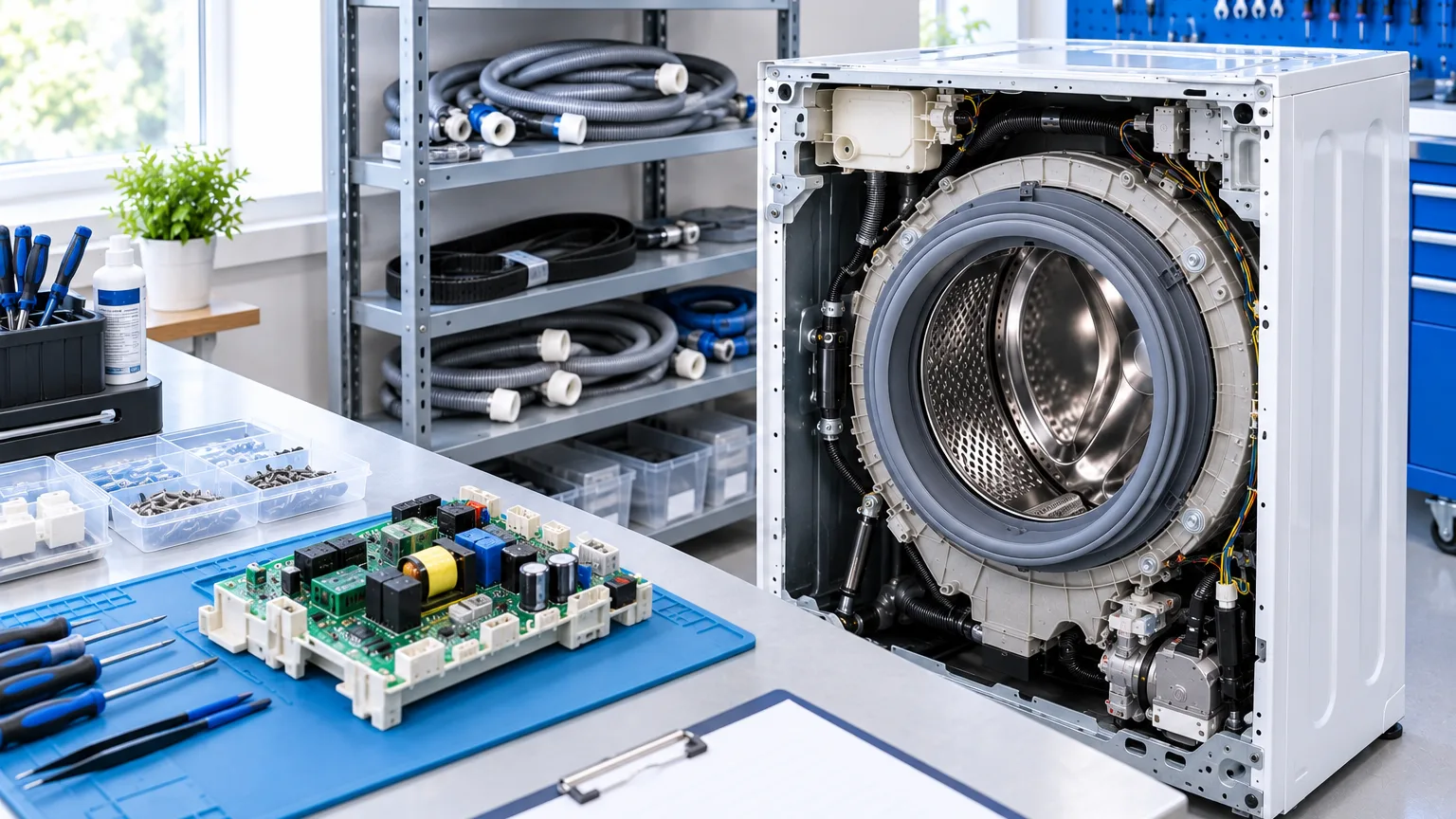
ServiceCenterSoft is software for a service that repairs washing machines, fridges, dishwashers, ovens and small appliances. Intake with the contents written down, warranty repairs at the manufacturer's price list, callouts, requests for expensive parts and a payout calculation per technician. It runs in the browser; there is nothing to install.
How appliance service differs from a workshop
A phone arrives in a pocket and leaves the same day. A washing machine arrives by van, the repair takes a week, and half the work happens at the customer's home. The problems are therefore quite different from a phone shop's.
- Contents. Hoses, trays, shelves and a remote arrive with the appliance. A week later nobody remembers what exactly came in — but the customer does, and usually remembers more than there was.
- Warranty. Some repairs are under warranty and the manufacturer pays, not the customer. The price comes from the brand's list rather than yours, and you need a certificate the manufacturer will accept.
- Parts. A compressor or a control board takes weeks. The appliance sits there, the space is taken, the customer calls, and the reason is always the same — waiting on a supplier.
- Callouts. Built-in appliances are not brought in: the technician goes out. A callout also has to be priced and paid for.
- Partners. Appliances come in not only from walk-in customers but from shops, and those accounts are settled separately.
Intake: contents is the field that matters
Next to model and fault, the intake form has two fields that matter more than any other in appliance work: condition and contents. Everything goes in here: rust on the back panel, a dent in the door, two shelves instead of three, a hose with no washer. The same lines print on the job sheet the customer signs.
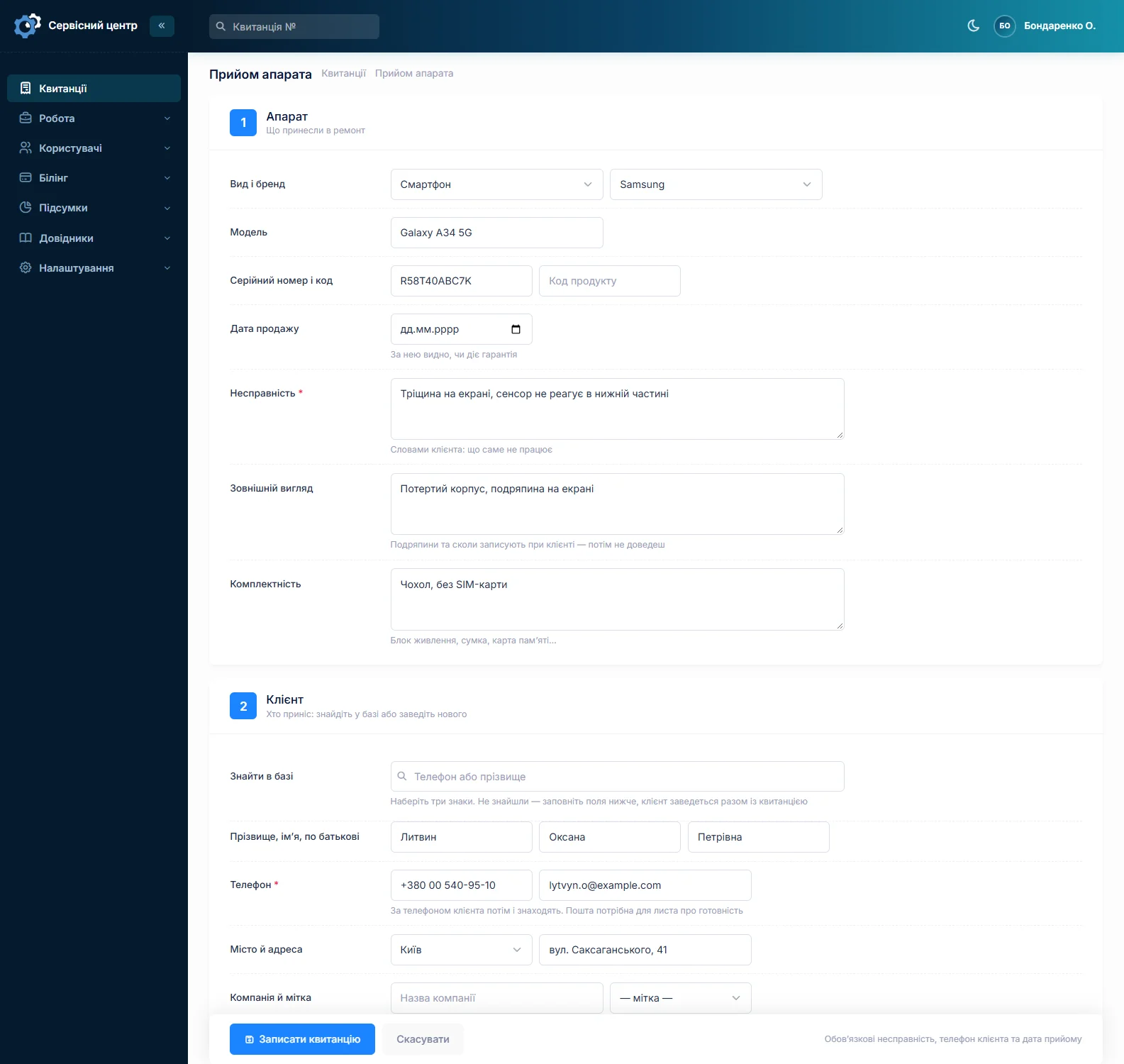
The date of sale is recorded in the same place — it decides whether the repair is under warranty or chargeable. The serial number pays off later: if this fridge has been here before, you can see when and what for.
Warranty at the manufacturer's price list
There is a separate warranty price list: the price is made up of brand, repair category and the appliance itself. When you mark a repair as warranty work, the amount comes from that list rather than your usual one. Chargeable repairs are costed as before — from the device catalogue or with your own price.
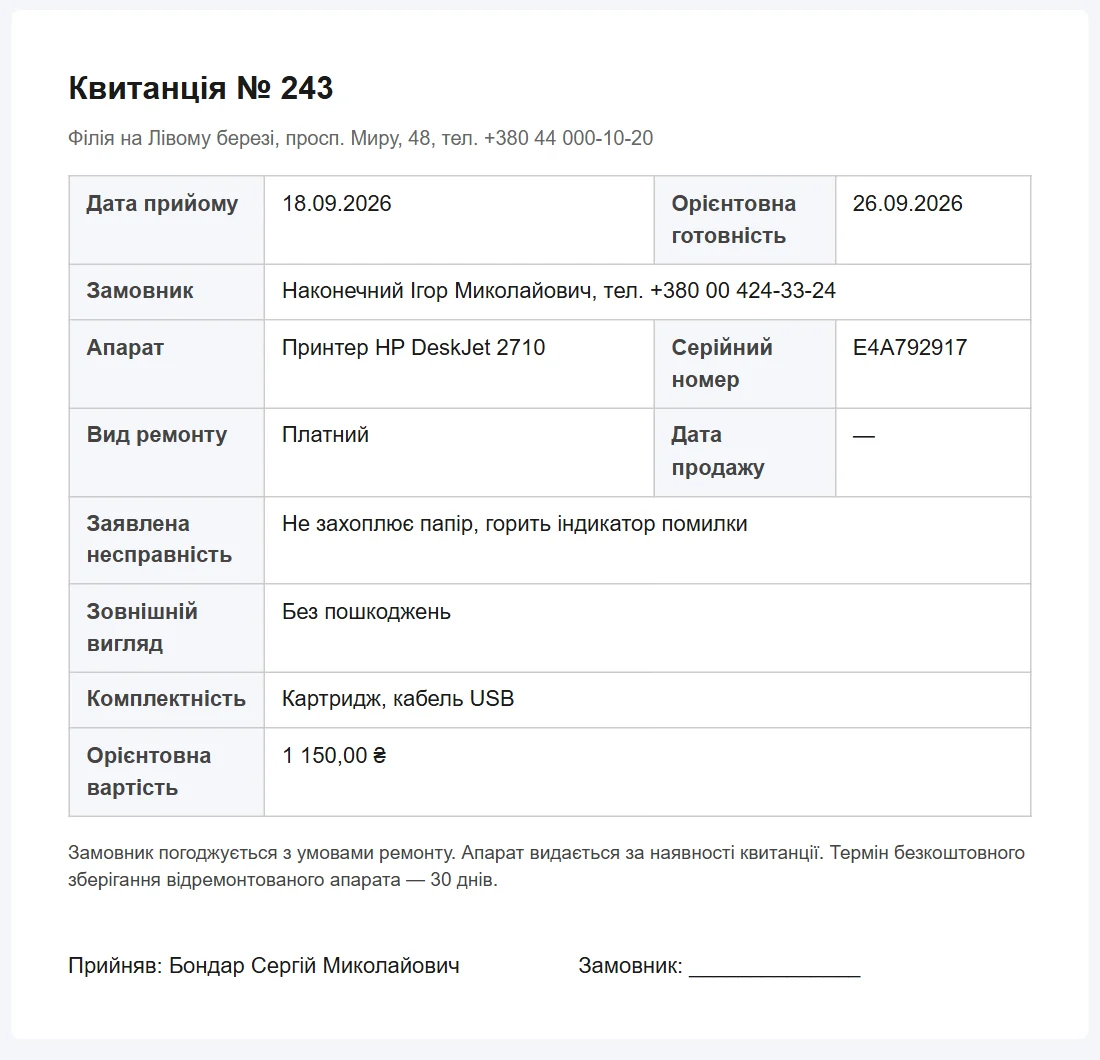
At the end the completion certificate prints from the same job sheet: number, appliance, serial number, date of sale, what was done and the amount. You edit the certificate form yourself, to suit the manufacturer you work with.
Going out to the customer
A callout is booked as its own repair type — you create the types yourself in a reference list. From then on it behaves like any job sheet: its own technician, due date and price, and the monthly report shows how many callouts were done and for how much.
Honestly: there is no separate callout planner with a map and a route. There is the list, filtering by technician and date, and a due date — enough to see who is going where today, but the software does not plan routes.
Parts that take weeks
A parts request is tied to a specific job sheet. So at any moment you see not "waiting for a part" in general, but which repair is held up, since when, and because of which supplier. The request can be emailed to the supplier from inside the software and marked received when the part arrives.
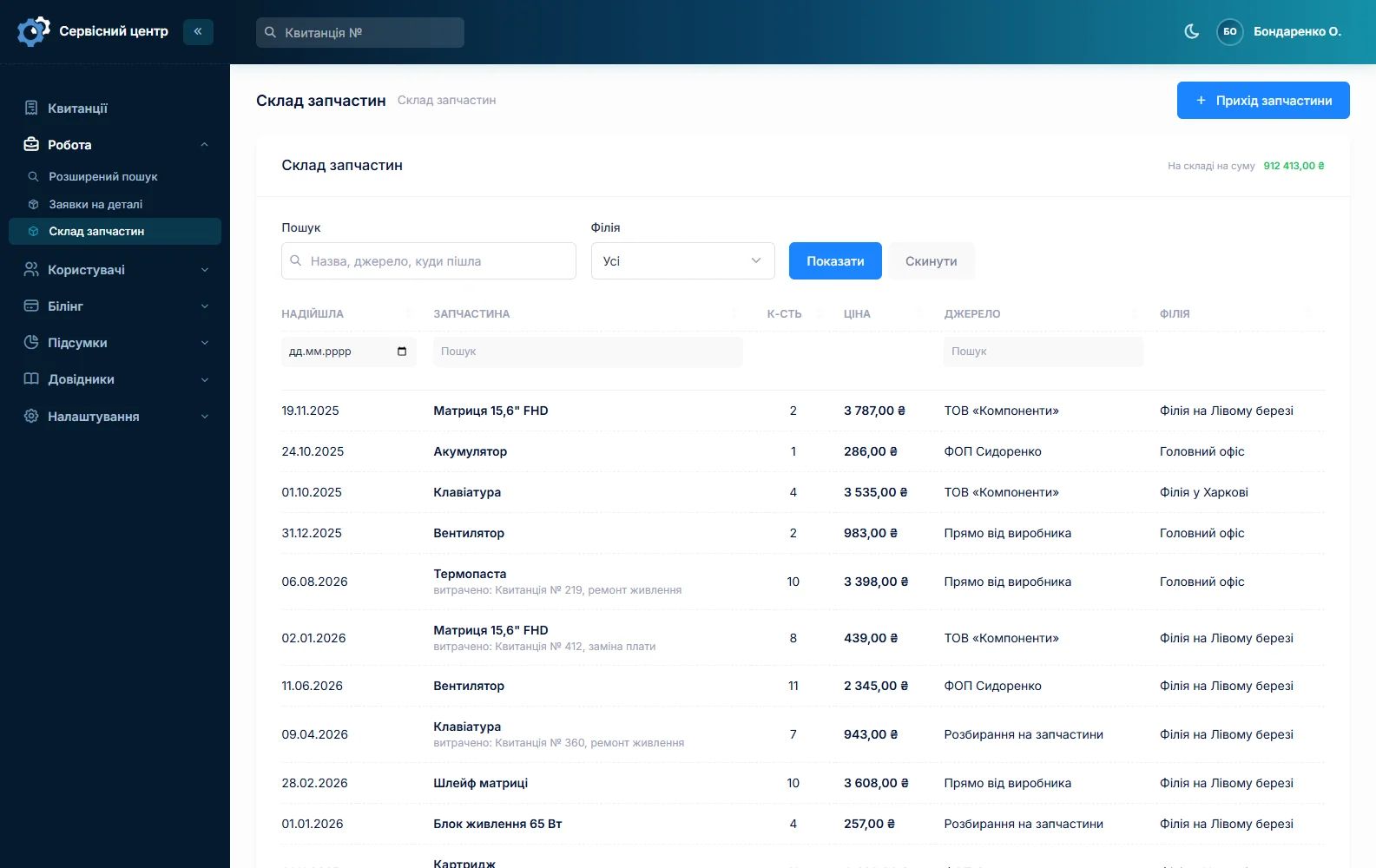
What is on the shelf is tracked separately: receipts, quantity, price, source and usage. See spare parts accounting.
Partners: the shops that send work in
The job sheet has a "partner" field. If the appliance was brought in by a shop or an insurer rather than its owner, you set the partner — and can then filter the list by them: how many of this shop's appliances are in progress, how many were handed back, for what amount. That removes the side spreadsheet people usually keep.
A long repair means the customer needs to know
The job list shows overdue dates in red, and the quick filters — in progress, ready for pickup, urgent, unpaid — let you read the state of the service in a second.
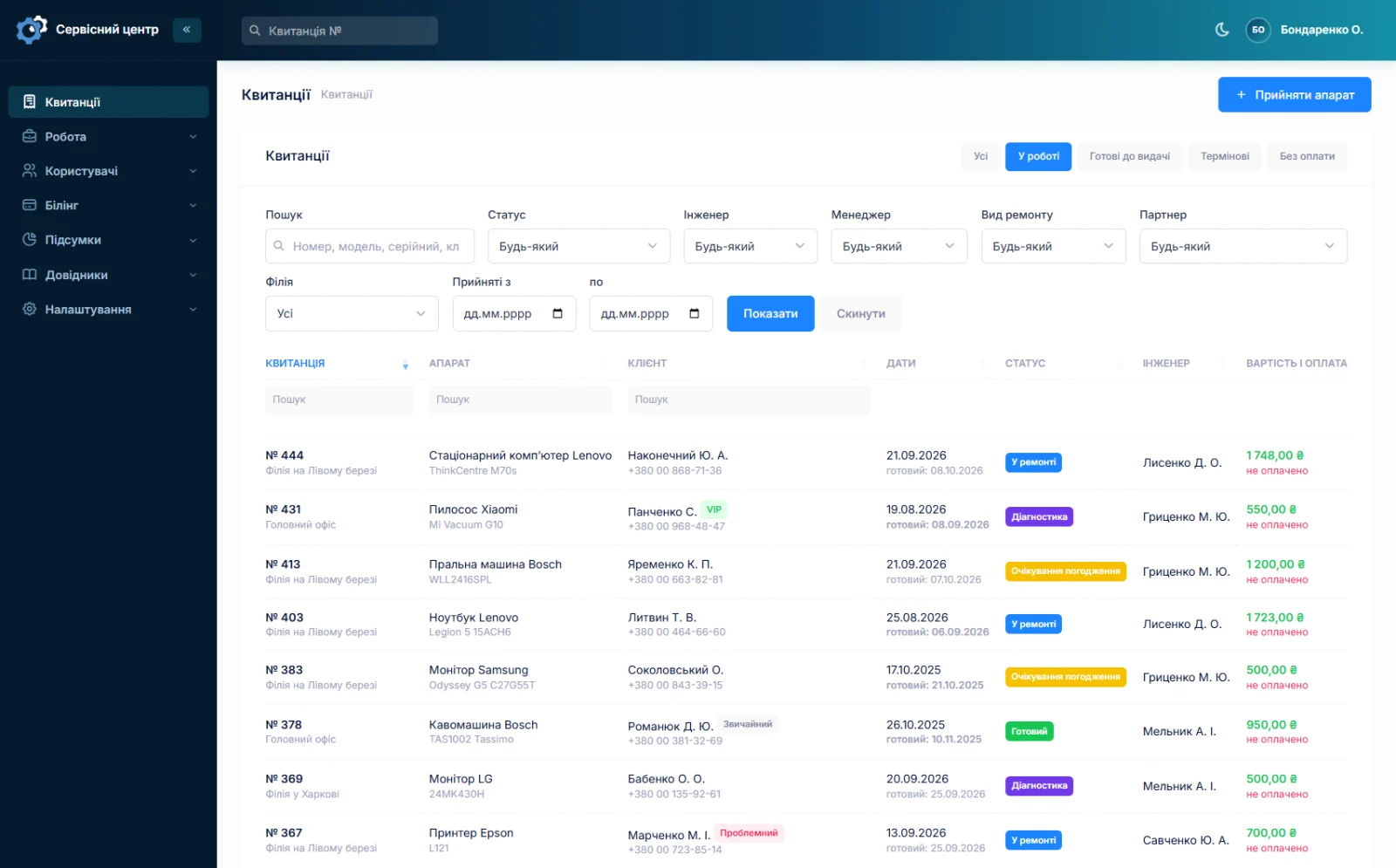
When the repair is done the customer gets an email whose wording you edit yourself. They can also log into their own portal and see their repairs — only theirs, read-only. For a week-long repair this matters more than for an hour-long one: there are noticeably fewer "any news?" calls.
Honestly about SMS: the software does not send SMS — they cost money. What works is the email, a Telegram message via the QR code on the ticket, and the customer portal (customer notifications).
What each technician earned
The report for a period shows, per technician: how many repairs, for what amount, how much of it was paid and their share by rate. Warranty and chargeable repairs appear separately — that is different money arriving from different directions.
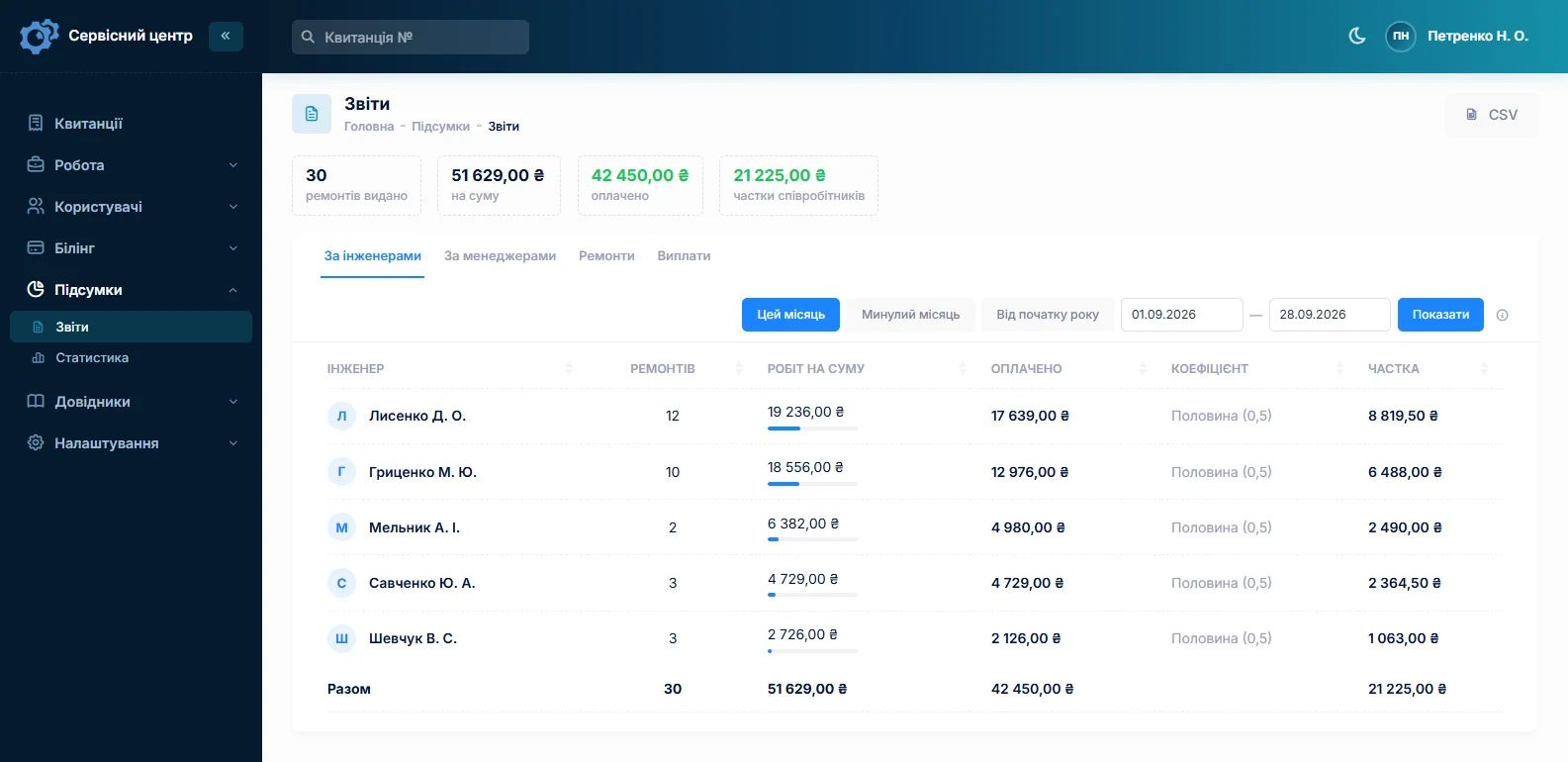
Next to it, statistics per branch: taken in, handed out, in progress. See reports and statistics.
What you get
- Condition and contents recorded before the repair and printed on the job sheet.
- Warranty repairs at the brand's price list and a certificate the manufacturer accepts.
- A clear view of which repair is held up by a part, and since when.
- Callouts as their own repair type — priced, and present in the reports.
- Accounts with partner shops without a side spreadsheet.
- Fewer calls during a long repair: the ready email and the customer portal.
- A per-technician payout calculation that keeps warranty and paid work apart.
What it costs
One price for the whole service: no charge per technician and no charge for a second location. Custom work for your way of working is charged separately, by the hour.
Monthly
Paid every month, cancel whenever you like.
Yearly
Cheaper than paying monthly. Invoice or card payment.
Custom work
Changes tailored to the way you work — hourly, by agreement.
You can look at the software without registering, in the demo. The full list of features is on the features page.
Frequently asked questions
Can warranty repairs use the manufacturer's price list?
Yes. There is a separate warranty price list: the price is made up of brand, repair category and the appliance. Mark a repair as warranty work and the amount comes from that list rather than your usual one. Chargeable repairs are costed separately.
How are callouts recorded?
A callout is created as its own repair type — you define the types yourself in a reference list. After that it is an ordinary job sheet with its own technician, due date and price, and the report for a period shows how many callouts were done and for how much. There is no route planner with a map.
Are the contents recorded — hoses, shelves, remote?
Yes, there is a separate "contents" field next to the "condition" field. Both print on the job sheet the customer signs, so a week later nobody has to remember what exactly came in.
What if a part takes a month to arrive?
The parts request is tied to the job sheet, so you see not "waiting for a part" but which repair is held up and since when. The repair gets its own status, the customer sees it in their portal, and you can filter for every job held up by suppliers at any time.
Can appliances be taken in from shops and insurers?
Yes, the job sheet has a "partner" field. The list can be filtered by partner: how many of this shop's appliances are in progress, how many were handed back and for what amount. No side spreadsheet needed.
Can I print a certificate for the manufacturer?
Yes. The completion certificate prints from the same job sheet: number, appliance, serial number, date of sale, the work done and the amount. You edit the certificate form inside the software, to suit the manufacturer you work with, with your logo and your wording.
See also
Phone repair shop software
Intake in a minute, screens and batteries tracked, a ready-for-pickup email, output per technician.
Read moreTV repair software
For a workshop repairing TVs and monitors: diagnosis and price approval before ordering a panel, a description of the screen at intake, and refusals that do not turn into disputes.
Read morePower tool repair software
For a workshop repairing electric and petrol tools: building firms and hire shops as customers, tools arriving in batches, brushes and armatures in stock, and each drill’s history by serial number.
Read moreCar electronics repair software
For a workshop repairing car electronic units: ECUs, instrument clusters, ABS modules, starters and alternators. Units from owners and garages, the part number on the job, price approval after diagnosis, chips and donor units in stock.
Read moreSoftware for a small repair shop
For a workshop run by one or two people: intake with a printed job sheet, a list of repairs, the month’s takings. Set up in an evening.
Read moreComputer repair shop software
Diagnosis in the work log, agreeing the price after opening the device, your own statuses, recommendations for the customer.
Read moreSoftware for an authorised service centre
Warranty repairs at the brand price list, date of sale, a certificate the maker accepts, partner accounts.
Read moreSee how it works
The demo is open — go in and try it. Ask us anything by email, Telegram or the form on this site.