Printer repair and cartridge refill software
For a shop that repairs printers and MFPs and refills toner cartridges for offices: your own number on every cartridge with its refill history, an office as one customer with its balance on the card, toner, drums and chips in stock with levels.
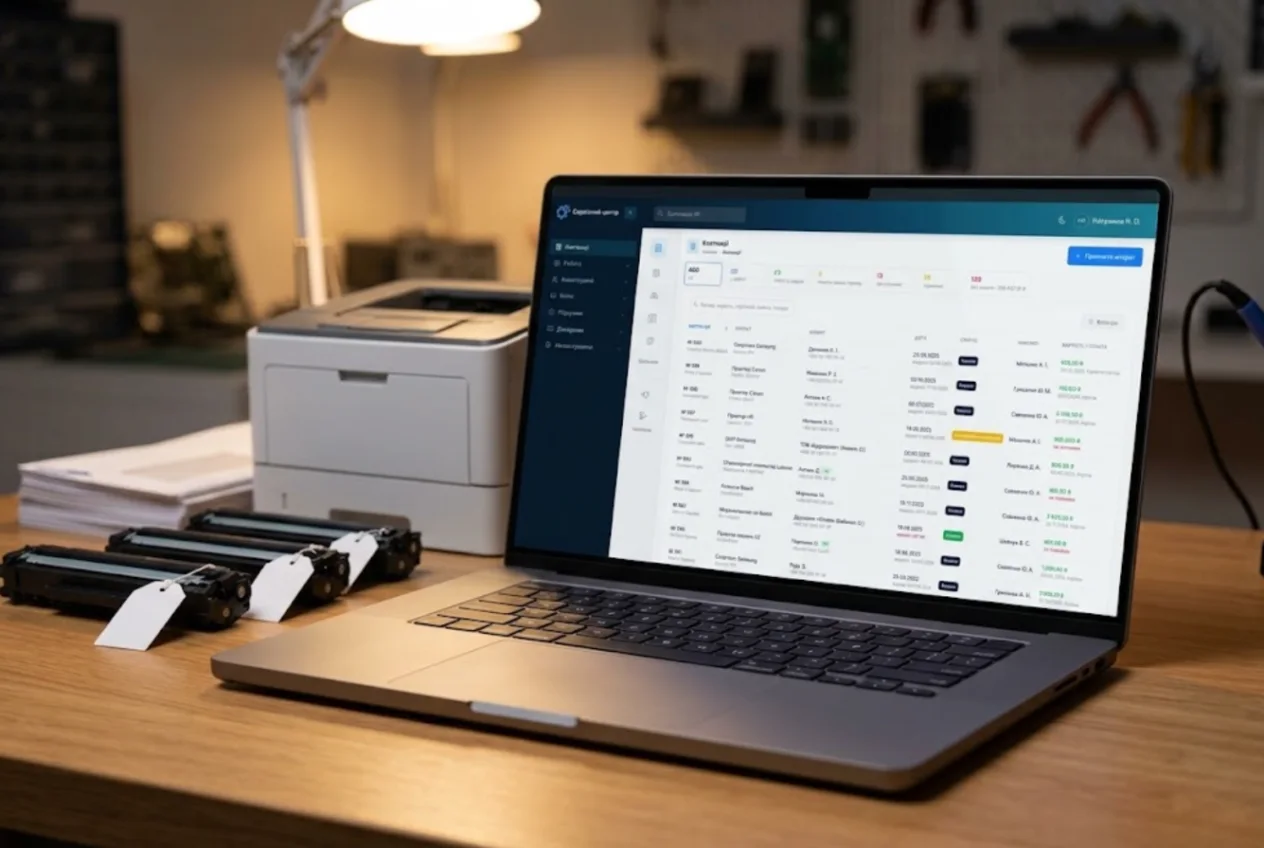
ServiceCenterSoft is tracking software for a printer and copier service that also refills toner and ink cartridges for offices, schools, clinics and shops. A job for every device, a history for every cartridge by its number, all of an organisation’s work on one card, toner and parts in stock.
One shop, two kinds of work
Repairs come in one at a time: an MFP that jams, a printer that leaves streaks, a copier showing an error code. That means diagnosis, often a part to order, and a quote the customer must approve — sometimes the repair costs more than a new machine.
Refills are the opposite. Each takes half an hour, but they arrive by the dozen, all the same model, from one office, and come back every month. The risks differ too: mixing up whose cartridge is whose, missing that this one has already come back streaky twice, or ending the month without a clear count of what you did for the school down the road.
A number of your own on every cartridge
Most cartridges have no readable serial number, so refill shops put on their own sticker — say “C-0412” — and enter it in the job’s serial number field. Searching by that number brings up every job for the cartridge: when it was refilled, what was replaced, who booked it in. Back for the third time in six months? You see it at once.
When an office drops off twelve identical cartridges, you book in the first one normally and the rest with “Copy from job” → “Last one”: the customer, model, job type, price and description carry over. The serial number is deliberately not copied, so each job gets its own sticker number and you cannot accidentally reuse someone else’s.
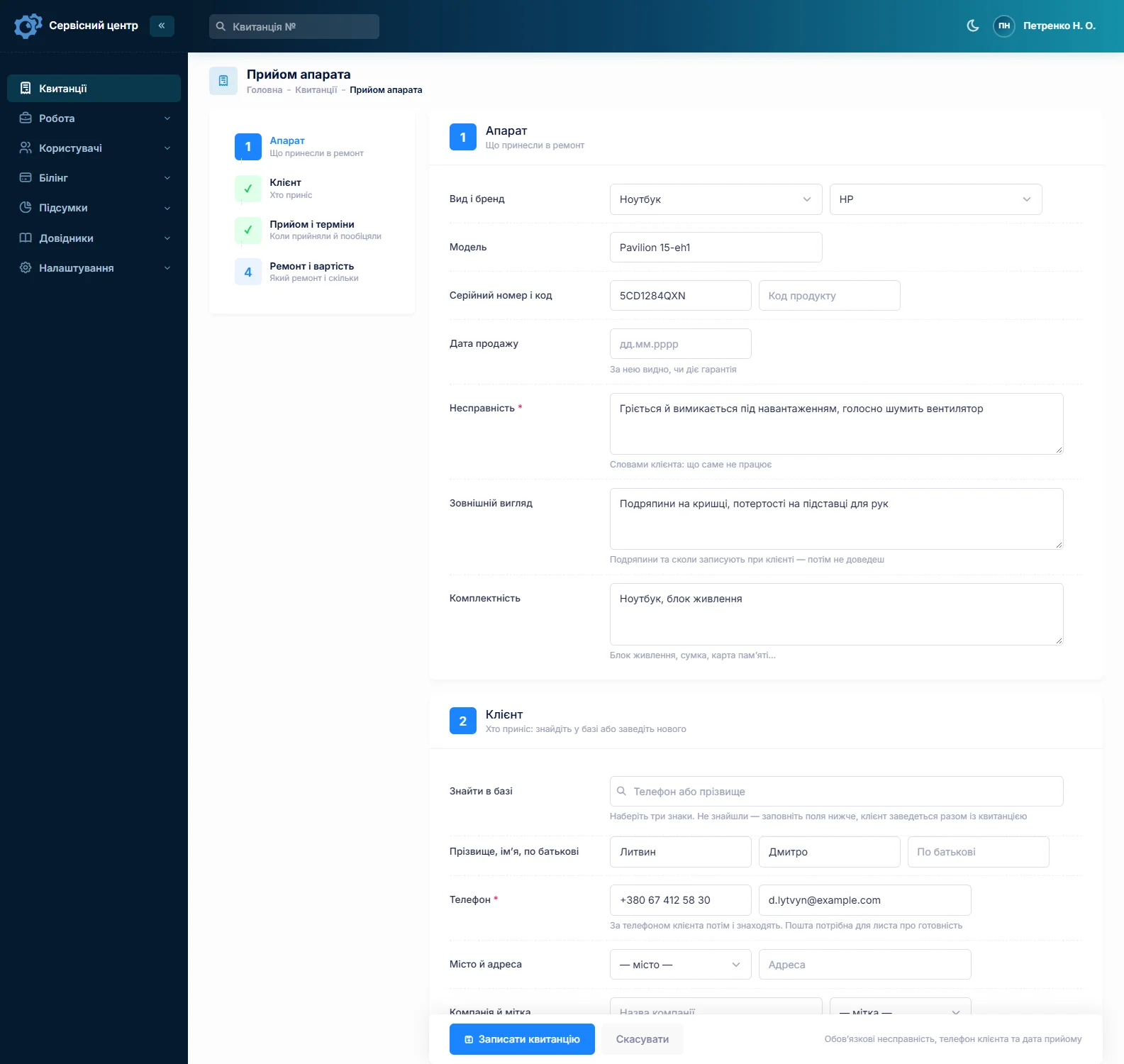
The customer signs the intake receipt and keeps a copy — proof of exactly what was dropped off. More on what a good receipt contains: repair intake receipt.
An office is one customer, whoever drops off the cartridges
One week it is the receptionist, the next a driver, but the organisation pays. The customer card has a “company” field, and search finds customers by company name. All the organisation’s jobs are on that one card, with totals: how many, what they came to and how much is still unpaid.
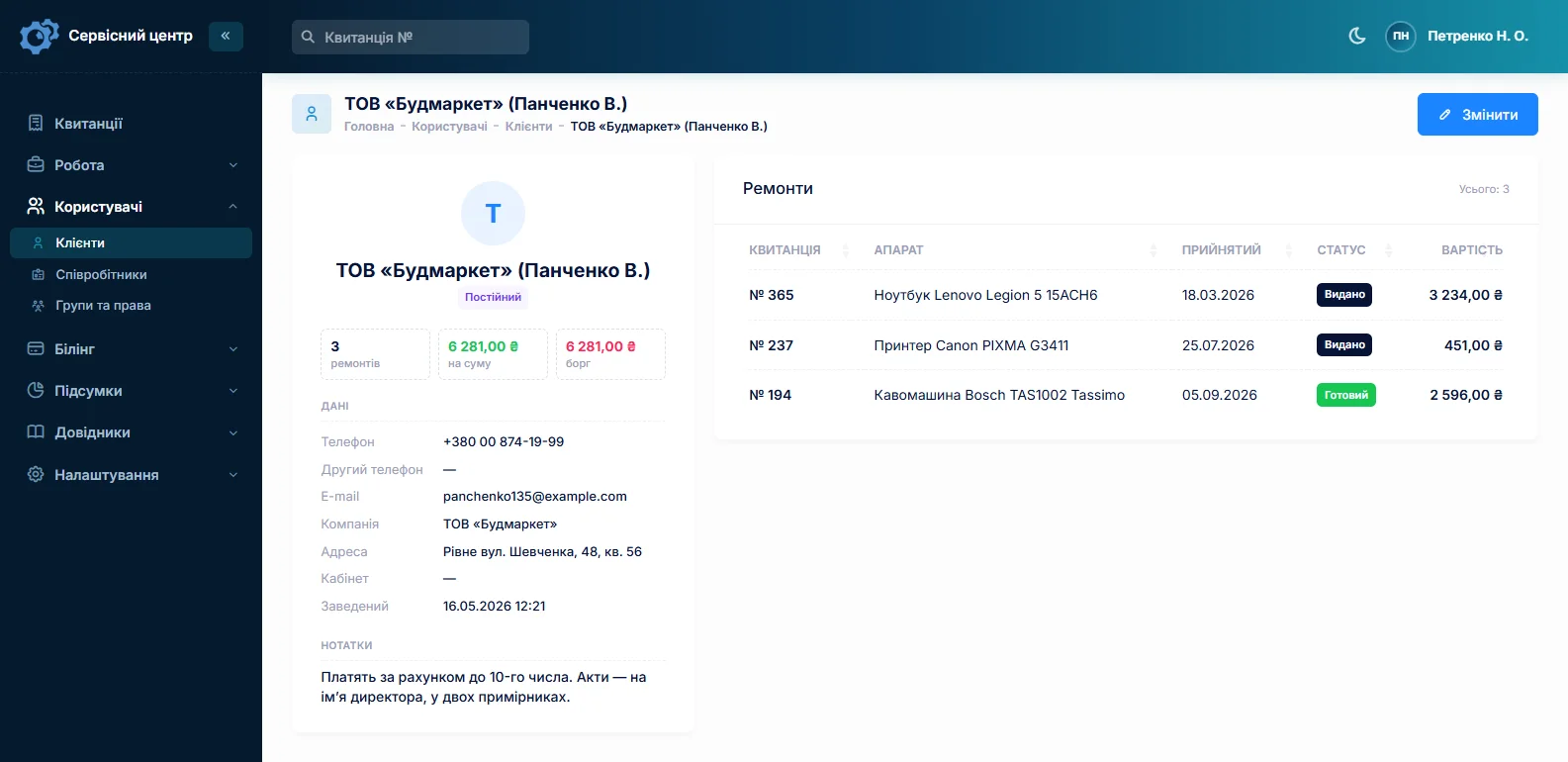
Customer labels are a list you manage yourself, so next to “Returning” and “VIP” you can add “Contract” and filter the customer list by it. Notes hold what the front desk needs to know: “pays monthly on invoice”, “release only against the facilities manager’s signature”. How to keep a customer base that actually helps: customer database for a repair shop.
Refill, chip, drum — prices from a list
You set up your own device types, each with its usual price: “HP 85A cartridge”, “Canon 725 cartridge”, “MFP”, “Laser printer”. Pick the type and the refill price fills in. Anything extra — a new chip, drum or wiper blade — goes on as estimate lines from your list of standard jobs: name and price fill in, you set the quantity.
A refilled cartridge came back streaky? Open a new job with the “Repeat repair” type and a custom price, even zero. The history under the sticker number shows when the last refill was done and by whom.
Toner, drums and chips in stock, with levels
Stock is kept by movements: deliveries with price and supplier, write-offs into a job as estimate lines, stocktakes. Count toner in grams or bottles, chips and drums by the piece. Give an item a minimum level, and the “running low” filter tells you to reorder before your best-selling chip runs out.
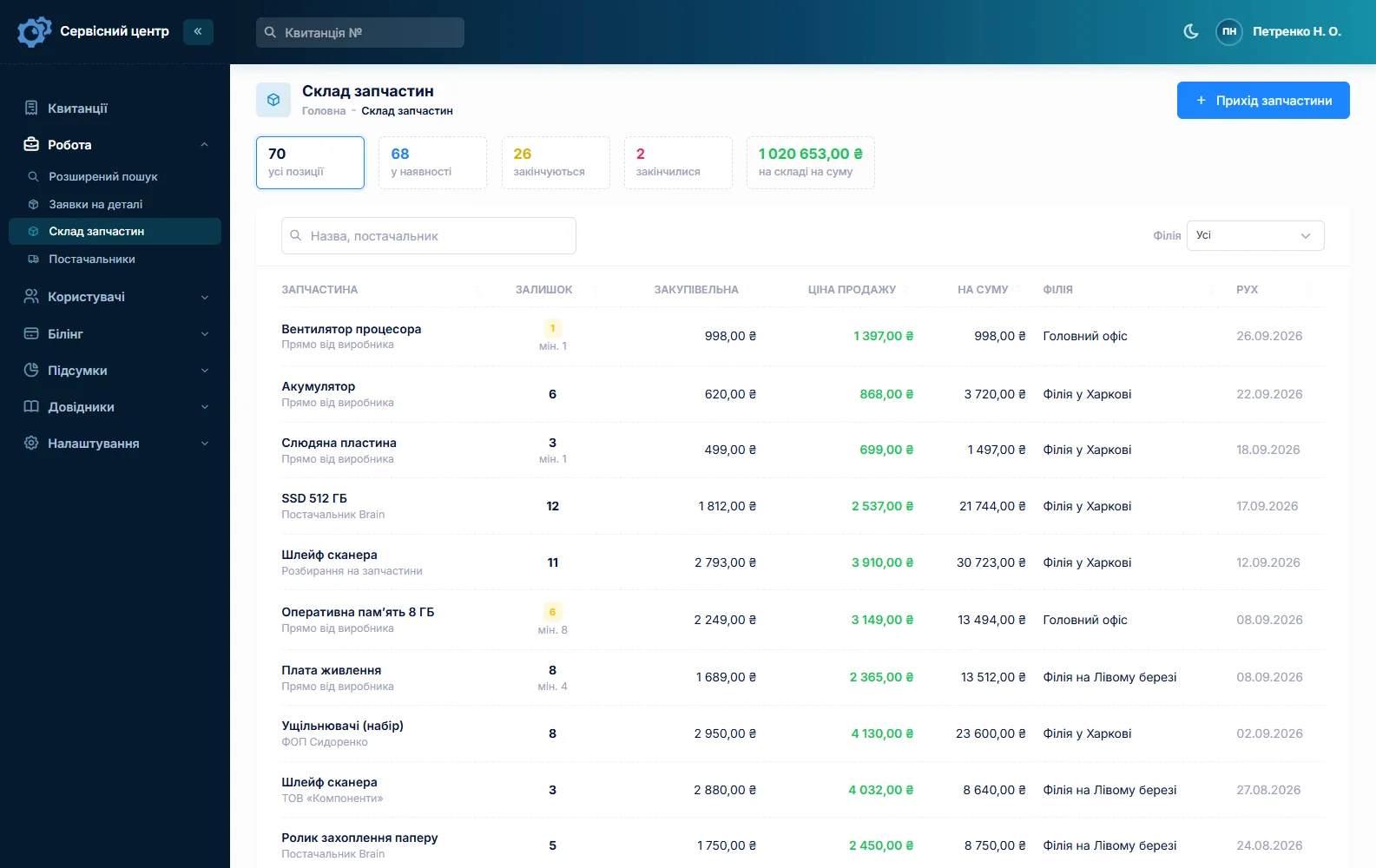
Fuser films, rollers and assemblies for printer repairs work the same way. A missing part is ordered straight from the job, and the software emails the order to the supplier. More in spare parts tracking.
A printer in for repair: diagnosis and approval
You define the statuses yourself: “Diagnosis”, “Awaiting approval”, “Waiting for a part”, “Ready”. After diagnosis the technician builds the estimate and sends it to the customer as a link by email or Telegram. They click “I agree” or “I decline”, and the answer is logged in the job history with the date.
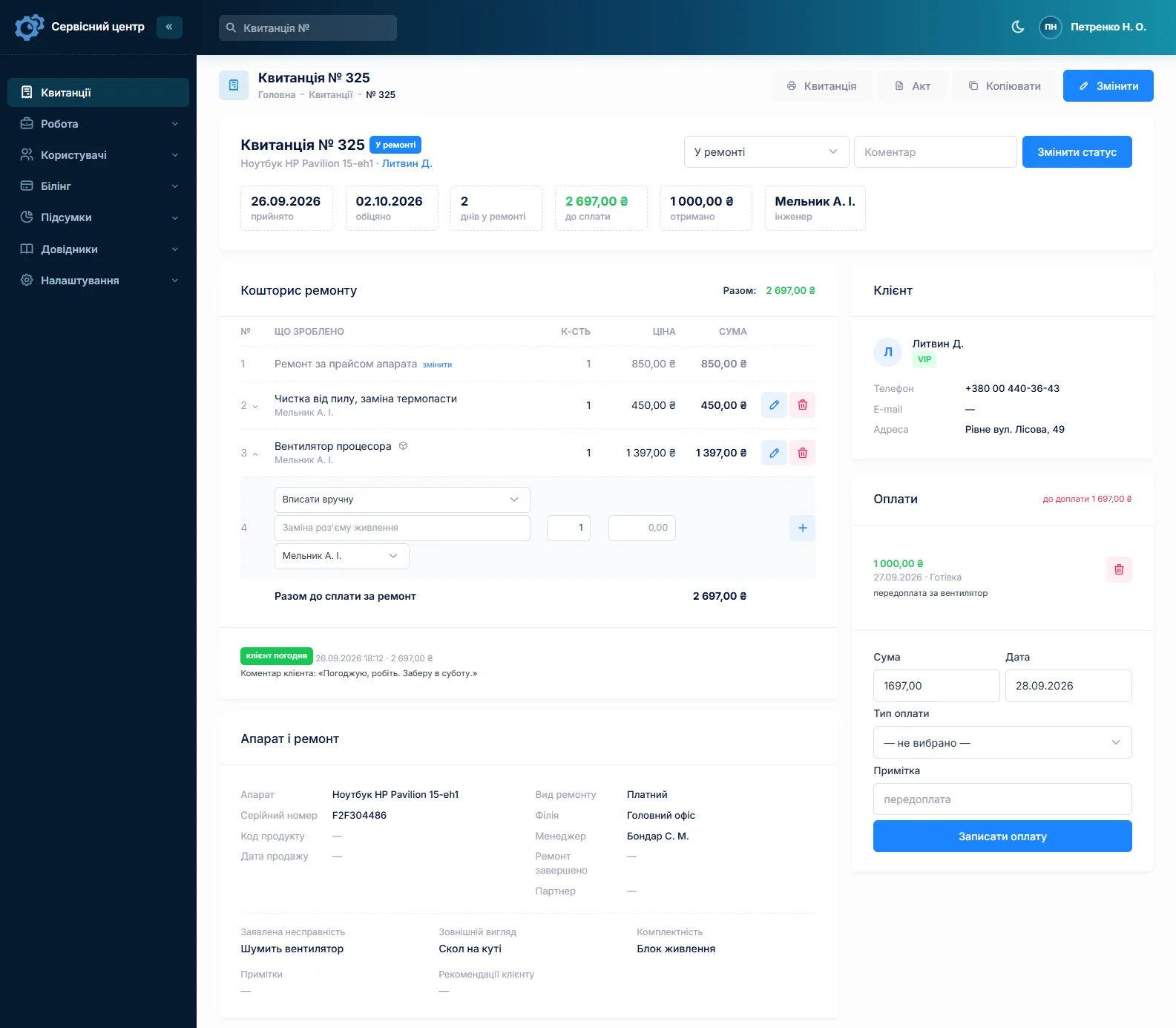
The page counter has no field of its own; it goes into the notes, and advanced search “by text” looks there too. The printer’s own serial number shows its whole history with you: what was replaced, when and for how much.
Visits to the customer’s office
Some work happens on site: checking a networked MFP, collecting cartridges, fitting a new drum. Create an “On-site visit” job type and filter by it to see which visits are open and who has them. Address and phone are on the customer card, and the technician opens it all in the phone’s browser.
At the end of the month
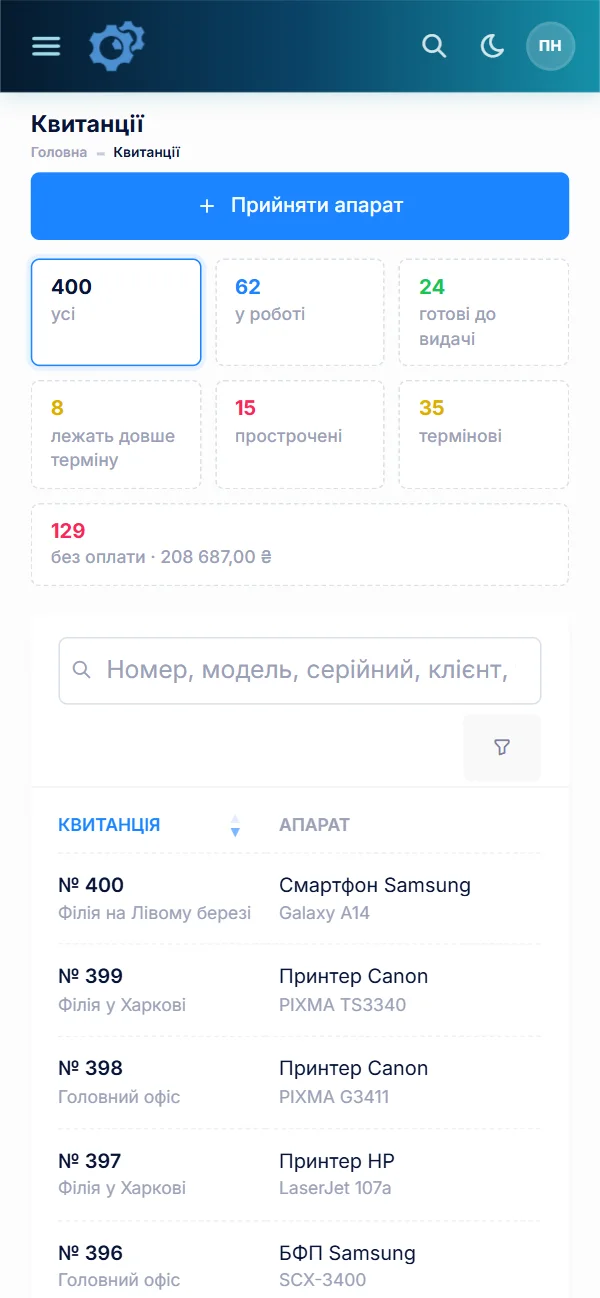
Search the job list for the organisation’s name, set the intake dates to the month and turn on “unpaid”: you get what they still owe, with amounts. A completion certificate prints for each job, with the itemised estimate, your business details and the customer’s company name.
Repairing computers too? See computer repair software.
What it does not have
- Batch intake on one job with a history per cartridge. One job is one device; batches are booked in by copying. A single job with a line like “Refill 85A × 12” also works, but loses the per-cartridge history.
- Invoices, contracts or subscription service plans. Invoices to organisations come from your accounting software. There is no combined monthly certificate either — one prints per job.
- A register of the customer’s printer fleet. Their machines show up only through the jobs on their card.
- A visit scheduler, SMS, a mobile app or online payment. Visits are a job type, notifications go by email or Telegram, the software runs in the phone’s browser, and payments are recorded at the front desk.
What you get
- The history of every cartridge by its sticker number.
- A batch of identical cartridges booked in within minutes, with no mixed-up numbers.
- All of an institution’s jobs on one card, with total and balance due.
- Refill, chip and drum prices from a list, not from memory.
- Toner and chips with stock levels and a “running low” reminder.
- Printer repair quotes approved by link, with the answer on record.
- A monthly list of unpaid jobs for each organisation.

I tried the ServiceCenterSoft demo and came away with a good impression. The program is simple and easy to understand, yet it has everything you need for the job: customers, repairs, devices, spare parts, statuses and statistics.
I especially liked the dark theme and the responsive design — working from a phone is perfectly comfortable. Another plus is the instant search that works as you type, so you don't have to press a separate "Search" button every time.
You can tell the program was built specifically for service centers rather than being a generic CRM adapted for the repair business. The interface has no unnecessary frills; everything is logical and to the point.
A good, practical tool for the day-to-day work of a service center.

I liked that you get a free 14-day trial and that they are willing to handle my special requests — setting things up exactly the way I need them.
I also liked how payment works. You can simply pay the monthly fee by card online — basically the same as a regular Spotify subscription or any other service. No separate contracts to sign and no invoices to pay manually.
And there's no feeling of strict limits on the number of employees. One service center is one account, and inside it you can organize the work of your technicians and run several branches.
For me this is far more convenient than plans where you have to pay for every single user or keep counting how many employees are working today.

My business is fairly specific, so the program's standard features weren't enough — I needed my own custom fields, my own sorting options and search by additional parameters. The work completion certificate and the printed repair receipt also needed some changes to fit the way we work.
I contacted technical support. To be honest, I expected changes like these to take a long time, but everything was done within a single day. The team quickly understood exactly what we needed, suggested the right solution and did everything properly.
I'd especially like to mention the support: they get straight to the point, with no unnecessary bureaucracy, and they genuinely help instead of just sending you off to read the documentation.
For me this is a big advantage of the program: it isn't just sold "as is" — it can be adapted to how you actually work. Thanks to the team for the quick response and for treating the customer right.
Highly recommended!
What it costs
One price for the whole shop — no extra charge per employee or branch.
Monthly
Paid every month, cancel whenever you like.
Yearly
Cheaper than paying monthly. Invoice or card payment.
Custom work
Changes tailored to the way you work — hourly, by agreement.
Off-the-shelf not enough — your own forms, roles, reports or workflow? We will build a program for you. How it works
Try it without signing up in the demo: book in a few identical cartridges by copying, then find them again by number.
Frequently asked questions
Can I book in twenty cartridges on one job?
One job is one device, so each cartridge keeps its own number, price and history. Batches are booked in by copying: the first cartridge as usual, the rest with “Copy from job” → “Last one”, then you only enter the sticker number. You can also use a single job with an estimate line “Refill 85A × 20”, but then there is no history for the individual cartridge.
How do I see how many times a particular cartridge has been refilled?
Put your own numbered sticker on the cartridge and enter that number in the job’s “Serial number” field. Searching the job list by it shows every job for that cartridge: dates, what was replaced, prices, who booked it in. The serial number is not carried over when a job is copied, so numbers in a batch do not get mixed up.
Does it issue invoices to organisations or manage contracts?
No. It works out the cost of each job, prints the intake receipt and completion certificate with your business details and the customer’s company name, and records payments. Invoices and contracts are done in your accounting software. To total up a month, search the job list for the organisation’s name, set the dates and turn on the “unpaid” filter. There are no subscription service plans either.
How do I track toner when a refill uses 60–80 grams?
Stock levels are whole numbers, so toner can be kept in grams: a delivery of 1000 g, then 70 g into a job as an estimate line taken from stock. If that is too fine-grained, keep toner in bottles and write a bottle off when you open it, using a write-off without a job. A minimum level tells you when to reorder.
Where do I record the printer’s page counter?
There is no separate field for it — write it in the job notes, for example “counter 48,210”. Advanced search in “by text” mode looks through the notes too. The printer’s history is easiest to see by its serial number: search shows every job for that machine.
A refilled cartridge came back streaky — how do I handle it?
Book it in on a new job with the “Repeat repair” type and a custom price — even zero if your refills carry a guarantee. The sticker number is the same, so searching by it also shows the previous refill: when, by whom and what was replaced. Job types are a list you manage, so you can add your own, such as “Re-refill”.
See also
E-scooter repair shop software
For an e-scooter and e-bike repair shop: the spring rush with promised dates, a day counter for finished scooters waiting to be collected, battery condition on the job sheet, tubes and controllers in stock, partner dealers, rental and delivery fleets as customers.
Read moreCoffee machine repair software
For a coffee machine service: home bean-to-cup machines and the commercial machines of cafés and offices. Urgent jobs, descaling and brew group work from a labour price list, estimates sent for approval, site visits, seals and pumps in stock.
Read moreSoftware for home appliance service
Contents recorded at intake, warranty at the brand price list, callouts, slow parts and partner shops.
Read moreSee how it works
The demo is open — go in and try it. Ask us anything by email, Telegram or the form on this site.