Projector repair software
For projector and interactive display repair shops: classroom and meeting-room units in batches, lamps in stock with reorder levels, estimates approved before a DMD chip is ordered, on-site removal as its own job type, balances and completion reports for schools and offices.
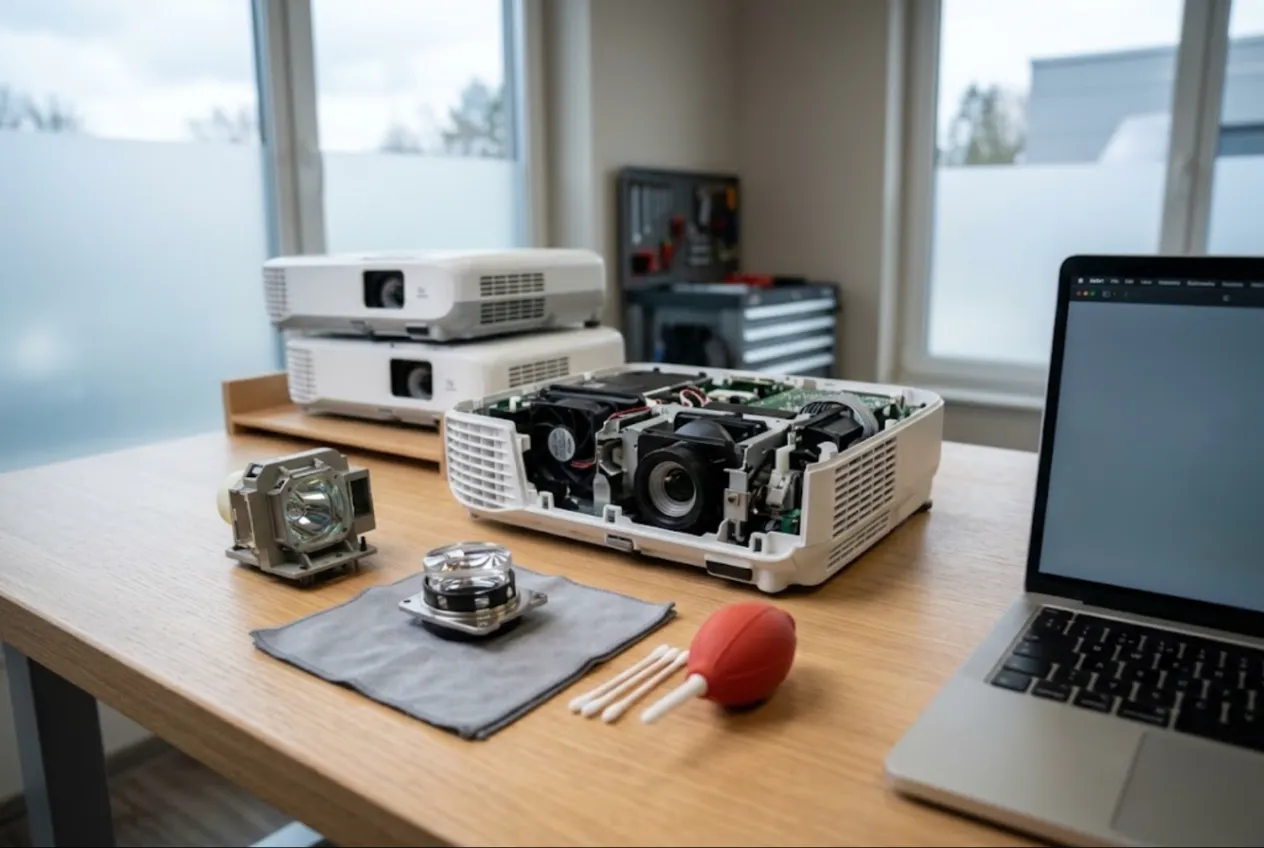
ServiceCenterSoft is job-tracking software for shops that repair projectors — lamp and laser, DLP and LCD — and interactive flat panels and whiteboards. Batches of classroom units that stay sorted, lamps and filters with reorder levels, estimates approved before an expensive part is ordered, and one place to see what a school owes for the whole summer. It runs in the browser, on the shop PC and on your phone on site.
Who it is for
Most projector work comes from institutions: schools pulling units out of every classroom at the end of the year, universities with failing lecture-hall projectors, offices with an interactive panel that ignores touch, conference venues and AV rental companies after event season.
Where it usually goes wrong:
- a school drops off twelve identical projectors, and a month later nobody can say which one is done and which is waiting for a lamp;
- you replace a lamp and the customer insists the old one was “almost new” — nobody wrote down the lamp hours at check-in;
- you run out of lamps for the most common model in August, exactly when you need five;
- you order a DMD chip, and the customer decides a new projector makes more sense;
- at pickup: “there was a remote”, “the lamp cover was on it”, “the panel came with two pens”;
- the school asks what it owes for the whole summer, and adding it up takes an afternoon.
Check-in: serial number, lamp hours, accessories
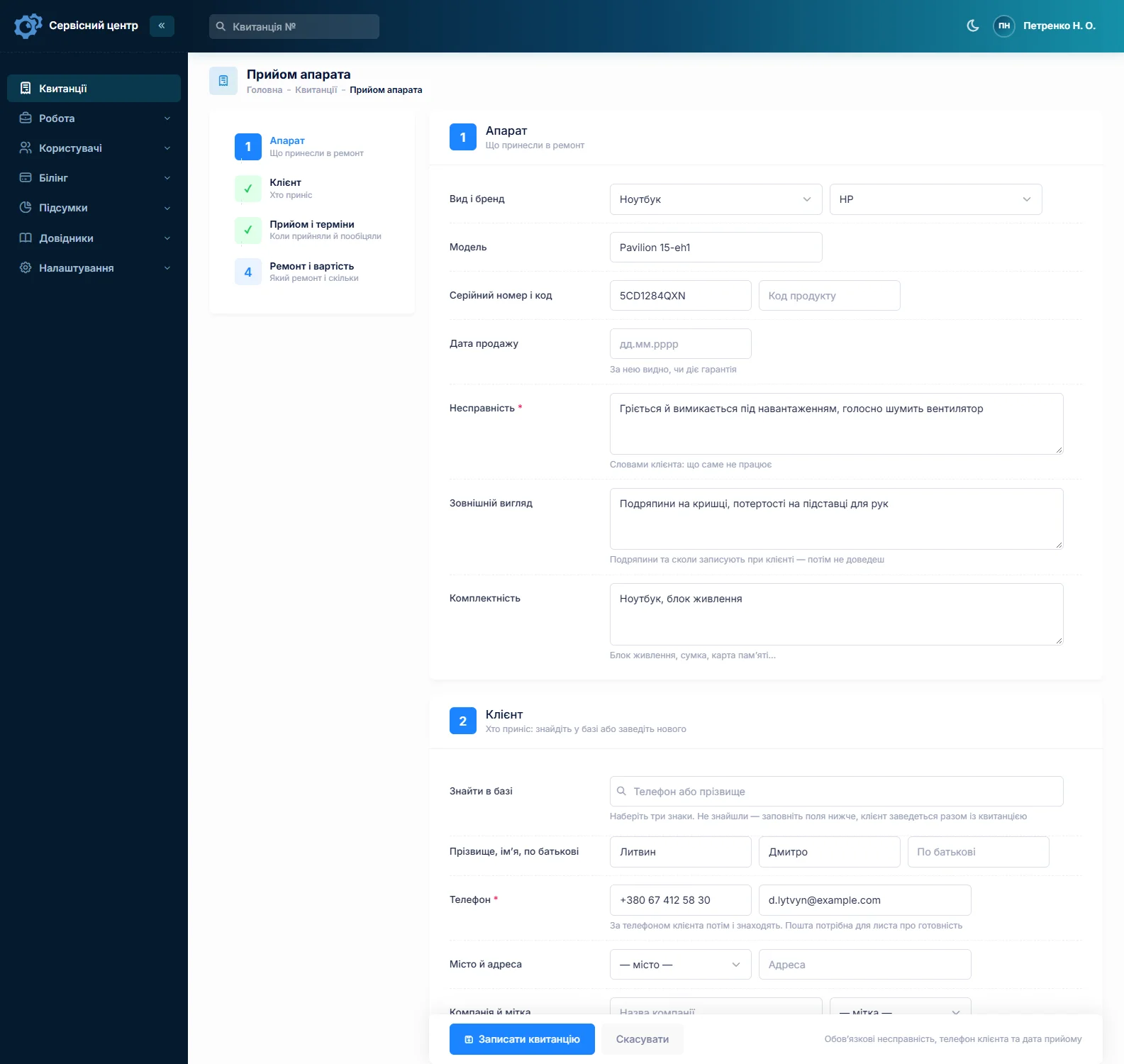
On a projector the serial number does the heavy lifting. Twelve identical units from one school differ only by it, and advanced search will find the unit by it when it comes back a year later. Model and serial number are separate fields, and both are searchable.
There is no dedicated lamp-hours field — worth knowing up front. Type the hours from the service menu into the fault or condition field: “lamp 3,850 of 4,000 h, filter clogged”. It prints on the job sheet the customer signs, which settles the “almost new lamp” conversation before it starts.
The accessories field covers the remote, power cable, lamp cover and bag; for an interactive panel, the pens, remote and slot-in PC if it came along. Note what is missing too: “ceiling mount left on site”. Write the fault the customer’s way: “blotch top left”, “white dots all over the image”, “shuts down after ten minutes”, “no touch on the right third”.
Batches and the back-to-school deadline
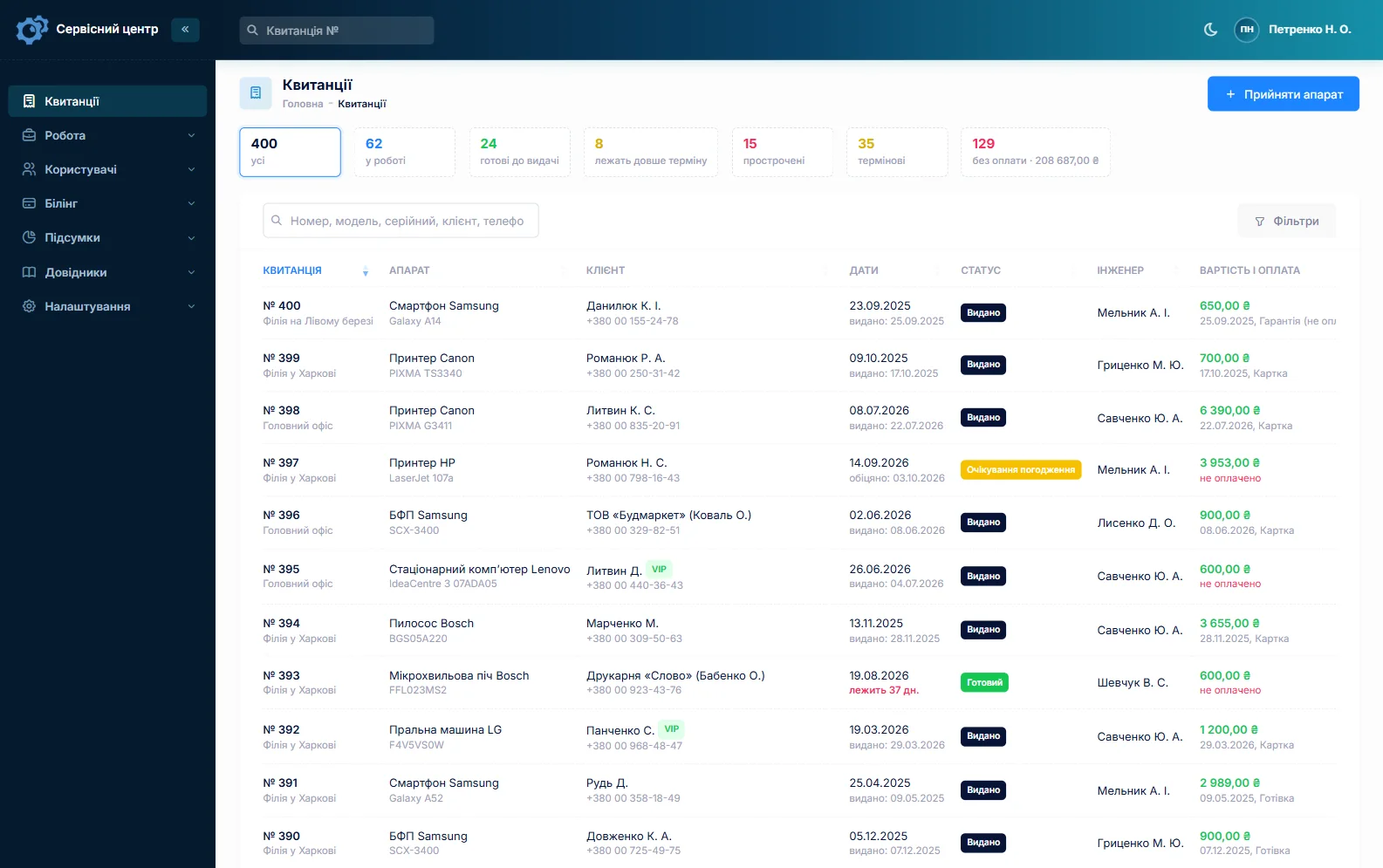
Customers have a “Company” field: a school, a university or an office is one customer, however many different people drop off its equipment. Fill in the first job completely, copy it for the rest and type in each serial number. Every job has a promised date: once it passes, the row turns red, the “overdue” filter shows what will not make the first day of term, and “urgent” is visible at a glance.
Statuses are a list you control. Add your own with their own colour — “Burn-in 4 h” after a lamp replacement, or “Waiting for installation” — and the answer to “how are ours doing?” is right there in the job list filtered by customer.
Blotches, dots, a yellow cast: diagnose and estimate first
Blotches are the most common complaint. A soft grey blotch is usually dust inside the optical block and comes out with a cleaning. White or black dots across the whole frame on a DLP projector point to the DMD chip — an expensive part. Yellow or blue patches on an LCD projector mean a burnt polariser or panel. Then there are colour wheels, lamp ballasts, power supplies, and overheating from a clogged filter and a failing fan.
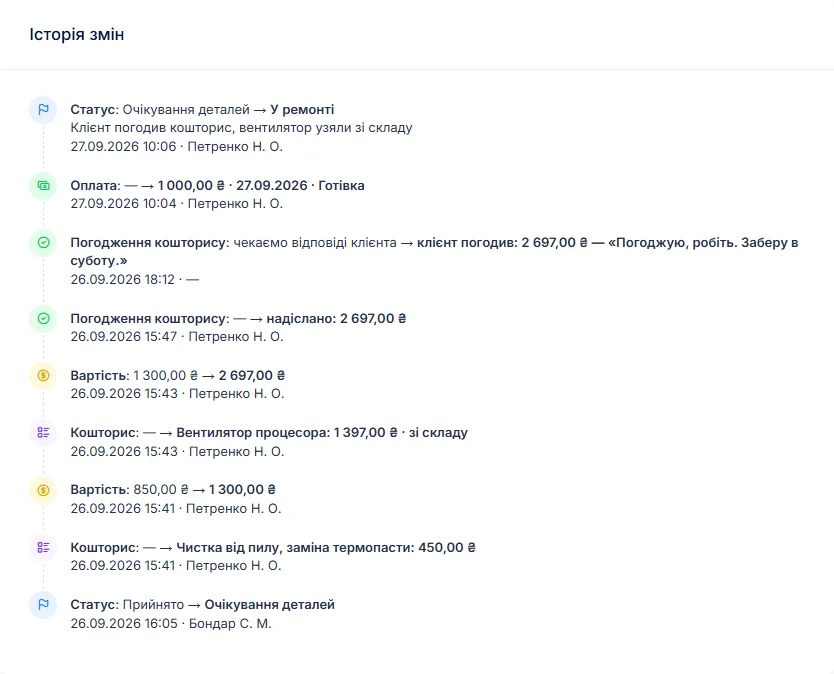
So: diagnose, write the findings in the work log, and build the estimate line by line — from your labour list or from stock — with quantity and price. A button on the job sends it by email or Telegram. The customer opens the link, sees each line and the total, and presses “I agree” or “I decline”. The answer and the date land in the job history, and the chip is ordered only after that.
If a repair costs more than a new unit, “repair refused” closes the job; if it cannot be saved, “beyond repair”. If you charge for diagnosis, set a diagnostics price for the projector device type and it sits on the job from day one. The same “is it worth fixing” logic for TVs and monitors is on the TV repair software page.
Lamps, filters, fans and colour wheels in stock
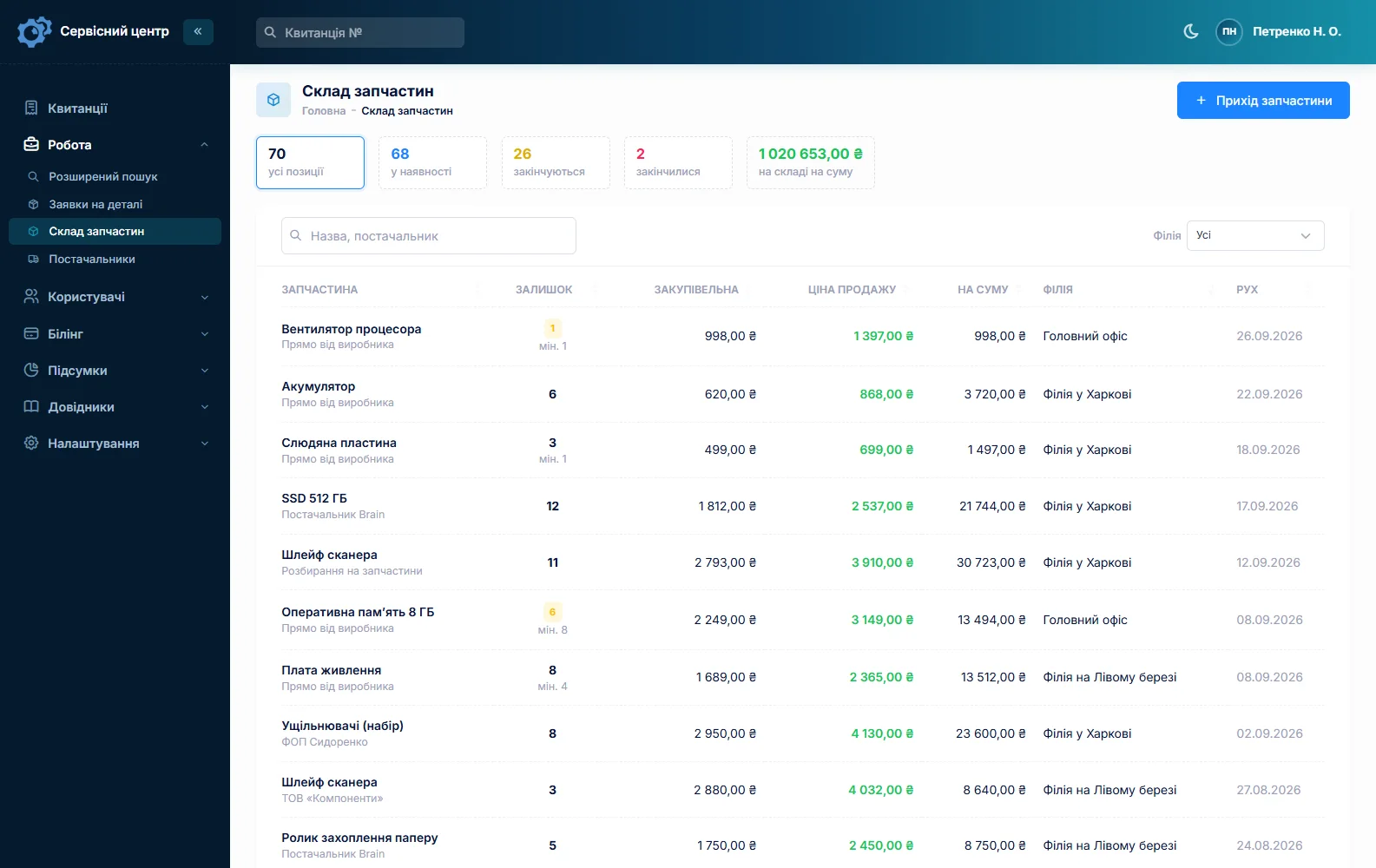
Lamps, filters, fans, colour wheels, ballast boards. Stock is a movement log: goods in with cost price and supplier, used on a job as an estimate line, returned, adjusted at stock-take. A lamp picked from stock on an estimate reduces the balance automatically, and its cost shows in the reports.
An original lamp and a compatible one differ in price and life, so keep them as separate items — the customer sees on the estimate which one you are fitting. Each item can have a minimum level, and the “running low” tile reminds you about lamps in July rather than late August. A chip or board for one specific model is ordered from the job: the parts request is emailed to the supplier, and the job sits in “waiting for parts”. More on spare parts tracking.
On-site removal and reinstallation
A projector on an auditorium ceiling or an 86-inch panel on a classroom wall does not come in by itself. A site visit is its own repair type — you set the types up yourself: its own technician, date and price, and the reports show how many visits were made. There is no route planner or map; there is a list filtered by technician and date. How this works for appliance call-outs is on the home appliance service page.
Payments, balances and the completion report
The customer record shows every job, the total and the balance owed across unpaid jobs, so answering the school takes a minute. A job can take several payments — a deposit for the lamp at drop-off, the rest by bank transfer after pickup. The software shows what is still owed, and the “unpaid” filter gathers jobs handed over but not paid. A projector back after your repair gets the “Repeat repair” type, and its serial number brings up the earlier job.
The “Recommendations” field is for advice the customer should have on paper: “clean the filter every term”, “don’t pull the plug straight away — let the lamp cool down”, “keep the vents clear of the wall”. It prints on the completion report together with the estimate lines, the work log and the amount due. More on the completion report.
Ready — and still on your shelf
When a job is done the customer gets an email or a Telegram message (they subscribe with a QR code on the job sheet). Every finished unit shows how many days it has been waiting, and once the free storage period from your settings runs out, the counter turns red — which matters when interactive panels take up a whole wall. More on customer notifications.
What you may do with equipment that is never collected depends on your country and on what was agreed at check-in; check the details with a lawyer. Spent projector lamps contain mercury — dispose of them according to local rules.
What repairs typically cost
As a rough guide only — prices vary with region, model and parts: diagnosis €30–70, lamp replacement €30–60 labour plus €80–350 for the lamp (compatible lamps cost less than originals), optical block cleaning €50–120, power supply or ballast repair €70–200, fan replacement €40–90, DMD chip replacement €250–650 including the chip, LCD block or polariser repair €150–450, touch frame or main board on an interactive panel €150–600, a site visit with removal €60–150. You set your own prices: per device type and as estimate lines.
What it does not do
- photos or file attachments on jobs — keep pictures of screen defects on your own drive;
- a dedicated lamp-hours field — the hours go in as text;
- SMS, a mobile app, online payment by the customer;
- supplier integrations or barcodes;
- a loaner pool — lending a projector during the repair can only be noted on the job.
What it costs
One price for the whole shop — no extra charge for staff or branches.
Monthly
Paid every month, cancel whenever you like.
Yearly
Cheaper than paying monthly. Invoice or card payment.
Custom work
Changes tailored to the way you work — hourly, by agreement.
Off-the-shelf not enough — your own forms, roles, reports or workflow? We will build a program for you. How it works
Try it without signing up in the demo: check in a projector, copy the job for a second unit from the same school and send the estimate to the customer.

We are very happy working with servicecentersoft.com: they built everything we asked for, even though our request was unusual, since we deal with medical devices. Everything was done precisely and on the agreed schedule. Thank you for the cooperation — we keep working together.

I tried the ServiceCenterSoft demo and came away with a good impression. The program is simple and easy to understand, yet it has everything you need for the job: customers, repairs, devices, spare parts, statuses and statistics.
I especially liked the dark theme and the responsive design — working from a phone is perfectly comfortable. Another plus is the instant search that works as you type, so you don't have to press a separate "Search" button every time.
You can tell the program was built specifically for service centers rather than being a generic CRM adapted for the repair business. The interface has no unnecessary frills; everything is logical and to the point.
A good, practical tool for the day-to-day work of a service center.

I liked that you get a free 14-day trial and that they are willing to handle my special requests — setting things up exactly the way I need them.
I also liked how payment works. You can simply pay the monthly fee by card online — basically the same as a regular Spotify subscription or any other service. No separate contracts to sign and no invoices to pay manually.
And there's no feeling of strict limits on the number of employees. One service center is one account, and inside it you can organize the work of your technicians and run several branches.
For me this is far more convenient than plans where you have to pay for every single user or keep counting how many employees are working today.

My business is fairly specific, so the program's standard features weren't enough — I needed my own custom fields, my own sorting options and search by additional parameters. The work completion certificate and the printed repair receipt also needed some changes to fit the way we work.
I contacted technical support. To be honest, I expected changes like these to take a long time, but everything was done within a single day. The team quickly understood exactly what we needed, suggested the right solution and did everything properly.
I'd especially like to mention the support: they get straight to the point, with no unnecessary bureaucracy, and they genuinely help instead of just sending you off to read the documentation.
For me this is a big advantage of the program: it isn't just sold "as is" — it can be adapted to how you actually work. Thanks to the team for the quick response and for treating the customer right.
Highly recommended!
In short
- Serial number, lamp hours and accessories on a job sheet the customer signs.
- Batches from schools and offices: company field, copied jobs, promised dates, overdue in red.
- An itemised estimate approved by link before a DMD chip or board is ordered.
- Original and compatible lamps, filters and fans in stock with minimum levels.
- On-site removal as its own repair type.
- Customer balances, deposits and a completion report with recommendations.
- €20 a month for the whole shop.
See also
POS repair software
For shops that repair cash registers, POS terminals, receipt printers, barcode scanners and retail scales: rush jobs and due dates everyone can see, print heads and cutters in stock, loaner units on record, and retail and restaurant customers with balances and completion reports.
Read moreStarting your own repair shop: where to begin
For people who can fix phones and laptops and want to work for themselves: what a small repair business needs on day one, the paperwork that protects you from the first customer, and how to run a shop in a country whose language is not your own.
Read moreSoftware for home appliance service
Contents recorded at intake, warranty at the brand price list, callouts, slow parts and partner shops.
Read moreSee how it works
The demo is open — go in and try it. Ask us anything by email, Telegram or the form on this site.