Industrial electronics repair software
For repair labs that fix VFDs, industrial power supplies, CNC and machine control boards, PLCs and servo drives for factories: asset tags and serial numbers, batches of boards, estimate approval, hard-to-find parts, repeat returns and a completion report for the customer’s accounts team.
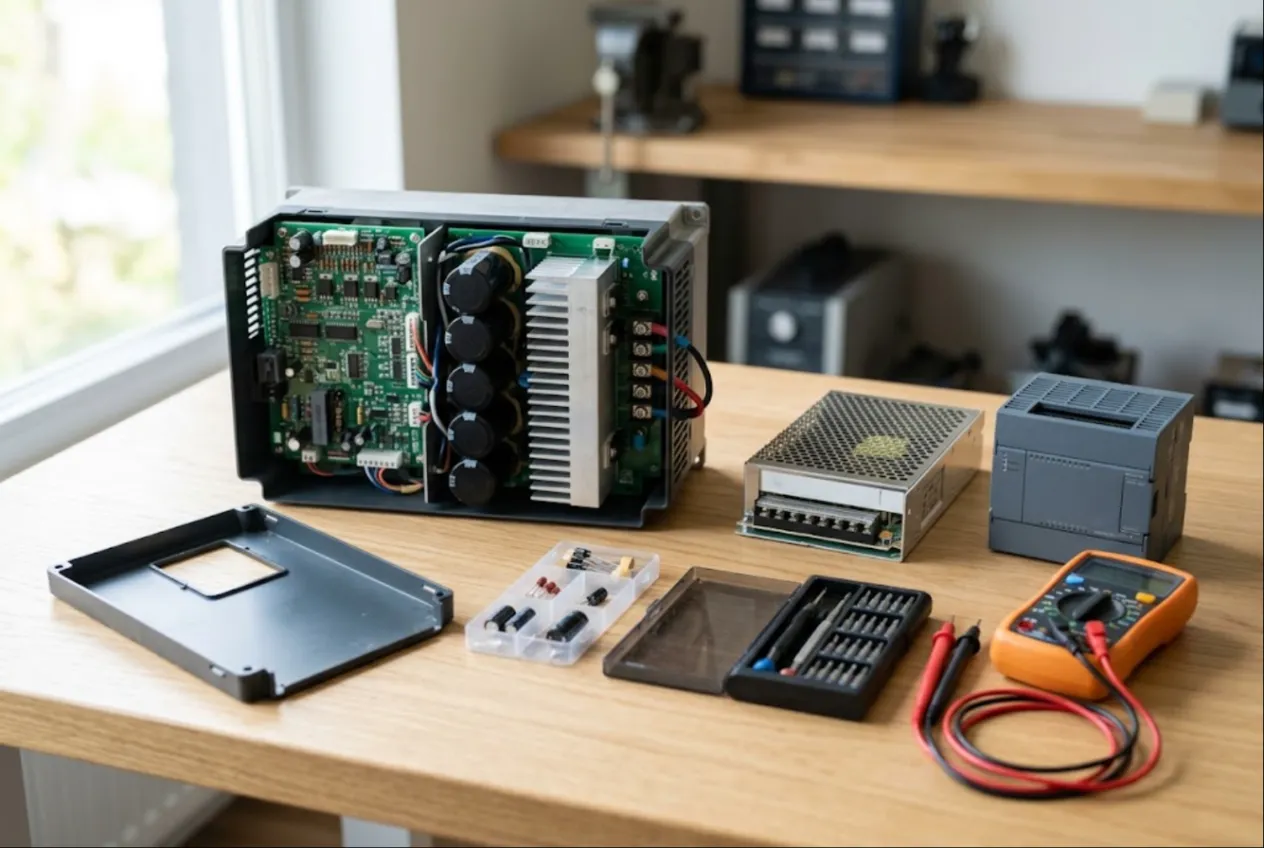
ServiceCenterSoft is job-tracking software for industrial electronics repair shops: variable frequency drives, switch-mode power supplies, CNC and machine control boards, PLCs, HMIs and servo drives. Your customers are plants and maintenance departments, not walk-ins, and the software fits the way they work: asset tags next to serial numbers, batches of identical boards, estimates approved by the plant engineer, long waits for obsolete parts, the same unit coming back months later, and a completion report the customer’s accounts team will accept. It runs in the browser, on the bench PC and on your phone.
Who it is for
A typical VFD repair shop is a handful of engineers with a rework station, a scope, a bench supply and a home-built load test rig. There are not many customers, but they are big and they keep coming back: a food plant, a sawmill, a water utility, a machine shop, the maintenance team of a large farm. A night-shift electrician drops the unit off, the maintenance manager approves the quote, and the company pays on monthly invoice terms.
What usually goes wrong:
- the plant calls about “the drive from line 3 you fixed in spring”, and all your notebook says is the model;
- six identical boards arrive from one site, and a month later nobody knows which went back and which is still waiting for a gate driver;
- you order and fit an IGBT module, and the customer says nobody approved that amount;
- a unit comes back two months later, and no one remembers what was replaced or whether it is still under your repair warranty;
- at month end you need to reconcile with the plant — what shipped, what was paid — and the data is scattered across paper.
Booking in: serial number and asset tag
Each job has device type, make, model, serial number and a “product code” field. Industrial units usually carry two numbers: the manufacturer’s serial and the customer’s asset tag. Put the serial in the serial field and the asset tag in the product code. Advanced search in “device” mode looks through model, serial number and product code, so a unit turns up by either number — even by part of it.
The “condition” and “accessories” fields are filled in with whoever brought the unit: cover and fan present, the drive’s keypad, connectors, option cards; any signs of moisture, dust or burning. They print on the job sheet that gets signed. Which line, machine or building the unit came from goes in the notes — useful when the plant starts asking questions.
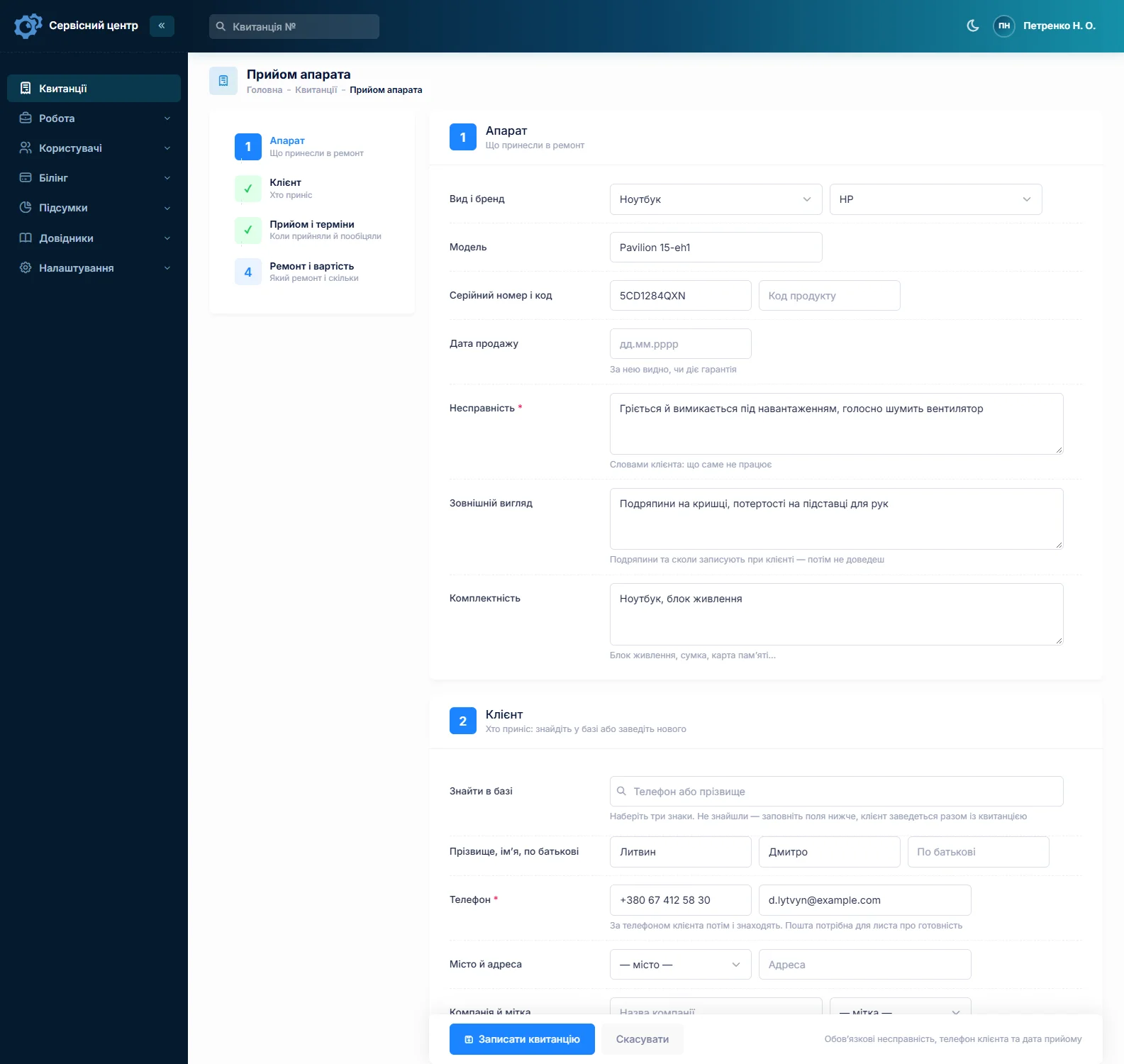
A batch of boards from one site
Plants rarely send one board at a time. Six identical power supplies? Fill in the first job completely, then copy it for the rest: customer, device type, model, fault and accessories carry over, and you type in each board’s own serial and asset tag. From there each board has its own path — one is done the same day, one waits for a chip, one is beyond repair. The job list shows each of them, and a search by company name answers “where is our batch?”
Estimates approved by the plant engineer
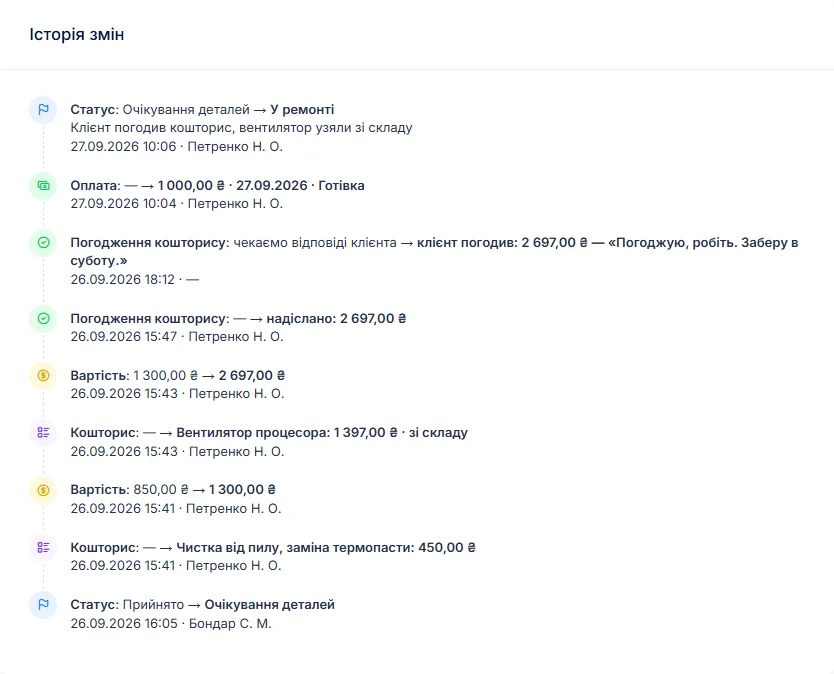
Drive and servo repairs can get expensive: a power module, a gate driver, a control board. After diagnosis the engineer writes the findings in the work log: “IGBT module phase V shorted, gate driver burnt, discoloration near the regulator on the control board”. The job moves to “waiting for approval”, and every unit waiting on an answer shows in the list.
The estimate is built line by line — labour, module, driver, capacitors from stock — with quantity and price. A button on the job sends it by email or Telegram to the address on the customer record. The customer opens the link, sees every line and the total, and presses “I agree” or “I decline”. The answer and date stay in the job history, even if the person who approved it has left the plant a month later.
If the repair costs more than a new unit, or the part simply cannot be found, “repair refused” or “beyond repair” closes the job. If you charge for evaluation, set a diagnostics price for the device type and it sits on the job from day one.
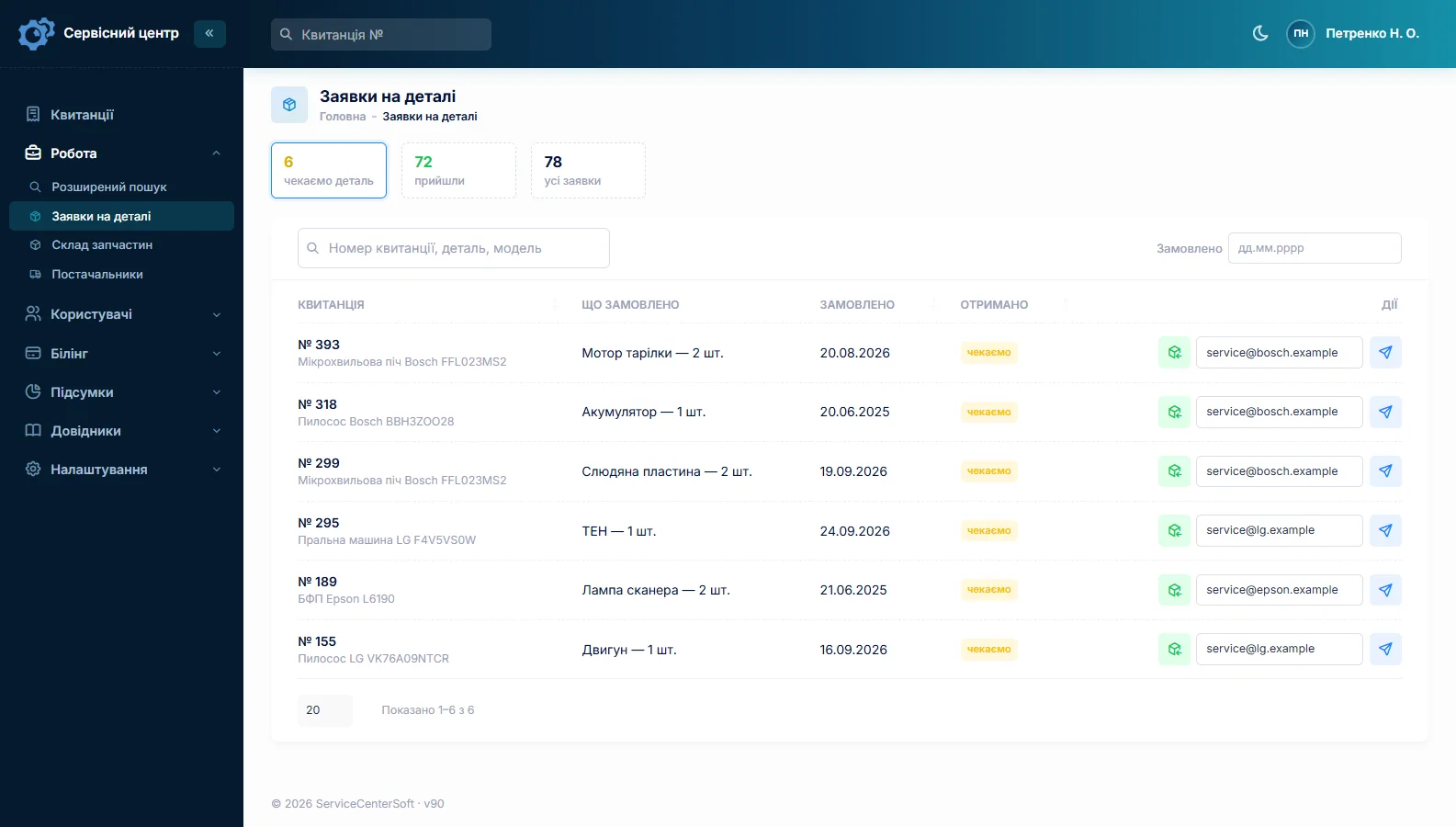
Obsolete parts and long turnaround
An industrial board often hangs on one part: a discontinued processor, an original power module, an unusual driver IC. The part order is created from the job and emailed to the supplier, and the job sits in “waiting for parts” — you can see which unit is waiting, what was ordered and when it arrived. Keep the common stuff — electrolytics, optocouplers, fans, regulators — in stock: goods in with cost price, used on a job as an estimate line, a minimum level and a “running low” tile. More on spare parts tracking; to identify a part from the code on its package, see the SMD transistor marking guide.
Every job has a promised date: once it passes, the row turns red, the “overdue” filter gathers those jobs, and “urgent” stands out when a production line is down because of the unit. Statuses are a list you control — add “Sourcing parts” or “Load testing”, each with its own colour. When the unit is ready the customer gets an email or a Telegram message, and each finished unit shows how many days it has been waiting for pickup.
The same unit, back again
A drive trips out again after a lightning storm; a power supply overheats again in a dusty cabinet. A search by serial number or asset tag shows every earlier job — when the unit was in, when it shipped, what was done and what was replaced. The default repair types include “Repeat repair” for exactly this.
The ship date tells you whether your repair warranty still applies. The warranty wording itself — how long and what it covers — you write into the completion report template under “Print forms”, and it prints on every report. The “Recommendations” field is advice to the customer: “clean the cabinet”, “check cabinet ventilation”, “fit surge protection”. It prints on the report too and stays in the history.
A completion report for accounts, and getting paid
Customers have a “Company” field: different people bring units from the same plant, but the customer is one, and the company name prints on the job sheet and report. The completion report carries your letterhead with company details, the estimate as a table, the work log, recommendations and the amount due. More on the completion report.

A job can take several payments — a deposit for an expensive part, the balance after shipping — and the software shows what is still owed. The “unpaid” filter collects jobs handed over but not paid, and the customer record lists all of the plant’s jobs and its balance, so the month-end reconciliation takes minutes.
If you also repair the motors those drives run, there is a separate page on electric motor repair.
About requirements after repair
This is repair-tracking software, not a test-report system. Load test results can go in the work log, but there is no separate test certificate form. What testing, paperwork and sign-off is needed after repairing equipment used in production, and how to document work under a service contract, depends on your country and industry — check with a qualified professional.
What repairs typically cost
As a rough guide only — prices vary with region, power rating, parts availability and board condition: evaluation €60–150, VFD up to 7.5 kW €250–700, 11–55 kW €700–2,500, industrial power supply €120–400, CNC or machine control board €300–1,200, PLC €200–900, servo drive €400–1,800. You set your own prices: per device type and as estimate lines.
What it does not do
- test certificates or measurement forms — results are text in the work log;
- contracts or invoices as separate documents — there is a completion report with your company details;
- photos, schematics or file attachments on jobs, SMS, a mobile app, online payment by the customer;
- links to component distributors’ catalogues, or fractional stock quantities.
What it costs
One price for the whole shop — no extra charge for staff or branches.
Monthly
Paid every month, cancel whenever you like.
Yearly
Cheaper than paying monthly. Invoice or card payment.
Custom work
Changes tailored to the way you work — hourly, by agreement.
Off-the-shelf not enough — your own forms, roles, reports or workflow? We will build a program for you. How it works
Try it without signing up in the demo: book in a drive with an asset tag, copy the job for a second board and find both with advanced search.

We are very happy working with servicecentersoft.com: they built everything we asked for, even though our request was unusual, since we deal with medical devices. Everything was done precisely and on the agreed schedule. Thank you for the cooperation — we keep working together.

I tried the ServiceCenterSoft demo and came away with a good impression. The program is simple and easy to understand, yet it has everything you need for the job: customers, repairs, devices, spare parts, statuses and statistics.
I especially liked the dark theme and the responsive design — working from a phone is perfectly comfortable. Another plus is the instant search that works as you type, so you don't have to press a separate "Search" button every time.
You can tell the program was built specifically for service centers rather than being a generic CRM adapted for the repair business. The interface has no unnecessary frills; everything is logical and to the point.
A good, practical tool for the day-to-day work of a service center.

I liked that you get a free 14-day trial and that they are willing to handle my special requests — setting things up exactly the way I need them.
I also liked how payment works. You can simply pay the monthly fee by card online — basically the same as a regular Spotify subscription or any other service. No separate contracts to sign and no invoices to pay manually.
And there's no feeling of strict limits on the number of employees. One service center is one account, and inside it you can organize the work of your technicians and run several branches.
For me this is far more convenient than plans where you have to pay for every single user or keep counting how many employees are working today.

My business is fairly specific, so the program's standard features weren't enough — I needed my own custom fields, my own sorting options and search by additional parameters. The work completion certificate and the printed repair receipt also needed some changes to fit the way we work.
I contacted technical support. To be honest, I expected changes like these to take a long time, but everything was done within a single day. The team quickly understood exactly what we needed, suggested the right solution and did everything properly.
I'd especially like to mention the support: they get straight to the point, with no unnecessary bureaucracy, and they genuinely help instead of just sending you off to read the documentation.
For me this is a big advantage of the program: it isn't just sold "as is" — it can be adapted to how you actually work. Thanks to the team for the quick response and for treating the customer right.
Highly recommended!
In short
- Serial number and asset tag on the job and in search.
- A batch of boards from one site — as copies of one job.
- An estimate for approval by link — before you order the expensive part.
- Part orders for obsolete components, stock with minimum levels, promised dates.
- Unit history by number, a “Repeat repair” type, your warranty wording on the report.
- Company customers, deposits and multiple payments, balances, a completion report.
- €20 a month for the whole shop.
See also
Generator repair shop software
Generator service software for shops that repair and maintain portable, inverter and diesel generators: a storm-season queue with promised dates, engine hours and service history in the work log, estimates approved by link, filters and carburetor kits in stock.
Read moreMusic equipment repair software
For amp techs and music equipment repair shops: synths, digital pianos, guitar and bass combos including tube amps, mixers, pedals and wireless systems. Due dates that survive gig week, estimates the customer accepts before work starts, tubes and pots in stock, schools and backline companies by the batch.
Read moreStarting your own repair shop: where to begin
For people who can fix phones and laptops and want to work for themselves: what a small repair business needs on day one, the paperwork that protects you from the first customer, and how to run a shop in a country whose language is not your own.
Read moreSee how it works
The demo is open — go in and try it. Ask us anything by email, Telegram or the form on this site.