Software for an authorised service centre
Warranty repairs at the brand price list, date of sale, a certificate the maker accepts, partner accounts.
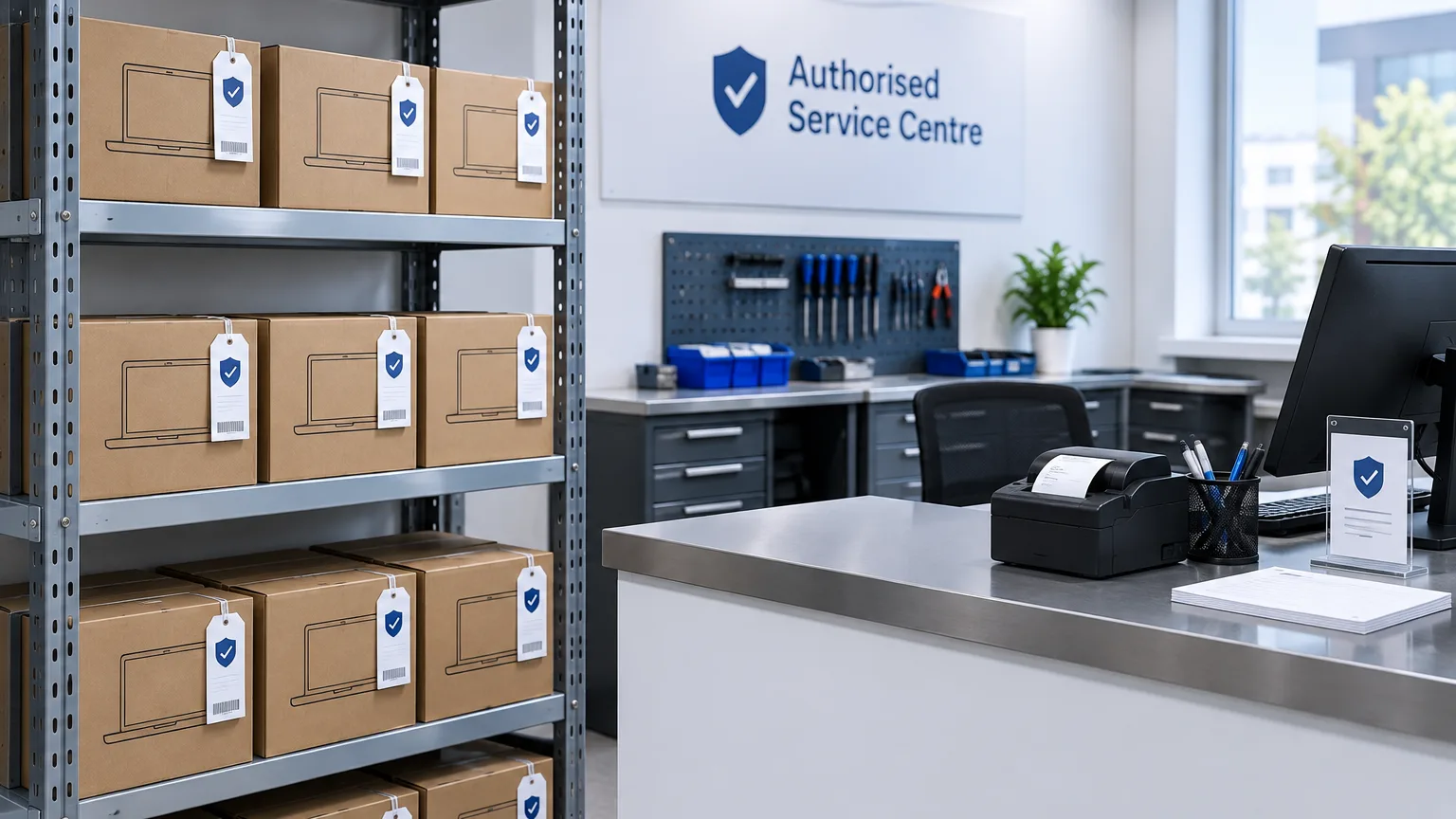
An authorised service has two customers, and they pay under different rules. The owner pays for what they broke; the manufacturer pays for what broke by itself. ServiceCenterSoft separates those two streams from the first minute of intake.
Why an authorised centre is harder
An ordinary workshop has one price list and one payer. An authorised centre juggles at least three things at once:
- Its own price list for chargeable repairs.
- The brand's price list for warranty work — and every brand has its own.
- An obligation to report to the manufacturer in the form they accept.
If all of that lives in one spreadsheet, sooner or later a warranty repair gets costed at your own prices and a customer pays for something the brand should have covered. Both mistakes cost money; the second also costs reputation.
The warranty price list
The price of a warranty repair is made of three coordinates: brand, repair category and device. Replacing a control board in one brand's washing machine costs one thing and another brand's a different thing, and the software knows both.
Brands, categories and devices are ordinary reference lists you maintain yourself. Adding a brand you have just signed with is a line in a list and some new price rows — not a call to the developer.
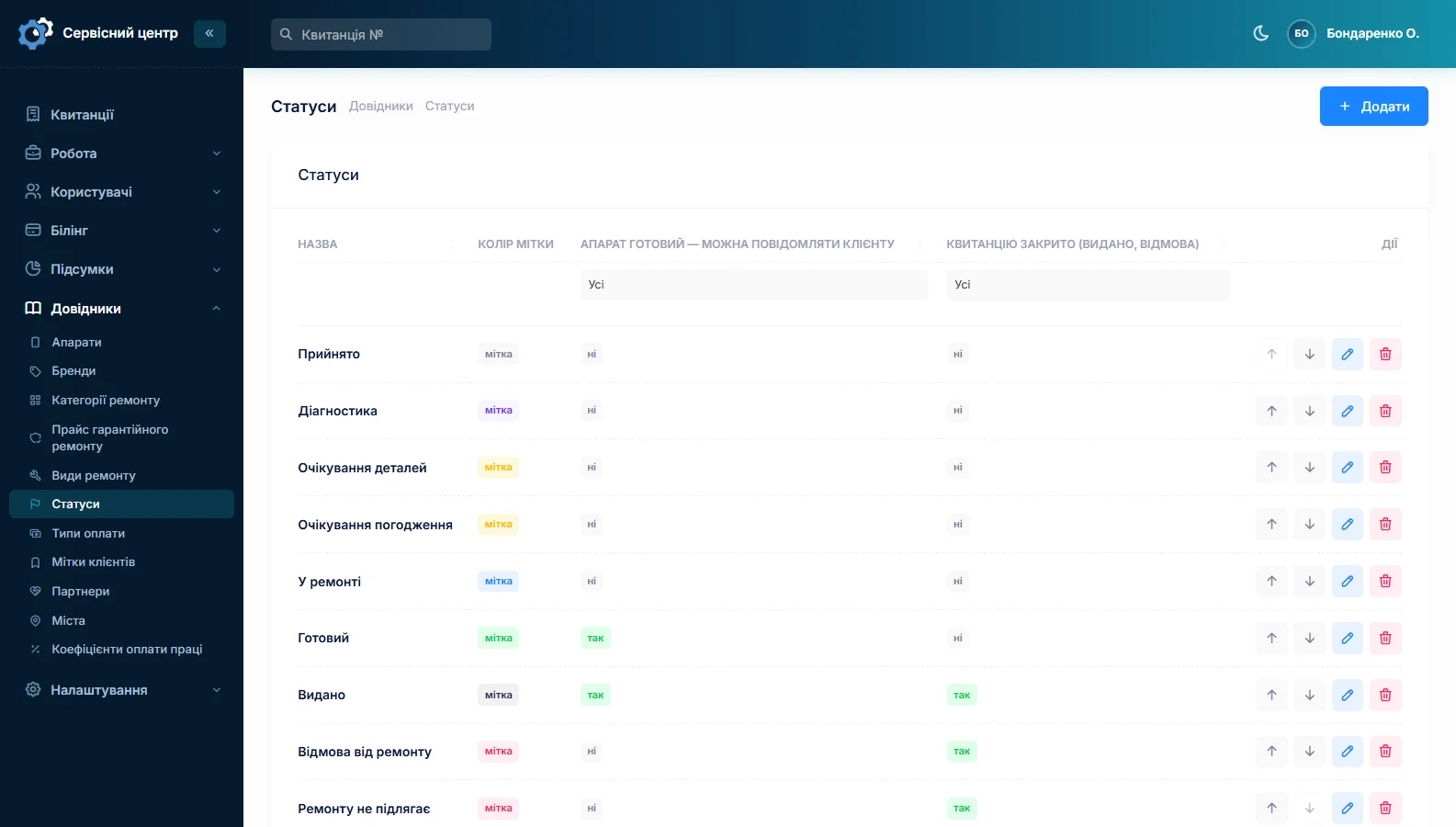
When a repair is marked as warranty work, the amount comes from that list. Chargeable work is costed as usual: from the device catalogue or with your own price for the case at hand.
The date of sale decides who pays
Next to the serial number, the intake form has a date-of-sale field. It is not a formality: it answers the main question — is this a warranty case or not.
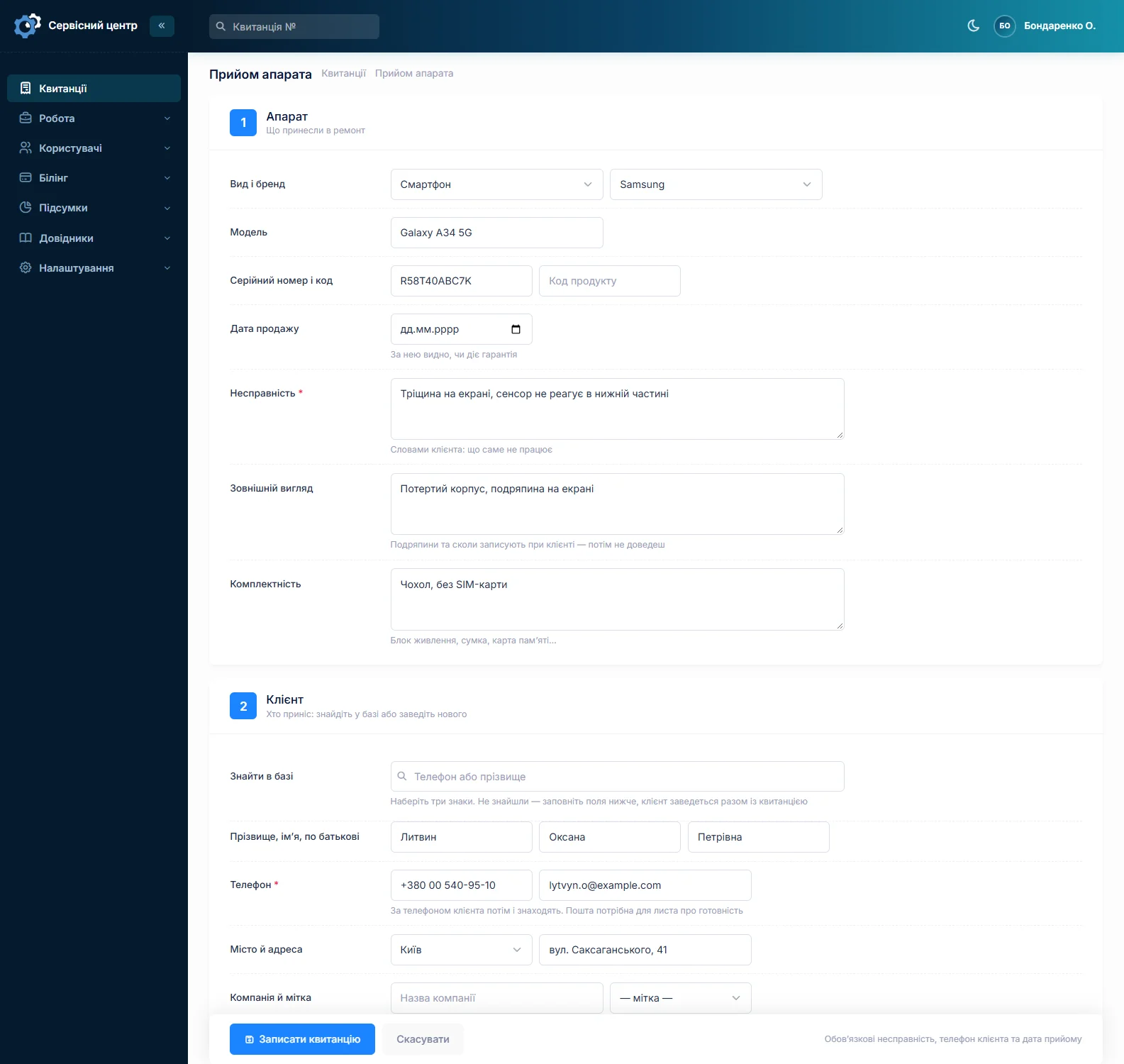
The date of sale prints on the job sheet and on the certificate, so the customer keeps a document showing what you based the decision on. "But I still have warranty" is settled by paper rather than memory.
Honestly: the software does not check warranty by serial number against the manufacturer's system — there is no such link. The date of sale is entered by the front desk from the warranty card or receipt.
A certificate the manufacturer accepts
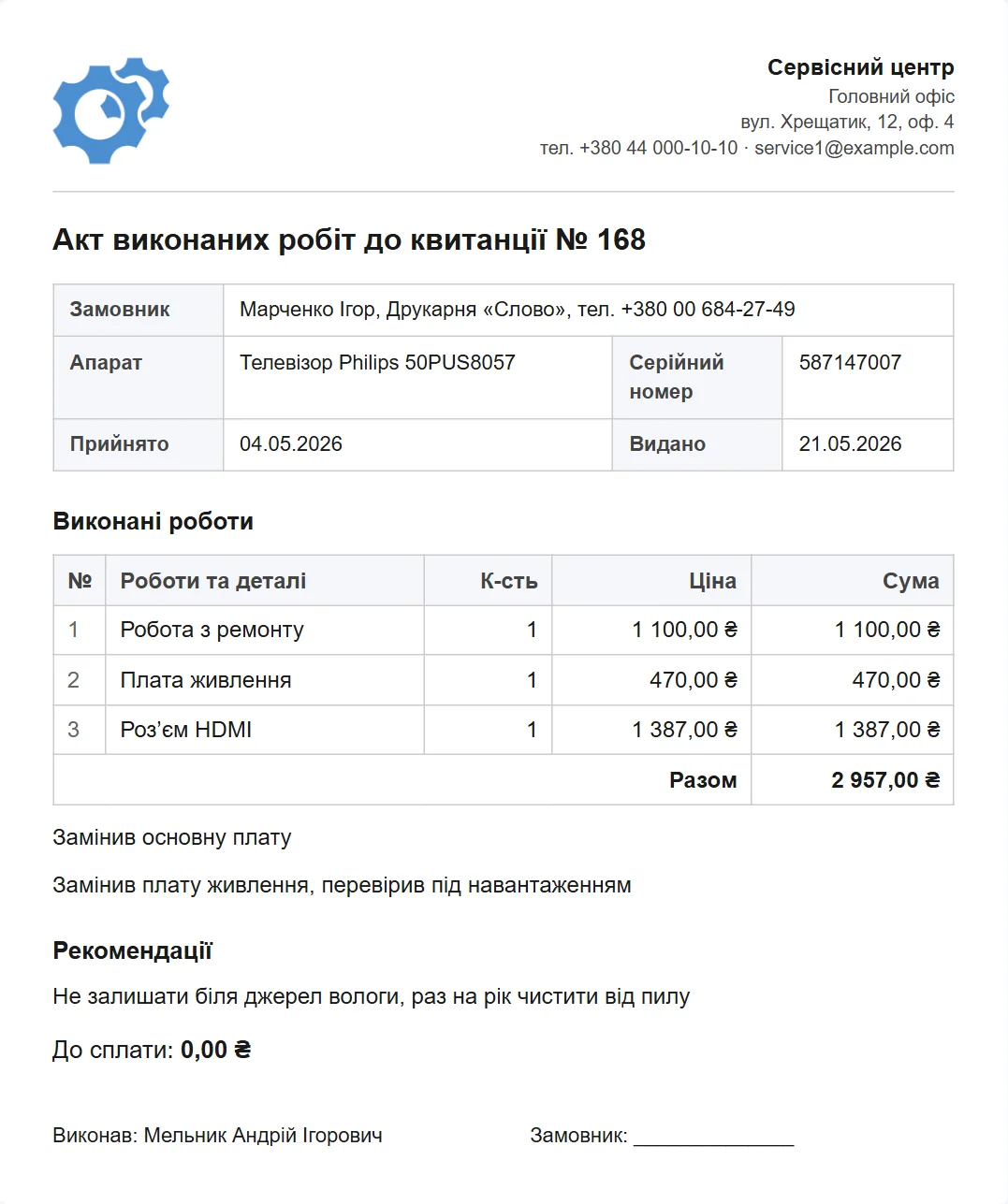
The completion certificate prints from the same job: number, brand, model, serial number, date of sale, the work from the log, any parts the technician logged and the amount from the price list. You edit the certificate form yourself, inside the software.
That matters specifically for authorised work: each brand has its own requirements for what the document must contain, and no universal form exists. The software has one certificate form per document language, so it is set up for the brand you work with most. If brands demand entirely different forms, a separate form for each is custom work.
Partners: shops, distributors, insurers
Devices reach an authorised centre from more than their owners. They arrive from the shops that sold them, from distributors and from insurers. The job has a partner field for that, and the partner list holds a name, phone and email.
The job list can then be filtered by partner: how many of this shop's devices are in progress, how many were handed back and for what amount. At month end that is a ready basis for reconciliation — without the side spreadsheet people usually keep.
Warranty and chargeable work do not mix in the money
Repair type is a reference list and you fill it with your own: warranty, chargeable, repeat, paid diagnosis. Because the type sits on the job, the list can be filtered by it, and the report for a period shows how much was done under each.
As a result, "how much was billed to the brand this month and how much came from customers" takes two clicks rather than an evening with a calculator (reports and statistics).
What to set up before the first warranty repair
Setting up takes an evening, happens once and is never thought about again. The order is:
- Brands you are authorised for.
- Repair categories — the complexity or type of work in the brand's own classification: board replacement, board-level repair, mechanics. Do not confuse these with repair types.
- Devices — the kinds of equipment you take in.
- The price list at the intersection of those three lists.
- Repair types — warranty, chargeable, repeat. These are something else: the category answers "what kind of work is this", the type answers "who pays for it".
- The certificate form — to the requirements of the brand you work with most.
Two lists with similar names are the one place people usually get confused. The rule is easy: the category goes into the price, the type goes into the report.
The serial number is the key field
In an authorised service the serial number matters more than anywhere else: the manufacturer identifies the device by it, and you prove by it that you repaired that exact unit. The number is recorded at intake, goes into every document, and search works on it.
Searching by serial number shows the device's whole history: how many times it has been here, what was done and at whose expense. For repeat warranty claims that is the first thing anyone looks at.
What the software does not do
- No exchange with manufacturers' systems. There is no upload to a brand portal and no pulling statuses or claims from one — the certificate is printed and passed on the way you already do it.
- No loan-device tracking. Units handed out for the duration of a repair are not managed separately.
- No automatic warranty check by serial number.
- No tracking of the brand's own warranty terms. How many months of warranty this model carries is decided by the front desk, not the software.
If one of those is what you need, write to us and we will quote it as custom work.
What you get
- A warranty price list across three coordinates: brand, category, device.
- Date of sale and serial number on the job and in every document.
- A certificate shaped to a specific brand's requirements, editable by you.
- Partner records and a filter for everything that came from one shop.
- Warranty and chargeable work kept apart in the money and in the reports.
- Device history by serial number for repeat claims.
What it costs
One price for the whole service — regardless of how many brands, locations and employees it has.
Monthly
Paid every month, cancel whenever you like.
Yearly
Cheaper than paying monthly. Invoice or card payment.
Custom work
Changes tailored to the way you work — hourly, by agreement.
You can look at it in the demo. Related pages: home appliance service and the repair intake form.
Frequently asked questions
How is the warranty price list defined?
By three coordinates: brand, repair category and device. Each combination has its own price. Brands, categories and devices are ordinary reference lists you maintain yourself, so a new brand is added without calling the developer.
Does the software check warranty by serial number?
No. There is no link to manufacturers' systems and no automatic check. The date of sale is entered by the front desk from the warranty card or receipt, then printed on the job sheet and the certificate — and it is what decides who pays.
Can I have different certificate forms for different brands?
There is no separate form per brand: the software has one certificate form per document language. It is set up for the brand you work with most — fields, wording, logo. If brands demand entirely different forms, a separate form for each is custom work — get in touch.
Is there data exchange with a manufacturer portal?
No. There is no upload of claims and certificates to a brand portal and no pulling statuses from one. The certificate is printed and passed on the way you already do it. If exchange is what you need, that is custom work for a specific portal.
How do I reconcile with a shop that sends devices in?
The job has a partner field. Filter the list by it and you see all of that shop's devices: how many are in progress, how many were handed back and for what amount. No side spreadsheet needed.
Can I see billed-to-brand and received-from-customers separately?
Yes. Repair type is a reference list where you create warranty, chargeable, repeat and so on. The job list filters by type, and the report for a period shows the amounts under each. Two clicks instead of an evening with a calculator.
See also
Software for home appliance service
Contents recorded at intake, warranty at the brand price list, callouts, slow parts and partner shops.
Read morePhone repair shop software
Intake in a minute, screens and batteries tracked, a ready-for-pickup email, output per technician.
Read moreTV repair software
For a workshop repairing TVs and monitors: diagnosis and price approval before ordering a panel, a description of the screen at intake, and refusals that do not turn into disputes.
Read moreSee how it works
The demo is open — go in and try it. Ask us anything by email, Telegram or the form on this site.