Vacuum repair software
Software for vacuum and robot vacuum repair shops: a steady flow of near-identical jobs, brushes, filters and batteries in stock with reorder levels, and warranty units sent in by retailers.
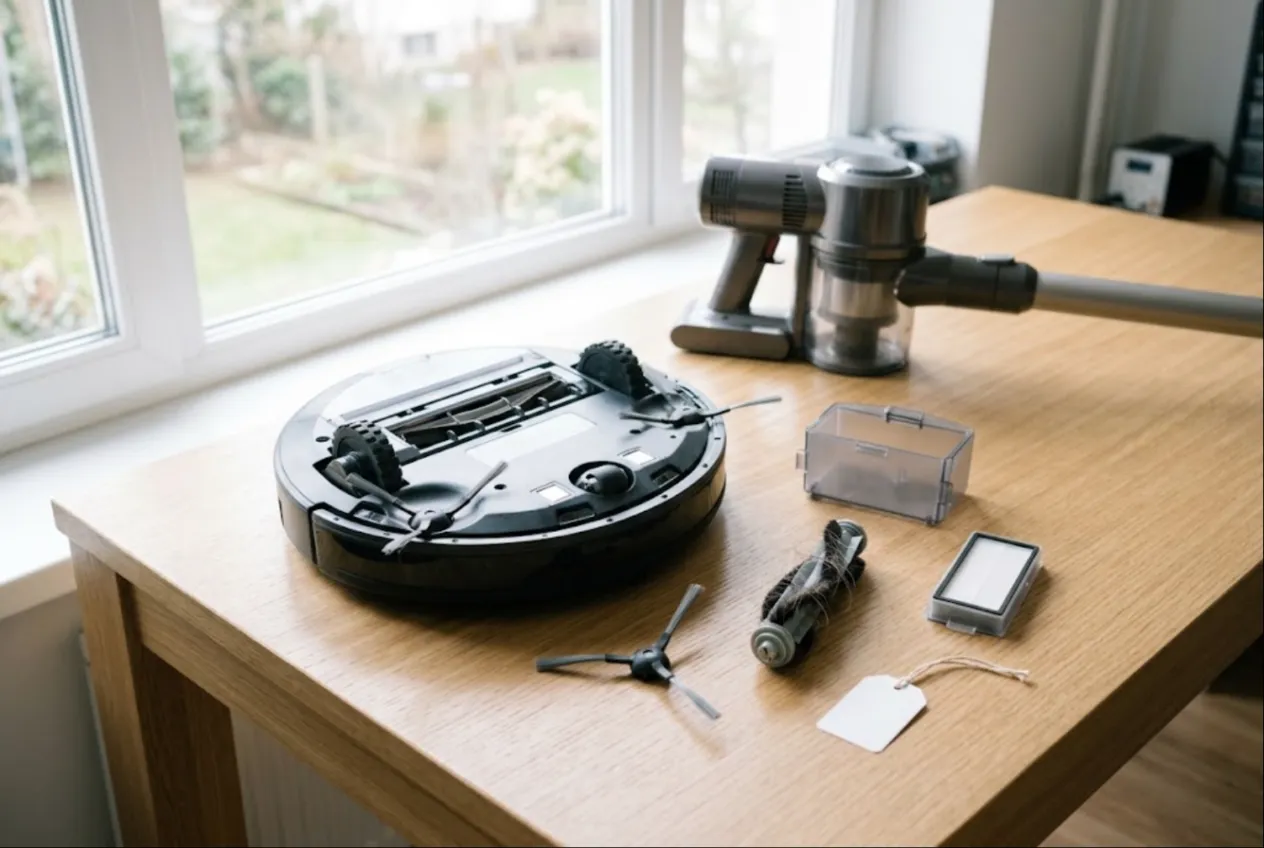
ServiceCenterSoft is repair-tracking software for shops that fix vacuum cleaners: robot vacuums, cordless stick vacuums, corded uprights and canisters, wet-dry and carpet washers. Fast check-in for look-alike units, a stock of brushes, filters and batteries that tells you when to reorder, estimates the customer approves by link, warranty jobs from retailers, and a day counter for finished robots on the shelf. It runs in the browser, on the counter PC and on a phone.
Who this is for
A vacuum repair shop lives on volume. Most robot vacuums come in with the same handful of faults: hair wound around the main brush and wheel axles, a lidar error, a robot that will not dock, a battery that lasts ten minutes. Stick vacuums arrive with tired battery packs and motors that cut out. Corded machines come in with worn motor brushes or a damaged cord; wet-dry units with a pump that no longer primes. Tickets are modest, so the money is in speed: check the unit in quickly, have the part on the shelf, and let the customer find out it is ready without phoning.
Where it usually breaks down:
- five identical robots on the rack, and nobody can say which one came with its self-emptying dock;
- side brushes and HEPA filters run out exactly when you need them;
- a retailer drops off a batch of warranty units and later wants a statement of what happened to each;
- a robot comes back a month later with the same tangle, and the owner says you never cleaned it properly.
Check-in: dock, tank, mop pad and the app account
A robot rarely arrives alone. There is the dock — a plain charger or a self-emptying station — the water tank, the mop bracket, spare brushes. A stick vacuum brings its floor head, crevice tools, charger and wall mount. All of it goes into the “Accessories” field in front of the customer and prints on the job ticket they sign. “Condition” takes the cracks in the housing, scratches on the lidar cover, signs of water, a swollen battery.
Robot vacuums are paired to the owner’s app account, which holds the map of their home; some models carry a camera. Ask at check-in whether you may factory-reset and unpair the robot, and write the answer in the notes. That saves an awkward “where did my map go?” at pickup.
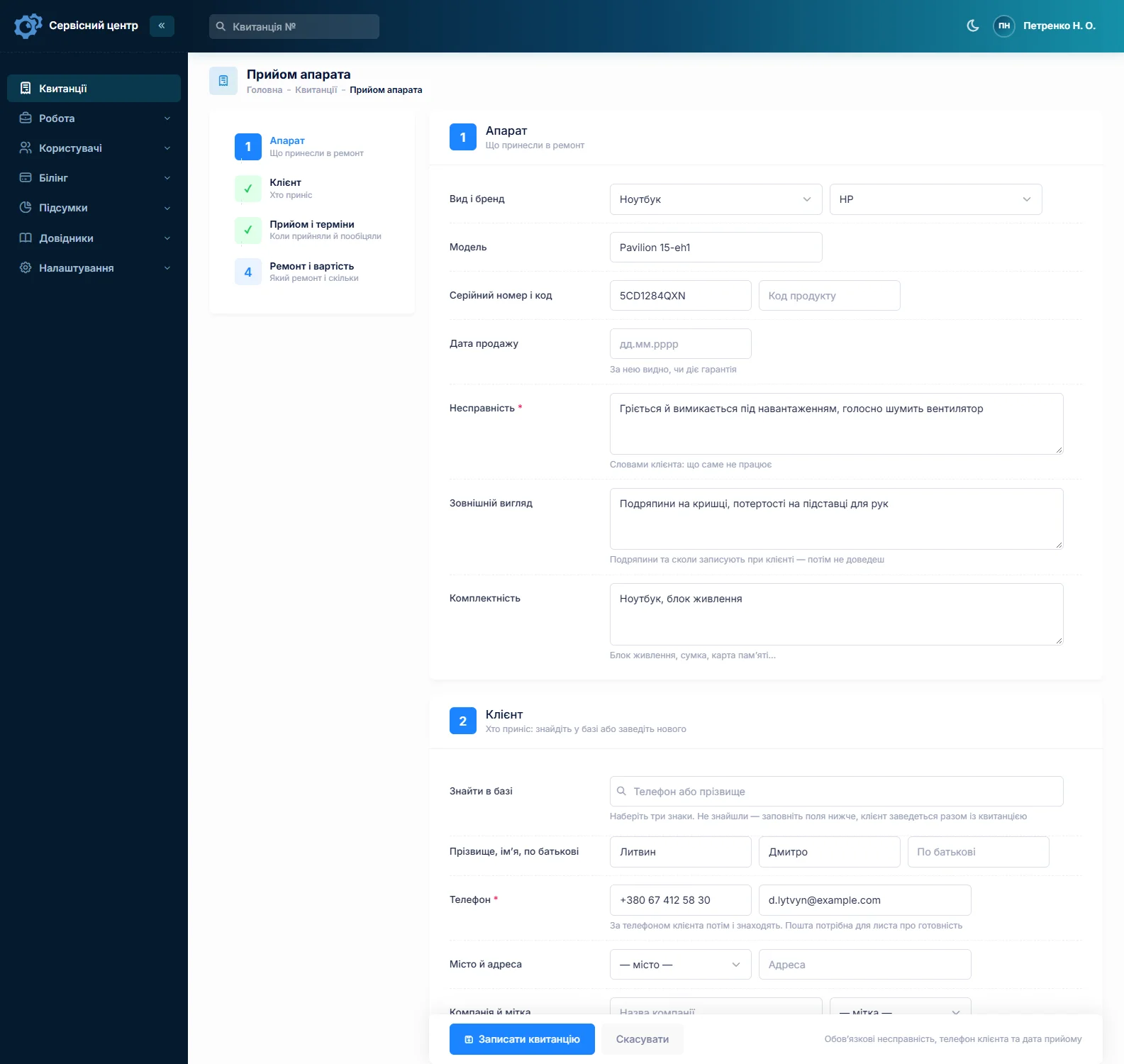
Serial number and date of purchase have their own fields, and search finds a ticket from part of the serial — handy when the label under the robot is half worn off.
Honestly about photos. You cannot attach a photo to a job. If you photograph units at check-in, keep the pictures yourself and note on the ticket that they exist.
Built for repeat jobs
When half the workload is “clean robot, replace brushes”, typing the price every time is wasted effort. Each device type in the device list has a default repair price and its own diagnostics price — robot vacuum, cordless stick, corded, wet-dry. Pick the device and the price fills in; you can still change it on the ticket.
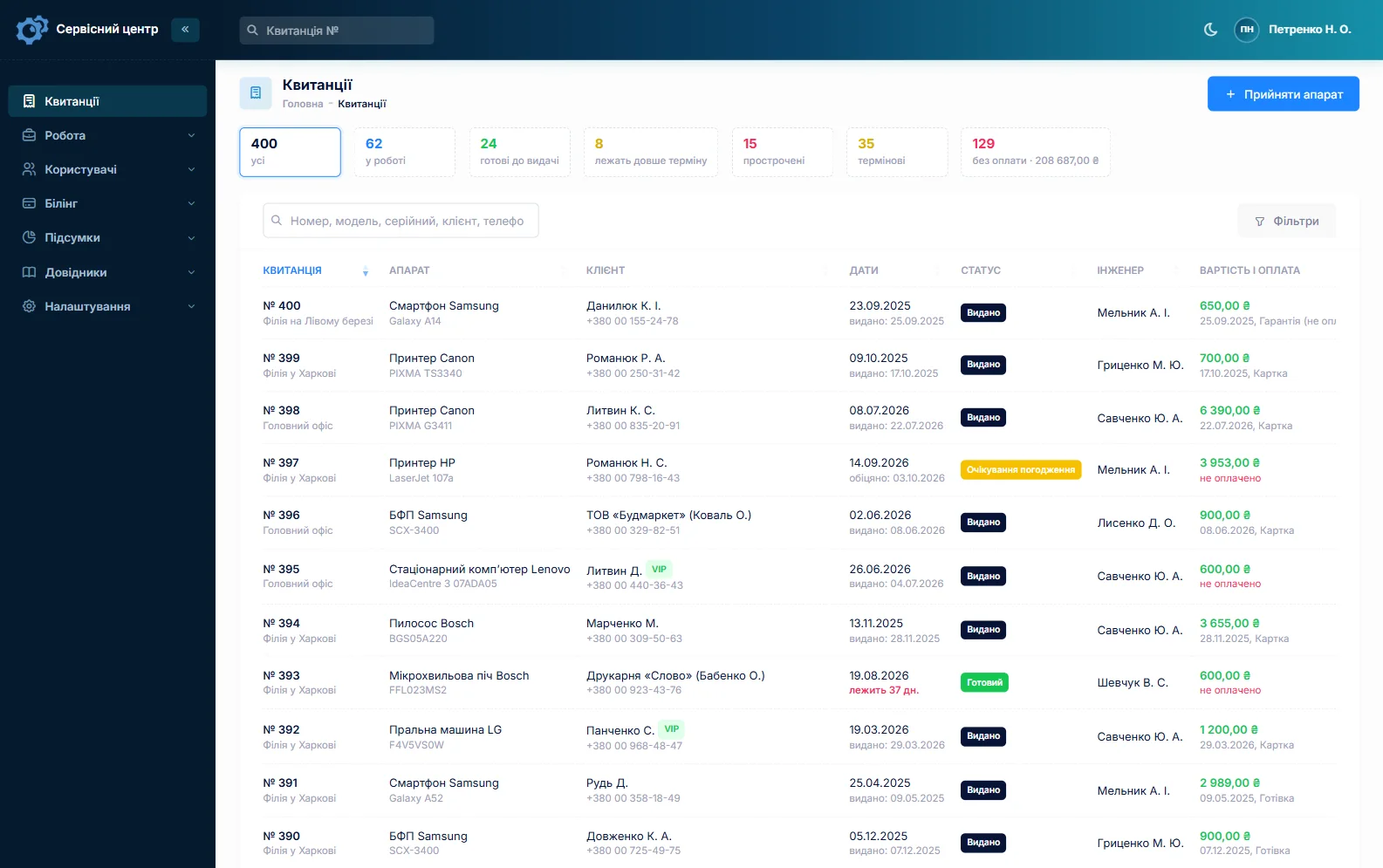
One customer brings three units? Fill in the first ticket and copy it for the rest: customer, device type and notes carry over, and you enter the new serial number and fault. The “urgent” flag and promised date are visible in the list, and overdue jobs turn red.
Brushes, filters, wheels and batteries in stock
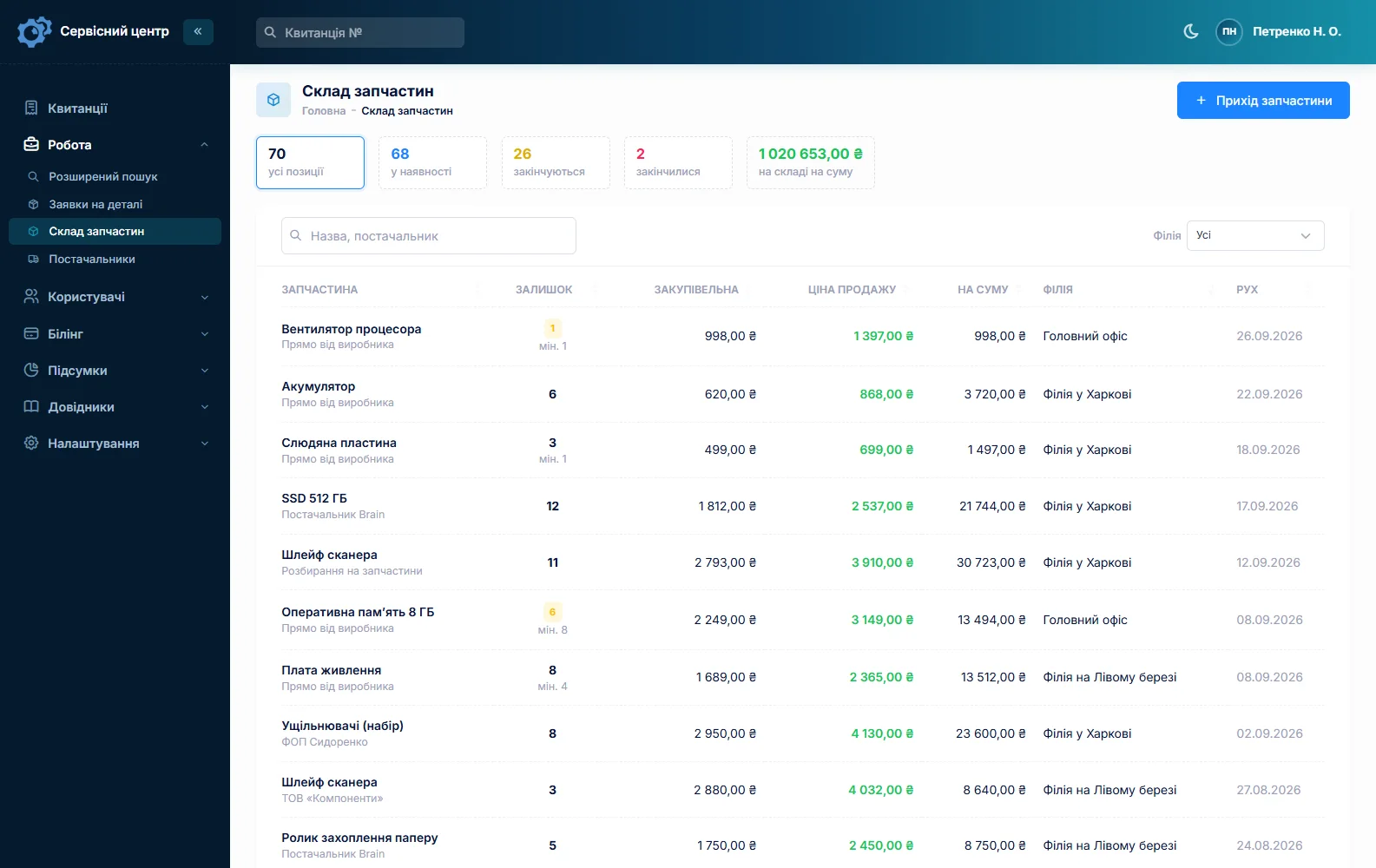
Stock is a movement log: goods in with cost and supplier, parts used on a job as estimate lines, write-offs with a reason, stocktakes. The technician adds “side brush — 2 pcs” from stock to the estimate; name and price fill in, and the quantity cannot exceed what is on hand. Remove the line and the part goes back into stock.
Fast movers — side and main brushes, HEPA filters, wheel modules, lidar belts and motors, battery packs for popular models — get a reorder level. Once stock drops to it, the item shows under “running low”, and that list is your next purchase order. What you do not stock is requested from the ticket and emailed to the supplier; the job sits in “waiting for parts”, and when the part arrives you book it into stock straight from the request. There is no link to supplier catalogues and no barcode scanning. More in spare parts tracking and the article on running a parts stock.
Lithium packs deserve their own shelf: swollen or water-damaged batteries are stored apart and never left charging unattended.
Diagnosis, estimate and the robot not worth fixing
A lidar error can be a dirty window, a stretched belt or a dead module — three different bills. “Won’t charge” can be corroded dock contacts, the pack or the board. So diagnose first and build an estimate line by line, labour and parts with quantity and price. A button on the job sends it by email or Telegram; the customer clicks “I agree” or “I decline”, and the answer is stored in the job history with the date.
Sometimes repairing a budget robot costs nearly as much as a new one. Switch the job to “diagnostics only” and close it as “repair refused” or “beyond repair”; the period statistics show such units separately. For an expensive battery or motor, take a deposit: a job can have several payments, and the software shows the balance due.
Warranty units from retailers
Appliance retailers send faulty vacuums under warranty and want to know where each one stands. Add the retailer as a customer with its name in the “Company” field: the name prints on the job sheet and the completion report, a search of the job list finds all its units, and the customer card collects every job — in progress and returned. The purchase date entered at check-in shows whether the unit is still within its warranty period.
If you are an authorised service centre for a brand, warranty repairs are priced from a separate list by brand, repair category and device. Your own warranty on the work and your free storage period go into the terms printed on the ticket; what the law requires of you depends on where you trade, so check with a lawyer.
A robot back with the same tangle gets the repair type “repeat repair”, and the serial number pulls up the earlier ticket: what was replaced and what advice was given. The “Recommendations” field prints on the report, so “clean the brush weekly, keep cables off the floor” is on paper, not just said at the counter.
Washing machines, fridges and on-site callouts are a different trade — see home appliance service.
Ready — and the customer knows
When the vacuum is ready, the customer gets an email or a Telegram message (they subscribe via the QR code on the ticket). There is no SMS and no mobile app. Every finished unit shows how many days it has been waiting, and a “past free storage” filter gathers the ones nobody has collected — robots with their docks take up real shelf space. More on customer notifications.
What repairs typically cost
A rough guide only; prices vary by region, model and parts: robot service with new brushes €40–80, wheel module €60–130 with the part, lidar belt or motor €50–150, robot battery €60–150, dock contacts or board €40–120, stick vacuum battery €60–160, stick vacuum motor €90–200, corded vacuum motor brushes €35–70, wet-dry pump €50–120. You set your own prices per device type and as estimate lines.
What it does not do
- no photos or file attachments on jobs — condition is described in text;
- no SMS, no mobile app, no online payment by the customer;
- no supplier integrations or catalogue links, no barcodes;
- no point-of-sale for selling filters and brushes over the counter — stock can only be written off with a reason.
What it costs
One price for the whole shop — no per-user or per-location fees.
Monthly
Paid every month, cancel whenever you like.
Yearly
Cheaper than paying monthly. Invoice or card payment.
Custom work
Changes tailored to the way you work — hourly, by agreement.
Off-the-shelf not enough — your own forms, roles, reports or workflow? We will build a program for you. How it works
Try it without signing up in the demo: check in a robot vacuum with its dock, add brushes from stock to the estimate and send it for approval.

We are very happy working with servicecentersoft.com: they built everything we asked for, even though our request was unusual, since we deal with medical devices. Everything was done precisely and on the agreed schedule. Thank you for the cooperation — we keep working together.

I tried the ServiceCenterSoft demo and came away with a good impression. The program is simple and easy to understand, yet it has everything you need for the job: customers, repairs, devices, spare parts, statuses and statistics.
I especially liked the dark theme and the responsive design — working from a phone is perfectly comfortable. Another plus is the instant search that works as you type, so you don't have to press a separate "Search" button every time.
You can tell the program was built specifically for service centers rather than being a generic CRM adapted for the repair business. The interface has no unnecessary frills; everything is logical and to the point.
A good, practical tool for the day-to-day work of a service center.

I liked that you get a free 14-day trial and that they are willing to handle my special requests — setting things up exactly the way I need them.
I also liked how payment works. You can simply pay the monthly fee by card online — basically the same as a regular Spotify subscription or any other service. No separate contracts to sign and no invoices to pay manually.
And there's no feeling of strict limits on the number of employees. One service center is one account, and inside it you can organize the work of your technicians and run several branches.
For me this is far more convenient than plans where you have to pay for every single user or keep counting how many employees are working today.

My business is fairly specific, so the program's standard features weren't enough — I needed my own custom fields, my own sorting options and search by additional parameters. The work completion certificate and the printed repair receipt also needed some changes to fit the way we work.
I contacted technical support. To be honest, I expected changes like these to take a long time, but everything was done within a single day. The team quickly understood exactly what we needed, suggested the right solution and did everything properly.
I'd especially like to mention the support: they get straight to the point, with no unnecessary bureaucracy, and they genuinely help instead of just sending you off to read the documentation.
For me this is a big advantage of the program: it isn't just sold "as is" — it can be adapted to how you actually work. Thanks to the team for the quick response and for treating the customer right.
Highly recommended!
In short
- The robot’s accessories — dock, tank, brushes — on the ticket the customer signs.
- Default repair and diagnostics prices per device type; copied tickets for look-alike jobs.
- Brushes, filters and batteries in stock with reorder levels.
- Retailers as customers with a company name: all their units on one customer card.
- Repeat cases and care advice in the device history.
- €20 a month for the whole shop.
See also
Medical equipment repair software
Job tracking for biomedical repair shops serving clinics, dental practices and labs, plus home medical devices: company customers, per-device history by serial number, estimates approved by link, a completion report with itemized work.
Read moreBoiler repair and heating service software
For heating engineers servicing gas and electric boilers, water heaters and heat pumps: the call-out and the board on the bench in one job, the autumn rush, annual services on the same boilers, and quotes for expensive parts.
Read moreElectric motor repair shop software
For motor rewind shops and one-person motor repairers: inspection and an approved estimate before rewinding, winding data in the work log and searchable, copper and bearings in stock, and each motor’s history by serial number.
Read moreSee how it works
The demo is open — go in and try it. Ask us anything by email, Telegram or the form on this site.