Sewing machine repair software
Sewing machine repair shop software for independent technicians and sewing shops: every accessory recorded at drop-off, service tiers by machine type, quotes approved by link, needles and belts in stock.
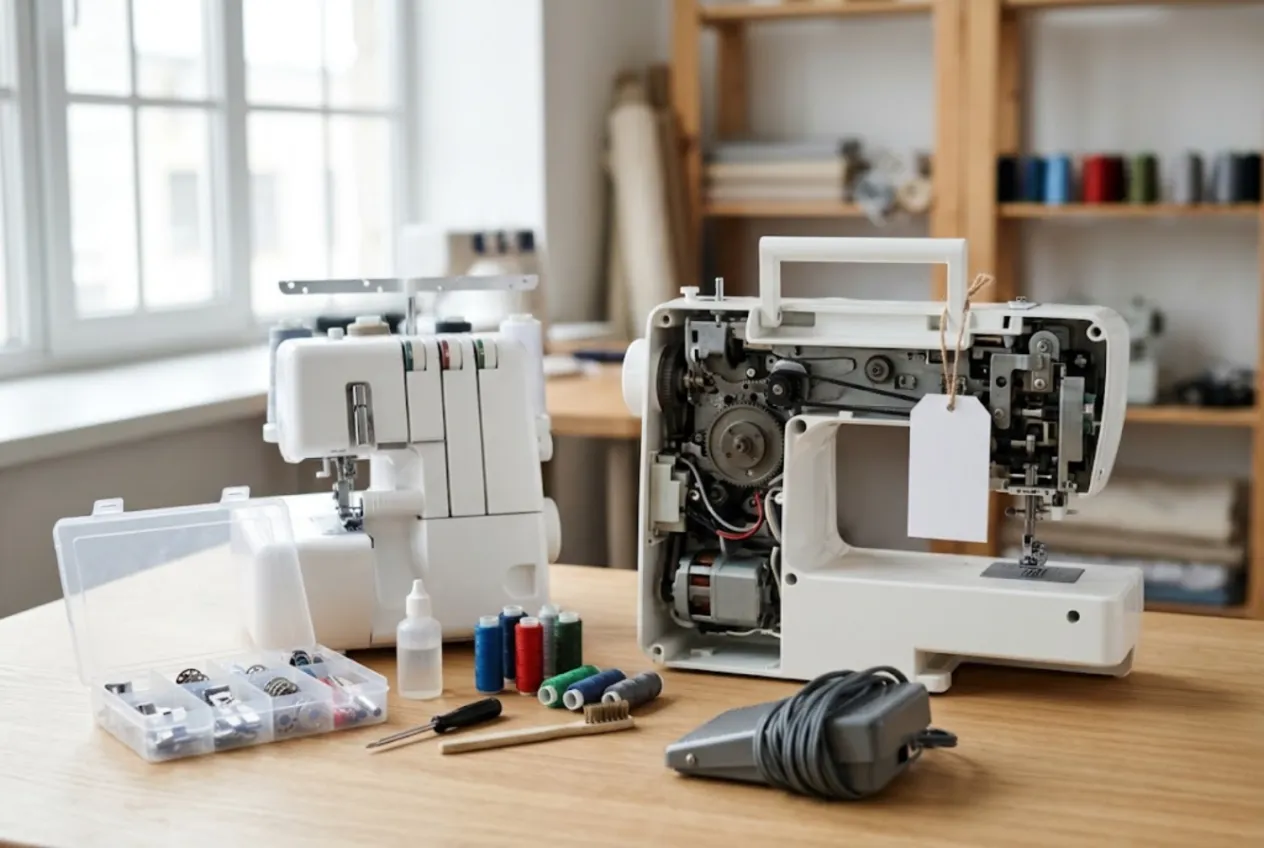
ServiceCenterSoft is job-tracking software for sewing machine repair: the independent technician working from home or a small shop, and the sewing or quilting store with a service bench in the back. Domestic and industrial machines, sergers, coverstitch machines, embroidery machines. It runs in the browser on your computer and your phone.
Who this is for
Most sewing machine technicians work alone or with one helper. The machines come from home sewists, quilters, alteration shops, schools, and the occasional small factory with a row of identical industrial lockstitch machines. A lot of the work is routine — clean, oil and adjust — and some of it is expensive: a dead main board on a computerised machine or an embroidery unit that will not move.
What usually goes wrong is not the repair, it is the paperwork around it:
- the machine arrived with a foot pedal, a power cord, a hard case and a box of presser feet, and at pick-up nobody can say what was actually in the box;
- the customer agreed to a board replacement on the phone, then disputes the amount;
- you run out of the right needles or bobbin cases in the middle of a busy week;
- finished machines sit on the shelf for months because nobody comes to collect them.
Drop-off: the machine and everything that came with it
The intake form has separate “accessories” and “condition” fields. Foot pedal, power cord, dust cover or case, which presser feet and how many, bobbins, the embroidery unit and hoops — written down in front of the customer. Scratches, a cracked bed, a missing cover — the same. Both fields are printed on the job ticket the customer signs. The model, serial number and the fault in the customer’s words (“skipping stitches”, “top thread keeps breaking”, “handwheel is stuck”) go on the same ticket. More on what the ticket shows: repair ticket.
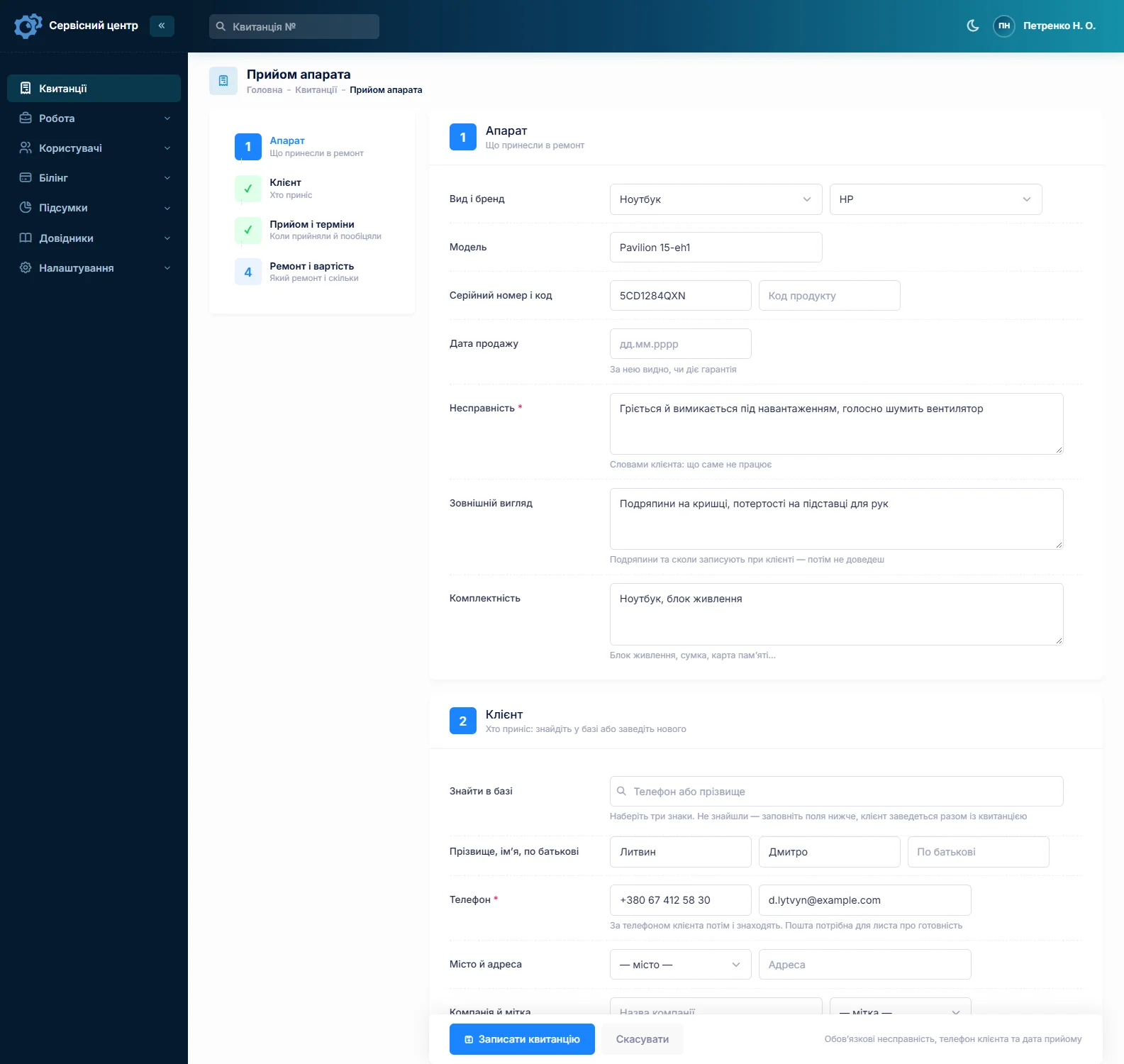
About photos. You cannot attach a photo to a job in the software. If you photograph machines at drop-off, keep the pictures on your phone and note on the ticket that they exist. The written description is what the customer signs, so it is worth doing properly.
Service tiers by machine type
Many shops sell service as fixed packages — a basic clean-and-oil, a full service with timing and tension adjustment, a serger service with looper and knife adjustment. Enter each one once in the list of work with a price for each machine type: domestic mechanical, computerised, serger, coverstitch, industrial. On the job you pick the line from the list and the price fills in; you can still change it for an unusual case.
Each machine type can also have its own diagnostic fee. When a customer is not sure an old machine is worth fixing, the job is set to “diagnostics only” from the start, so the bench fee is on the ticket rather than a surprise at pick-up.
Big repairs: quote first, then order the part
Computerised and embroidery machines fail in expensive ways: main boards, displays, stepper motors, the motor itself. The order of things is simple — diagnose, quote line by line, and only then order. The quote is sent from the job by email or Telegram as a link. The customer sees every line and the total and clicks “I agree” or “I decline”, and the answer is stored in the job history with the date.
For special-order parts, take a deposit: a job can have several payments, and it shows what has been received and what is still due. Customers cannot pay online through the software — you take payment as you always do and record it.
Needles, bobbin cases, belts and loopers in stock
Stock is a movement log: receipts with purchase price and supplier, parts used on a job as a quote line, write-offs with a reason, and stock counts. The balance is calculated, never typed in. Set a minimum for needles, bobbin cases, timing belts, presser feet, serger knives and loopers, and the “running low” list becomes your reorder list.
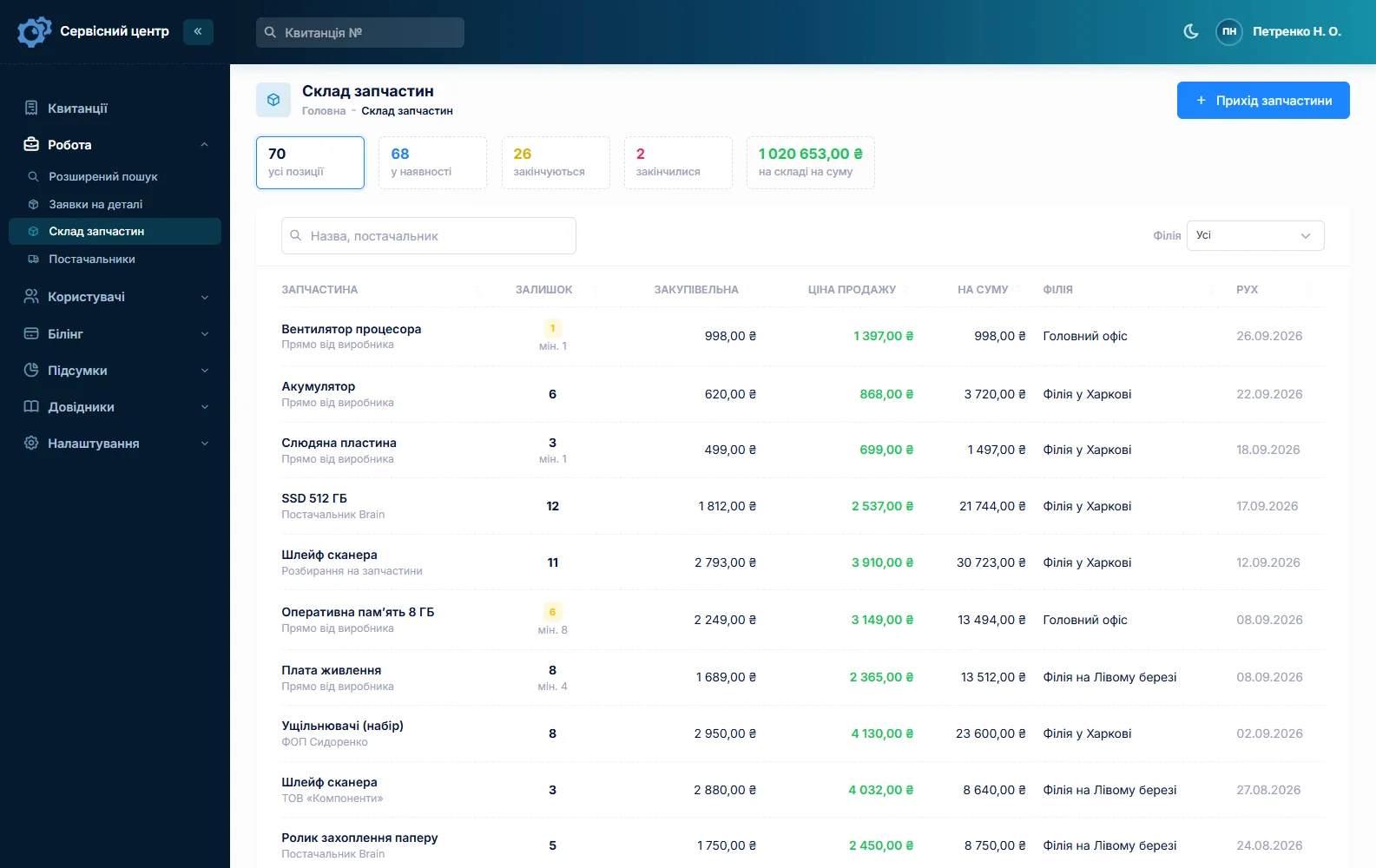
Quantities are whole numbers, so needles are best tracked by the piece or by the pack, and oil by the bottle. Parts you salvage from donor machines can be booked in too, with your own cost and a note on where they came from. If a part is missing, a parts order is created from the job and emailed to the supplier. There is no barcode scanning and no connection to supplier catalogues. See spare parts tracking.
Factory and school accounts
A small factory, a costume department or a school with twenty machines is one customer, and its record shows every job: which machine, what was done, what it cost. Identical models are told apart by serial number. A new job for the same machine can be copied from the last one — customer, machine and notes carry over, and you enter the serial number again. A customer label such as “contract” shows right in the job list.
If you service machines on site, how a visit works in the software — and what it lacks, such as a scheduling board and route planning — is covered on the home appliance service page. The software does not send service reminders either; keep your maintenance schedule in your own calendar.
Ready for pick-up — and the ones nobody collects
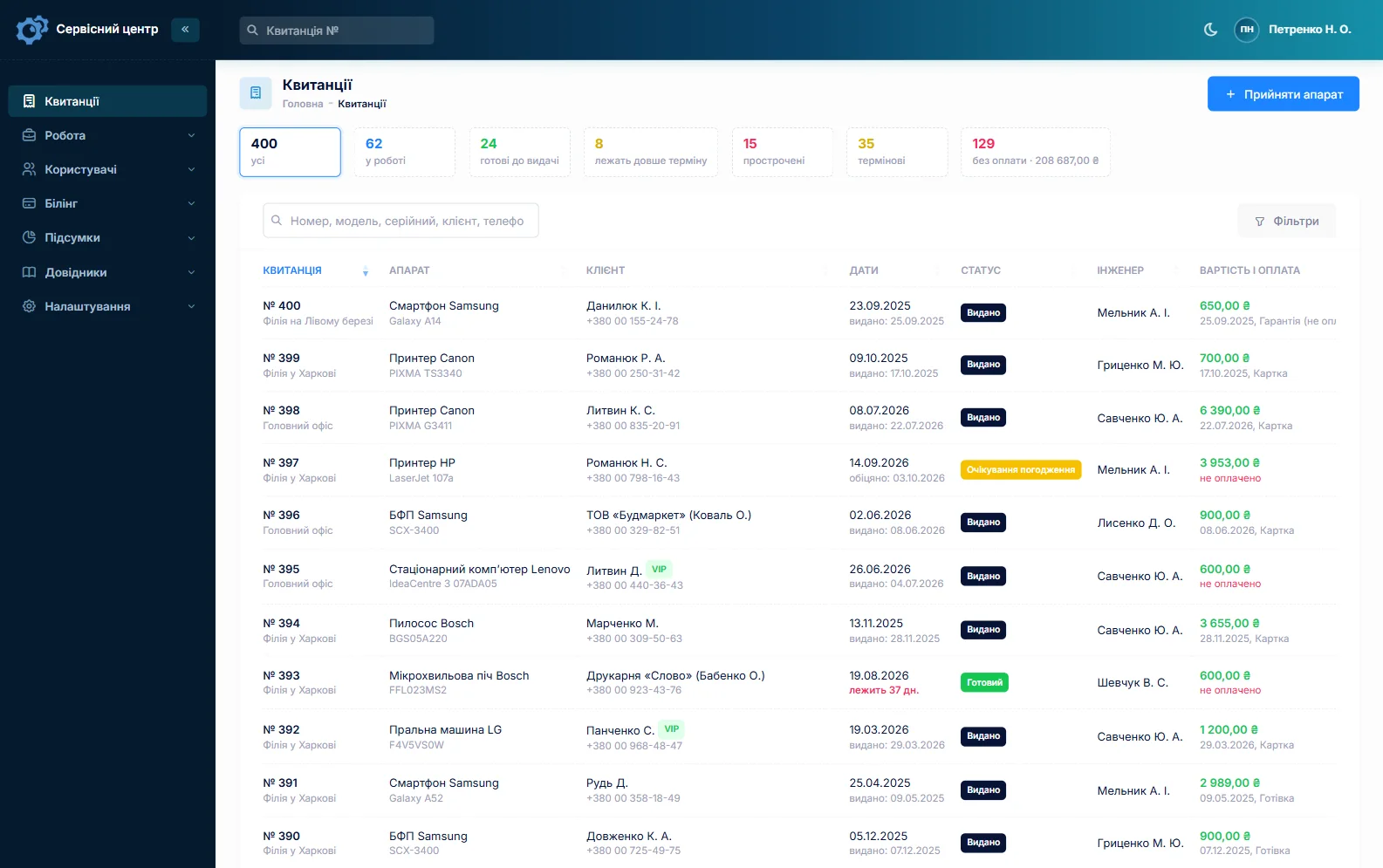
When a job is done, the customer gets an email or a Telegram message; they subscribe with the QR code on their ticket. There are no text messages and no mobile app. Every finished machine in the list shows how many days it has been waiting, and once the free storage period from your settings runs out, the counter turns red. Put your storage terms and your repair warranty in the conditions printed on the ticket, so the customer has them from day one. More on customer notifications.
Typical prices
As a rough guide only — prices depend heavily on region, machine and condition: a basic clean-oil-adjust on a domestic machine around €50–90, a full service with timing €80–140, a serger service €60–120, board-level repair on a computerised or embroidery machine €120–350 or more, plus parts. You set your own prices in the list of work or as quote lines.
What it costs
One price for the whole shop — no per-technician or per-location fees. A one-person shop pays the same.
Monthly
Paid every month, cancel whenever you like.
Yearly
Cheaper than paying monthly. Invoice or card payment.
Custom work
Changes tailored to the way you work — hourly, by agreement.
Off-the-shelf not enough — your own forms, roles, reports or workflow? We will build a program for you. How it works
Try it without signing up in the demo: book in a serger with its pedal and feet, add a service from the list and record a deposit.

We are very happy working with servicecentersoft.com: they built everything we asked for, even though our request was unusual, since we deal with medical devices. Everything was done precisely and on the agreed schedule. Thank you for the cooperation — we keep working together.

I tried the ServiceCenterSoft demo and came away with a good impression. The program is simple and easy to understand, yet it has everything you need for the job: customers, repairs, devices, spare parts, statuses and statistics.
I especially liked the dark theme and the responsive design — working from a phone is perfectly comfortable. Another plus is the instant search that works as you type, so you don't have to press a separate "Search" button every time.
You can tell the program was built specifically for service centers rather than being a generic CRM adapted for the repair business. The interface has no unnecessary frills; everything is logical and to the point.
A good, practical tool for the day-to-day work of a service center.

I liked that you get a free 14-day trial and that they are willing to handle my special requests — setting things up exactly the way I need them.
I also liked how payment works. You can simply pay the monthly fee by card online — basically the same as a regular Spotify subscription or any other service. No separate contracts to sign and no invoices to pay manually.
And there's no feeling of strict limits on the number of employees. One service center is one account, and inside it you can organize the work of your technicians and run several branches.
For me this is far more convenient than plans where you have to pay for every single user or keep counting how many employees are working today.

My business is fairly specific, so the program's standard features weren't enough — I needed my own custom fields, my own sorting options and search by additional parameters. The work completion certificate and the printed repair receipt also needed some changes to fit the way we work.
I contacted technical support. To be honest, I expected changes like these to take a long time, but everything was done within a single day. The team quickly understood exactly what we needed, suggested the right solution and did everything properly.
I'd especially like to mention the support: they get straight to the point, with no unnecessary bureaucracy, and they genuinely help instead of just sending you off to read the documentation.
For me this is a big advantage of the program: it isn't just sold "as is" — it can be adapted to how you actually work. Thanks to the team for the quick response and for treating the customer right.
Highly recommended!
In short
- Pedal, case, feet and bobbins go on the ticket the customer signs.
- Service tiers from your list of work, priced by machine type.
- Expensive repairs are quoted and approved by link, with deposits.
- Needles, bobbin cases, belts and loopers in stock with a “running low” list.
- Full history per machine; no photos, no text messages, no service reminders.
- €20 a month for the whole shop.
See also
Lawn mower and small engine repair shop software
Outdoor power equipment repair software for small shops: mowers, robotic mowers, trimmers, chainsaws, tillers and blowers. Get through the spring rush, sell winterization, and quote engine work before you start.
Read moreWelding machine repair software
Welder repair shop software for workshops fixing stick inverters, MIG/MAG, TIG and plasma cutters: promised dates and rush jobs, quotes approved before expensive parts go in, power semiconductors in stock, fabrication shops and crews as customers.
Read moreSoftware for home appliance service
Contents recorded at intake, warranty at the brand price list, callouts, slow parts and partner shops.
Read moreSee how it works
The demo is open — go in and try it. Ask us anything by email, Telegram or the form on this site.