Solar inverter repair software
For shops that repair grid-tie and hybrid solar inverters and MPPT charge controllers: installers as trade customers sending units in batches, manufacturer and installer warranties, pick-up from site and reinstallation, boards and power stages through estimate approval, monthly accounts and completion reports.
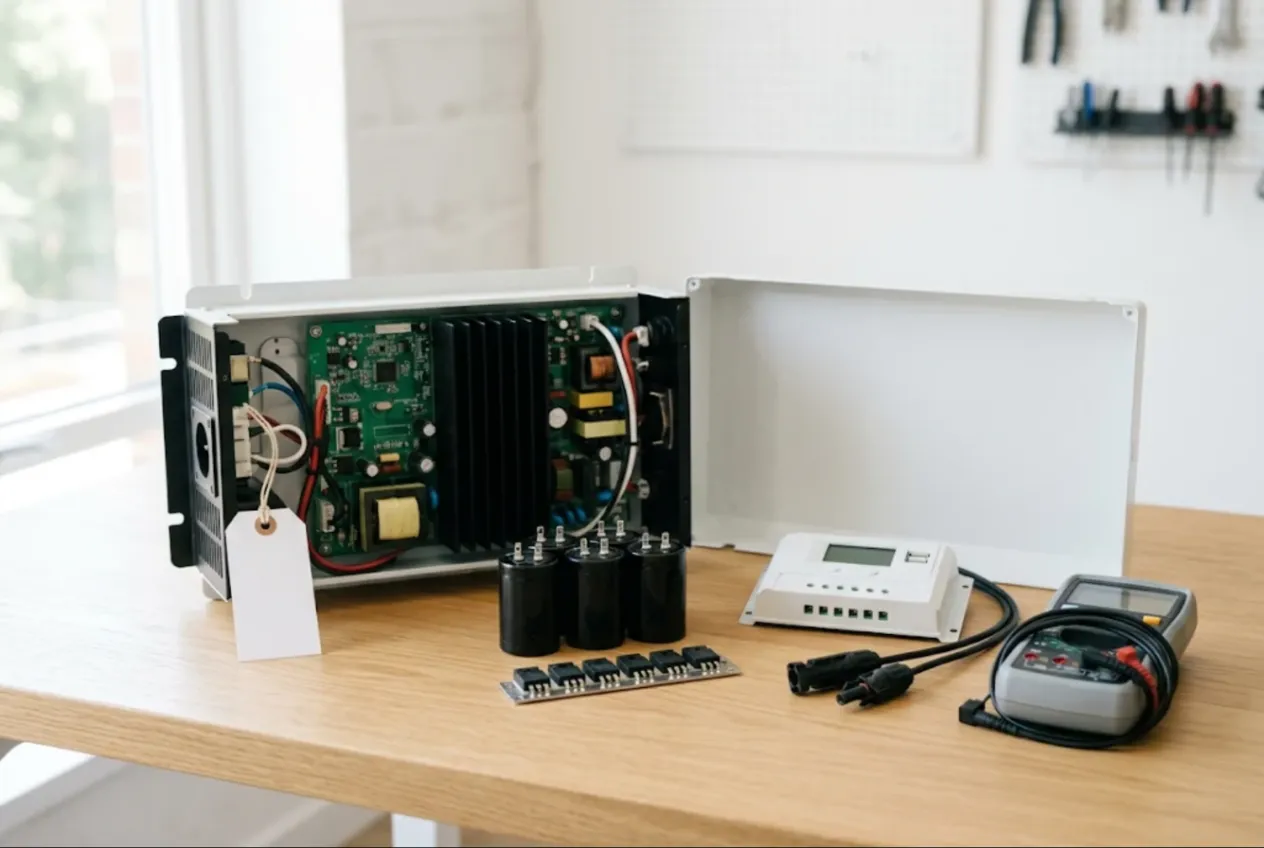
ServiceCenterSoft is repair-tracking software for shops that fix solar inverters — grid-tie, hybrid with battery storage, off-grid — and MPPT charge controllers. Your best customers are usually not homeowners but solar installers and O&M contractors: they send units in batches, they answer to the system owner, and they want to know when the inverter can go back on the wall. It runs in the browser, on the workshop PC and on a phone on site.
Why installers need a repair shop that keeps records
An installer with a few hundred systems in the field will always have a handful of failed inverters: an isolation fault, a grid relay that will not close, a unit that died after a lightning storm, a charge controller with a burnt power stage. Sending everything back to the manufacturer takes weeks, so many installers prefer a local repair shop for out-of-warranty units and quick fixes. In return they expect the same thing their own customers expect from them — clear answers.
Where it usually goes wrong:
- four identical inverters arrive in one van from four different sites, and a week later nobody can tell which is which;
- the Wi-Fi dongle, CT clamps and battery comms cable were “definitely in the box”, but nobody wrote them down;
- an expensive control board was ordered without approval, and the installer decided a new unit made more sense;
- the installer’s monthly balance is pieced together from a spreadsheet;
- a unit comes back after your repair and nobody knows whether it is the same fault.
Portable power stations and home UPS units are covered on a separate page: power station repair software. This page is about wall-mounted inverters and the trade customers who install them.
Trade account or referral partner
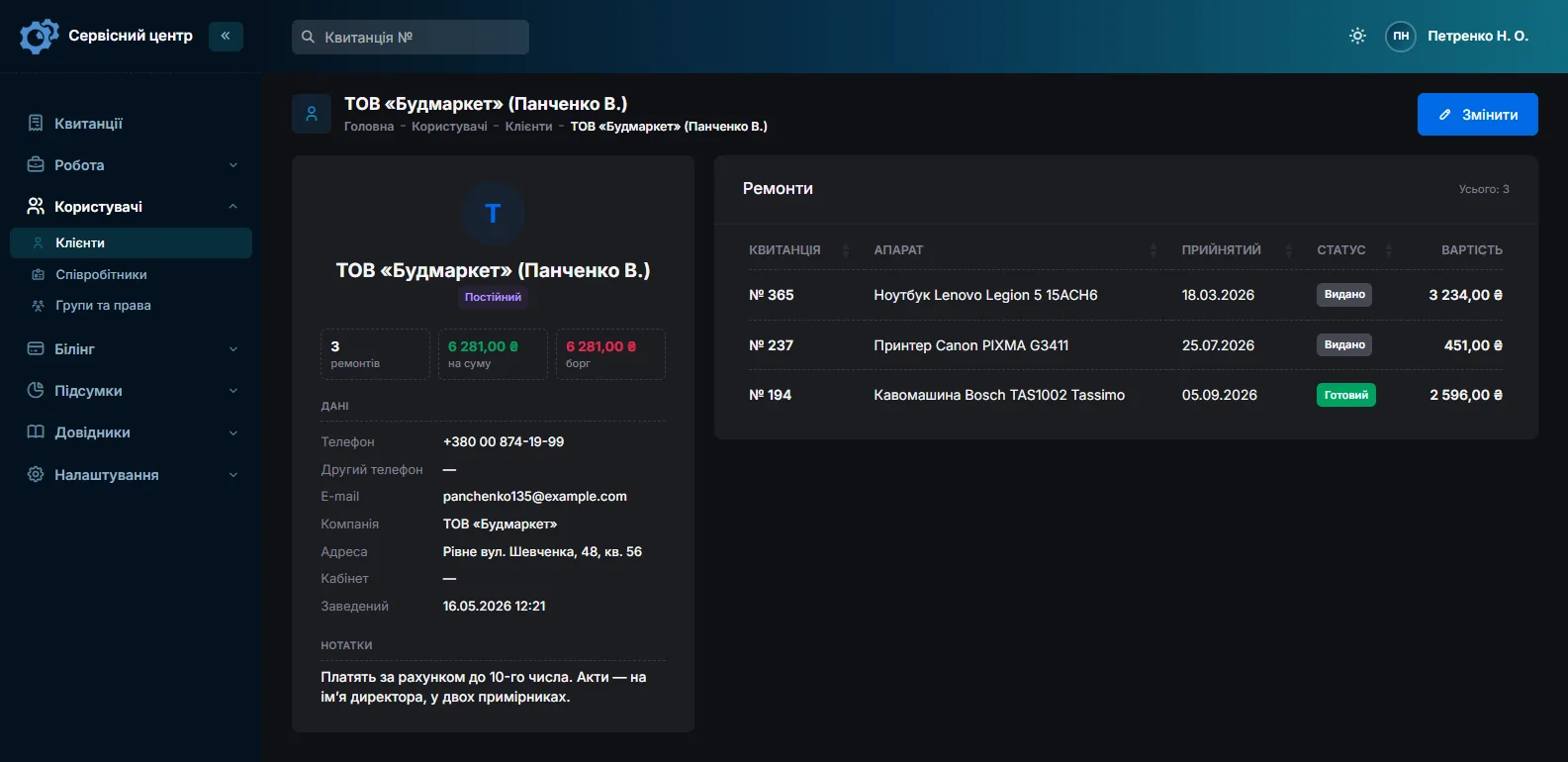
The customer on a job is whoever pays. If the installer pays, fill in the “Company” field on the customer card: every job from that firm sits in one place, with the total and the outstanding balance. The site address and the system owner’s name go into the job notes, and the advanced text search finds them later.
If the system owner pays and the installer only brought the unit in, the owner is the customer and the installer is set as a partner. Filtering the job list by partner shows everything each installer has sent you, whoever paid for it.
Booking in a batch
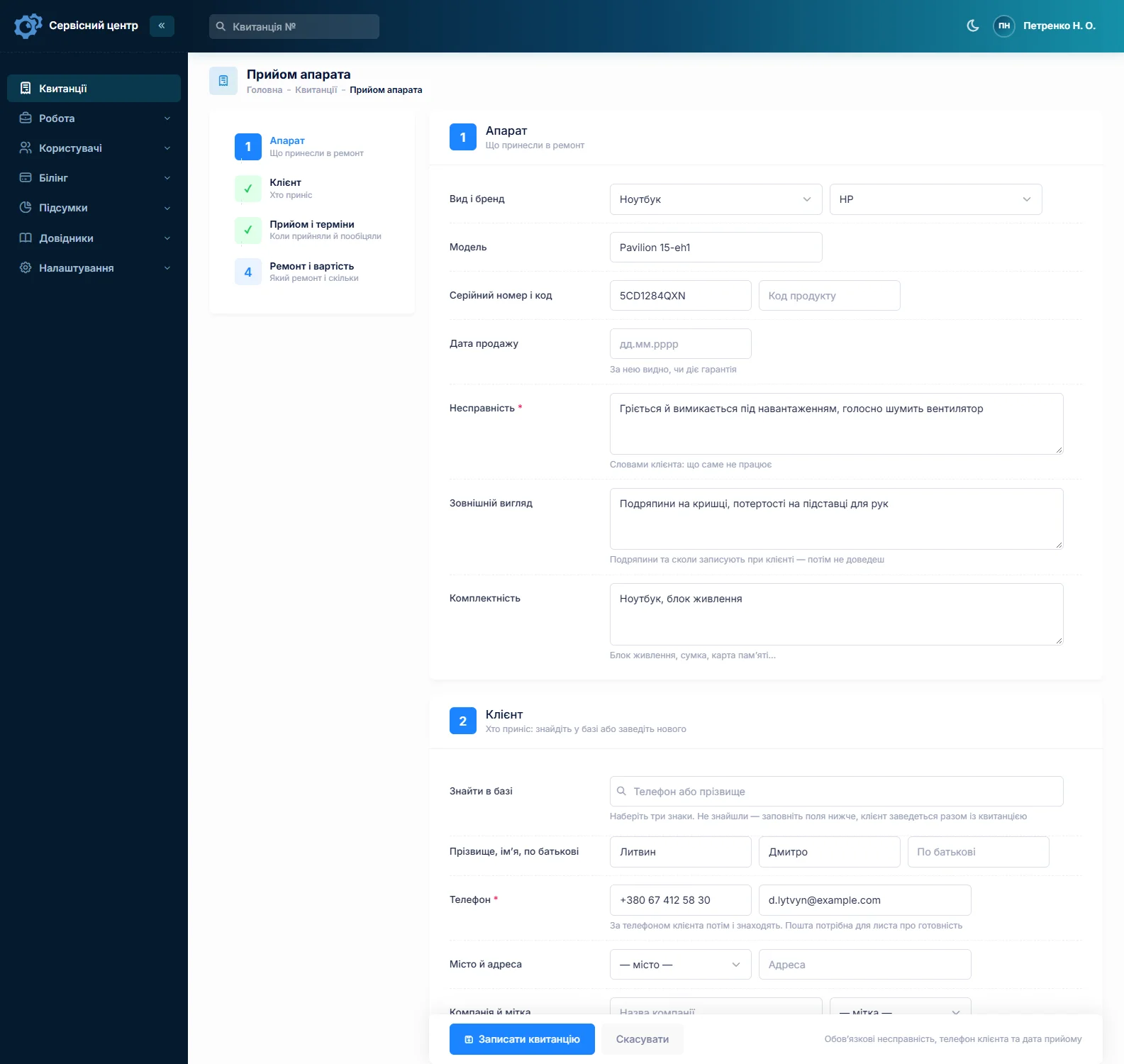
Fill in the first job completely and copy it for the rest: customer, device type, model and fault carry over, and you type in each serial number. The serial is what matters most on an inverter — it tells you whether the unit has been in before, and it is what the installer quotes to the manufacturer. A paired battery module or controller goes into the “Product code” field; the advanced search looks up model, serial and product code, even by part of the number.
“Accessories” records the Wi-Fi dongle or data logger, CT clamps, battery comms cable, mounting bracket and connectors. “Condition” records moisture marks, melted terminals, insects inside, corrosion and cracked housings. Copy the error code from the display or the monitoring app into “Fault” word for word. The firmware version and settings the unit arrived with go into the technician’s notes — the customer does not see them, and you will be glad of them next time.
Pick-up from site and reinstallation
Often the installer asks you to take the unit off the wall yourself. To be straight about it: there is no dispatch calendar or route planner. What you do have is the “Works” list with your own prices — “Removal on site”, “Transport to workshop”, “Reinstallation and commissioning” — which go onto the estimate as lines like any other work.
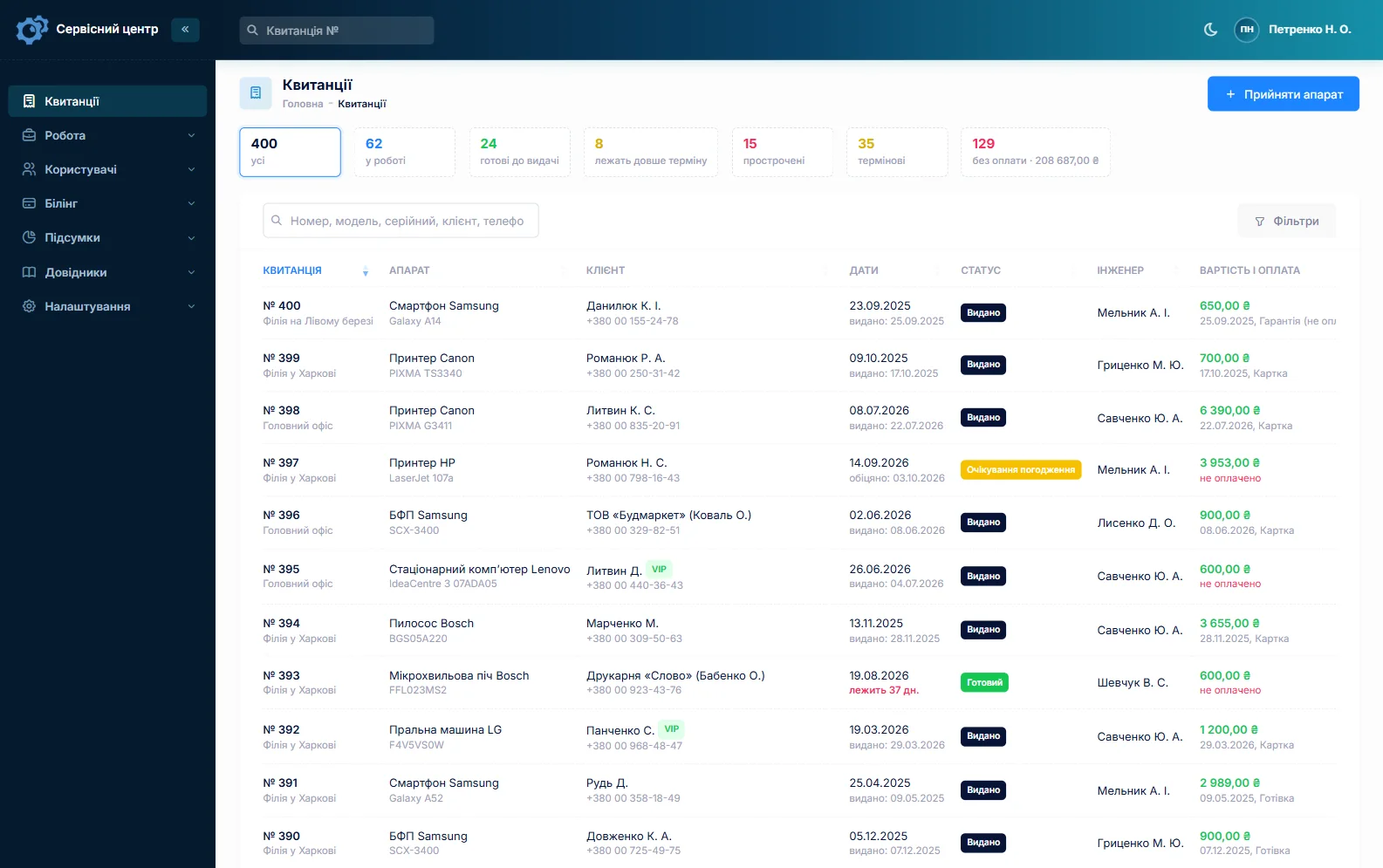
Custom statuses with a colour and a tile above the job list — “Awaiting pick-up”, “Return to site” — show in one click where someone needs to drive. Every job has a promised date; overdue jobs turn red and gather under the “overdue” filter. In summer, when a system without its inverter loses generation every day, the “urgent” flag puts the job at the top of everyone’s attention.
Power stages and boards: only after “I agree”
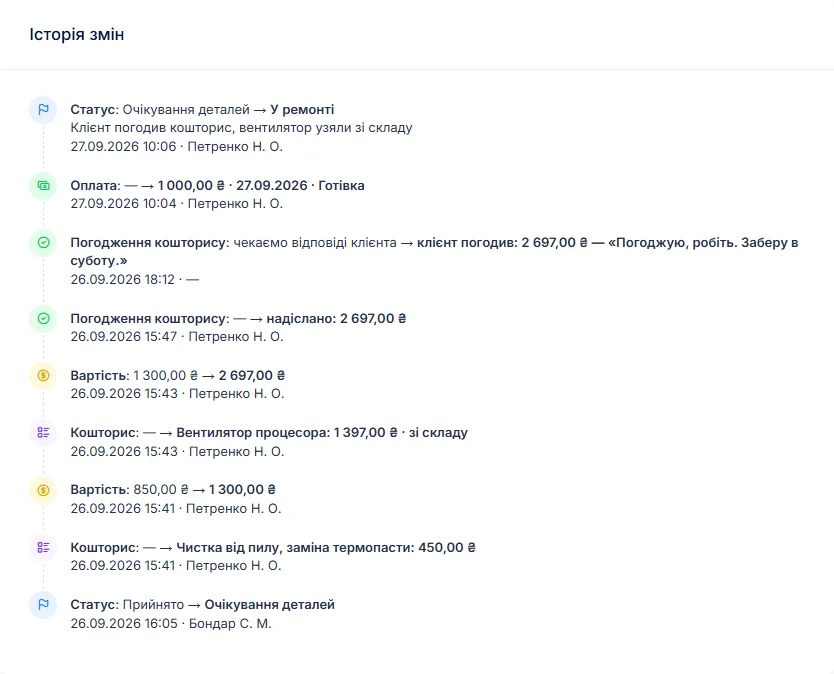
A dead inverter might need a fuse and a varistor — or an IGBT module, gate drivers and a control board that together cost close to a new unit. After diagnosis the technician writes the findings in the work log, the job moves to “awaiting approval”, and an itemised estimate — switches and capacitors from stock, labour, a board on order — goes to the customer by email or Telegram. The link shows every line and the total, with “I agree” and “I decline” buttons; the answer and its date land in the job history.
An installer can forward that link to the system owner and get a decision before you pick up the soldering iron. If the repair is not worth it, “repair refused” or “beyond repair” closes the job and the diagnostics charge for that device type remains payable. For component-level board repair, see industrial electronics repair software.
MPPT controllers are a device type of their own
Device types carry the repair price, the diagnostics price and the list of works. Set up “Hybrid inverter”, “Grid-tie inverter” and “MPPT controller”, and a small charge controller is no longer priced like a 10 kW inverter — while the statistics show what you actually repair most.
Stock: IGBTs, MOSFETs, DC-link capacitors, relays
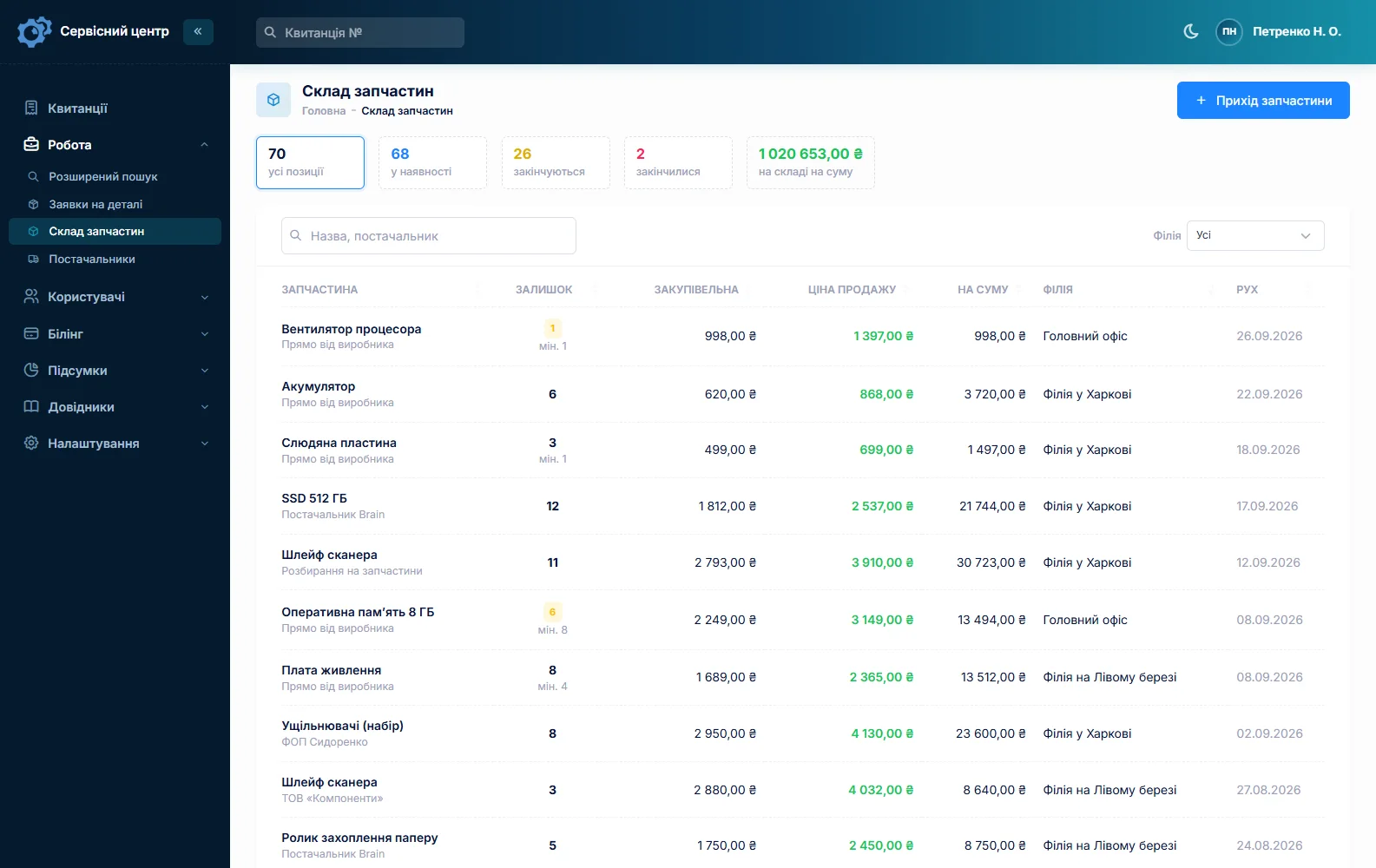
Stock is a movement journal: receipts with cost price and supplier, parts used on a job as estimate lines, returns and stocktakes. Typical lines are IGBT modules and MOSFETs, gate drivers, DC-link electrolytic and film capacitors, grid relays, fans, varistors, fuses and connectors. A part added to an estimate from stock reduces the quantity on hand by itself; a minimum level and the “running low” tile tell you to reorder before the busy season. Quantities are whole numbers.
A board for a specific model is ordered from the job: the order is emailed to the supplier and the job waits in “awaiting parts”. More on spare parts tracking.
Three warranties on one inverter
The manufacturer warrants the unit, the installer warrants the installation, and you warrant your repair. Repair types include “Warranty”, “Paid”, “Post-warranty” and “Repeat”; the date of sale has its own field. A unit back after your repair is booked as “Repeat”, and its serial number brings up the previous job. Your own warranty terms go into the report template under “Print forms” and print on every completion report, together with the work log and recommendations such as “improve ventilation around the unit” or “re-torque DC terminals”.
Monthly accounts and collection
A job can take several payments — a deposit on an expensive board and the rest on completion — and the software shows what is still due. The installer’s total balance is on the customer card, and the “unpaid” filter lists everything collected but not paid. When a unit is ready, the customer gets an email or a Telegram message. Finished units show how many days they have been waiting; past your free storage period, the counter turns red.
About the rules
The software tracks repairs. Working on the DC side of panels and batteries, who is qualified to work on electrical installations, and what installer and manufacturer warranties cover depend on the rules of your country and on your contracts — the software does not handle any of that.
What repairs typically cost
A rough guide only — prices depend on country, rating and model: diagnosis €40–120, MPPT controller repair €60–250, fan or relay replacement €50–150 plus parts, power stage replacement €150–500, control board repair €200–700, removal and reinstallation €80–250 plus travel. You set your own prices in device types, the “Works” list and estimate lines.
What it does not have
- remote monitoring of inverters or links to manufacturers’ cloud portals;
- a dispatch calendar or route planner;
- a separate module for swap or loan units;
- photos or file attachments on a job;
- SMS, a mobile app, or online payment by the customer;
- integrations with suppliers or manufacturers’ RMA portals.
What it costs
One price for the whole workshop — no extra charge for staff or branches.
Monthly
Paid every month, cancel whenever you like.
Yearly
Cheaper than paying monthly. Invoice or card payment.
Custom work
Changes tailored to the way you work — hourly, by agreement.
Off-the-shelf not enough — your own forms, roles, reports or workflow? We will build a program for you. How it works
Try it without signing up in the demo: book in an inverter with an error code, copy the job for a second unit from the same batch and send an estimate for approval.

We are very happy working with servicecentersoft.com: they built everything we asked for, even though our request was unusual, since we deal with medical devices. Everything was done precisely and on the agreed schedule. Thank you for the cooperation — we keep working together.

I tried the ServiceCenterSoft demo and came away with a good impression. The program is simple and easy to understand, yet it has everything you need for the job: customers, repairs, devices, spare parts, statuses and statistics.
I especially liked the dark theme and the responsive design — working from a phone is perfectly comfortable. Another plus is the instant search that works as you type, so you don't have to press a separate "Search" button every time.
You can tell the program was built specifically for service centers rather than being a generic CRM adapted for the repair business. The interface has no unnecessary frills; everything is logical and to the point.
A good, practical tool for the day-to-day work of a service center.

I liked that you get a free 14-day trial and that they are willing to handle my special requests — setting things up exactly the way I need them.
I also liked how payment works. You can simply pay the monthly fee by card online — basically the same as a regular Spotify subscription or any other service. No separate contracts to sign and no invoices to pay manually.
And there's no feeling of strict limits on the number of employees. One service center is one account, and inside it you can organize the work of your technicians and run several branches.
For me this is far more convenient than plans where you have to pay for every single user or keep counting how many employees are working today.

My business is fairly specific, so the program's standard features weren't enough — I needed my own custom fields, my own sorting options and search by additional parameters. The work completion certificate and the printed repair receipt also needed some changes to fit the way we work.
I contacted technical support. To be honest, I expected changes like these to take a long time, but everything was done within a single day. The team quickly understood exactly what we needed, suggested the right solution and did everything properly.
I'd especially like to mention the support: they get straight to the point, with no unnecessary bureaucracy, and they genuinely help instead of just sending you off to read the documentation.
For me this is a big advantage of the program: it isn't just sold "as is" — it can be adapted to how you actually work. Thanks to the team for the quick response and for treating the customer right.
Highly recommended!
In short
- Installers as trade customers with a balance, or as partners with their own filter.
- Batches booked by copying the job, each with its own serial.
- Site removal and reinstallation as work lines and custom statuses.
- Power stages and boards only after “I agree” by link.
- MPPT controllers as a separate device type with their own prices.
- IGBTs, capacitors and relays in stock with minimum levels.
- €20 a month for the whole workshop.
See also
Starting your own repair shop: where to begin
For people who can fix phones and laptops and want to work for themselves: what a small repair business needs on day one, the paperwork that protects you from the first customer, and how to run a shop in a country whose language is not your own.
Read moreSoftware for home appliance service
Contents recorded at intake, warranty at the brand price list, callouts, slow parts and partner shops.
Read morePhone repair shop software
Intake in a minute, screens and batteries tracked, a ready-for-pickup email, output per technician.
Read moreSee how it works
The demo is open — go in and try it. Ask us anything by email, Telegram or the form on this site.