Spare parts accounting
A log of parts in and out, the money sitting in stock, requests tied to a job and an email to the supplier.
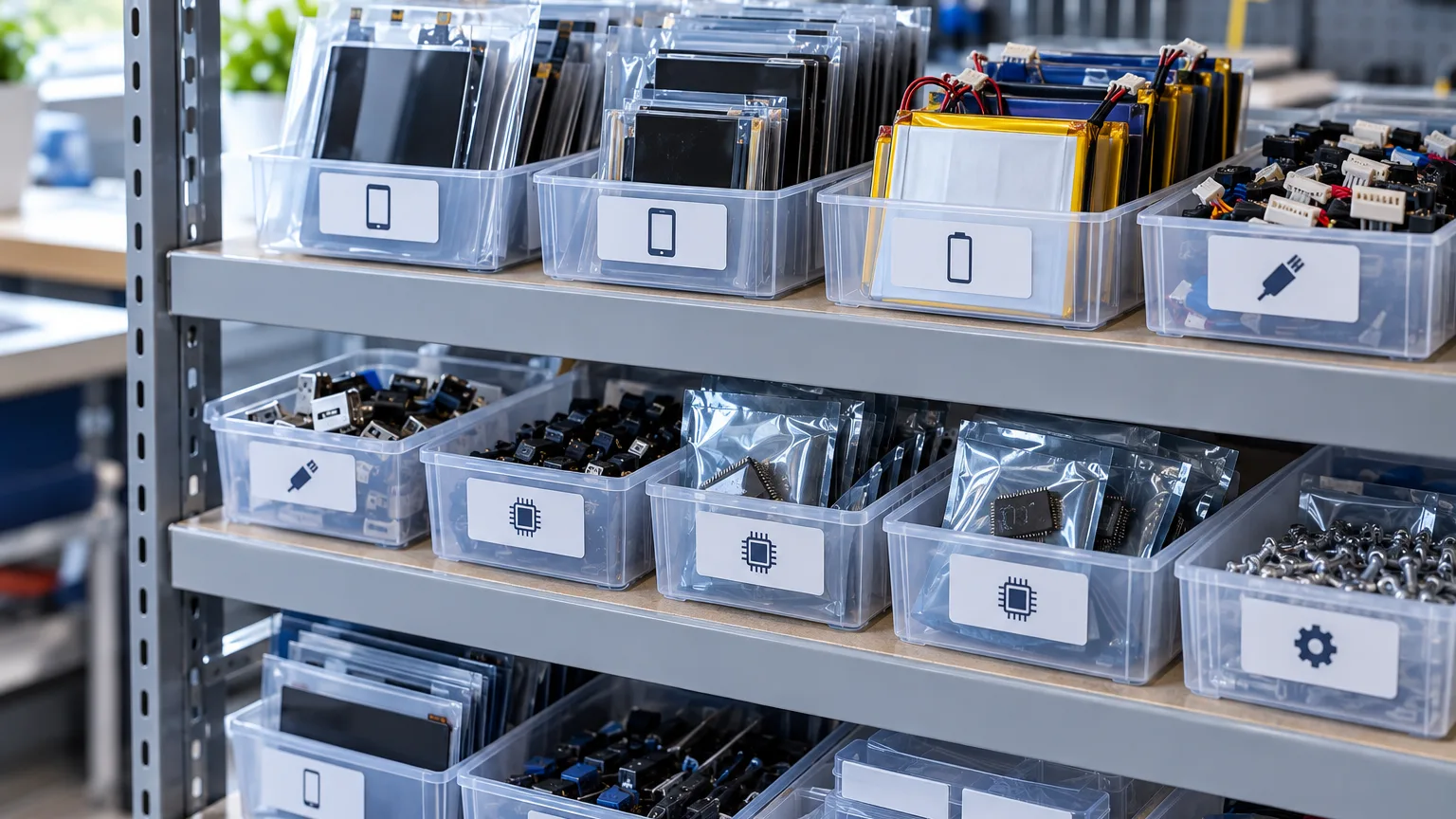
ServiceCenterSoft handles spare parts the way a real service handles them: a log of what came in and where it went, the amount of money sitting in parts, and requests tied to a specific repair. No stocktakes, no barcodes, no warehouse system that nobody fills in.
Where spare parts actually disappear to
Parts go missing in a service not because they are stolen. They go missing because nobody ever writes them down in time.
- A technician took a screen out of the box and fitted it. Forgot to note it — the box emptied unnoticed.
- A part was ordered for one repair, arrived, sat for two weeks and went into a different device. The first repair is still "waiting for a part".
- Five pumps were bought "because they were cheap". A year later they are still there, and the money is not in the bank — it is right here.
- A customer asks why the repair costs that much. You remember the part was expensive, but not exactly how much.
All four have one thing in common: the note was not made in the minute something happened. So the record-keeping has to take fifteen seconds — otherwise it will not happen at all.
In: when, what, how many, at what price and from whom
One stock entry is one delivery: date, part name, quantity, unit price, source (who you bought it from) and branch. That is all. The form is deliberately short: nobody fills in a long one after the third day.
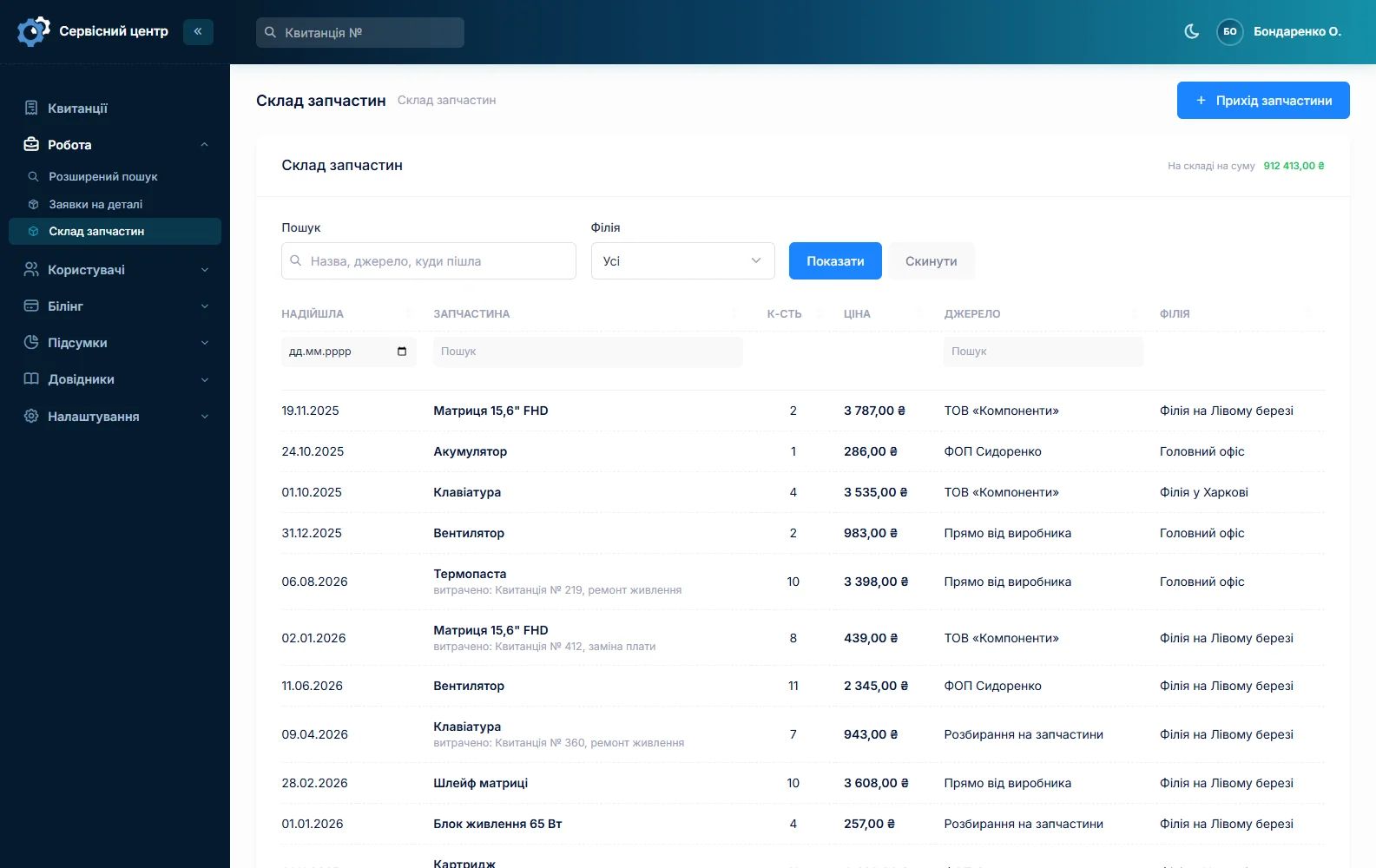
The source is a plain text field rather than a supplier catalogue: in a repair service parts are bought from a mate, from a marketplace and from an official dealer alike, and forcing that into a catalogue is busywork.
Out: where the part went
Every entry has a "where it was used" field, filled in your own words: "job 1841", "fitted to Petrenko's Samsung A52", "returned to the supplier as faulty". In the list this text shows right under the part name, and search covers it too.
So "where did that pump go?" is answered by searching for "pump": you see every delivery and what became of it.
Faulty parts and returns to the supplier
A part that turns out to be dead is routine, and it has to be recorded too. The usage field gets "returned to supplier as faulty" and a date. Six months later, when the same supplier causes trouble again, searching their name shows the whole story: how much you bought from them, for how much, and how much went back. This is the rare case where a text note beats a number: you cannot record the reason for a fault as a figure.
How much money is sitting in stock
Below the list there is a total — price times quantity, across everything currently filtered. That is not an abstract figure: it is exactly how much of your money is sitting in parts and not working. Filter one branch and you see its total; filter on "screen" and you see how much is tied up in screens.
Parts requests are tied to the job
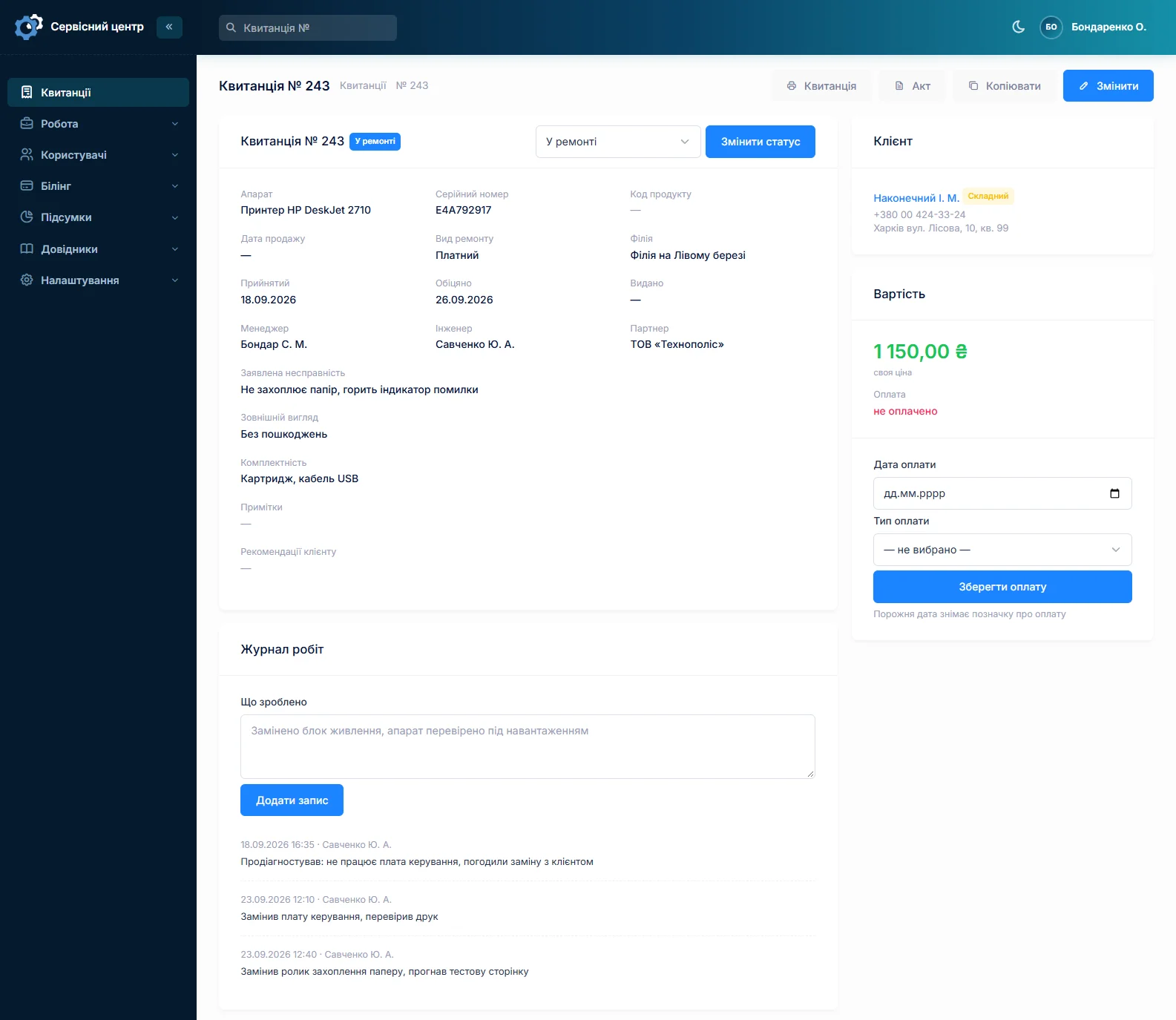
A parts request is not a stock entry but a separate thing, and it lives inside the repair. On the job sheet you write what needs ordering; the request has an order date and a received date.
Because of that, at any moment you see not "waiting for a part" but which repair is held up, since when, and what was ordered for it. When a customer calls to ask why nothing has happened for three weeks, the answer is on the screen rather than in a technician's memory.
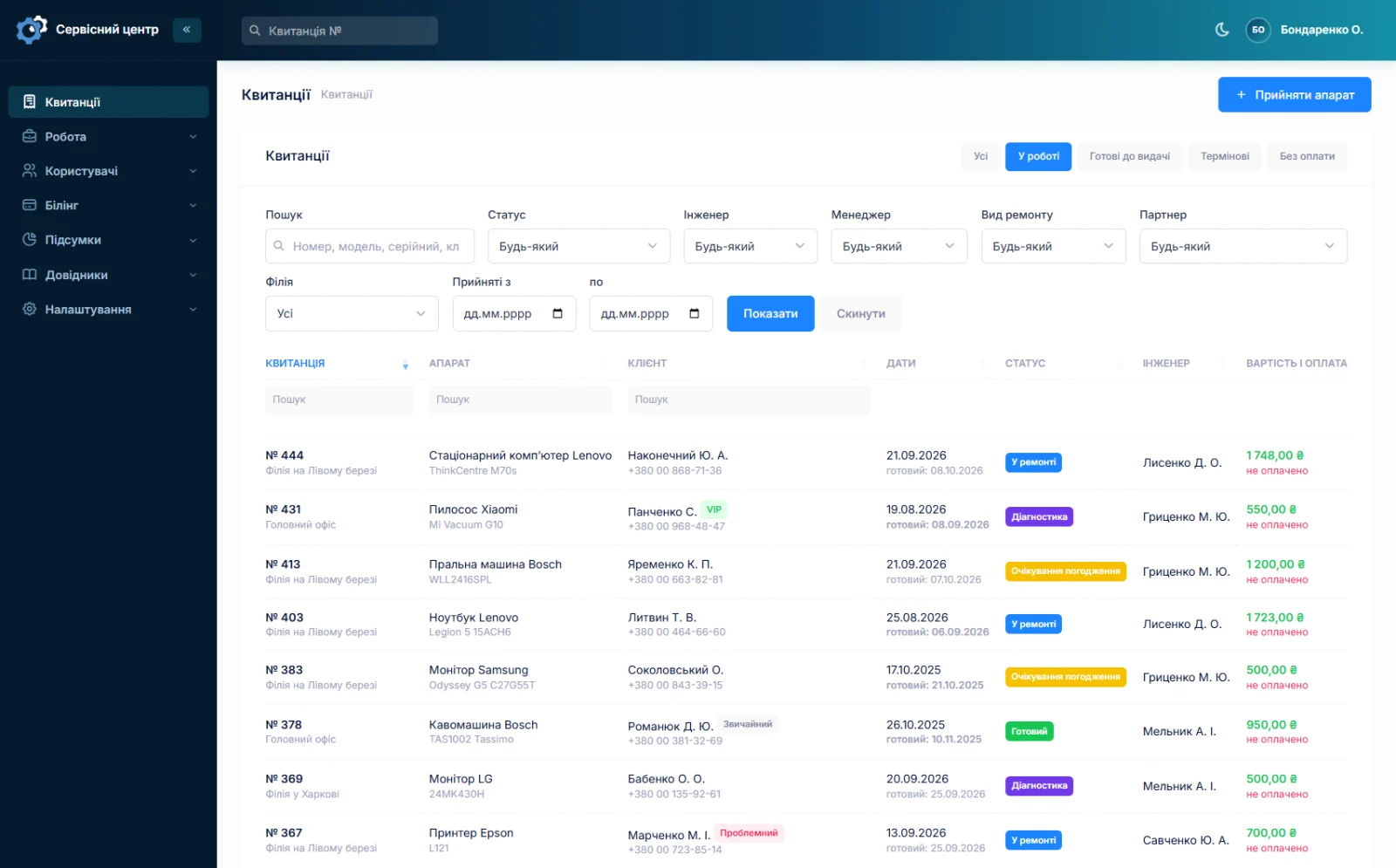
The same requests show up in the main job list: one filter and you have every device currently held up, with dates. It is a good list to start the morning with — ring the suppliers first, then everything else.
Emailing the supplier from the software
A request can be emailed to the supplier from inside the software: you can see the text and edit it before sending, and the software remembers when it went. When the part arrives you mark it received and the repair moves on.
Several branches, several stocks
Each branch has its own stock. Branch staff see their own deliveries, while the owner switches between branches and looks at one or all of them.
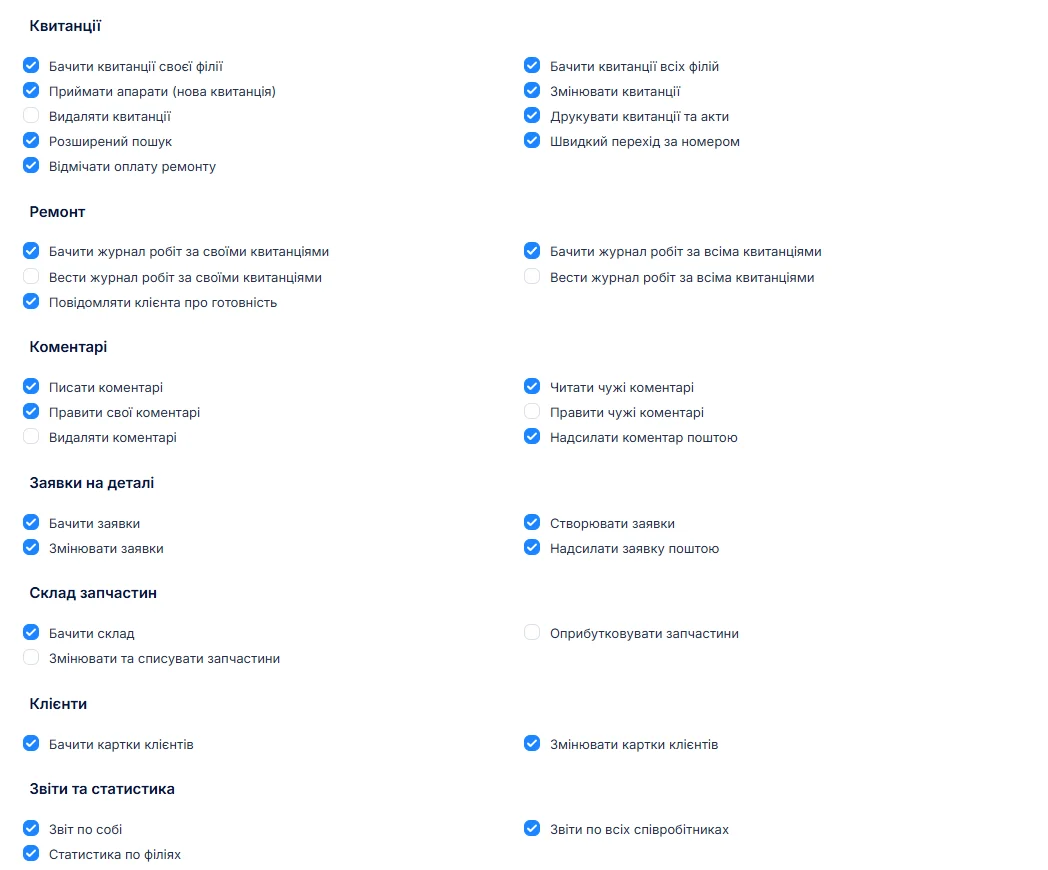
Permissions are separate too: "add" and "edit" are checkboxes. So the front desk can look at stock without rewriting prices, and a technician can record usage without seeing what the part cost to buy. That is not about distrust — the purchase price is simply not something to discuss at the counter (branches and access rights).
What the stock deliberately does not do
Honestly, so that you do not expect what is not there:
- No automatic balance. The software does not work out "3 screens left": usage is recorded as text, not as a quantity.
- No write-off from the job. A part is not deducted automatically when a technician closes a repair.
- No barcodes and no stocktake. There is no scanner and no reconciliation against balances.
- No per-model tracking or low-stock warnings. The software will not tell you "iPhone 12 screens are running out".
This is deliberate. Proper stock accounting with balances requires every movement of a part to be recorded the same minute. In a shop doing thirty devices a day that never happens — and within six months the "balances" stop matching the box, at which point they cannot be trusted. A log people actually fill in is more honest than balances nobody believes.
If balances with write-off are exactly what you need, write to us: that is custom work and we will quote it separately.
What you get
- A log of every delivery: when, what, how many, at what price and from whom.
- A record of where each part went, and search across those records.
- The money tied up in parts — across all stock or for one branch.
- Requests tied to a repair: you see which device is held up and since when.
- Supplier emails from the software and a received mark.
- Separate stock per branch, with view and edit rights granted separately.
What it costs
Stock is part of the subscription — there is nothing extra to pay for it, just as there is nothing extra per employee or per second location.
Monthly
Paid every month, cancel whenever you like.
Yearly
Cheaper than paying monthly. Invoice or card payment.
Custom work
Changes tailored to the way you work — hourly, by agreement.
You can see how it looks in the demo. Related pages: repair workflow and reports.
Frequently asked questions
Does the software calculate stock balances?
No. Stock is a log: deliveries are recorded as quantities, usage as text ("job 1841", "fitted to a Samsung A52"). There is no automatic "3 screens left". This is deliberate: balances nobody manages to keep up with stop matching the box within six months. If balances with write-off are what you need, that is custom work — write to us.
How do I see how much money is tied up in parts?
Below the stock list there is a total — price times quantity across everything currently filtered. Filter one branch and you see its total; search for "screen" and you see how much is tied up in screens.
Can I see which repair is held up by a part?
Yes, and that is the main point. A parts request is tied to the job sheet and has an order date and a received date. So you see not "waiting for a part" but which device is held up, since when, and what was ordered for it.
Can I order a part from the supplier inside the software?
Yes. The request can be emailed: you see the text and can edit it before sending, and the software records when it went. When the part arrives you mark it received.
Does each branch have its own stock?
Yes. Every delivery belongs to a branch; staff see their own branch's stock, while the owner switches branches or looks at everything together. "Add" and "edit" rights are granted separately, so stock can be viewed without the ability to change prices.
Can I trace where a particular part went?
Yes. Stock search covers the name, the source and the usage text. Type "pump" and you see every pump delivery and what became of each one.
See also
Customer notifications when a repair is ready
A ready email and a Telegram message with branch details in the customer's language, plus a portal where they check the status themselves.
Read moreReports and statistics
Output per technician for any period, share calculated on money actually received, and branch statistics.
Read moreSeveral branches and access rights
Each location with its own address, stock and statistics; permissions as checkboxes rather than fixed roles.
Read moreSee how it works
The demo is open — go in and try it. Ask us anything by email, Telegram or the form on this site.