Tablet repair software
For shops that repair iPads, Android and Windows tablets: glass-only or full display estimates the customer approves online, opening risk agreed in writing, stylus and keyboard case on the job sheet, and bulk jobs from schools and businesses.
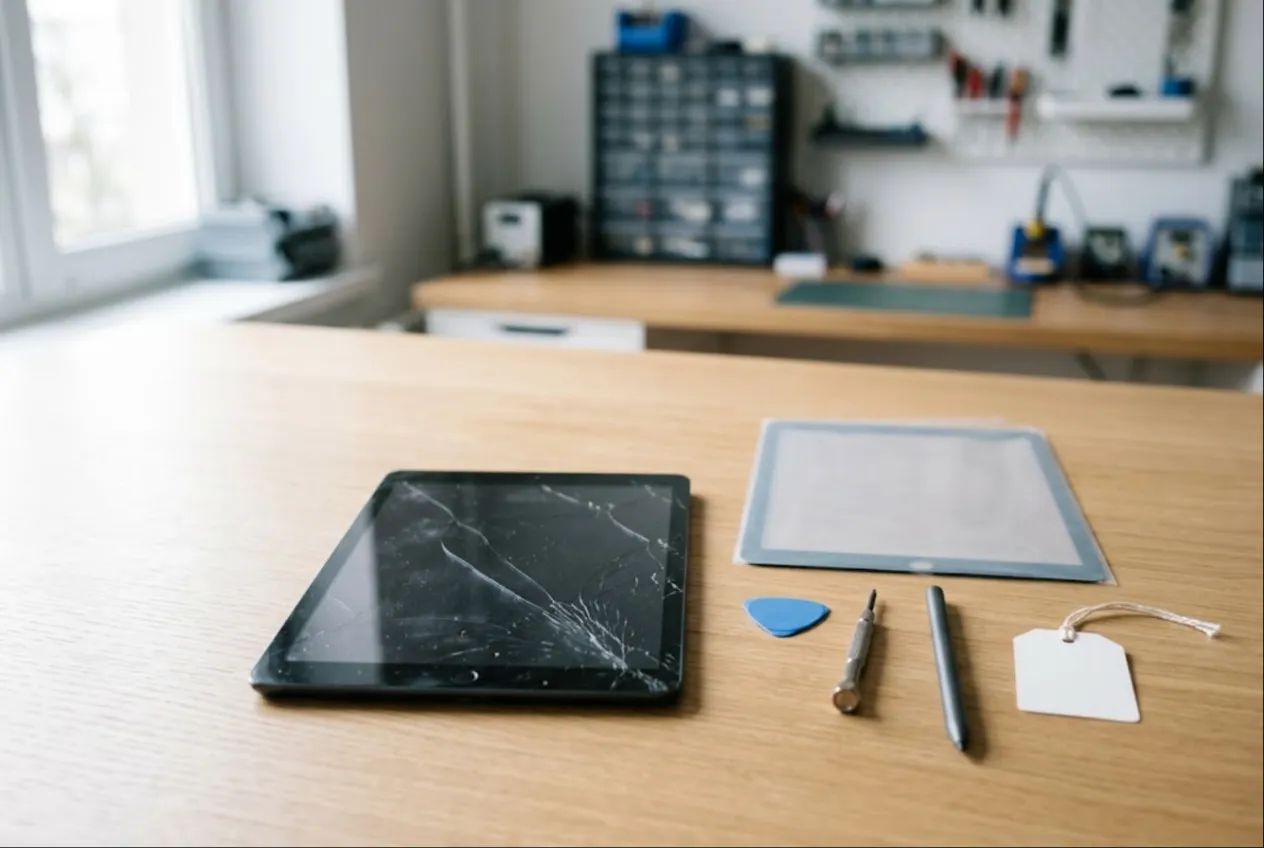
ServiceCenterSoft is repair-tracking software for shops that fix tablets — iPads, Android tablets, Windows tablets and 2-in-1s. It covers the parts of tablet work that cost money when they live in someone’s head: the price jump after the device is opened, arguments about a missing stylus, and fifteen identical school iPads that nobody can tell apart. It runs in the browser, on the shop computer and on a phone.
Why tablets need their own workflow
Phone repair is a counter business: the customer needs the phone back today, and many jobs are done within the hour. Tablets are different. People live with a cracked screen for months, drop the tablet off when it suits them, and are happy to leave it for a week. Parts are less likely to be on the shelf, and “is it even worth fixing?” is a question you hear every day.
Where tablet shops usually lose money:
- the customer was quoted for glass, the LCD turned out to be damaged too, and the bill tripled;
- a working display cracked while the adhesive was being heated and lifted, and there is no record of what was agreed;
- at collection: “there was an Apple Pencil in the bag” or “the keyboard case wasn’t scratched”;
- a school dropped off a batch of tablets, and a week later nobody knows which ones are done and which are waiting for parts;
- a business collected half its devices, and working out which were paid for means digging through notes.
Glass only or full display: let the customer choose, on record
Some tablets have a separate glass and digitizer you can replace on their own. On others the glass, touch layer and display are laminated into one assembly, so cracked glass means replacing the whole screen at several times the price. Sometimes there are also lines or pressure marks hiding under the crack. You only know for sure after a proper diagnosis.
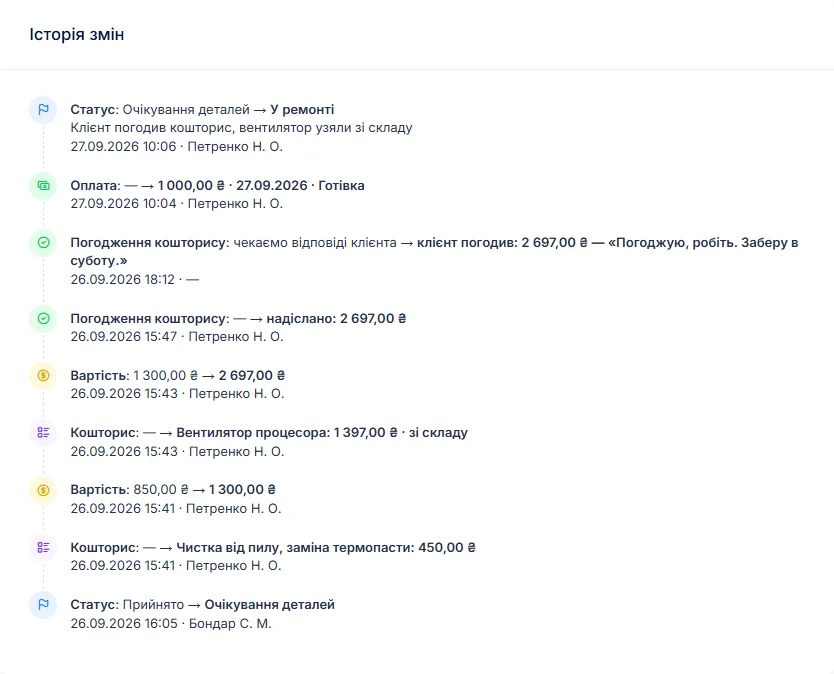
So the technician logs what was found and builds an itemised estimate — parts and labour, with quantities and prices. One button on the job sends it to the customer by email or Telegram. They open the link, see every line and the total, click “I agree” or “I decline”, and can leave a comment. The answer and its date are stored in the job history. If the customer wants the cheaper option, remove the display line, add the glass, and send the estimate again.
While the customer is thinking, the job sits in “Waiting for approval”, and every such job is visible in the list at once. If they decline, switch the job to “diagnostics only” and close it as “Repair refused”; refused repairs show up separately in your statistics.
Opening risk, agreed before you start
Most current tablets are held together with adhesive, and opening them always carries some risk to the display. Agree that at intake, not after something breaks. You edit the printed job sheet yourself, so your general terms — including that the display can be damaged when an adhesive-sealed tablet is opened — are on the document the customer signs. The specific risk for this device goes into the notes: “glass already lifting at the corner, display at risk”.
How far such terms protect you, and how to word the warranty on your own work, depends on local consumer law — check with a lawyer.
Intake: stylus, keyboard case, battery
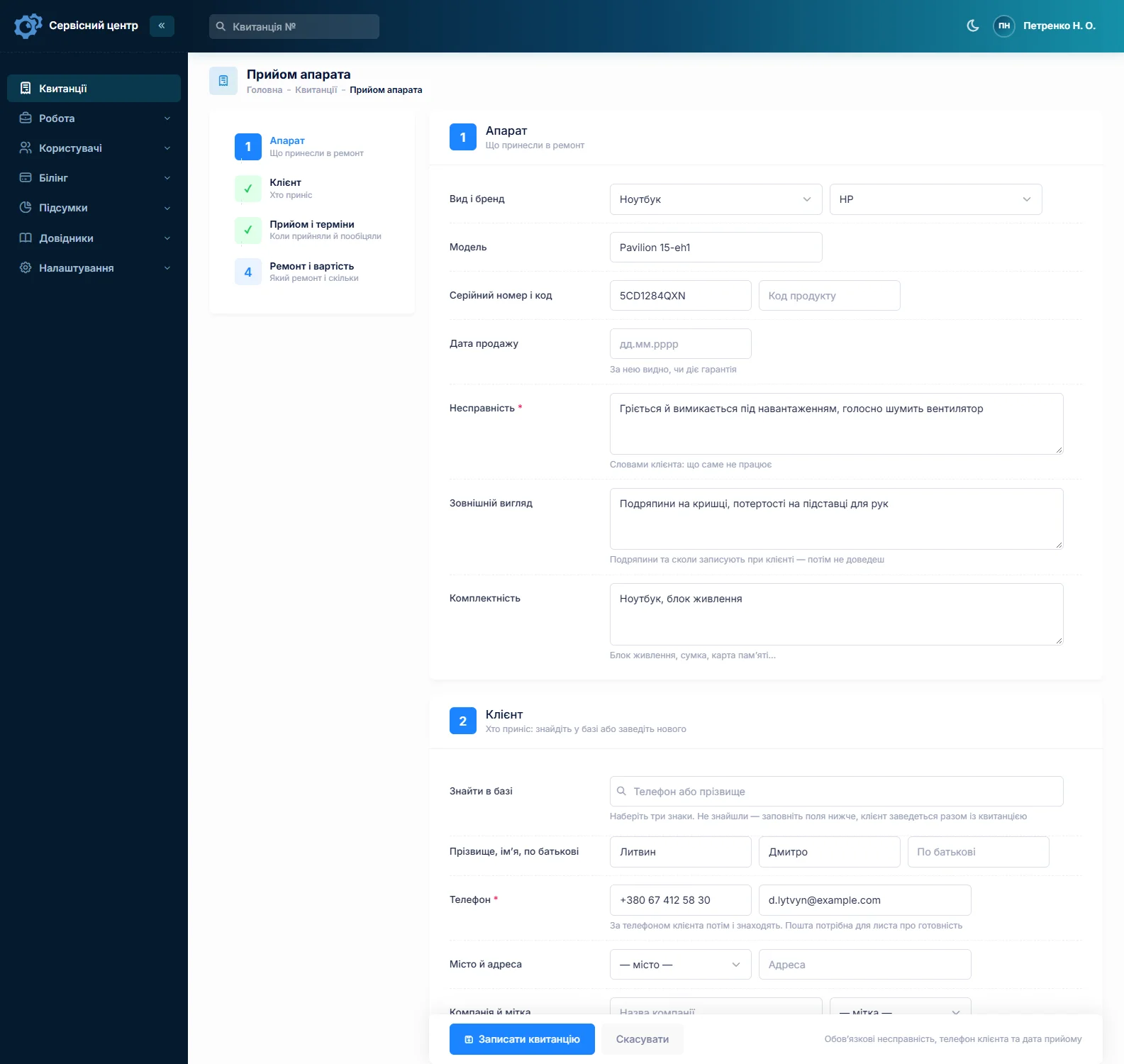
Tablets rarely come in alone. Stylus, keyboard case or folio, charger, cable, SIM tray — all of it goes into the accessories field, which is printed on the signed job sheet. The condition field records cracks, dents, bent corners and lifting glass. If the back is bulging, write that down separately: a swollen battery is both a safety risk and a reason not to leave the tablet on a shelf for weeks.
The serial number has its own field, with the date of sale next to it, so you can see whether the retailer’s warranty may still apply. Search finds a job from part of the serial number. Whether the customer has signed out of their account and left a passcode for testing goes into the notes — without that you can’t properly test the finished repair. What you tell customers about their data belongs, in general terms, in your job sheet terms.
About photos, honestly. You cannot attach photos to a job in the software. If you photograph tablets at intake, keep the pictures on your own phone or drive and note on the job that they exist. The written description is still what matters: it is the part the customer signs.
Batteries, charging ports and parts stock
The other big group of tablet jobs is power. Batteries are glued in and take time to replace. Charging ports sit either on a flex cable or directly on the board, and often the real problem is lint packed into the port — so clean first and replace only if that fails.
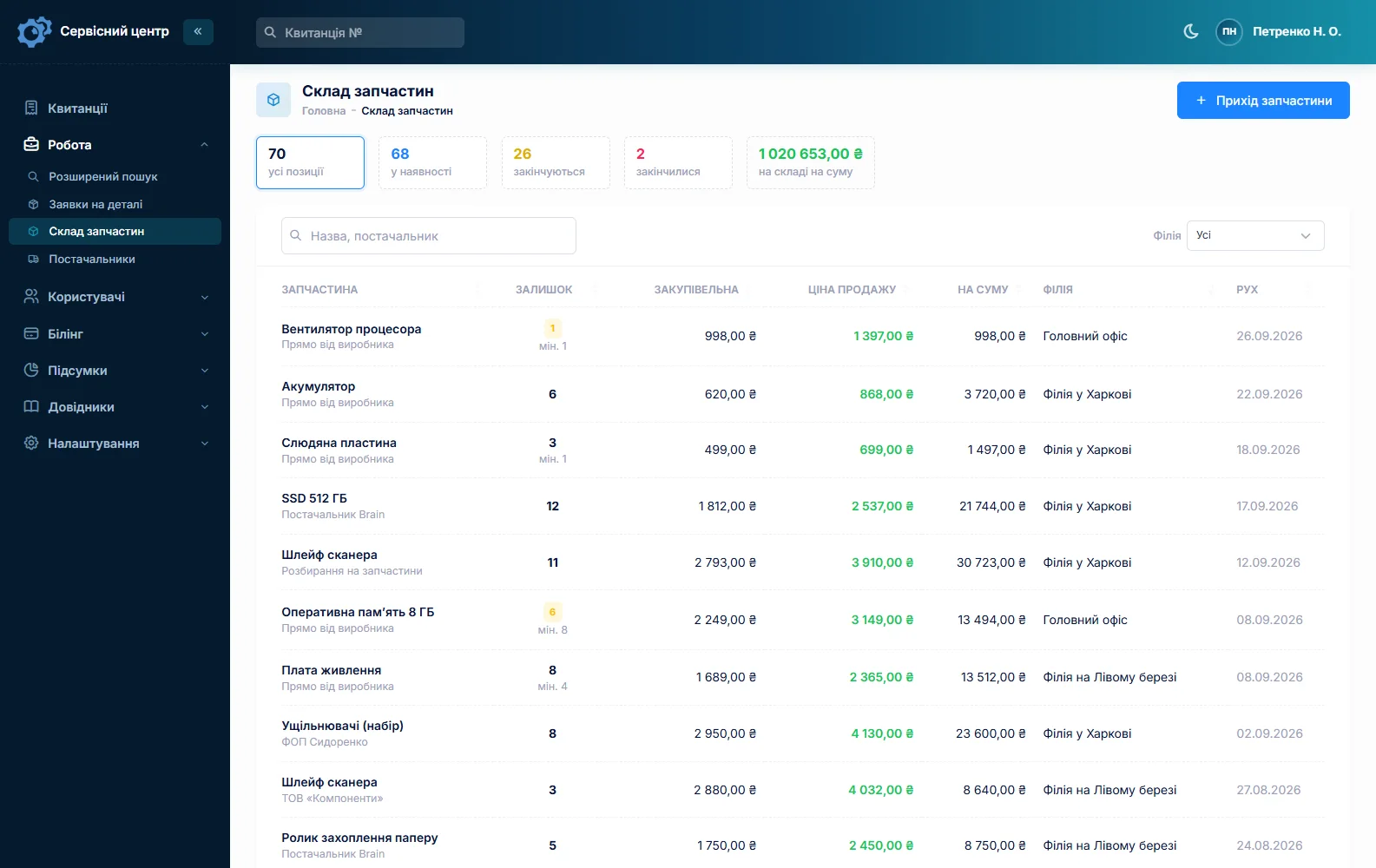
Stock works as a movement log: deliveries with price and supplier, parts used as estimate lines, write-offs with a reason (glass that cracked during fitting is a movement too), and stocktakes. Give glass for popular models, batteries and charging flex cables a minimum level, and the “running low” tile becomes your shopping list. Rare parts are ordered with a request from the job, emailed to the supplier, and the job moves to “Waiting for parts”. There is no link to supplier catalogues and no barcode scanning. More on spare parts tracking.
Bulk repairs for schools and businesses
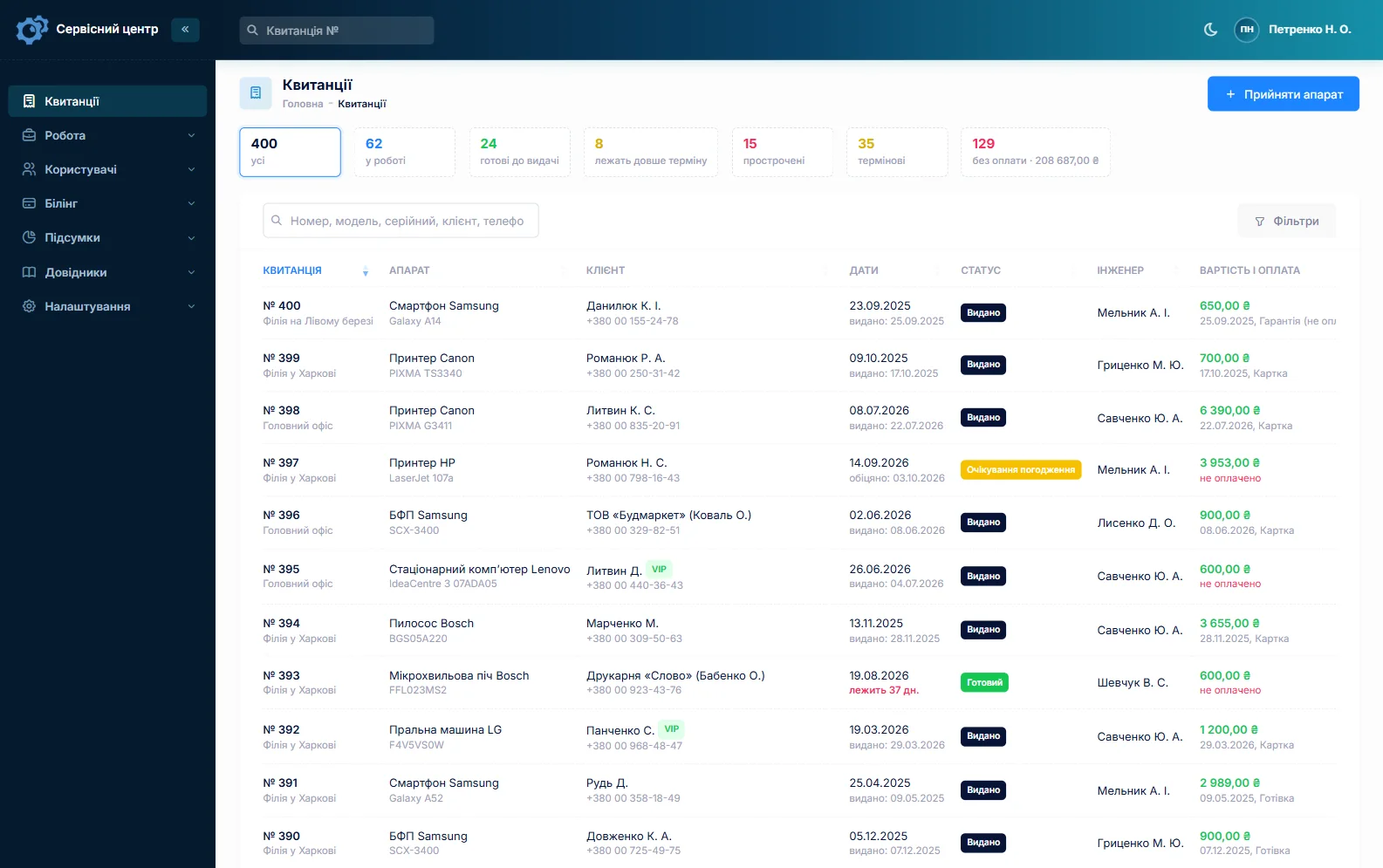
Education and business customers bring tablets in batches. Each device gets its own job — its own serial number, condition, status and due date — so you always know where every unit is. Book the first one in full, then copy it: customer, device type, fault, accessories and notes carry over, and you only type in the next serial number. Fifteen jobs take a few minutes.
The customer record has a company field, so a school or firm is one customer no matter who drops the devices off. Its card shows every repair, the total and the outstanding balance. A job can have several payments — a deposit for parts and the rest on collection — and the software shows what is still owed, while the “unpaid” filter gathers everything not yet settled. There is no single job or combined invoice for a whole batch: each tablet has its own paperwork.
If a tablet comes back after your repair, set the repair type to “Repeat repair”, and the serial number brings up the earlier job: what was replaced, when, and for how much.
Ready for collection — without the phone calls
When a tablet is ready, the customer gets an email or a Telegram message (they subscribe with the QR code on the job sheet). There is no SMS, no mobile app and no online payment by the customer. Every finished device shows how many days it has been waiting, and a “past free storage” tile gathers the ones that have overstayed; your free storage period goes into the job sheet terms. More on customer notifications.
If most of your work is phones, see phone repair shop software for fast counter intake and technician output. Windows tablets and 2-in-1s are closer to laptops — see computer repair software.
Typical repair prices
As a rough guide only — prices vary a lot by country, city, model and part quality: glass and digitizer on an Android tablet €60–150, on an iPad €80–200; a full display assembly €120–400, more on pro models; battery replacement €70–150; charging port cleaning or replacement €30–130; Windows tablets usually cost more. You set your own prices per device type and as estimate lines.
What it does not do
- photos or file attachments on a job — condition is recorded as text;
- SMS, a mobile app, or online payment by the customer;
- supplier or catalogue integrations, barcode scanning;
- one job with a combined invoice for a whole batch — each tablet is a separate job.
What it costs
One price for the whole shop — no extra charge per user or per branch.
Monthly
Paid every month, cancel whenever you like.
Yearly
Cheaper than paying monthly. Invoice or card payment.
Custom work
Changes tailored to the way you work — hourly, by agreement.
Off-the-shelf not enough — your own forms, roles, reports or workflow? We will build a program for you. How it works
Try it without signing up in the demo: book in a tablet with a stylus, build a “glass or display” estimate and send it for approval.

We are very happy working with servicecentersoft.com: they built everything we asked for, even though our request was unusual, since we deal with medical devices. Everything was done precisely and on the agreed schedule. Thank you for the cooperation — we keep working together.

I tried the ServiceCenterSoft demo and came away with a good impression. The program is simple and easy to understand, yet it has everything you need for the job: customers, repairs, devices, spare parts, statuses and statistics.
I especially liked the dark theme and the responsive design — working from a phone is perfectly comfortable. Another plus is the instant search that works as you type, so you don't have to press a separate "Search" button every time.
You can tell the program was built specifically for service centers rather than being a generic CRM adapted for the repair business. The interface has no unnecessary frills; everything is logical and to the point.
A good, practical tool for the day-to-day work of a service center.

I liked that you get a free 14-day trial and that they are willing to handle my special requests — setting things up exactly the way I need them.
I also liked how payment works. You can simply pay the monthly fee by card online — basically the same as a regular Spotify subscription or any other service. No separate contracts to sign and no invoices to pay manually.
And there's no feeling of strict limits on the number of employees. One service center is one account, and inside it you can organize the work of your technicians and run several branches.
For me this is far more convenient than plans where you have to pay for every single user or keep counting how many employees are working today.

My business is fairly specific, so the program's standard features weren't enough — I needed my own custom fields, my own sorting options and search by additional parameters. The work completion certificate and the printed repair receipt also needed some changes to fit the way we work.
I contacted technical support. To be honest, I expected changes like these to take a long time, but everything was done within a single day. The team quickly understood exactly what we needed, suggested the right solution and did everything properly.
I'd especially like to mention the support: they get straight to the point, with no unnecessary bureaucracy, and they genuinely help instead of just sending you off to read the documentation.
For me this is a big advantage of the program: it isn't just sold "as is" — it can be adapted to how you actually work. Thanks to the team for the quick response and for treating the customer right.
Highly recommended!
In short
- Glass or full display — an estimate the customer approves, with the answer in the job history.
- Opening risk on adhesive-sealed tablets — in your job sheet terms and the job notes.
- Stylus, keyboard case, charger — listed on the signed job sheet.
- Bulk jobs for schools and businesses: copied jobs, a company field, the balance on the customer card.
- Glass and battery stock with minimum levels.
- €20 a month for the whole shop.
See also
Vacuum repair software
Software for vacuum and robot vacuum repair shops: a steady flow of near-identical jobs, brushes, filters and batteries in stock with reorder levels, and warranty units sent in by retailers.
Read moreMedical equipment repair software
Job tracking for biomedical repair shops serving clinics, dental practices and labs, plus home medical devices: company customers, per-device history by serial number, estimates approved by link, a completion report with itemized work.
Read moreBoiler repair and heating service software
For heating engineers servicing gas and electric boilers, water heaters and heat pumps: the call-out and the board on the bench in one job, the autumn rush, annual services on the same boilers, and quotes for expensive parts.
Read moreSee how it works
The demo is open — go in and try it. Ask us anything by email, Telegram or the form on this site.