Forklift repair software
Forklift service management for shops that repair electric forklifts, walkie stackers, reach trucks and pallet jacks: one job per truck in the field, asset numbers, traction batteries and chargers, controllers and hydraulics through approved estimates, and fleet customers with balances and completion reports.
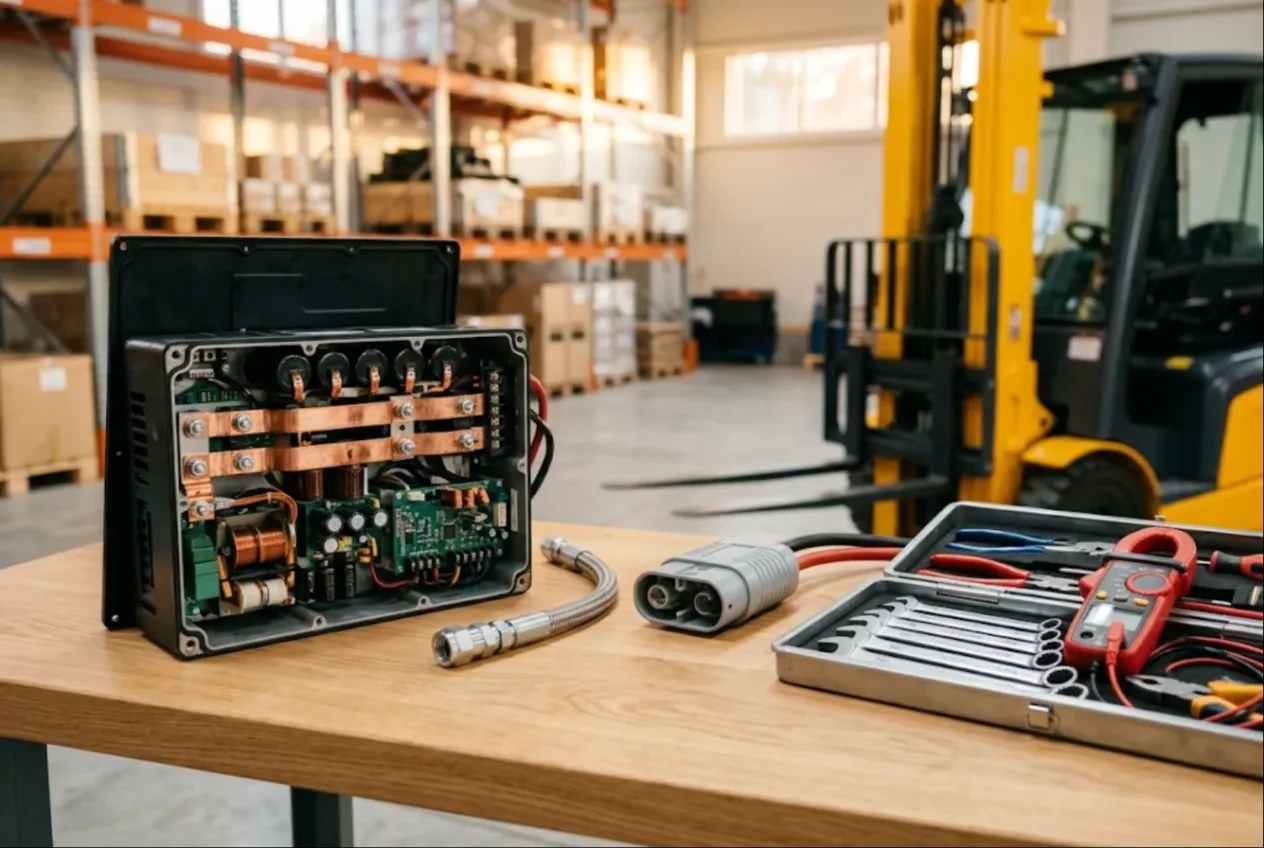
ServiceCenterSoft is job-tracking software for independent forklift service companies and material handling repair shops: electric counterbalance forklifts, walkie and rider stackers, reach trucks, pallet jacks, and the traction batteries and chargers that keep them running. Field calls and bench work share one job list, and a 3PL customer with thirty trucks has one record with every job, the balance owed and a completion report per repair. It runs in the browser — on the shop PC and on your phone in the aisle next to the truck.
Who it is for
Independent dealers’ service departments, mobile forklift mechanics who grew into a small company, battery and charger specialists, shops that rebuild pallet jacks by the dozen. Your customers are warehouses, distribution centres, third-party logistics providers, manufacturers and retailers. When a truck goes down, a dock door stops moving, so the first question is “when can you get here?”, and the second one comes from accounts payable a month later.
Where it usually goes wrong:
- the customer runs fifteen identical trucks, calls about “number seven again”, and nobody knows what was done to number seven last time;
- three trucks and two pallet jacks were fixed on one visit, and the invoice only has what someone remembered that evening;
- a shift lead said yes to a new controller, and the company’s purchasing team never saw the number;
- pump seal kits for the most common pallet jack run out the week a customer drops off ten of them;
- a fleet customer’s balance is spread over a dozen jobs and totalled by hand.
One job per truck, found by asset number
Each job has device type, model, serial number and a “product code” field. Put the manufacturer’s serial in the serial field and the customer’s asset or unit number in product code — “FL-07” or “stacker 3, dock B”. Advanced search in device mode looks through model, serial and product code, so “number seven” turns up in seconds with its full repair history.
Set up separate device types — electric forklift, stacker, reach truck, pallet jack, traction battery, charger — each with its own diagnostic price and labour list.
There is no dedicated hour meter field. Read the meter and put it in “Notes for the technician”: “6,240 hrs, 48 V, runs in the freezer.” The customer does not see that field, and text search finds it later. Planned maintenance by hours works the way it is described on the generator repair page: a PM item with a price in the labour list, what was done in the work log, the next PM in the recommendations.
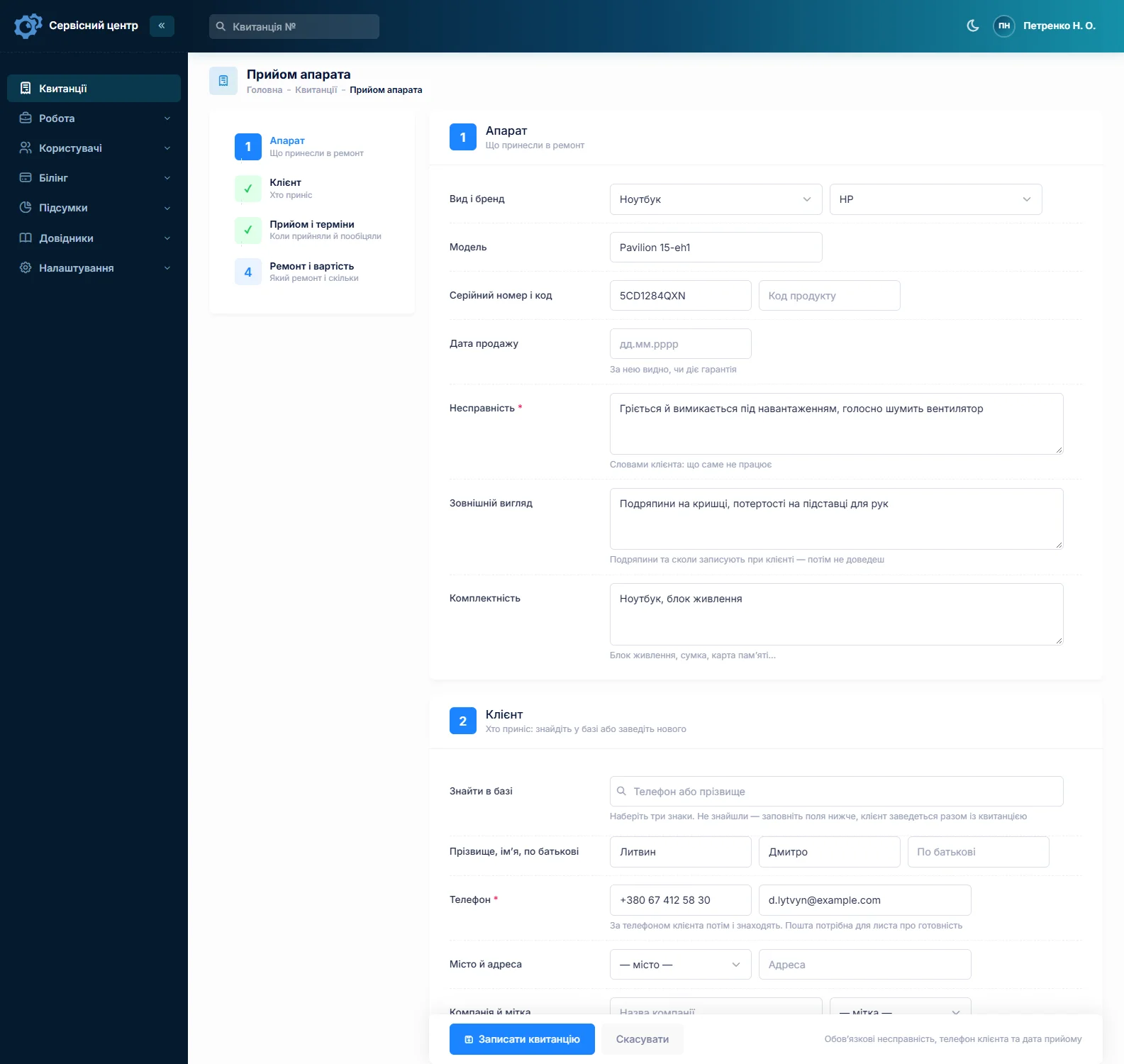
Field service without a dispatch board
To be straight: there is no dispatch board, scheduler or route planning. Most forklift work happens on site anyway, and it fits what the software does have. The site address lives on the customer record. Create a status of your own — “Awaiting field call” — with a colour and a tile above the list, and one click shows every truck you still need to visit. On site, open the software on your phone and create a job for each truck you touched, even if it was only an adjustment.
The call-out charge is a labour item with a price — “Service call, local”, “Travel, per mile” — and goes onto the estimate as a line. Five trucks at one customer? Put the call-out on one job and only labour and parts on the rest.
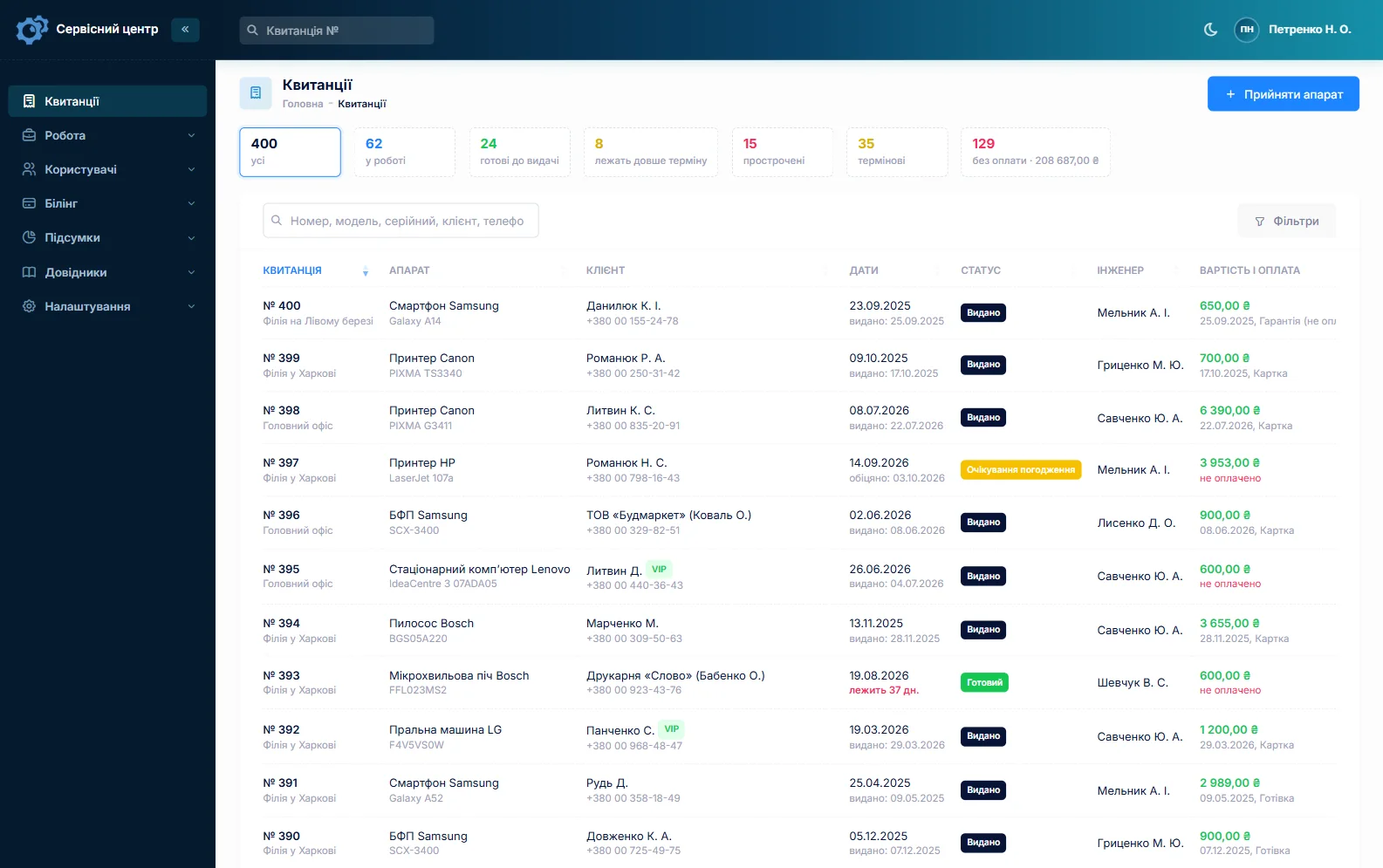
Every job has a promised date; once it passes, the row turns red and the “overdue” filter collects those jobs. The “Urgent” flag — for the one reach truck that serves the top racking — shows right in the list.
Pallet jacks by the pallet
Customers bring hand pallet jacks in themselves, and rarely one at a time. Fill in the first job, copy it for the rest: customer, device type, model and fault carry over, and you enter each serial and asset number. Condition covers bent forks, cracked frames and flat-spotted polyurethane wheels; accessories — the handle, caps. One back after your repair gets the “Repeat repair” type, and its serial brings up the earlier job.
Traction batteries and chargers
A traction battery is often worth a large share of the truck, and it moves between trucks. Give it a job of its own with its own serial so its history stays with the battery. Cell voltages, specific gravity, capacity test results go in the work log; watering and charging advice goes in “Recommendations for the customer”, which prints on the completion report. Chargers get their own device type and diagnostic price too.
Controllers and hydraulics only after “I agree”
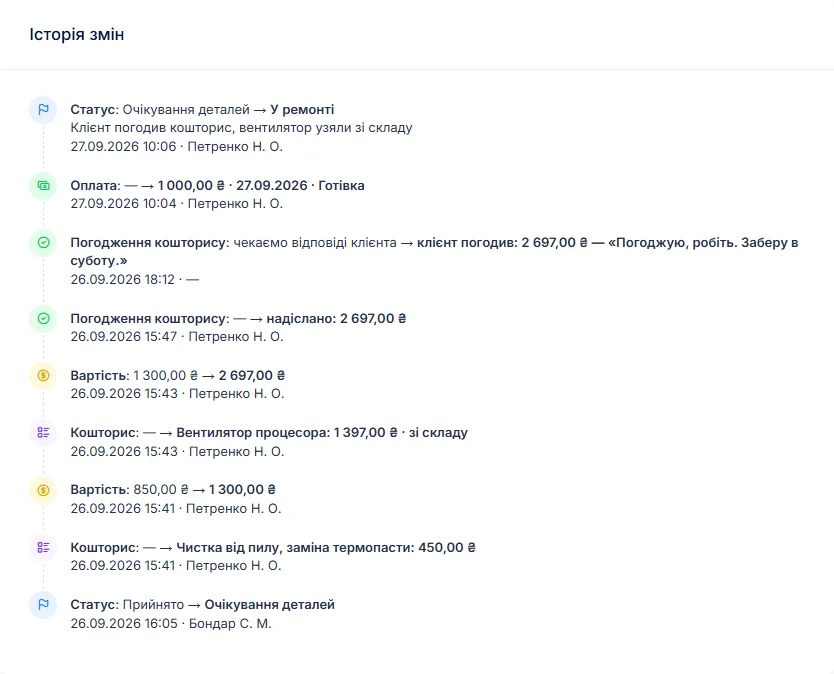
A drive controller, a lift pump, a mast cylinder reseal, a control valve — numbers a fleet customer wants to see first. Log what you found, move the job to “waiting for approval”, and build an itemised estimate from stock and the labour list. A button sends it by email or Telegram; the customer sees each line and the total and presses “I agree” or “I decline”, and the answer is stored with the date. For a fleet account that means the person who pays is the one who approved — on record. Declined? “Repair refused” closes the job, or “beyond repair”.
Controller boards are often repaired at the bench — that workflow is on the industrial electronics repair page. Rewinding a drive or pump motor is covered under electric motor repair.
Parts on the shelf and on order
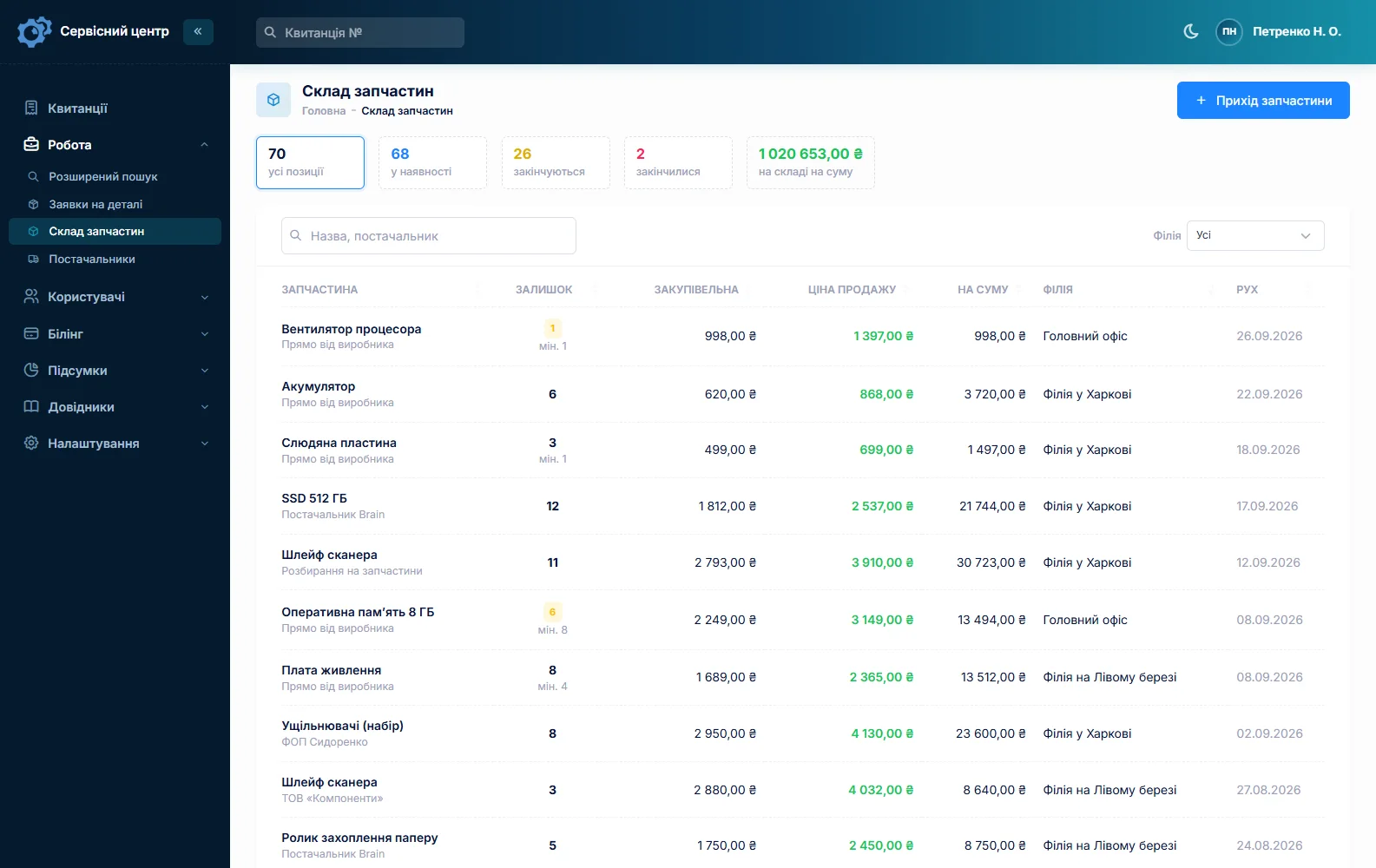
Stock is a movement log: goods in with cost and supplier, used on a job as an estimate line, returned, adjusted at stock-take. A part picked from stock reduces the balance by itself. A typical shelf: pump and cylinder seal kits, load and steer wheels, bearings, motor brushes, contactors, fuses, microswitches, hydraulic hoses. Quantities are whole numbers, so count hydraulic oil by the jug.
Minimum levels and a “running low” tile tell you when to reorder. A controller or pump for a specific truck is ordered from the job: the request is emailed to your supplier and the job sits in “waiting for parts”. More on spare parts tracking.
Fleet customers and 3PLs
The “Company” field makes a logistics provider one customer, whichever warehouse calls. Its record shows every job on every truck and the balance owed. A job can take several payments — a deposit on an expensive part, the rest on completion — and the “unpaid” filter lists what has gone out without being paid. The completion report has estimate lines, the work log, recommendations and the amount due. When a truck is ready, the customer gets an email or a Telegram message.
What stays outside the software
Periodic forklift inspections, operator training and certification, and rules for lifting equipment depend on your country and are not handled by the software. Dispose of spent traction batteries and electrolyte under local rules.
What repairs typically cost
As a rough guide only — prices vary with region, make and condition: on-site diagnosis €80–180 plus the call-out, pallet jack pump reseal €60–180, pallet jack wheels €40–100 labour plus wheels, planned maintenance on an electric forklift €150–400 plus parts, mast cylinder reseal €200–600, controller repair €250–900, traction battery cell replacement €200–1,500 depending on the number of cells, charger repair €150–500. You set your own prices: per device type, in the labour list and as estimate lines.
What it does not do
- dispatch board, scheduling or route planning;
- a fleet management module — trucks are found by asset number in product code;
- a dedicated hour meter field or scheduled PM reminders;
- photos or file attachments on jobs;
- SMS, a mobile app, online payment by the customer;
- supplier integrations or parts catalogues.
What it costs
One price for the whole shop — no extra charge for staff or branches.
Monthly
Paid every month, cancel whenever you like.
Yearly
Cheaper than paying monthly. Invoice or card payment.
Custom work
Changes tailored to the way you work — hourly, by agreement.
Off-the-shelf not enough — your own forms, roles, reports or workflow? We will build a program for you. How it works
Try it without signing up in the demo: check in a forklift, enter an asset number, copy the job for a second truck and send the estimate to the customer.

We are very happy working with servicecentersoft.com: they built everything we asked for, even though our request was unusual, since we deal with medical devices. Everything was done precisely and on the agreed schedule. Thank you for the cooperation — we keep working together.

I tried the ServiceCenterSoft demo and came away with a good impression. The program is simple and easy to understand, yet it has everything you need for the job: customers, repairs, devices, spare parts, statuses and statistics.
I especially liked the dark theme and the responsive design — working from a phone is perfectly comfortable. Another plus is the instant search that works as you type, so you don't have to press a separate "Search" button every time.
You can tell the program was built specifically for service centers rather than being a generic CRM adapted for the repair business. The interface has no unnecessary frills; everything is logical and to the point.
A good, practical tool for the day-to-day work of a service center.

I liked that you get a free 14-day trial and that they are willing to handle my special requests — setting things up exactly the way I need them.
I also liked how payment works. You can simply pay the monthly fee by card online — basically the same as a regular Spotify subscription or any other service. No separate contracts to sign and no invoices to pay manually.
And there's no feeling of strict limits on the number of employees. One service center is one account, and inside it you can organize the work of your technicians and run several branches.
For me this is far more convenient than plans where you have to pay for every single user or keep counting how many employees are working today.

My business is fairly specific, so the program's standard features weren't enough — I needed my own custom fields, my own sorting options and search by additional parameters. The work completion certificate and the printed repair receipt also needed some changes to fit the way we work.
I contacted technical support. To be honest, I expected changes like these to take a long time, but everything was done within a single day. The team quickly understood exactly what we needed, suggested the right solution and did everything properly.
I'd especially like to mention the support: they get straight to the point, with no unnecessary bureaucracy, and they genuinely help instead of just sending you off to read the documentation.
For me this is a big advantage of the program: it isn't just sold "as is" — it can be adapted to how you actually work. Thanks to the team for the quick response and for treating the customer right.
Highly recommended!
In short
- One job per truck; the customer’s asset number in product code, searchable.
- Field calls as a labour line and a status of your own; urgent and overdue jobs in plain sight.
- Pallet jacks in bulk by copying jobs.
- Traction batteries and chargers as their own devices with their own history.
- Controllers and hydraulics only after the customer clicks “I agree”.
- Fleet customers: company field, several payments, balance, completion report.
- €20 a month for the whole shop.
See also
Beauty salon equipment repair software
Job tracking for shops that repair hair clippers, trimmers, hair dryers, flat irons, nail drills, UV/LED lamps and sterilizers: high-volume small repairs, blade sharpening as estimate lines with quantities, and salons and barbershops as regular accounts with balances and completion reports.
Read moreHydraulic repair shop software
Job tracking for hydraulic repair shops working on construction, agricultural and municipal equipment: cylinders, pumps, motors, valves and hose assemblies. One job per component, teardown and test bench results in the work log, estimates approved by link, seal kits in stock, rush jobs in plain sight, and fleet customers with balances and completion reports.
Read moreSolar inverter repair software
For shops that repair grid-tie and hybrid solar inverters and MPPT charge controllers: installers as trade customers sending units in batches, manufacturer and installer warranties, pick-up from site and reinstallation, boards and power stages through estimate approval, monthly accounts and completion reports.
Read moreSee how it works
The demo is open — go in and try it. Ask us anything by email, Telegram or the form on this site.