Camera repair software
Software for camera and lens repair shops: body and lens serial numbers, the condition of the glass on the signed job ticket, estimates the customer approves by link, back-ordered parts and deposits, care advice after fungus cleaning.
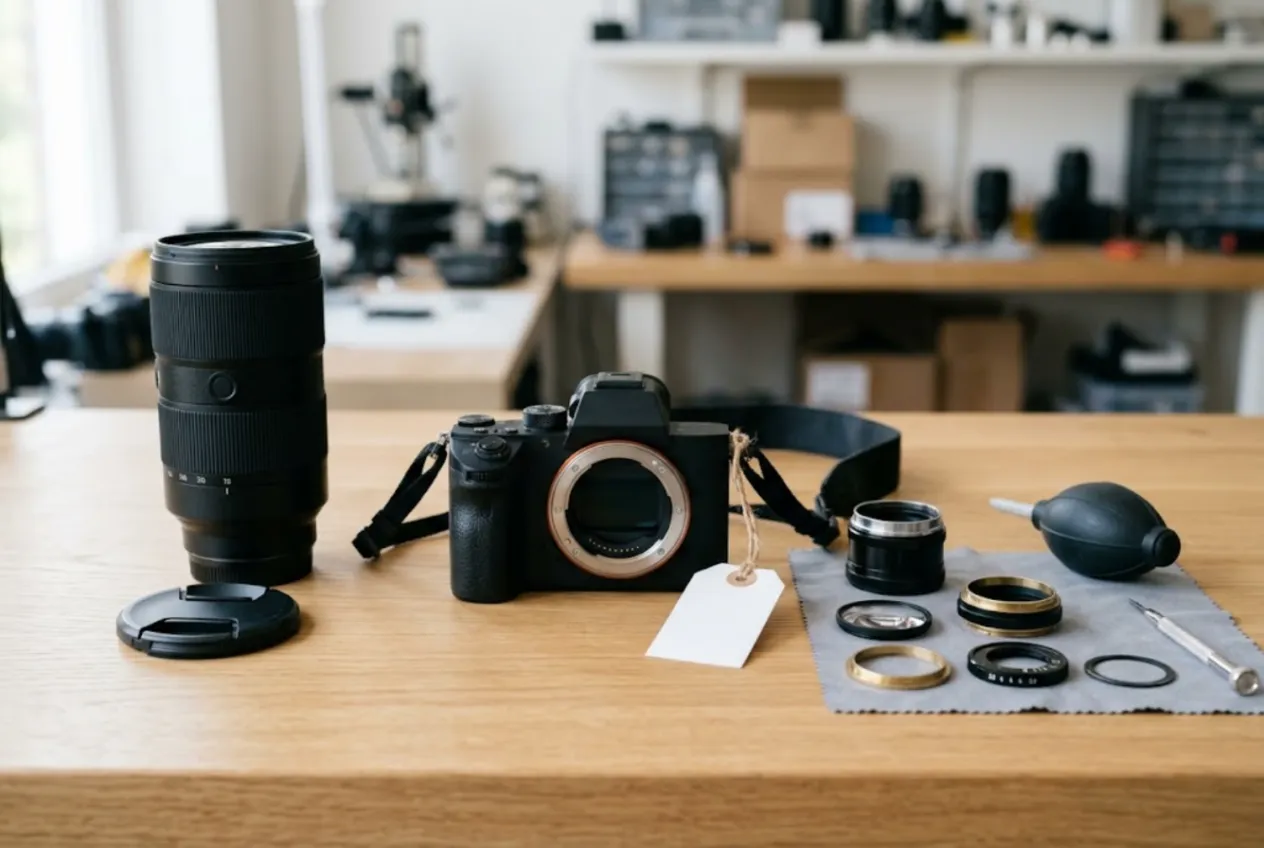
ServiceCenterSoft is job-tracking software for camera repair shops — bodies, lenses, flashes and action cameras. Log both serial numbers at the counter, describe the glass in writing, get the estimate approved before you open the lens, track parts that are weeks away and take a deposit. It runs in the browser, with nothing to install.
Who it is for
An independent camera and lens repair shop, often one or two technicians and a counter. Some shops also service flashes and action cameras; some work mostly for professionals.
The customers are a mixed bunch: the wedding photographer who needs the body back before Saturday, the videographer with a bag full of lenses, the rental house that drops off gear in batches, the hobbyist with an old lens that has “something growing inside”. Almost every job is worth a lot of money to the person who brought it in, and they check the paperwork accordingly.
What usually goes wrong without a system:
- at pickup, the customer insists the scratch on the front element is new — or that the lens hood was in the bag;
- a price for an autofocus fix was quoted on the phone, then the bench finds a worn aperture flex cable too;
- a part is back-ordered for a month and every “any news?” call means hunting for the job;
- a lens cleaned of fungus comes back six months later because it went straight back into the same damp closet.
Check-in: two serial numbers and the whole bag
A camera rarely comes in alone. Expect a lens, body and lens caps, a hood, a battery, a charger, a memory card, a strap, sometimes a battery grip. The accessories field is filled in at the counter with the customer and printed on the job ticket they sign. Hand the memory card back straight away — and note that you did.
The body’s serial number has its own field. If a lens comes with the camera, add its model and serial number to the accessories line so it is on the signed ticket too; if only the lens is in for repair, its number goes into the serial field. Search finds a job even by part of the number.
The condition field is where the glass is described: scratches on the front element, dust or haze inside, play in the mount, dents in the barrel, signs of a drop or moisture. Be specific — “3 mm scratch near the edge of the front element” beats “used, some marks”.
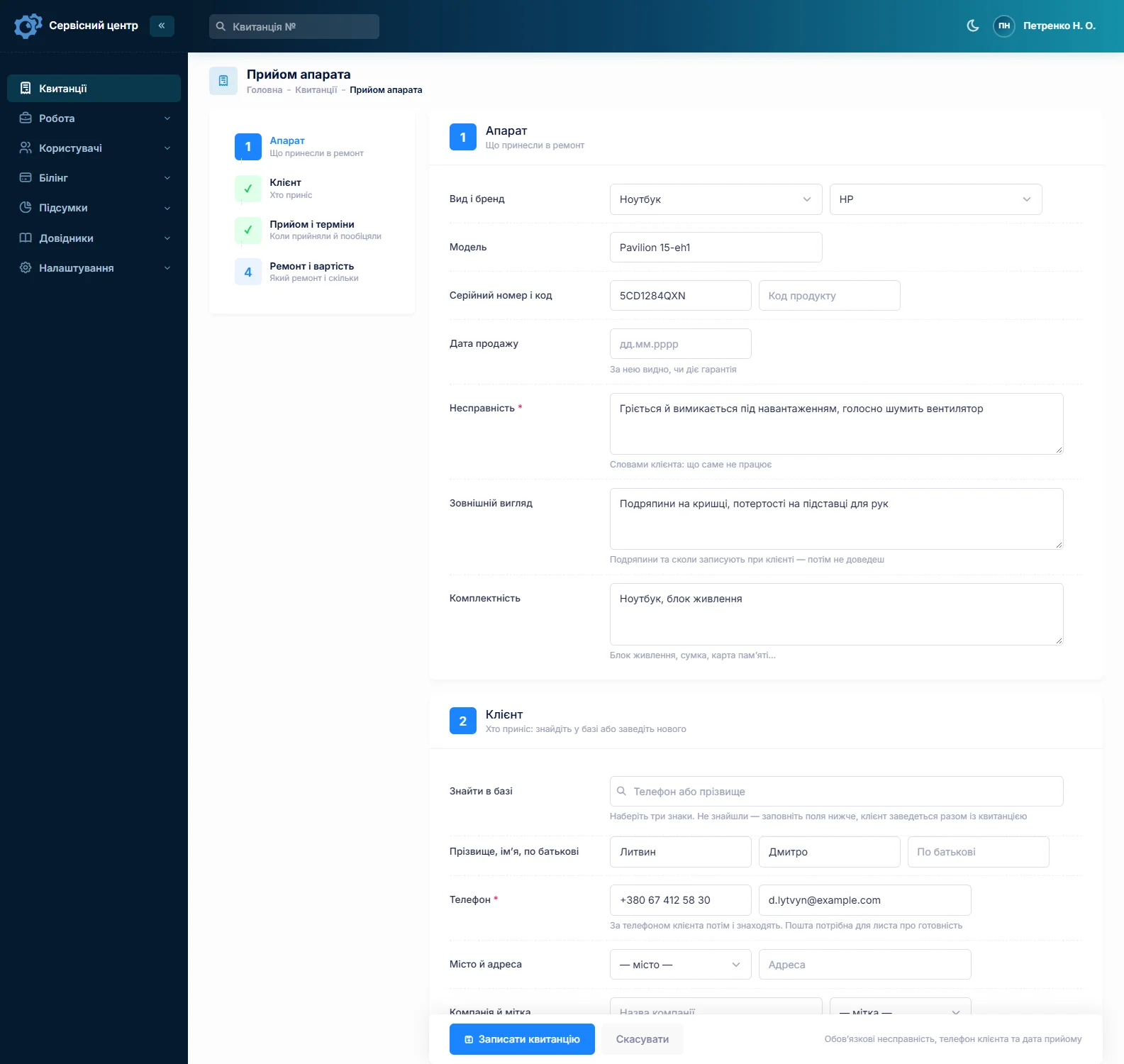
About photos. You cannot attach pictures to a job. If you photograph gear at check-in, keep the images yourself and note on the job that they exist. The written description is what the customer signs, so it still matters.
Autofocus, aperture, decentering: estimate first
“Won’t focus” can be dirty contacts, a dead AF motor, a cracked flex or an element group knocked out of alignment. An aperture error is often a flex cable worn through by thousands of zoom cycles. You only know the real cost once the lens is open.
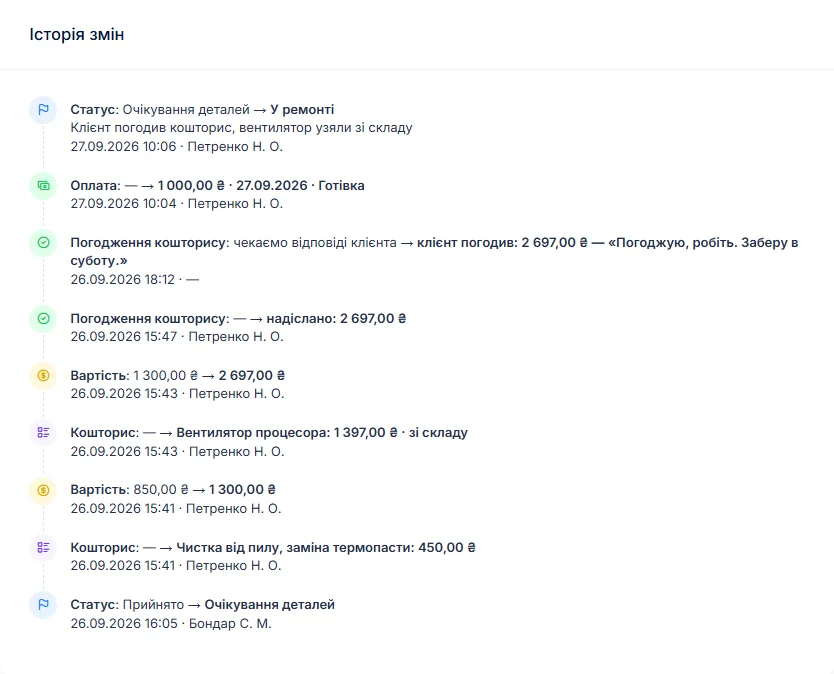
So the bench writes up what was found in the work log and builds an estimate line by line — labor and parts, each with quantity and price. One click sends it to the customer by email or Telegram. They open the link, see every line and the total, click “I agree” or “I decline”, and can leave a comment. The answer is stored with the date in the job history. Approved only part of it? Remove the line and send the estimate again.
Set a separate diagnostic fee per device type — camera body, lens, flash, action camera. If the customer declines, switch the job to “diagnostics only” and close it with the “repair refused” status; such jobs show up separately in the statistics.
Back-ordered parts and deposits
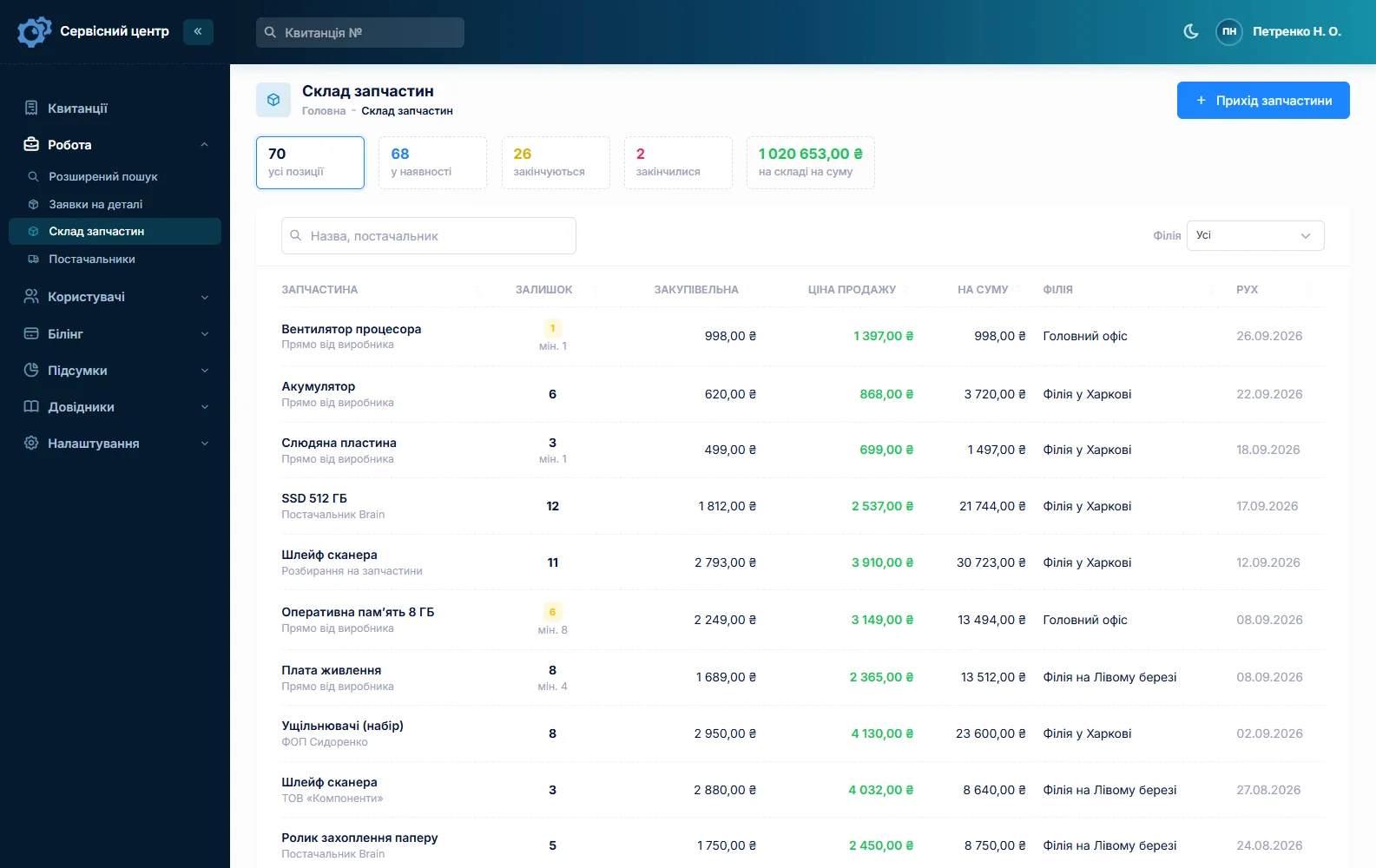
Flex cables, AF motors, shutter units and flash boards are ordered for a specific model and can take weeks. A parts request is created from the job and emailed to your supplier; the job sits in “waiting for parts”, and the job list shows which repairs are held up by a supplier.
When a part slips, move the promised date — the change stays in the job history with its date, so the next “any news?” call takes seconds. Expensive parts are often ordered against a deposit: a job can take several payments, and the software shows the balance due.
Inventory is a movement log: stock in with cost and supplier, parts used as estimate lines, write-offs with a reason, stock counts. Give fast-moving items — flex cables, buttons, rubber grips, action camera lens covers, battery door contacts — a minimum level, and the “running low” tile becomes your shopping list. There are no supplier catalog integrations and no barcodes. More on spare parts tracking.
Fungus, dust and care advice
After cleaning a lens of fungus or dust, the customer needs to hear how to store it: somewhere dry, silica gel in the bag, not overnight in a cold car. That is what the recommendations field is for — it prints on the completion report next to the work log and stays in the device’s history.
If the lens comes back, the job gets the repair type “repeat repair”, and the serial number pulls up the earlier ticket: what was done, when, and what you advised. A “you didn’t clean it properly” conversation then rests on records rather than memory.
Busy season, studios and rental houses
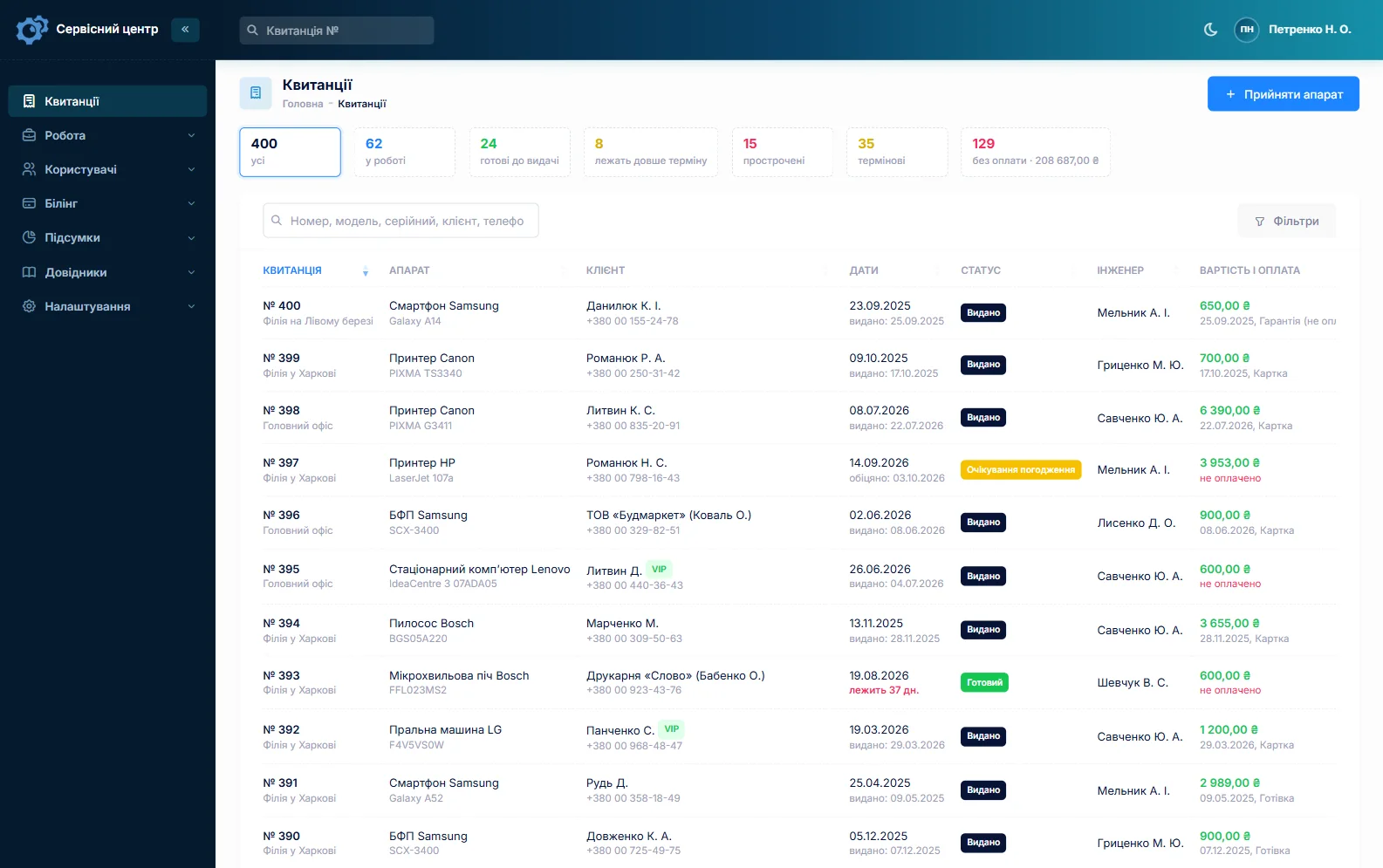
Every job has a promised date. Once it passes, the row turns red and the “overdue” filter collects those jobs; a “rush” flag stands out in the list for the photographer shooting this weekend.
A customer has a company field, so a studio or rental house is one customer no matter who drops the gear off. Their card lists every job, the total and what is still owed. Three lenses at once? Fill in the first job completely and copy it for the rest — customer, device type and notes carry over, and you enter each serial number.
The serial number and purchase date taken at check-in show whether the retailer’s warranty may still apply. Your own warranty on the work and your free storage period for finished gear belong in the terms printed on the ticket; what local consumer law requires of you is a question for a lawyer.
Ready for pickup
When the job is done, the customer gets an email or a Telegram message (they subscribe by scanning the QR code on the ticket). There is no SMS and no mobile app. Each finished job shows how many days it has been waiting, and the “past free storage” tile gathers the ones nobody has collected — not something you want with expensive gear on the shelf. More on customer notifications.
Drone cameras and gimbals come with crashes, controllers and goggles — see drone repair software.
What repairs typically cost
A rough guide only — prices vary a lot by region, gear class and parts: sensor cleaning €40–90, lens cleaning for dust or fungus €80–200, lens alignment or decentering €100–250, autofocus or aperture repair €120–350 with parts, shutter replacement €200–450, flash repair €60–180, action camera fixes (cover glass, buttons, port) €50–150. Pro bodies and lenses cost more. You set your own prices per device type and as estimate lines.
What it does not do
- no photos or file attachments on a job — the condition is written down;
- no SMS, no mobile app, no online payment by the customer;
- no supplier catalog integrations, no barcodes;
- no loaner pool — a loaner body can only be noted on the job.
What it costs
One price for the whole shop — no per-user or per-location fees.
Monthly
Paid every month, cancel whenever you like.
Yearly
Cheaper than paying monthly. Invoice or card payment.
Custom work
Changes tailored to the way you work — hourly, by agreement.
Off-the-shelf not enough — your own forms, roles, reports or workflow? We will build a program for you. How it works
Try it without signing up in the demo: check in a lens with its serial number, build an estimate and send it for approval.

We are very happy working with servicecentersoft.com: they built everything we asked for, even though our request was unusual, since we deal with medical devices. Everything was done precisely and on the agreed schedule. Thank you for the cooperation — we keep working together.

I tried the ServiceCenterSoft demo and came away with a good impression. The program is simple and easy to understand, yet it has everything you need for the job: customers, repairs, devices, spare parts, statuses and statistics.
I especially liked the dark theme and the responsive design — working from a phone is perfectly comfortable. Another plus is the instant search that works as you type, so you don't have to press a separate "Search" button every time.
You can tell the program was built specifically for service centers rather than being a generic CRM adapted for the repair business. The interface has no unnecessary frills; everything is logical and to the point.
A good, practical tool for the day-to-day work of a service center.

I liked that you get a free 14-day trial and that they are willing to handle my special requests — setting things up exactly the way I need them.
I also liked how payment works. You can simply pay the monthly fee by card online — basically the same as a regular Spotify subscription or any other service. No separate contracts to sign and no invoices to pay manually.
And there's no feeling of strict limits on the number of employees. One service center is one account, and inside it you can organize the work of your technicians and run several branches.
For me this is far more convenient than plans where you have to pay for every single user or keep counting how many employees are working today.

My business is fairly specific, so the program's standard features weren't enough — I needed my own custom fields, my own sorting options and search by additional parameters. The work completion certificate and the printed repair receipt also needed some changes to fit the way we work.
I contacted technical support. To be honest, I expected changes like these to take a long time, but everything was done within a single day. The team quickly understood exactly what we needed, suggested the right solution and did everything properly.
I'd especially like to mention the support: they get straight to the point, with no unnecessary bureaucracy, and they genuinely help instead of just sending you off to read the documentation.
For me this is a big advantage of the program: it isn't just sold "as is" — it can be adapted to how you actually work. Thanks to the team for the quick response and for treating the customer right.
Highly recommended!
In short
- Body and lens serial numbers plus the accessories list on the signed ticket.
- The condition of the glass written down at check-in.
- Estimates approved by link before expensive work starts.
- Parts requests, due-date changes in the history, deposits.
- Storage advice on the completion report and in the device history.
- €20 a month for the whole shop.
See also
Software for home appliance service
Contents recorded at intake, warranty at the brand price list, callouts, slow parts and partner shops.
Read morePhone repair shop software
Intake in a minute, screens and batteries tracked, a ready-for-pickup email, output per technician.
Read moreTV repair software
For a workshop repairing TVs and monitors: diagnosis and price approval before ordering a panel, a description of the screen at intake, and refusals that do not turn into disputes.
Read moreSee how it works
The demo is open — go in and try it. Ask us anything by email, Telegram or the form on this site.