Computer repair shop software
Diagnosis in the work log, agreeing the price after opening the device, your own statuses, recommendations for the customer.
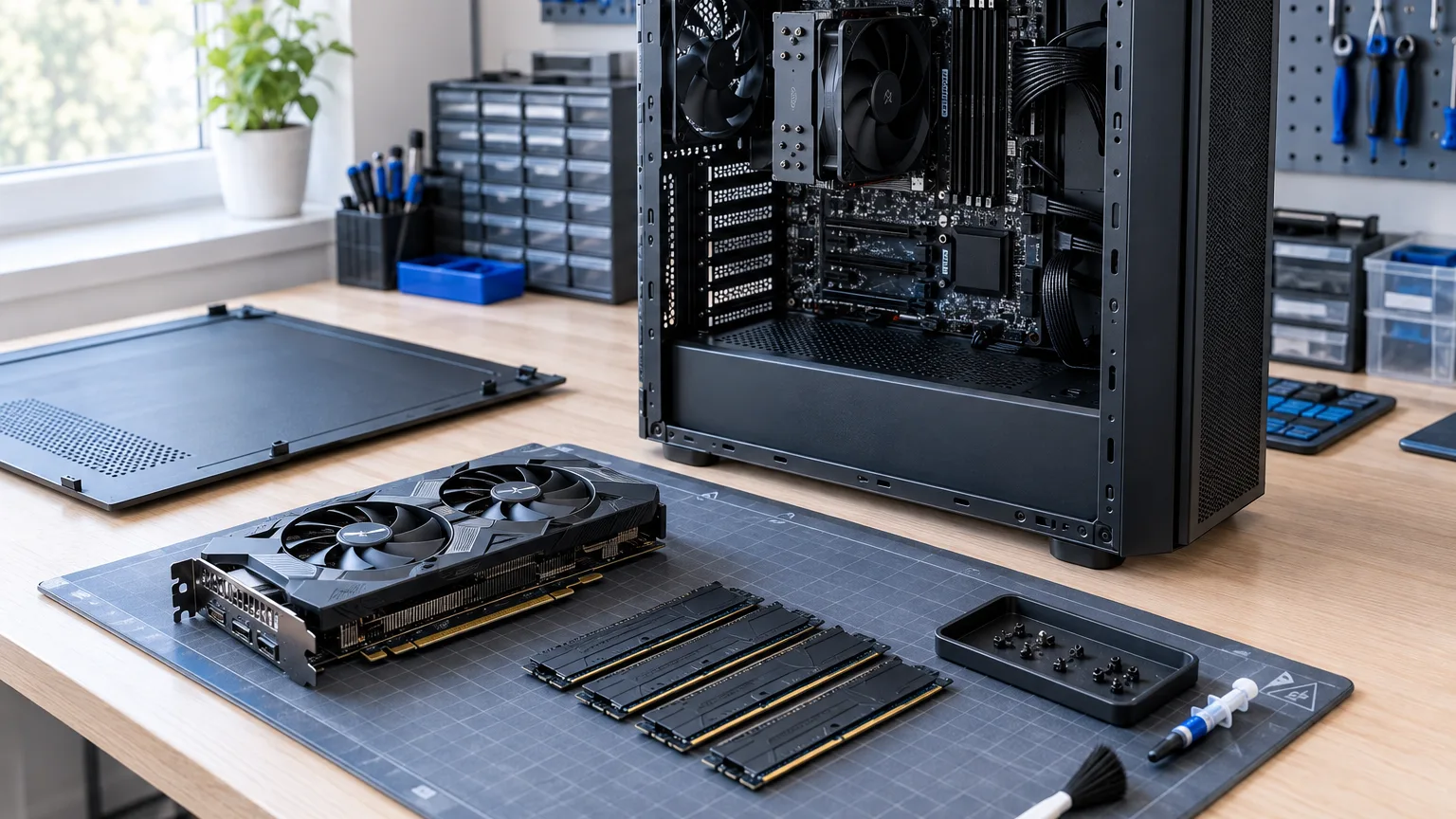
ServiceCenterSoft is software for a shop that repairs laptops, desktops and all-in-ones. A step-by-step diagnosis log, agreeing the price after opening the device, your own statuses, and recommendations for the customer in the certificate. It runs in the browser; there is nothing to install.
Why a computer shop is harder than a phone shop
In a phone shop the price is known at the counter: a screen replacement costs this much. In a computer shop nothing is known at the counter. A laptop that "won't turn on" is dust in the cooling system for a few hundred, a failed GPU for ten times that, or a board flooded through the keyboard that is better left alone.
Hence three things other services do not have:
- Diagnosis first, price second. And between them a conversation with the customer that has to be recorded somewhere.
- The work happens in steps. Opened it, cleaned it, no change, replaced the thermal paste, reflowed, swapped a memory module. A week later nobody remembers what has already been tried.
- The customer's data is on the drive. It is not a part, you cannot buy another one, and it causes the nastiest conversations.
Intake: contents and the password
Besides model and fault, the intake form has two fields a computer shop cannot do without. Contents — did the laptop come with a charger, is there a bag, was the drive removed. Condition — a crack in the corner of the case, a broken hinge, a missing rubber foot.
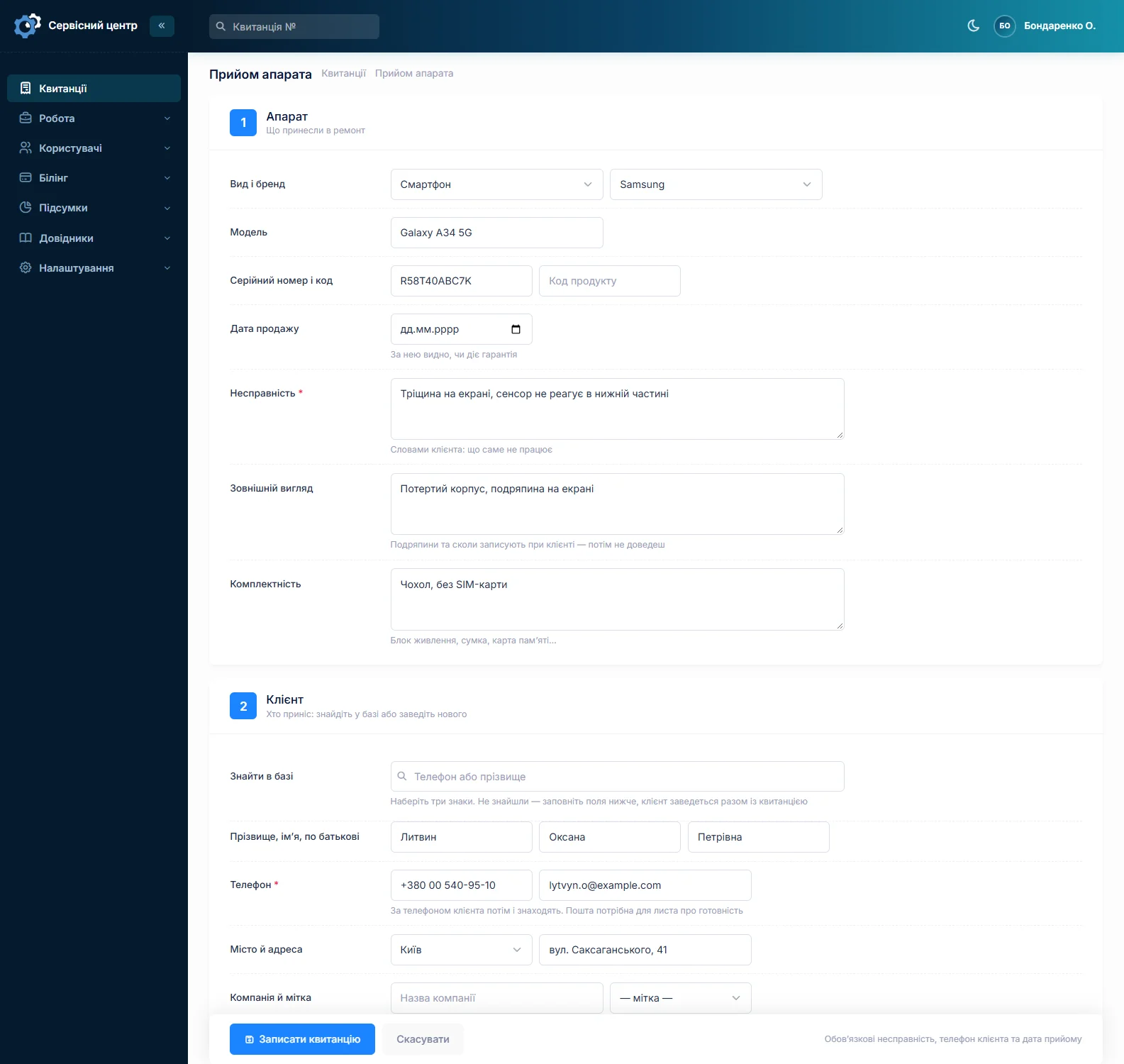
The system password goes in the notes: without it the repair can be done but not tested. The customer is found by surname or by any digits of their phone, and if they are new they are created in the same form.
Diagnosis: a step-by-step work log
Inside the job sheet there is a work log. The technician adds a line each time something is done: "opened, cleaned the cooling system", "thermal paste replaced, 94° under load", "memory test — no errors". Every entry has an author and a time.
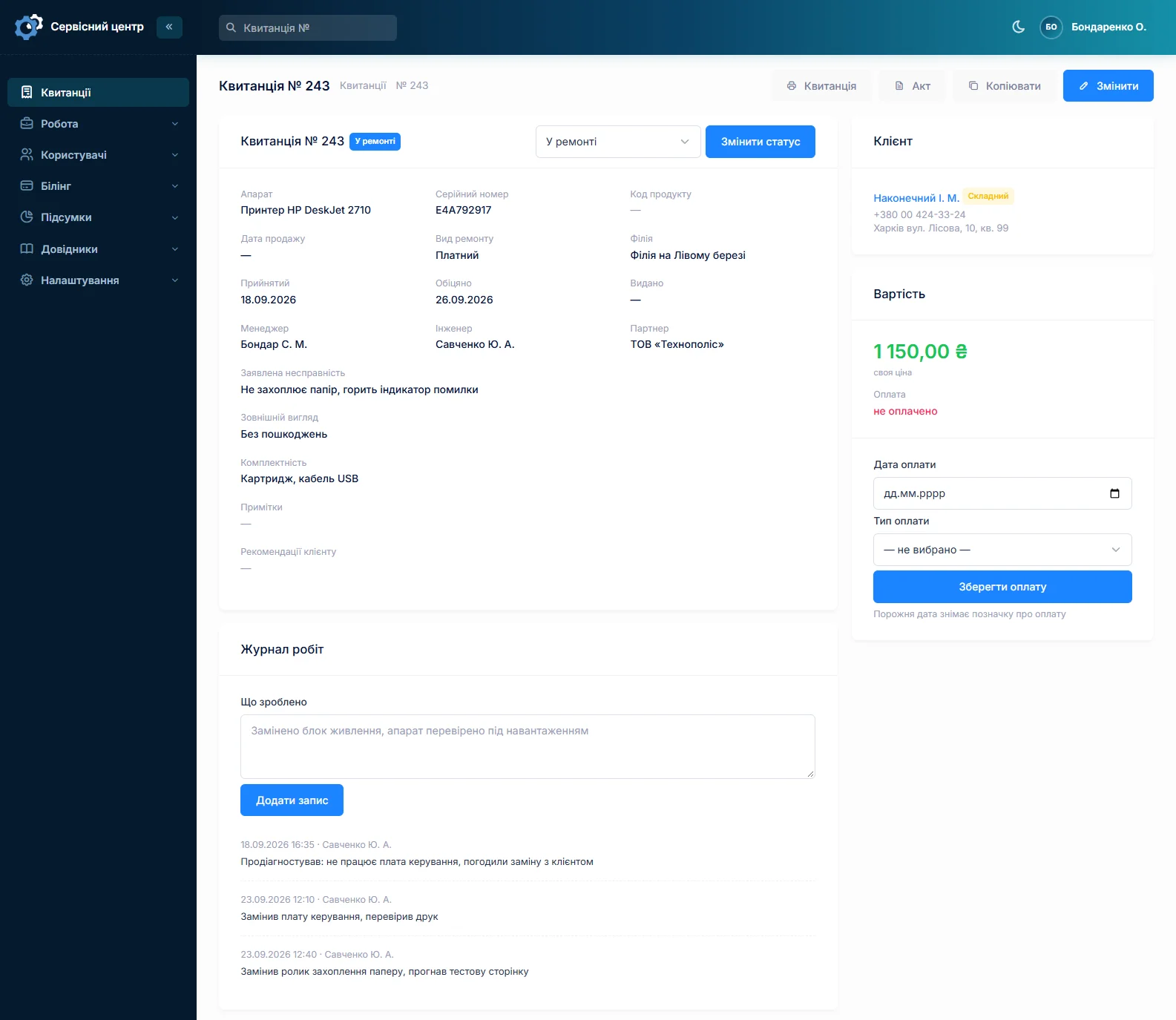
This is not for paperwork. It is so that a week later a second technician does not start from scratch, and a month later you can explain why the repair cost what it did. The completion certificate is then built from the same log: nothing has to be recalled at the end.
Next to it are internal comments: what technicians write to each other and the customer never sees. "Customer asked not to touch the sticker", "somebody has been in here, screws are stripped".
Agreeing the price after opening the device
The usual story: you quoted one figure at the counter, opened it up and it turned out to be four times that. Two things matter here: that the price changes on the job sheet, and that there is a trace of the customer agreeing.
The price on a job sheet can come from the device catalogue or be your own, typed in for this particular case. And every change to a tracked field goes into the job's history: you can see the price was one figure, became another, when, and who did it. The conversation itself is recorded as a comment: "agreed by phone on 14 March, customer accepts".
Honestly: you cannot send the customer a link for them to click "I agree". Agreement is a phone call; what the software keeps is the note that it happened.
Your own statuses, your own workflow
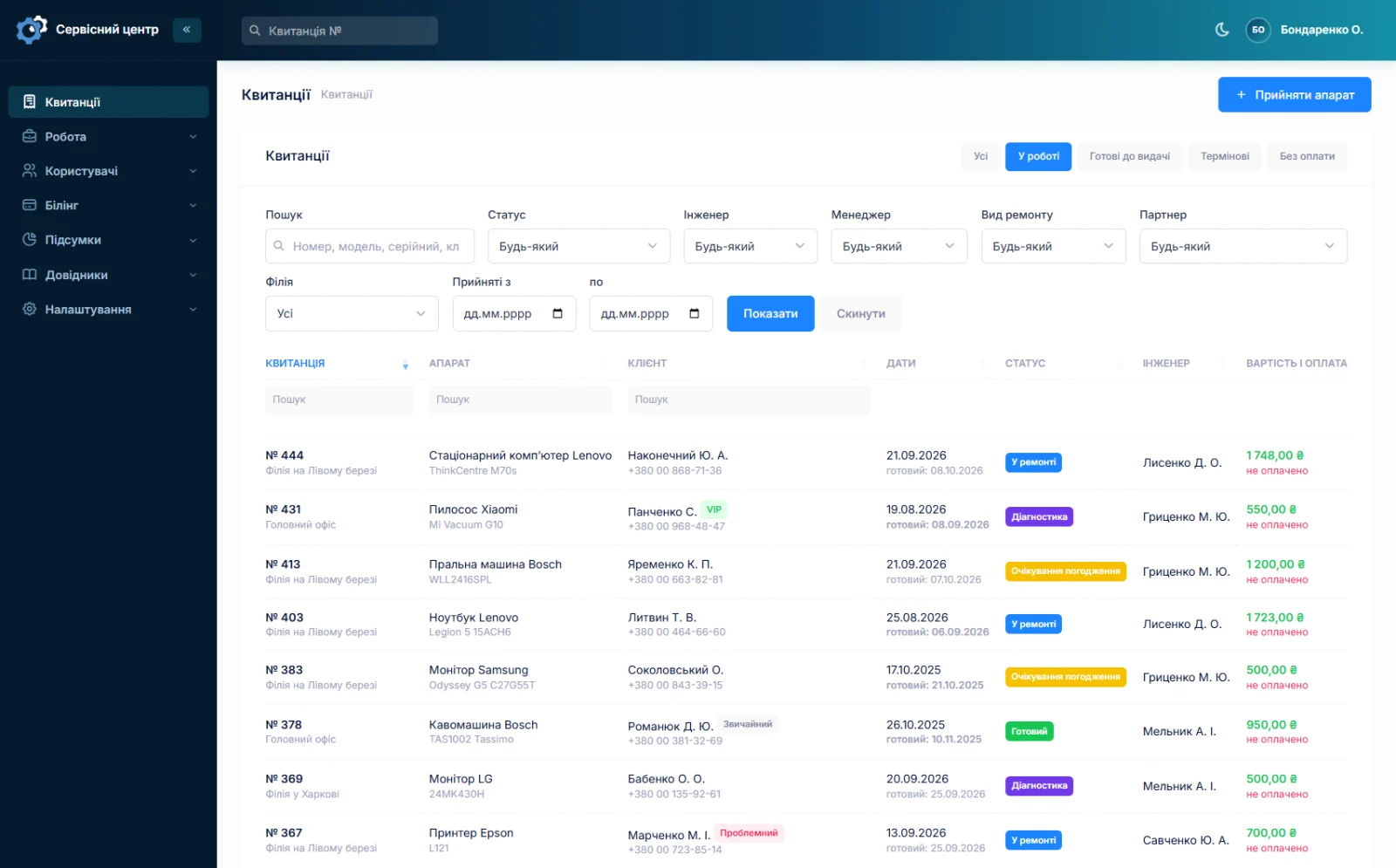
Statuses are not hard-coded. You create your own: taken in, under diagnosis, awaiting customer approval, waiting for a part, in progress, ready, handed over, repair declined. Each gets its own colour in the list.
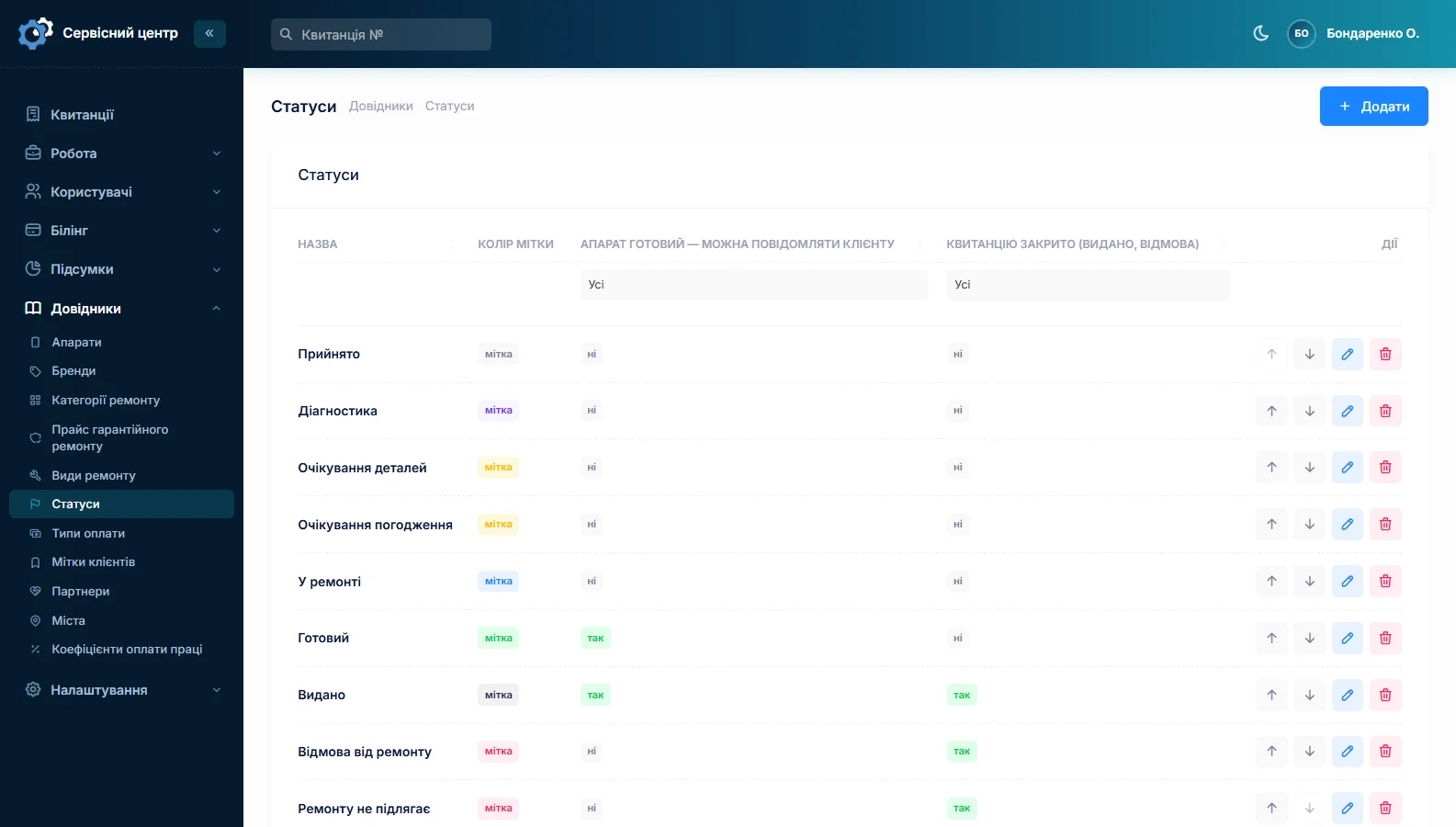
Two statuses are special: "ready" triggers the email to the customer, and "closed" fills in the handover date by itself. The rest are simply your stages, and you can have as many as you need.
In the job list the status shows as a colour, an overdue date shows in red, and one button shows only what matters now: in progress, ready for pickup, urgent, unpaid.
Data on the drive: agree it in advance
This is not a software feature but advice from practice — and it is where computer shops lose the most nerves.
Agree about data before the repair and write the agreement onto the job sheet. Three statements worth having on your form: whether you are responsible for preserving data, whether you make a copy and at whose cost, and what happens if the drive dies during diagnosis. You edit the form yourself, so adding those lines is five minutes, once (about the intake form).
When the agreement is written down and signed, "where are my photos?" stops being a catastrophe.
Faults that will not reproduce
An intermittent fault is its own misery: the device comes back for the third time and works perfectly every time. Searching by serial number shows every previous job for this computer: when it was taken in, what was done, which parts were fitted, what the diagnosis was. Search also covers the text of the work log — type "overheating" and you find every repair where the word came up.
Recommendations for the customer
The job sheet has a recommendations field, and it goes into the certificate: "the drive has 400 reallocated sectors, replace it soon", "the cooling clogs up within six months — come in for a clean". That is honest advice and, at the same time, the cheapest way to bring the customer back in a year without any advertising.
The customer can check the repair themselves
Diagnosing a laptop does not take an hour, and the customer worries for every one of those days. They have their own portal: they log in and see their repairs — only theirs, read-only. The status and what is happening to the device are visible.
When the repair is done the software sends an email whose wording you edit yourself. If the customer scanned the QR code on the ticket, the same message reaches them in Telegram. The software does not send SMS. Together the email, Telegram and the portal remove most of the "any news?" calls.
Who did what
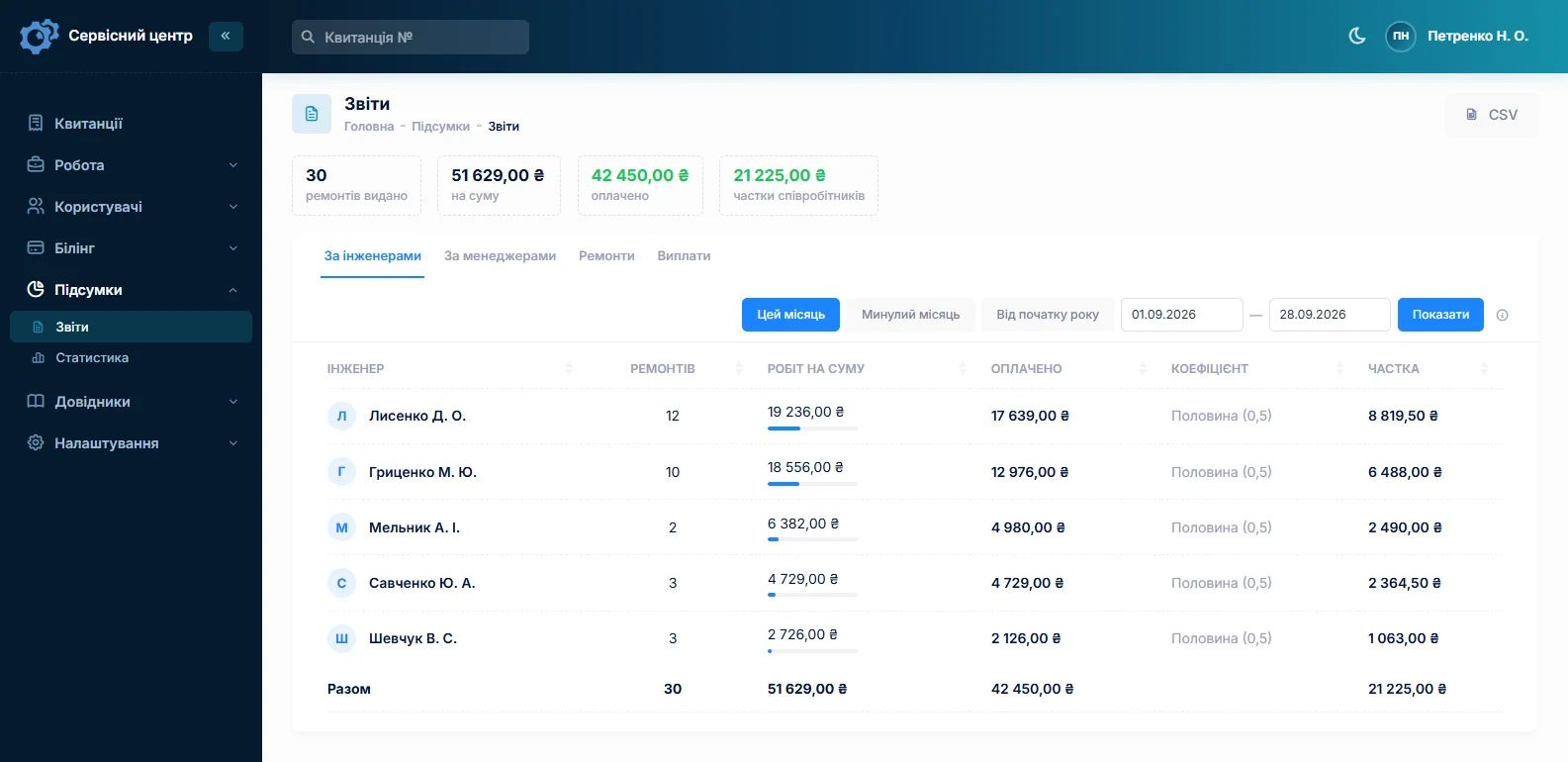
A report per technician for any period: how many repairs, for what amount, how much was paid and their share by rate. In a computer shop the difference shows: one technician does many cheap cleanings, another does few but expensive board repairs.
What you get
- A step-by-step diagnosis log that the certificate is built from.
- A trace of the price agreement: what it was, what it became, when and by whom.
- Your own statuses with your own names and colours, not someone else's scheme.
- Internal comments the customer never sees.
- Device history by serial number — for intermittent faults.
- Recommendations in the certificate that bring the customer back in a year.
What it costs
One price for the whole shop: no charge per technician and no charge for a second location. Custom work for your way of working is charged separately, by the hour.
Monthly
Paid every month, cancel whenever you like.
Yearly
Cheaper than paying monthly. Invoice or card payment.
Custom work
Changes tailored to the way you work — hourly, by agreement.
You can look at the software without registering, in the demo. Related pages: repair workflow and the repair intake form.
Frequently asked questions
How do I record that the customer agreed to the price?
The price on a job sheet can be your own figure instead of the catalogue one. The change goes into the job history: what it was, what it became, when and who changed it. The call itself is recorded as a comment: "agreed 14 March, customer accepts". Sending the customer a link to click "I agree" is not possible.
Can I define my own repair statuses?
Yes, statuses are not hard-coded. You create your own — under diagnosis, awaiting approval, waiting for a part — and give each a colour. Two are special: the one marked "ready" sends the customer an email, and the one marked "closed" fills in the handover date by itself.
Where do I record the diagnosis steps?
In the work log inside the job sheet: the technician adds a line each time something is done, and every entry has an author and a time. The certificate is then built from that log. Next to it are internal comments — what technicians write to each other and the customer never sees.
Is the software responsible for data on the drive?
The software is not — that is a matter of your agreement with the customer. But the agreement is worth writing onto the job sheet before the repair: whether you are responsible for the data, whether you make a copy and at whose cost, what happens if the drive dies during diagnosis. You edit the form yourself, so adding those lines takes five minutes.
How do I find what was done to this computer last time?
By searching the serial number: every previous job for the device is shown — when it was taken in, what was done, which parts were fitted. Search also covers the work log text, so "overheating" finds every repair where the word came up. For intermittent faults this is the main tool.
Can I give the customer recommendations after the repair?
Yes, the job sheet has a recommendations field and it goes into the certificate: "the drive has 400 reallocated sectors", "the cooling clogs up within six months". It is honest advice and the cheapest way to bring the customer back in a year.
See also
Software for an authorised service centre
Warranty repairs at the brand price list, date of sale, a certificate the maker accepts, partner accounts.
Read moreSoftware for home appliance service
Contents recorded at intake, warranty at the brand price list, callouts, slow parts and partner shops.
Read morePhone repair shop software
Intake in a minute, screens and batteries tracked, a ready-for-pickup email, output per technician.
Read moreSee how it works
The demo is open — go in and try it. Ask us anything by email, Telegram or the form on this site.