Vending machine repair software
For vending service shops that repair bill validators, coin mechs, control boards and refrigeration decks for snack, drink and water machines. Operators drop off modules by the box — each one gets its own job, serial number, estimate and history, and the operator’s balance sits on one customer record.
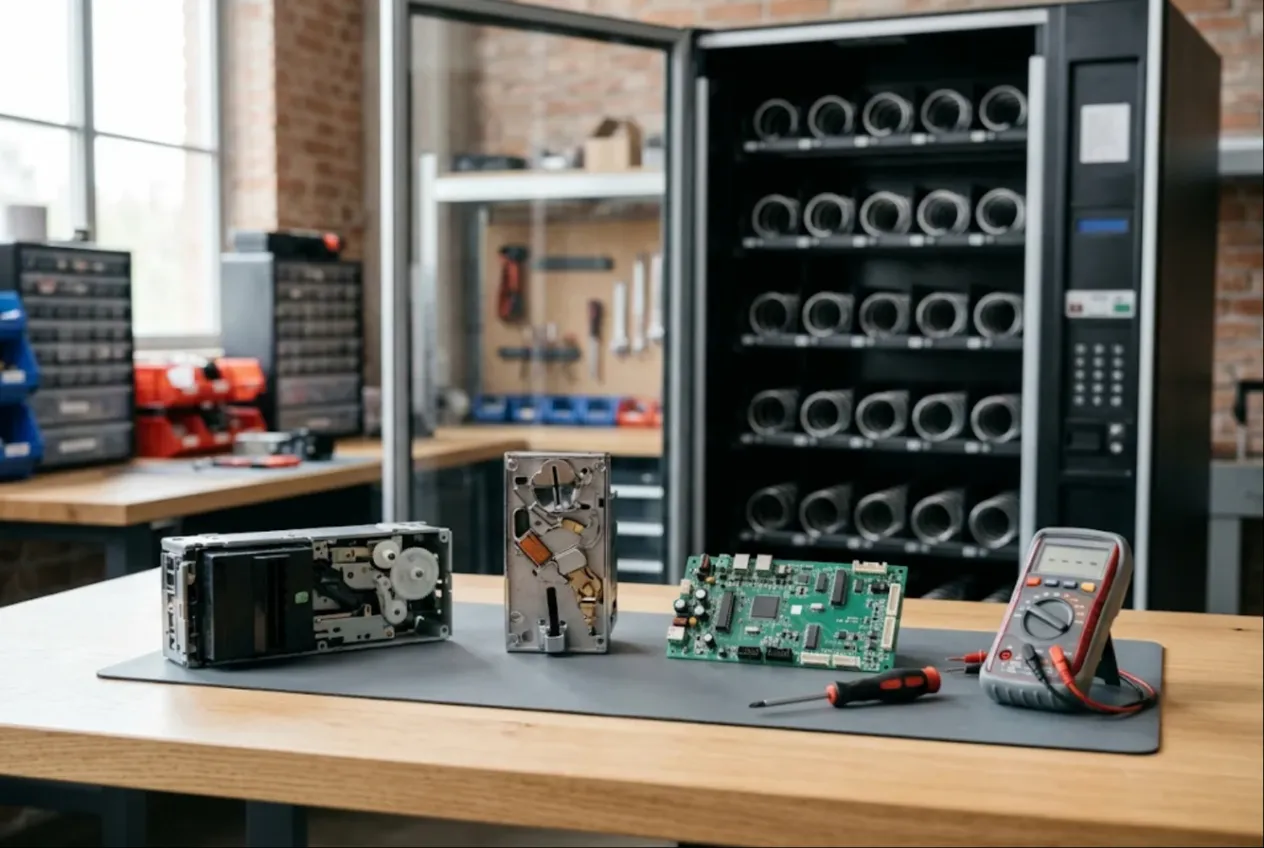
ServiceCenterSoft is job-tracking software for vending service shops. Snack and combo machines, cold drink venders, water machines, coffee vending; bill validators, coin mechs, control boards, spiral motors and refrigeration decks — every module is its own job with a serial number, an estimate and a history. It runs in the browser, on the bench PC and on your phone when you are standing in front of a machine in a hospital lobby.
Who it is for
Independent vending repair shops, bench repair services for validators and coin mechs, and operators big enough to run their own workshop. Your customers are vending operators: someone with eight machines in office break rooms, someone else with two hundred on routes through factories, schools and transit stations. A machine that will not take money does not sell, so operators rarely wait for a technician. The route driver swaps the bad validator or coin mech for a spare from the van, and the dead ones come to you in a box once a week.
Where it usually goes wrong:
- a box of ten bill validators, and by Thursday nobody knows which came out of which machine;
- the operator says “this coin mech was just in for repair”, and there is no record to check;
- “what do I owe you?” is answered by digging through email and paper;
- belts and sensors for the most common validator run out the day a big batch arrives;
- a board was on the bench for a week while the operator bought a new one, because nobody confirmed the price.
Batch intake: one job per module
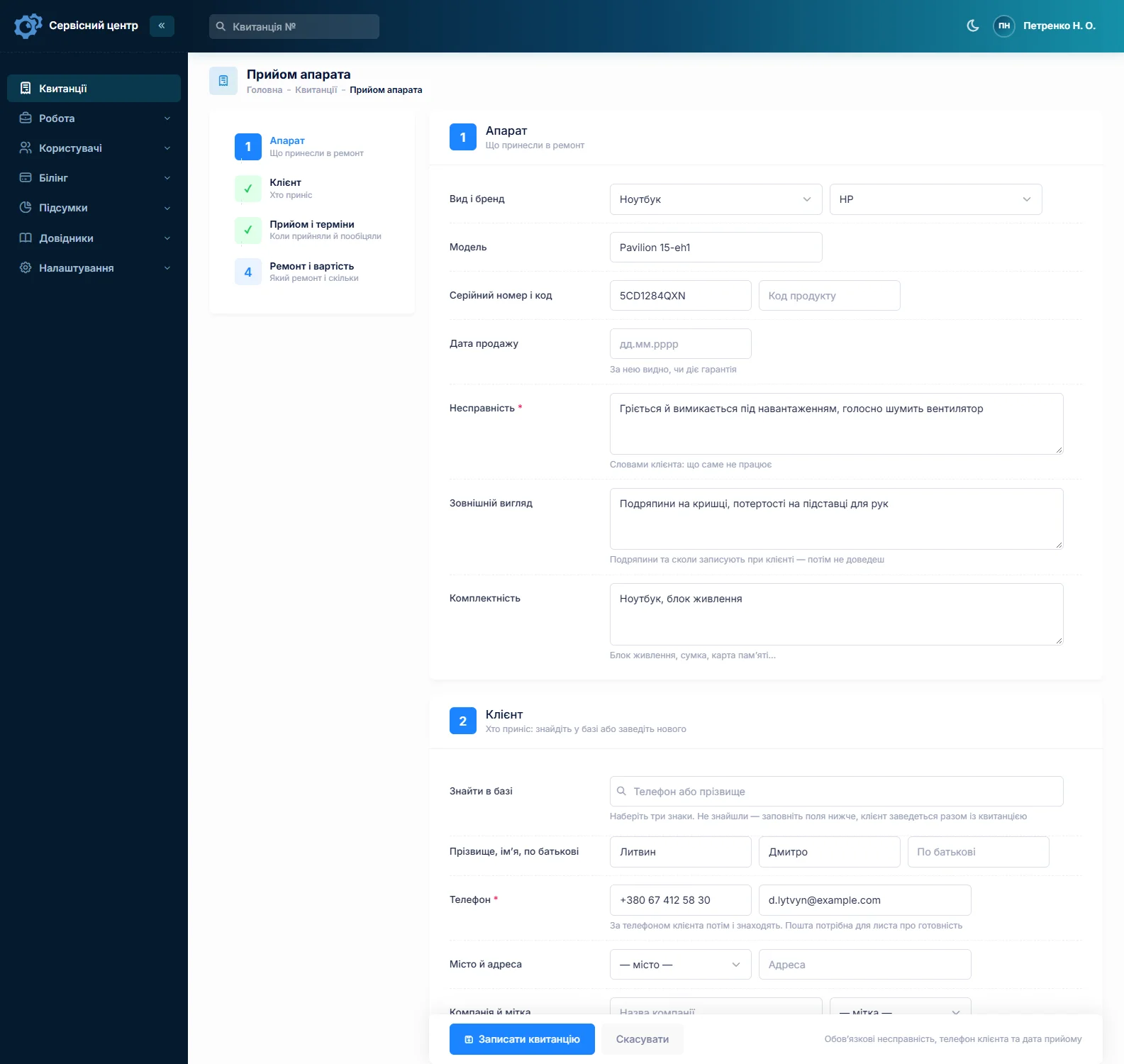
A box from an operator is not one repair. Each validator or coin mech gets its own job — its own serial, fault, price and outcome: one gets cleaned, one gets a new belt kit, one is not worth fixing. You do not have to type it ten times: fill in the first job, then copy it. The customer, device type, fault description, notes and urgency carry over; you enter each module’s serial number.
Where the module came from goes in “Notes for the technician”: “Machine 112, Route 3, St. Mary’s ER lobby — rejects $20s.” The customer does not see this field, and text search finds every module that came out of machine 112 over the past year. Serial number and company are searchable straight from the job list.
The accessories field lists what came with the module — cash box, harness, bezel. Condition covers pry marks, dents and soda spilled on the board. The job sheet prints, and the driver signs for the whole drop-off.
Validators, coin mechs and boards as device types
Set up a device type for each kind of module: bill validator, coin mech, control board, refrigeration deck, complete machine. Each has its own diagnostics price and its own items in the labour list: “clean and calibrate validator”, “firmware update for new notes”, “replace transport belts”, “coin mech calibration”, “replace spiral motor”, “vend sensor repair”. An item goes onto the estimate as one line with its price.
When a new banknote series goes into circulation, operators bring validators in by the dozen for a firmware update. That is where copied jobs pay off: one labour item, a different serial on each job, each with its own promised date.
Estimates: repair it or replace it?
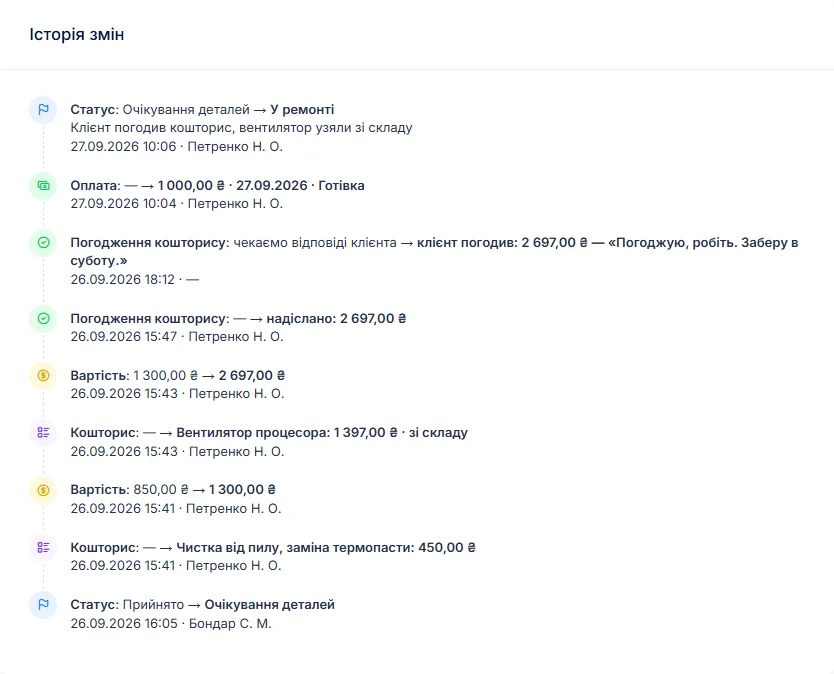
Operators know their numbers. If repairing a board costs half the price of a new one, they may prefer new. So after diagnosis the technician logs what was found, the job moves to “waiting for approval”, and an itemised estimate — parts from stock plus labour — goes to the customer by email or Telegram. The operator sees every line and the total and clicks “I agree” or “I decline”; the answer is stored in the job history with the date.
Links are per job; there is no single estimate for a whole batch. If you settled the whole box by phone, record it as a comment on the status change: “approved by phone, up to $60 per unit”. Declined? “Repair refused” closes the job; a module that cannot be saved gets “beyond repair”.
Field calls to the machine
A refrigeration deck or a water machine does not come to the bench. For on-site work, create a repair type such as “Field call” and a labour item “Service call” with a price. The location goes in the technician notes, the operator’s office address on the customer record. The commercial kitchen equipment repair page covers on-site work and refrigeration in more detail. There is no dispatch board or route planner — just the repair type, the promised date and the “Urgent” flag.
Coffee vending has its own set of problems — boilers, brewers, scale. See coffee machine repair software.
Stock: belts, sensors, coin tubes, motors
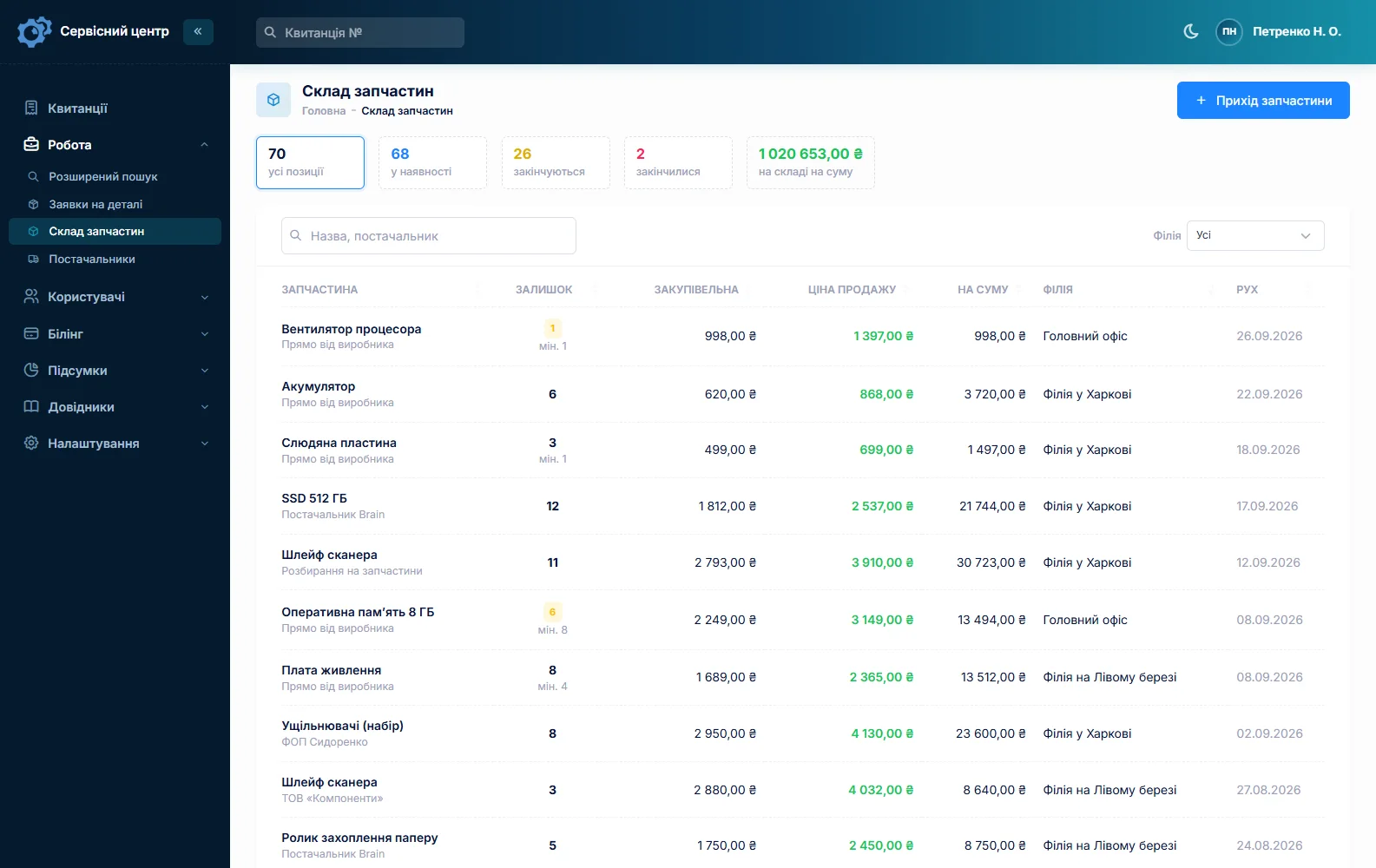
Stock is a movement log: goods in with cost price and supplier, used on a job as an estimate line, returned, adjusted at stock-take. A part picked from stock reduces the balance automatically. A typical vending shelf: validator belts and rollers, optical sensors, cash boxes, coin tubes and gates, spiral motors, vend sensors, relays, fuses, power supplies, thermostats, condenser fans, filters and solenoid valves for water machines. Quantities are whole numbers.
Minimum levels and the “running low” tile tell you to reorder before the next box shows up. A rare part is ordered from the job: the request is emailed to your supplier, and the job sits in “waiting for parts”. More on spare parts tracking.
The operator is one customer
The “Company” field makes an operator one customer, whoever drops off the box — a driver, a route tech or the owner. The customer record shows every job and the balance owed. A job can take several payments, the software shows what is still due, and the “unpaid” filter gathers jobs handed back but not paid. There is no monthly statement or combined invoice for a batch: a completion report prints per job, with estimate lines, work log, recommendations and amount due.
Same validator back again? Mark it “Repeat repair”, and its serial brings up the earlier job — what was done, when it went out, what you advised. Use “Recommendations for the customer” for advice the operator can pass to the route: “machine by the entrance, lots of dust — clean the optics monthly.”
If you also repair cash registers and checkout hardware for retailers, see POS equipment repair — a different customer and a different kind of urgency.
Ready — the operator knows right away
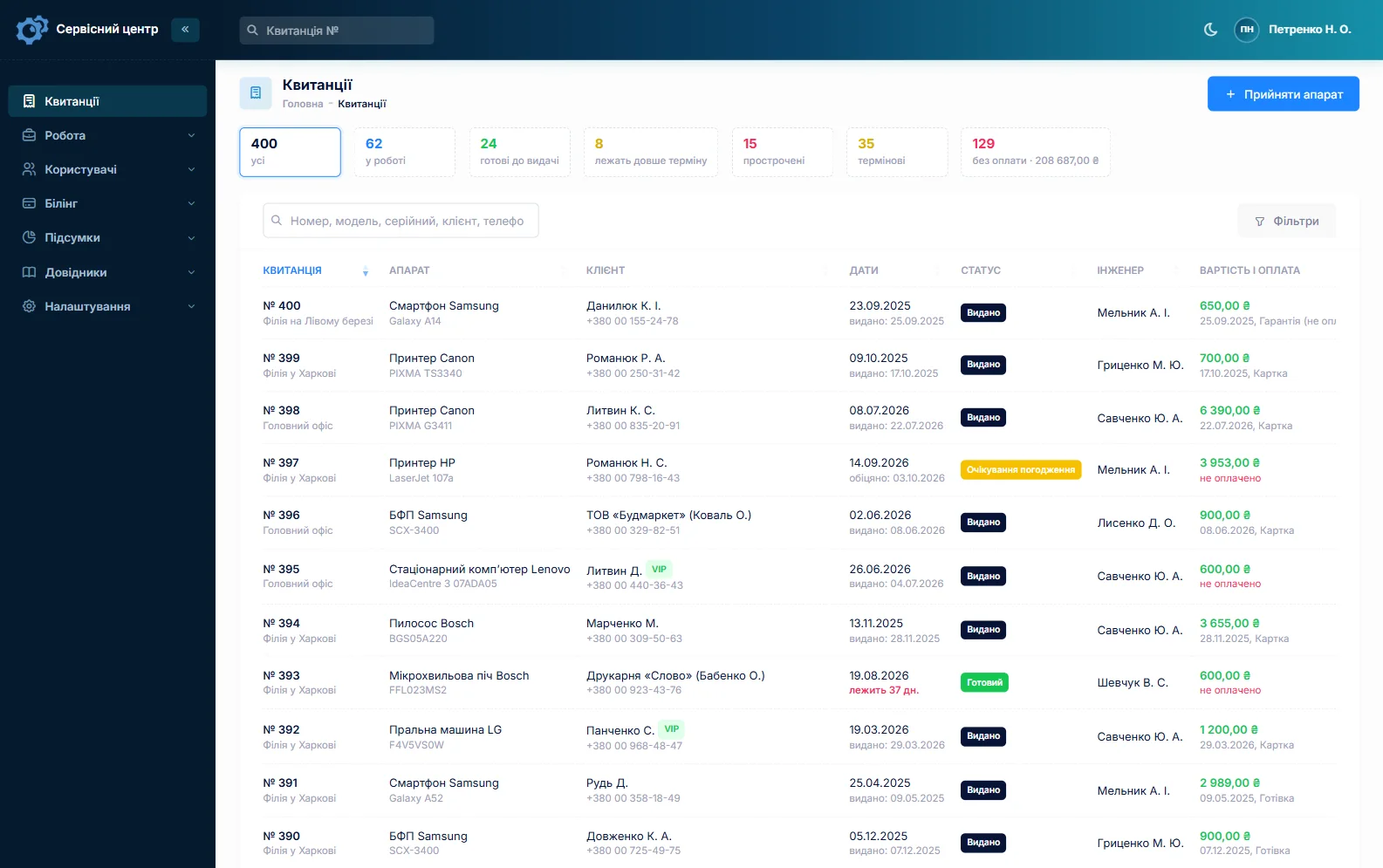
When a module is done the customer gets an email or a Telegram message. Every finished job shows how many days it has been waiting, and once the free storage period from your settings runs out the counter turns red. Statuses of your own, with a colour and a tile above the list — “Bench test”, “Waiting for driver” — show where every box stands.
What stays outside the software
The software tracks repairs. Sales tax, receipt and cash-handling rules for vending depend on where you operate — that is the operator’s business. Card readers and cashless terminals often belong to a bank or payment provider, so check with the operator before you open one. Handling refrigerant usually requires certification, and hygiene rules for water and drink machines are the operator’s responsibility.
What repairs typically cost
As a rough guide only — prices vary with region, model and parts: module diagnosis €20–50, validator cleaning and calibration €30–80, firmware update for new notes €30–90, belt or sensor replacement €40–120 labour plus parts, coin mech repair €40–150, control board repair €80–300, spiral motor replacement €30–70 plus the motor, field call €50–120, leak search and refrigerant recharge €120–300, compressor replacement €350–800 including the part. You set your own prices: per device type, in the labour list and as estimate lines.
What it does not do
- telemetry or remote machine monitoring — the software learns about a fault when the module arrives;
- a dispatch board or route planning;
- tracking of a spare-module pool;
- monthly statements or one invoice for a whole batch;
- photos or file attachments, SMS, a mobile app, online payment by the customer;
- supplier integrations or cash-register functions.
What it costs
One price for the whole shop — no extra charge for staff or branches.
Monthly
Paid every month, cancel whenever you like.
Yearly
Cheaper than paying monthly. Invoice or card payment.
Custom work
Changes tailored to the way you work — hourly, by agreement.
Off-the-shelf not enough — your own forms, roles, reports or workflow? We will build a program for you. How it works
Try it without signing up in the demo: check in a bill validator, copy the job for a second one, put the machine number in the notes and send the estimate to the customer.

We are very happy working with servicecentersoft.com: they built everything we asked for, even though our request was unusual, since we deal with medical devices. Everything was done precisely and on the agreed schedule. Thank you for the cooperation — we keep working together.

I tried the ServiceCenterSoft demo and came away with a good impression. The program is simple and easy to understand, yet it has everything you need for the job: customers, repairs, devices, spare parts, statuses and statistics.
I especially liked the dark theme and the responsive design — working from a phone is perfectly comfortable. Another plus is the instant search that works as you type, so you don't have to press a separate "Search" button every time.
You can tell the program was built specifically for service centers rather than being a generic CRM adapted for the repair business. The interface has no unnecessary frills; everything is logical and to the point.
A good, practical tool for the day-to-day work of a service center.

I liked that you get a free 14-day trial and that they are willing to handle my special requests — setting things up exactly the way I need them.
I also liked how payment works. You can simply pay the monthly fee by card online — basically the same as a regular Spotify subscription or any other service. No separate contracts to sign and no invoices to pay manually.
And there's no feeling of strict limits on the number of employees. One service center is one account, and inside it you can organize the work of your technicians and run several branches.
For me this is far more convenient than plans where you have to pay for every single user or keep counting how many employees are working today.

My business is fairly specific, so the program's standard features weren't enough — I needed my own custom fields, my own sorting options and search by additional parameters. The work completion certificate and the printed repair receipt also needed some changes to fit the way we work.
I contacted technical support. To be honest, I expected changes like these to take a long time, but everything was done within a single day. The team quickly understood exactly what we needed, suggested the right solution and did everything properly.
I'd especially like to mention the support: they get straight to the point, with no unnecessary bureaucracy, and they genuinely help instead of just sending you off to read the documentation.
For me this is a big advantage of the program: it isn't just sold "as is" — it can be adapted to how you actually work. Thanks to the team for the quick response and for treating the customer right.
Highly recommended!
In short
- A box of modules becomes copied jobs, each with its own serial number.
- Machine number and location in technician notes, found by text search.
- Validators, coin mechs and boards as device types with their own diagnostics price.
- Expensive repairs only after the operator clicks “I agree”.
- Belts, sensors and spiral motors in stock with minimum levels.
- Operators: company field, balance owed, several payments, repeat repairs by serial.
- €20 a month for the whole shop.
See also
CCTV and security system repair software
For security integrators and repair benches handling NVRs, DVRs, IP cameras, PoE switches, intercoms and alarm panels: several units from one site, installation warranty by date, power supplies and batteries in stock, call-outs as estimate lines.
Read moreForklift repair software
Forklift service management for shops that repair electric forklifts, walkie stackers, reach trucks and pallet jacks: one job per truck in the field, asset numbers, traction batteries and chargers, controllers and hydraulics through approved estimates, and fleet customers with balances and completion reports.
Read moreBeauty salon equipment repair software
Job tracking for shops that repair hair clippers, trimmers, hair dryers, flat irons, nail drills, UV/LED lamps and sterilizers: high-volume small repairs, blade sharpening as estimate lines with quantities, and salons and barbershops as regular accounts with balances and completion reports.
Read moreSee how it works
The demo is open — go in and try it. Ask us anything by email, Telegram or the form on this site.