TV repair software
For a workshop repairing TVs and monitors: diagnosis and price approval before ordering a panel, a description of the screen at intake, and refusals that do not turn into disputes.
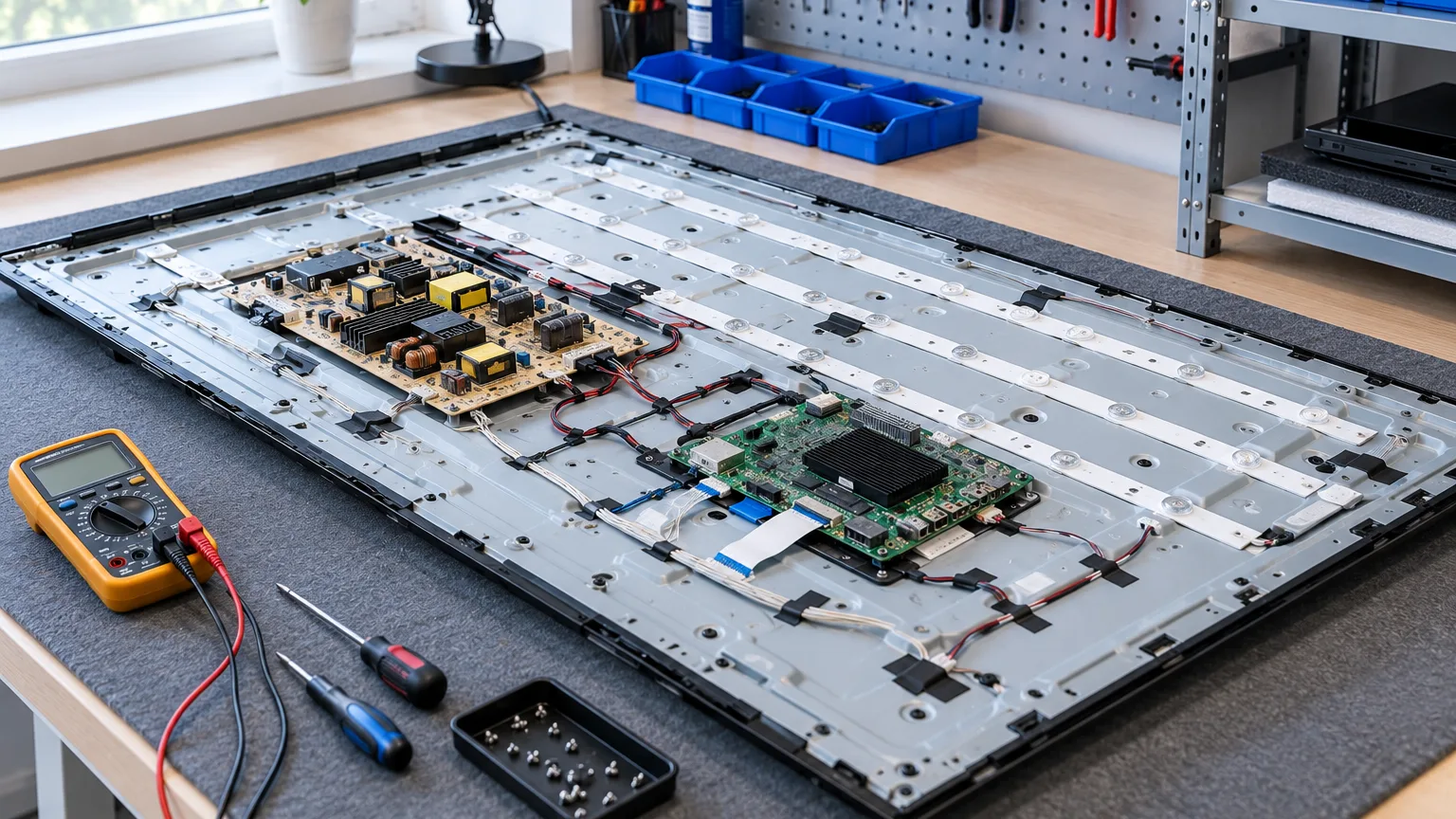
ServiceCenterSoft is repair-tracking software for a workshop that repairs TVs and monitors. Diagnosis, agreeing the price with the customer before ordering an expensive part, describing the screen at intake, orders for boards and panels, and refusals that do not turn into an argument.
With a TV, the main question is whether to repair it at all
A TV repair is rarely small. Backlight, power supply, main board — that means days of work and parts to order. And a cracked panel costs almost as much as a new TV. So the conversation with the customer is different from a phone shop’s: first the diagnosis, then an honest answer — “the repair will cost this much, a new set that much” — and only then the part order.
The most expensive mistake here is ordering a part without consent, or agreeing a price by phone and later being unable to find who agreed to what amount.
Diagnosis and price approval — on record, not just said
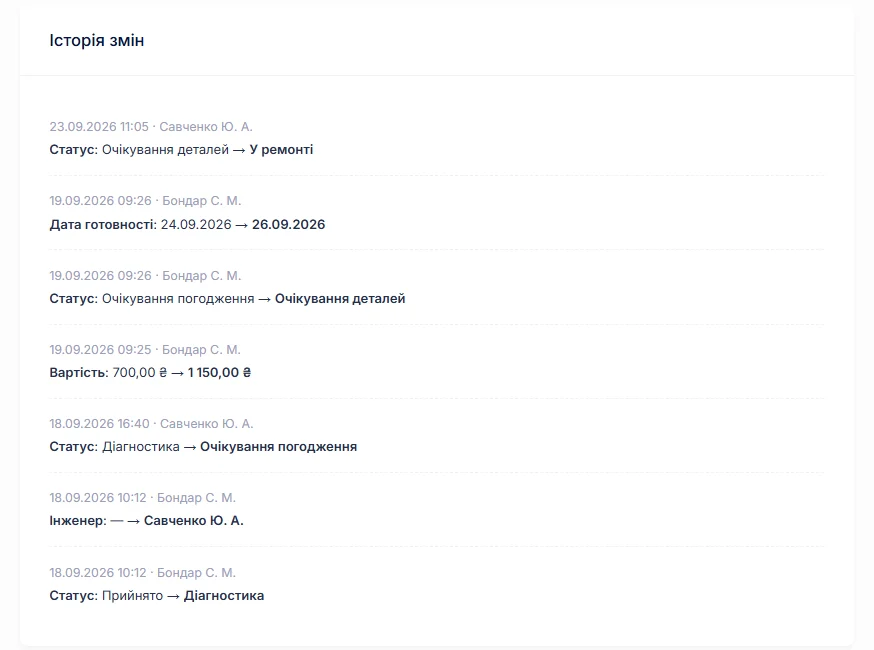
After diagnosis the technician writes in the work log what was found: “backlight not working, two of six strips burnt out”. The job moves to “awaiting approval”, and the job list shows every device waiting for the customer’s answer.
When the customer agrees, the manager changes the price and adds a comment: “agreed 2,400 by phone”. The job’s change history records who changed the price, when, and from what to what. If the customer says at collection “I agreed to less”, the answer is on the job sheet, not in the front desk’s memory.
Intake: describe the screen as if you will be audited
The screen is the most vulnerable part of a TV, and the most common dispute at collection is “that scratch was not there”. That is what the “condition” and “accessories” fields on the intake form are for: scratches on the panel, cracks in the bezel, missing feet or mounts, whether there is a remote — all written down in front of the customer and printed on the job sheet they sign.
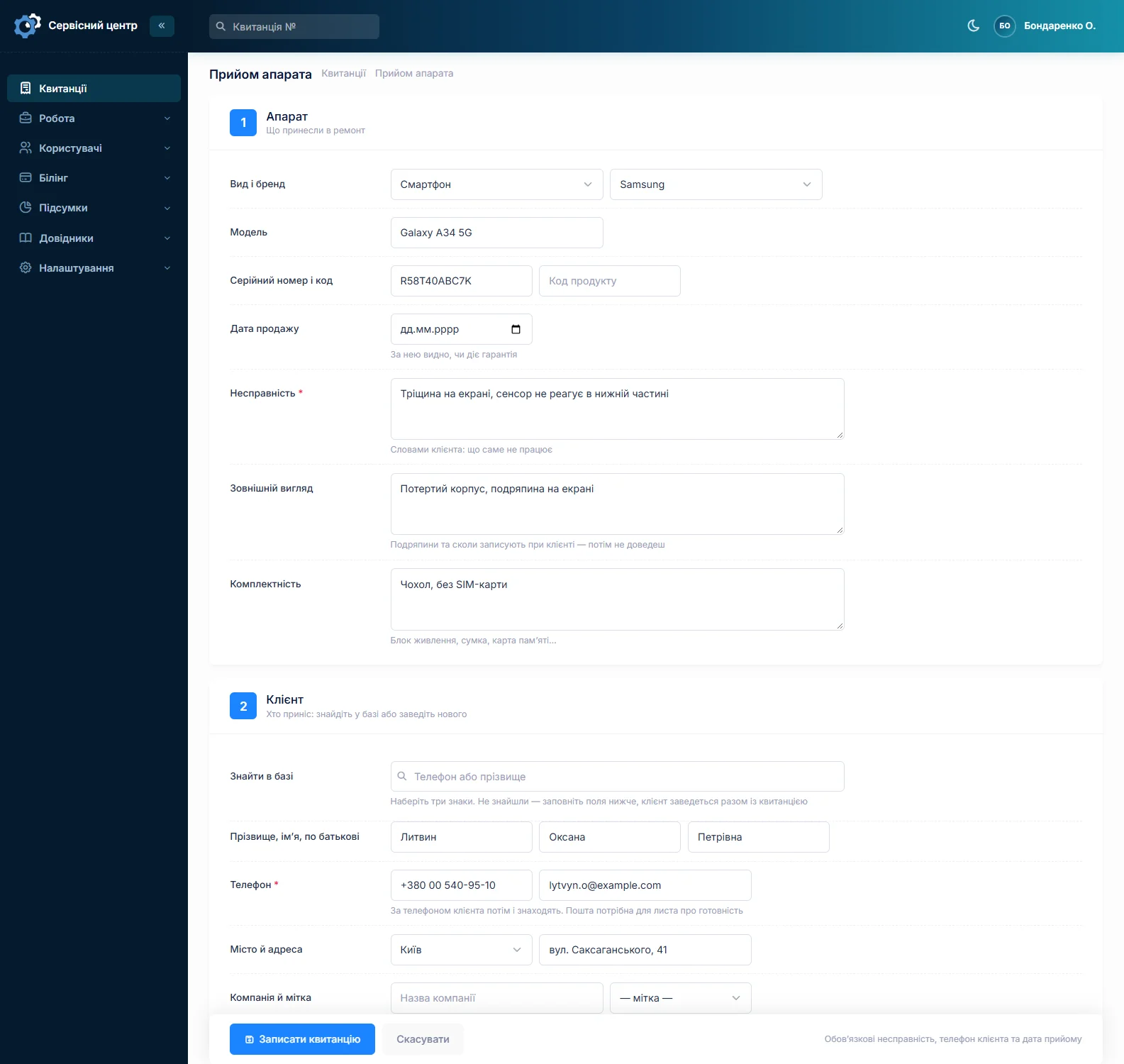
Honestly about photos. You cannot attach a photo to a job in the software. If you photograph the screen at intake — and with TVs it is worth doing — keep the pictures on your phone or drive and note on the job sheet that photos were taken. A detailed written description is still needed: that is what appears on the document the customer signs.
Typical repairs — and parts you have to wait for
Most TVs come in with the same things: burnt-out backlight, power supply, main board, a firmware fault. Backlight strips and capacitors are often in stock, while boards and panels are ordered for the specific model and take weeks to arrive.
A parts order is linked to the job: you can see which TV is held up by the supplier, when the part was ordered and when it arrived. The order can be emailed to the supplier from the software. Parts sitting in stock are recorded separately, with price and source. More on spare parts tracking.
When a repair makes no sense
Some TVs go back to the customer unrepaired: the panel is smashed, the board cannot be found, or the repair costs more than a new set. The software has separate statuses for this — “repair refused” and “beyond repair”. They close the job, and the log and history show why the repair did not happen. In the period report such a device counts as handed back, with whatever amount is on the job: zero if diagnosis is free, or its price if you charge for it.
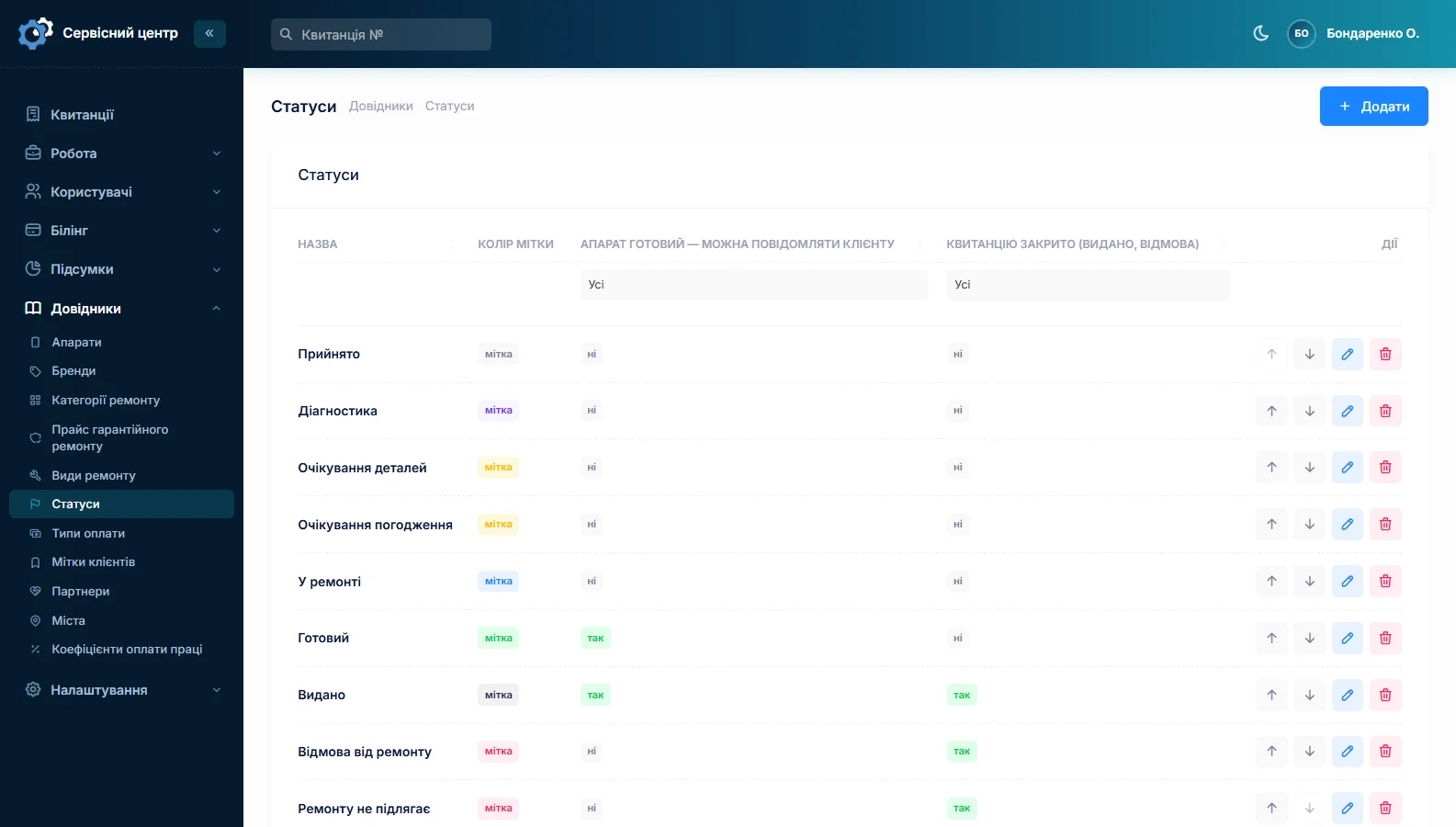
If you charge for diagnosis even when the repair is refused, put that amount in the job’s price — the customer sees it at intake, on the job sheet, rather than finding out at collection.
Big sets on the shelf
A 55-inch TV takes up space a workshop never has enough of. The “ready for collection” button shows every finished device with the date it was ready, so you can see which have been sitting for weeks. The ready-for-collection email can be sent again, and your free storage period can go into the terms on the job sheet so the conversation about it is no surprise.
If you go out to customers — large TVs are often repaired on site — how that looks in the software and what it lacks is described on the home appliance service page.
Serial number and shop warranty
The serial number and date of sale are recorded at intake. The date shows whether the warranty is still valid, and the serial number whether this TV has been in before and what was done to it. If you are a brand’s authorised service, warranty repairs are charged at the manufacturer’s price list (authorised service).
What you get
- Price approval recorded in the job history, with a date and a name.
- A list of devices waiting for the customer’s answer.
- A detailed description of the screen on the job sheet the customer signs.
- Orders for boards and panels linked to a specific repair.
- Separate statuses for refusals — you can see why a repair did not happen.
- Finished devices taking up shelf space, all in one list.
- A TV’s history by serial number.
What it costs
One price for the whole workshop — no extra charge for staff or branches.
Monthly
Paid every month, cancel whenever you like.
Yearly
Cheaper than paying monthly. Invoice or card payment.
Custom work
Changes tailored to the way you work — hourly, by agreement.
Try it without signing up in the demo: book a TV in and take it through diagnosis and price approval.
Frequently asked questions
Can I charge for diagnosis if the customer refuses the repair?
Yes. The diagnosis fee goes into the job’s price at intake, so the customer sees it on the printed job sheet. If the repair does not go ahead, the job is closed with the “repair refused” status and that amount, and the report counts it as paid work.
How do I keep track of customers who have not approved the price yet?
Set the job to “awaiting approval” — filtering the job list by that status shows every device waiting for an answer. An overdue ready date turns red, so a forgotten TV is visible straight away.
Can I attach a photo of the screen to the job?
No, the software cannot attach photos. Take pictures of the screen on your phone, keep them yourself and note on the job sheet that photos were taken. Always describe the screen’s condition in words on the job sheet — that is the description the customer signs at intake.
Does the software suit monitor repair too?
Yes, the tracking is the same: a monitor is set up as its own device type, with its brands and a list price. Diagnosis, price approval, board orders and refusal statuses work for monitors just as for TVs.
What should I do with a TV the customer does not collect?
The “ready for collection” button shows every finished device with the date it was ready, so you can see which have been waiting for months. The ready-for-collection email can be sent again. And the free storage period, and what happens after it, belong in the terms on the job sheet — the customer signs them at intake.
What about on-site repairs?
An on-site repair gets a job sheet like any other, and the whole repair history is kept in it. There is no separate visit planner — routes, appointment times, technicians on a map — in the software. How home appliance services manage is described on the home appliance service page.
See also
Power tool repair software
For a workshop repairing electric and petrol tools: building firms and hire shops as customers, tools arriving in batches, brushes and armatures in stock, and each drill’s history by serial number.
Read moreCar electronics repair software
For a workshop repairing car electronic units: ECUs, instrument clusters, ABS modules, starters and alternators. Units from owners and garages, the part number on the job, price approval after diagnosis, chips and donor units in stock.
Read moreSoftware for a small repair shop
For a workshop run by one or two people: intake with a printed job sheet, a list of repairs, the month’s takings. Set up in an evening.
Read moreSee how it works
The demo is open — go in and try it. Ask us anything by email, Telegram or the form on this site.