Car electronics repair software
For a workshop repairing car electronic units: ECUs, instrument clusters, ABS modules, starters and alternators. Units from owners and garages, the part number on the job, price approval after diagnosis, chips and donor units in stock.
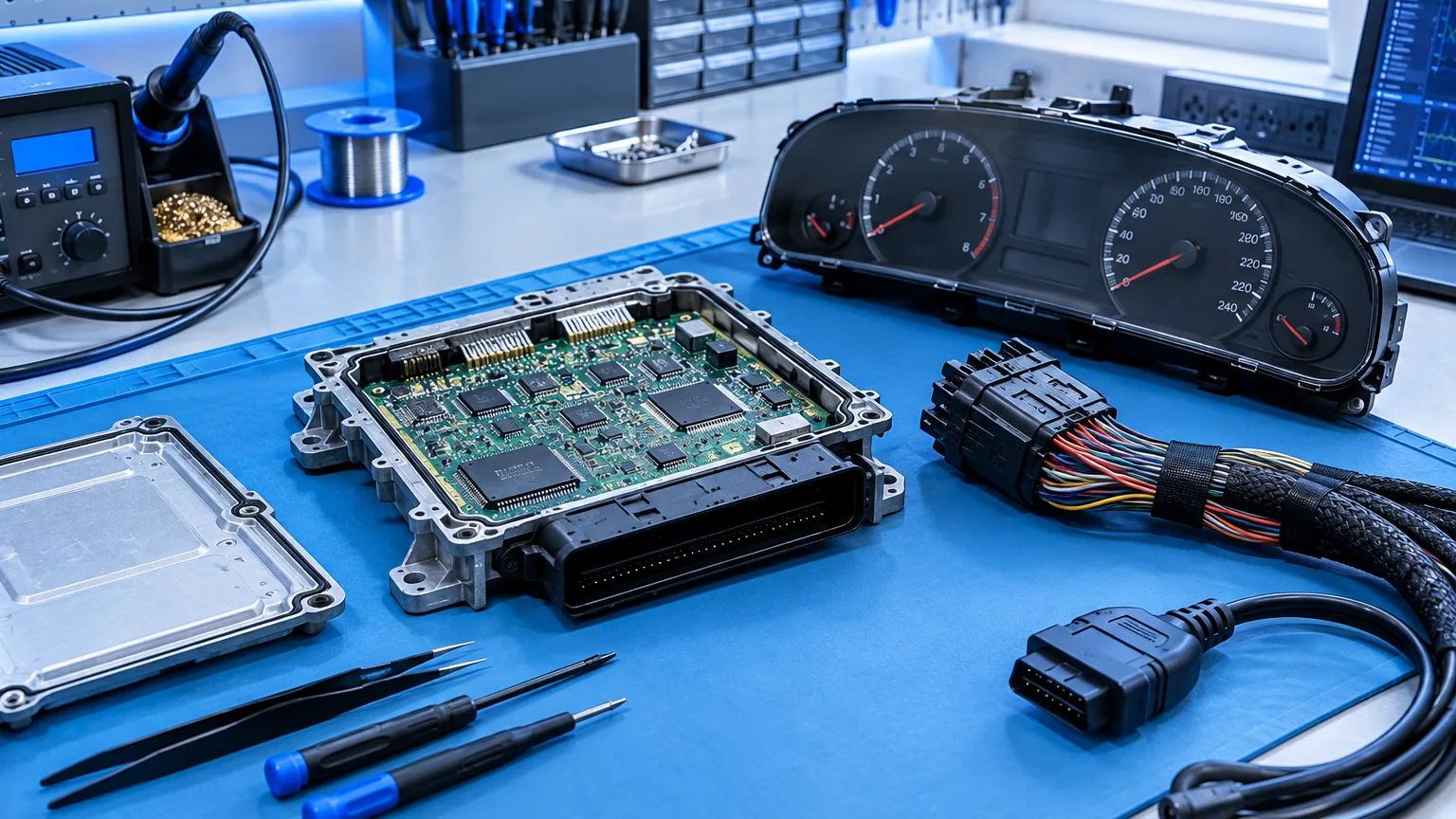
ServiceCenterSoft is repair tracking software for a car electronics workshop: engine control units, instrument clusters, ABS and airbag modules, starters, alternators, head units. From booking a unit in to handing it back — with its part number, price approval after diagnosis, orders for chips, and the history of every unit.
What comes in is a unit, not a car
The owner removes the ECU themselves or brings the car and you take the unit out. More often a garage brings it: the car is on their lift, and the diagnosis led to you. So two things matter on the job: whose unit it is and who pays — the owner or the garage that passed the work on.
Garages that send you units are set up as partners. The partner goes on the job, and the job list filters by it: you see how many units came from each garage, where they stand and who has not collected finished work.
The part number on the job
“Bosch ECU” is not enough for a unit. You need the model, the serial number and the part number — that is what you look up diagrams, firmware and donors by. The intake form has separate fields for them: model, serial number and “product code”. Advanced search finds jobs by product code too, so a year later you can pull up every repair of the same unit and see what failed.
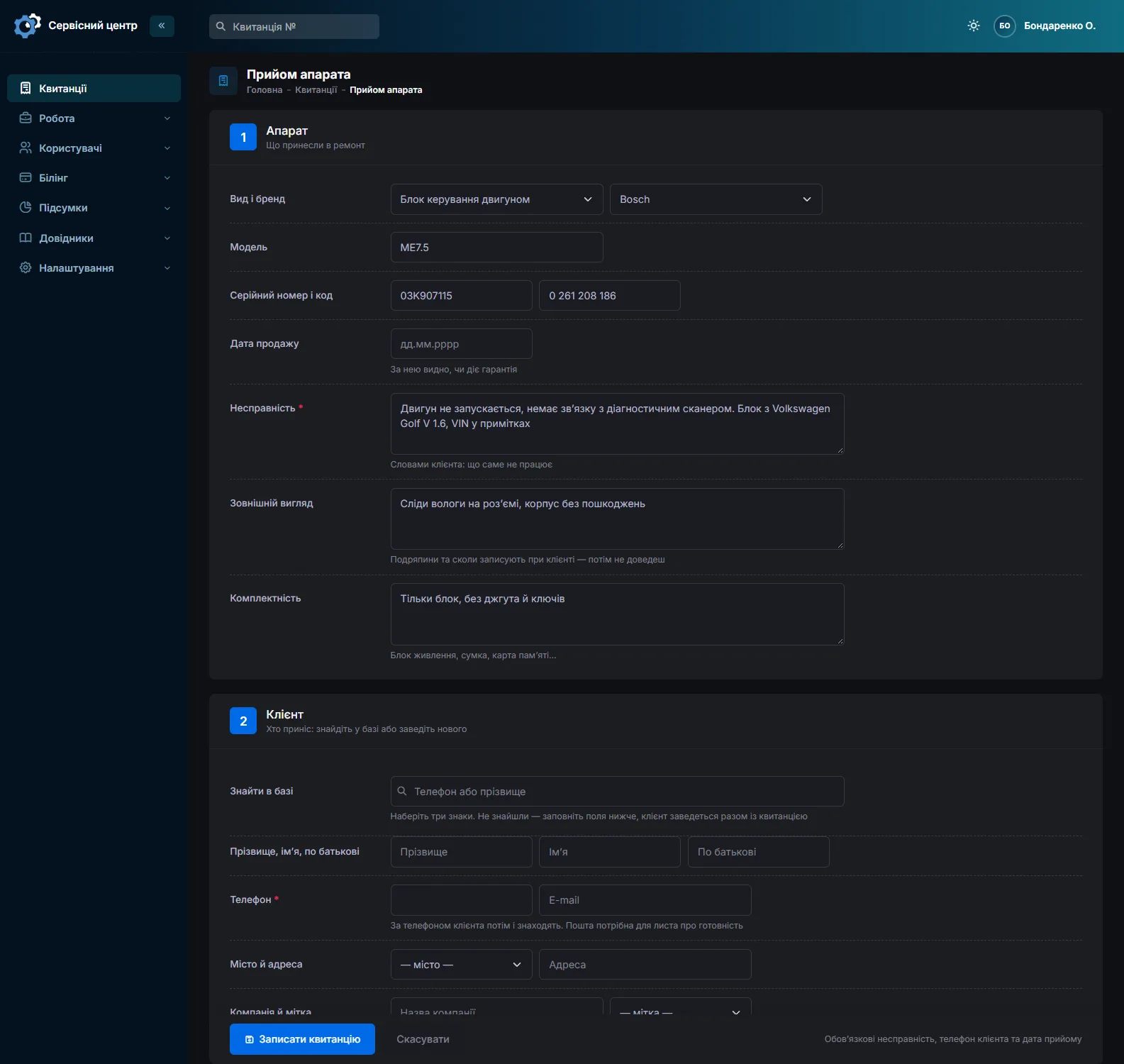
Condition and accessories are recorded with the customer present: moisture on the connector, signs of an earlier repair, whether the unit came with its loom or keys. All of it is on the job sheet signed by whoever brought it in.
Diagnosis first, then the price
Nobody can price an ECU repair before diagnosis. You set up the statuses yourself — for example “Diagnosis”, “Awaiting approval”, “Waiting for a chip”, “In repair”. Once diagnosed, the technician logs what they found and a custom price is set. Every change of price and status stays in the job’s history with the date and author — in a dispute with a customer or a garage you can see what was agreed and when.
If the customer declines or the unit is beyond repair, there are separate statuses for that. The diagnosis fee is set as the job price and goes into the report once the unit is handed back.
The car is off the road
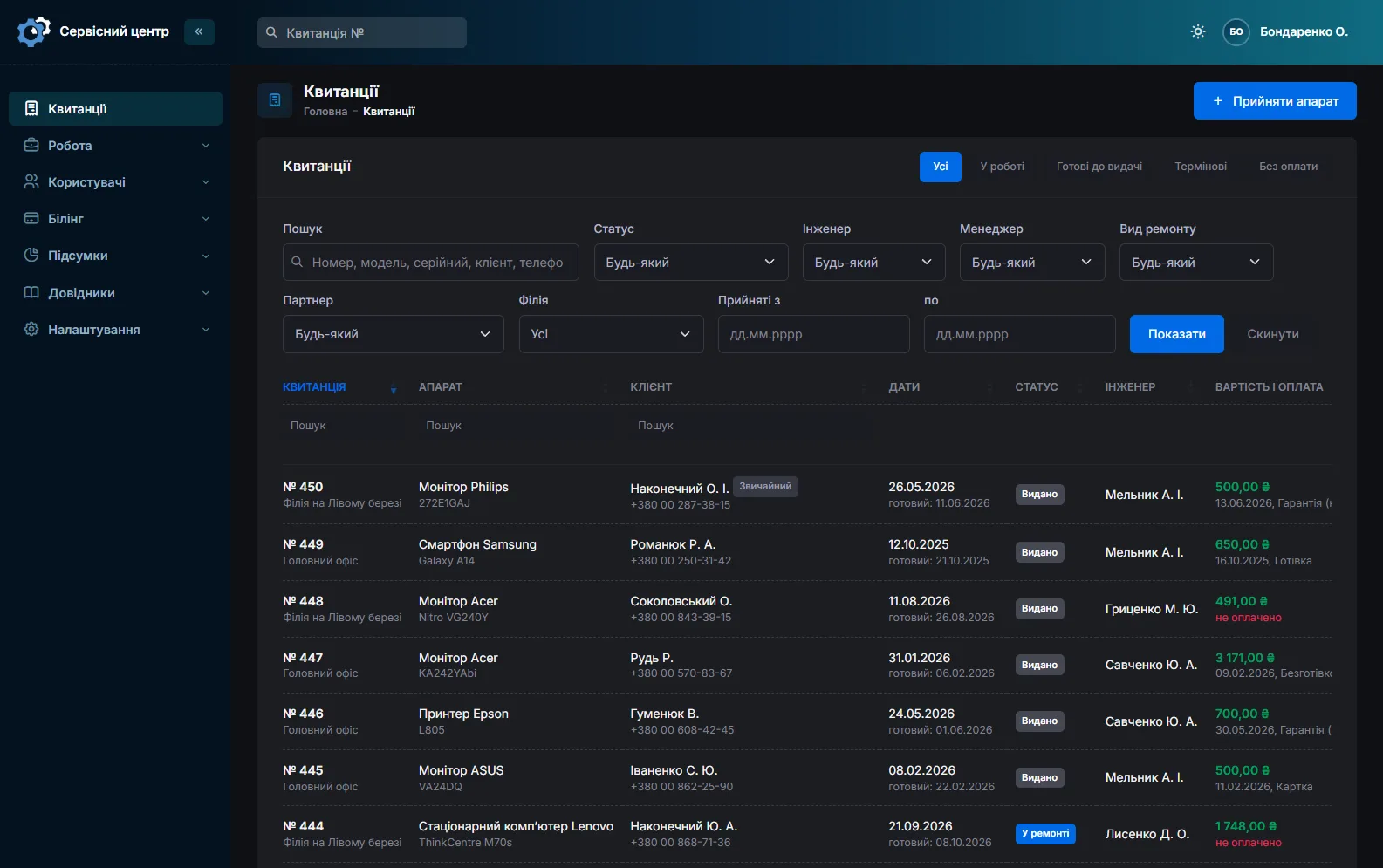
In car electronics a deadline means a car that cannot be driven and a garage waiting for the unit to put it back together. A job can be marked urgent: it stands out in the list, and the “Urgent” quick filter shows all of them at once. Every job carries a promised date, and overdue ones light up red.
Chips, donor units, supplier orders
Drivers, EEPROMs, capacitors, sensors — what you buy in advance is recorded in stock: what, how many, at what price and from whom. Donor units too: the source can be “stripped for parts”, and the “used in” field shows the job the part went into. Under the list is the total value held in stock.
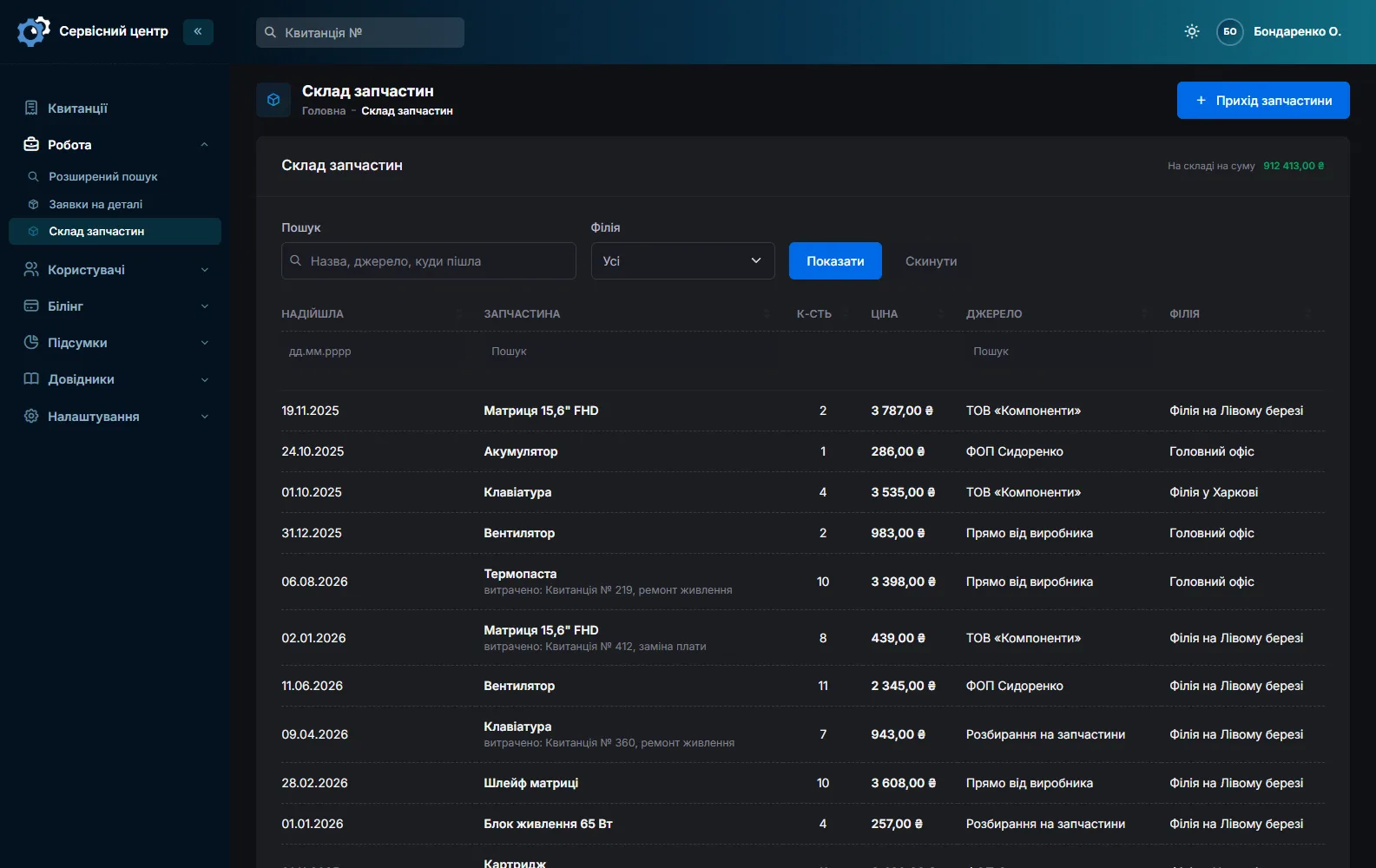
When the chip you need is not in stock, the technician creates a part order straight from the job, and the software can email it to the supplier. When the part arrives it is ticked off, and you can see which repairs are waiting only for it.
A unit that comes back
The serial number shows a unit’s whole path through the workshop: what was replaced, when and for how much. If a cluster comes back with the same fault and the cause is the car’s wiring, the history shows it and it is easy to explain. Recommendations to the customer — “check the engine earth”, “replace the connector”, “don’t pressure-wash the engine” — are printed on the completion certificate.
The technician at the bench, not at the computer
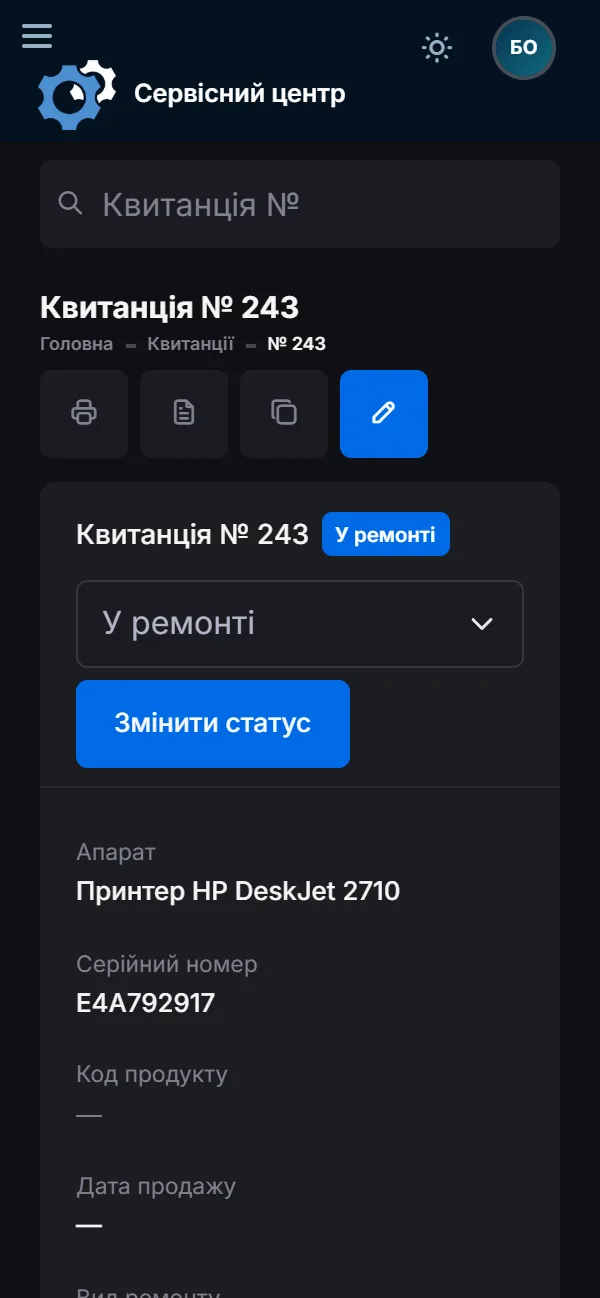
The software opens in the phone’s browser: at the bench the technician sees their jobs, logs what was done and changes the status without walking to the computer.
What it does not have
- A separate VIN field. The VIN goes into the job notes; units are found by serial and part number.
- Files on the job. You cannot attach a firmware dump or a board photo — keep them separately with the job number in the file name.
- Vehicle records or garage bookings. The software tracks units booked in for repair, not cars or workshop bays.
- Stock balances. Stock is a log of deliveries; the quantity does not go down when a part is fitted.
What you get
- The model, serial and part number of every unit on the job.
- Partner garages with a filter: how many units from each and where they stand.
- Price approval after diagnosis with a history of changes.
- Urgent repairs in their own filter, overdue ones in red.
- Chip orders emailed to the supplier.
- Donor units and parts in stock with where they went.
- A unit’s history by serial number, and recommendations on the certificate.
What it costs
One price for the whole workshop — no extra charge per employee or branch.
Monthly
Paid every month, cancel whenever you like.
Yearly
Cheaper than paying monthly. Invoice or card payment.
Custom work
Changes tailored to the way you work — hourly, by agreement.
Try it without signing up in the demo: book a unit in as you do at your workshop and take it through diagnosis and price approval.
Frequently asked questions
Where do I put the VIN, and can I find a repair by it?
The VIN goes into the job notes. Advanced search in “by text” mode looks through the notes too, so the repair is found by the VIN or part of it. The unit itself is easier to find by serial or part number — they have their own fields.
Can I attach a firmware dump or a board photo to a job?
No, files cannot be attached to a job yet. Keep dumps and photos separately with the job number in the file name — then they are easy to find by job.
A garage sends a unit and pays for it — who is the customer on the job?
Whoever pays. If the garage pays, it becomes the customer, with its name in the “company” field, and all its repairs are on one card. If the car owner pays, the owner is the customer and the garage is set as the partner — so you see how many units came from each garage.
How do I charge for diagnosis when the repair is declined?
Set the “Repair declined” or “Beyond repair” status and a custom price — the diagnosis fee. Once the unit is handed back, that amount goes into the report like any other repair.
Does it suit starters, alternators and head units too?
Yes. You set up the device types yourself — control units, clusters, ABS modules, starters, alternators, head units — with their brands and usual repair price. Tracking from intake to collection is the same for all of them.
What if we repair the unit in the car without removing it?
The job is still opened for the unit: type, model, serial number, fault, and the car make and VIN in the notes. The rest — work log, price, handover — works the same. The software does not keep records of cars or workshop bays.
See also
Software for a small repair shop
For a workshop run by one or two people: intake with a printed job sheet, a list of repairs, the month’s takings. Set up in an evening.
Read moreComputer repair shop software
Diagnosis in the work log, agreeing the price after opening the device, your own statuses, recommendations for the customer.
Read moreSoftware for an authorised service centre
Warranty repairs at the brand price list, date of sale, a certificate the maker accepts, partner accounts.
Read moreSee how it works
The demo is open — go in and try it. Ask us anything by email, Telegram or the form on this site.