Wheelchair and mobility scooter repair software
For workshops that service power wheelchairs, manual chairs and mobility scooters: home visits, batteries and controllers, loan chairs, and jobs paid for by a funding body or care provider.
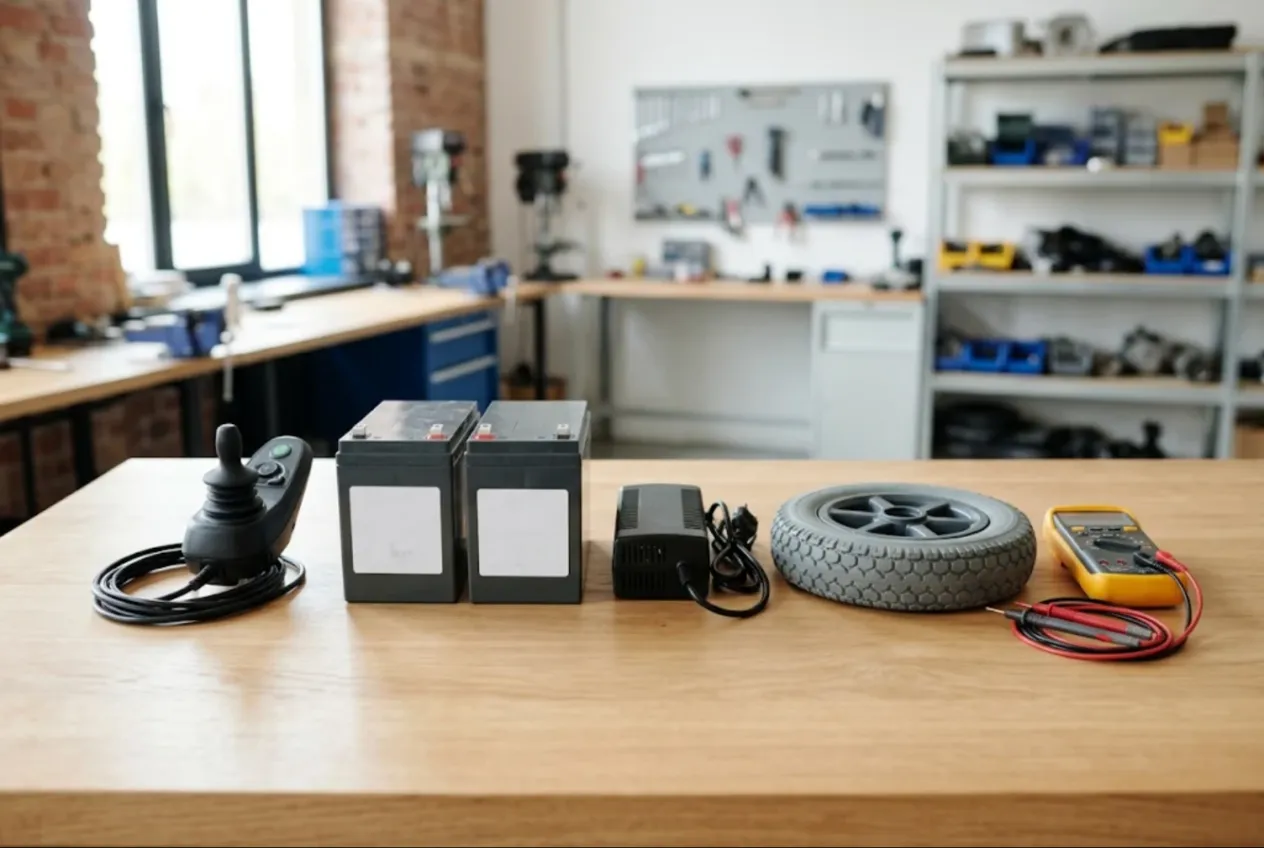
ServiceCenterSoft is repair-tracking software for a workshop that services power wheelchairs, manual wheelchairs and mobility scooters. A lot of your work happens in people’s homes rather than at a counter: batteries, controllers and joysticks, brakes, motors and tyres. The software runs in a browser — on the workshop PC and on the technician’s phone during a visit.
If you also repair e-scooters and e-bikes, that is a different customer and a different season; it has its own page: e-scooter repair software.
Why a wheelchair service is not a phone shop
A broken phone is an inconvenience. A broken power chair can mean someone is stuck at home. That changes how the workshop runs:
- you go to the customer more often than they come to you, and sometimes you collect the chair and bring it back;
- the date matters more than the price — people remember the day you promised;
- the user is often not the payer: a charity, a funding scheme, a care home, an insurer or a family member pays the bill.
Where it usually breaks down: a technician replaces batteries on a home visit and reports it verbally. A year later the customer rings — “the batteries are going flat again” — and nobody can say when they were fitted or which ones. A care provider asks which chairs it still owes for, and the answer is spread across notebooks. A loan chair went out, and only one person knows to whom.
One chair, one job sheet
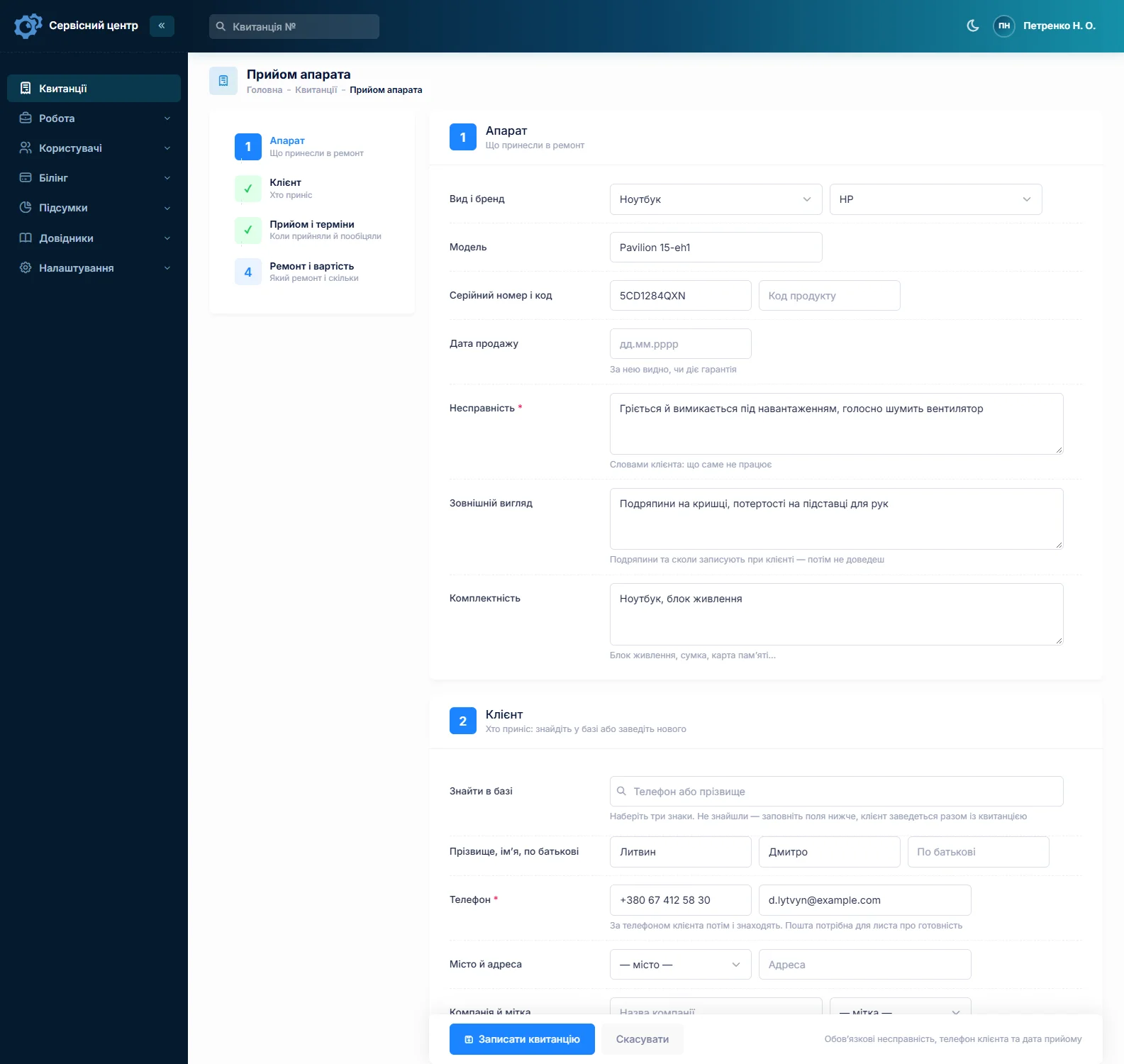
Every repair is a job with its own number, status, total and promised date. You set up the device types yourself — “Power wheelchair”, “Manual wheelchair”, “Mobility scooter”, “Hoist”. Model holds the make and model, serial number the number from the frame, and the fault is written in the customer’s words: “jerks when pulling away”, “won’t charge”, “joystick flashing an error”, “brake slips on a slope”.
“Condition” records the frame, upholstery, armrests, cracked plastics and tyre wear; “accessories” the charger, footplates, headrest, lap belt and control unit. It is all printed on the job sheet the customer or their carer signs. You cannot attach photos to a job; if you take pictures, keep them on your own device and note on the job that they exist.
Search by serial number brings up every earlier repair on that chair — what was replaced, when and by whom. If a chair comes back with the same fault, the “repeat” repair type picks it out in reports.
Home visits
A home visit is its own repair type — create “Home visit” or “On-site repair” in the list. The customer’s address is on their record, and the job shows the technician and the promised date. “Urgent” makes a job stand out in the list, overdue jobs turn red and gather under the “overdue” filter, and the monthly report shows how many visits each technician did and for what amount. More on how visits look in the software on the home appliance service page.
The technician writes up the work from their phone: “two 12 V batteries replaced, charging checked, brakes adjusted”. That log goes on the completion report the customer gets.
To be clear: there is no visit scheduler with a map or routing. You get the list, filters by technician and date, and promised dates — enough to see who is going where today, but the software will not plan the route.
Batteries, controllers and brakes
Most calls are about power and control: sealed gel or AGM batteries in pairs, sometimes lithium packs; chargers; the controller and joystick module; electromagnetic brakes; motor gearboxes; punctures and worn tyres. Your price list holds each job — “replace battery pair”, “controller diagnosis”, “replace joystick module”, “brake adjustment”, “replace tyre” — with a default price and, where needed, a separate price per device type, because the same job on a scooter is not the same as on a compact chair.
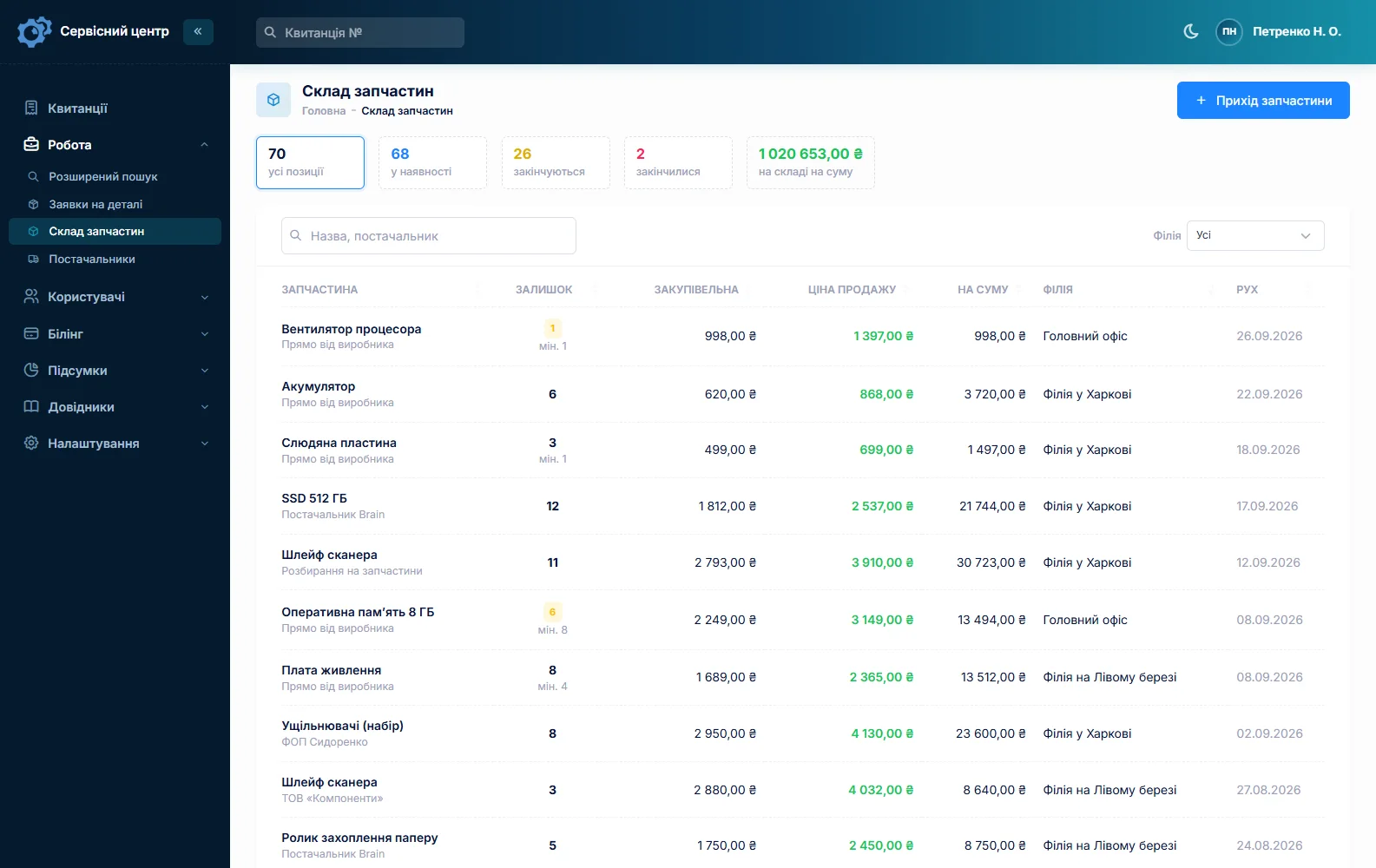
Stock is a movement log: goods in with cost price and supplier, parts out to a job as an estimate line, returns and stocktakes. Batteries by capacity, tyres and tubes by size, fuses and connectors are separate items with a minimum level, and a “running low” tile warns you before a customer waits a week for a battery pair. A controller or joystick for a specific model is a parts order linked to the job, and it can be emailed to the supplier from the software.
The “recommendations” field is for what the customer should know afterwards — how to charge new batteries, when to check tyre pressure. It is printed on the completion report with the estimate and the work log.
Loan chairs
There is no separate loan-chair register in the software. What works with the tools it has: create a status such as “On loan chair” and tick “show as a tile above the list”. A tile with a count appears above the job list, and one click shows all those jobs. Which chair went out goes in the job’s internal notes — “loan chair no. 3 issued with charger”. Customers do not see internal notes in their portal; you see them on the job.
Estimates and payment when someone else pays
A controller repair or two new motor gearboxes are amounts people want to approve first. The job moves to “awaiting approval”, and the itemised estimate goes out by email or Telegram; through the link the person clicks “I agree” or “I decline”, and the answer, date and amount land in the job history. Agreed by phone? Add a comment to the status change.
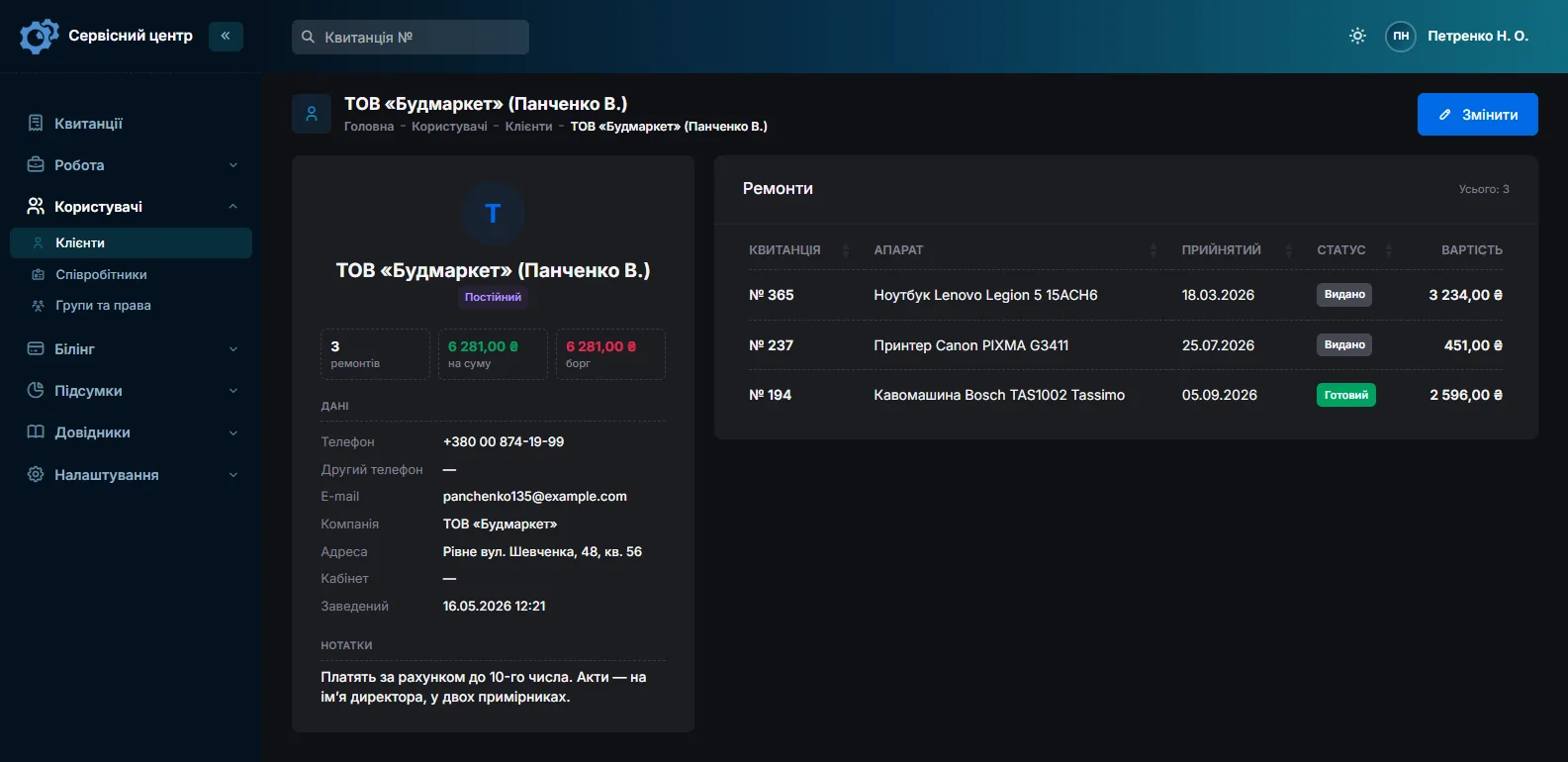
When an organisation pays, set it up as the customer with its name in the “company” field — the name prints next to the contact on the job sheet and report and can be searched. Put the chair user’s name and phone in the notes. A job can take several payments: the user pays a deposit, the organisation settles the rest later. The “unpaid” filter shows jobs collected but not paid, and the organisation’s record shows what it owes across all its jobs. The software does not print invoices: you get the job sheet and a completion report with the total.
What paperwork a funding body, charity or insurer needs is set by their terms and local law; the software keeps the repair history and prints the report.
Ready for collection
When the chair is ready, the customer gets an email, or a Telegram message if they subscribed via the QR code on their job sheet; it can be resent at most once a day. Setup is on the customer notifications page. If you switch on the customer portal, the user or their family can check the status with the login on the job sheet.
Each finished device shows how many days it has been waiting. A power chair takes up real floor space; once the free storage period in your settings runs out, the counter turns red and a “past free storage” tile gathers those jobs.
Typical repair prices
A rough guide only — it depends on your region, the model and whether a visit is needed: call-out with diagnosis €50–120, replacing a battery pair €40–90 labour plus the batteries, controller repair €120–400, joystick module replacement €40–90 labour plus the part, brake adjustment or replacement €60–250, a tyre or tube €25–60 per wheel. You set your own prices in the job list.
The software tracks repairs; it does not decide whether a chair is fit for its user — that is for the technician and the professionals the customer works with. For broader medical equipment servicing, see medical equipment repair software.
What it does not do
- no separate loan-chair register or customer fleet list;
- no visit scheduler with maps, no planned-maintenance reminders;
- no photos or files on jobs, no SMS, no mobile app, no online payment by customers;
- no invoices and no supplier integrations.
What it costs
One price for the whole workshop — no extra charge for staff or branches.
Monthly
Paid every month, cancel whenever you like.
Yearly
Cheaper than paying monthly. Invoice or card payment.
Custom work
Changes tailored to the way you work — hourly, by agreement.
Off-the-shelf not enough — your own forms, roles, reports or workflow? We will build a program for you. How it works
Try it without signing up in the demo: book in a power chair with its charger, add a battery pair to the estimate and send it for approval.

We are very happy working with servicecentersoft.com: they built everything we asked for, even though our request was unusual, since we deal with medical devices. Everything was done precisely and on the agreed schedule. Thank you for the cooperation — we keep working together.

I tried the ServiceCenterSoft demo and came away with a good impression. The program is simple and easy to understand, yet it has everything you need for the job: customers, repairs, devices, spare parts, statuses and statistics.
I especially liked the dark theme and the responsive design — working from a phone is perfectly comfortable. Another plus is the instant search that works as you type, so you don't have to press a separate "Search" button every time.
You can tell the program was built specifically for service centers rather than being a generic CRM adapted for the repair business. The interface has no unnecessary frills; everything is logical and to the point.
A good, practical tool for the day-to-day work of a service center.

I liked that you get a free 14-day trial and that they are willing to handle my special requests — setting things up exactly the way I need them.
I also liked how payment works. You can simply pay the monthly fee by card online — basically the same as a regular Spotify subscription or any other service. No separate contracts to sign and no invoices to pay manually.
And there's no feeling of strict limits on the number of employees. One service center is one account, and inside it you can organize the work of your technicians and run several branches.
For me this is far more convenient than plans where you have to pay for every single user or keep counting how many employees are working today.

My business is fairly specific, so the program's standard features weren't enough — I needed my own custom fields, my own sorting options and search by additional parameters. The work completion certificate and the printed repair receipt also needed some changes to fit the way we work.
I contacted technical support. To be honest, I expected changes like these to take a long time, but everything was done within a single day. The team quickly understood exactly what we needed, suggested the right solution and did everything properly.
I'd especially like to mention the support: they get straight to the point, with no unnecessary bureaucracy, and they genuinely help instead of just sending you off to read the documentation.
For me this is a big advantage of the program: it isn't just sold "as is" — it can be adapted to how you actually work. Thanks to the team for the quick response and for treating the customer right.
Highly recommended!
In short
- A job per chair: frame serial, condition and accessories, signed by the customer.
- Home visits as a repair type, with the address, technician and promised date.
- Batteries and tyres in stock with minimum levels.
- Loan chairs tracked by a status tile and a note on the job.
- Estimates approved by link, split payments, an organisation’s balance on its record.
- Ready notices by email and Telegram.
- €20 a month for the whole workshop.
See also
Scale repair software
For scale service companies: retail, bench, floor, crane and laboratory scales, on-site visits to shops and warehouses, seals, calibration and preparing for verification, retail chains on contract — one ticket per scale, estimate approval by link, load cells in stock.
Read morePump repair software for well and pump service shops
For well and pump service shops: submersible well pumps, jet and booster pumps, pressure tanks, pressure switches and control boxes — the well call-out and the bench on one ticket, the spring and summer rush, and warranty checks by serial number.
Read moreStarting your own repair shop: where to begin
For people who can fix phones and laptops and want to work for themselves: what a small repair business needs on day one, the paperwork that protects you from the first customer, and how to run a shop in a country whose language is not your own.
Read moreSee how it works
The demo is open — go in and try it. Ask us anything by email, Telegram or the form on this site.