Scale repair software
For scale service companies: retail, bench, floor, crane and laboratory scales, on-site visits to shops and warehouses, seals, calibration and preparing for verification, retail chains on contract — one ticket per scale, estimate approval by link, load cells in stock.
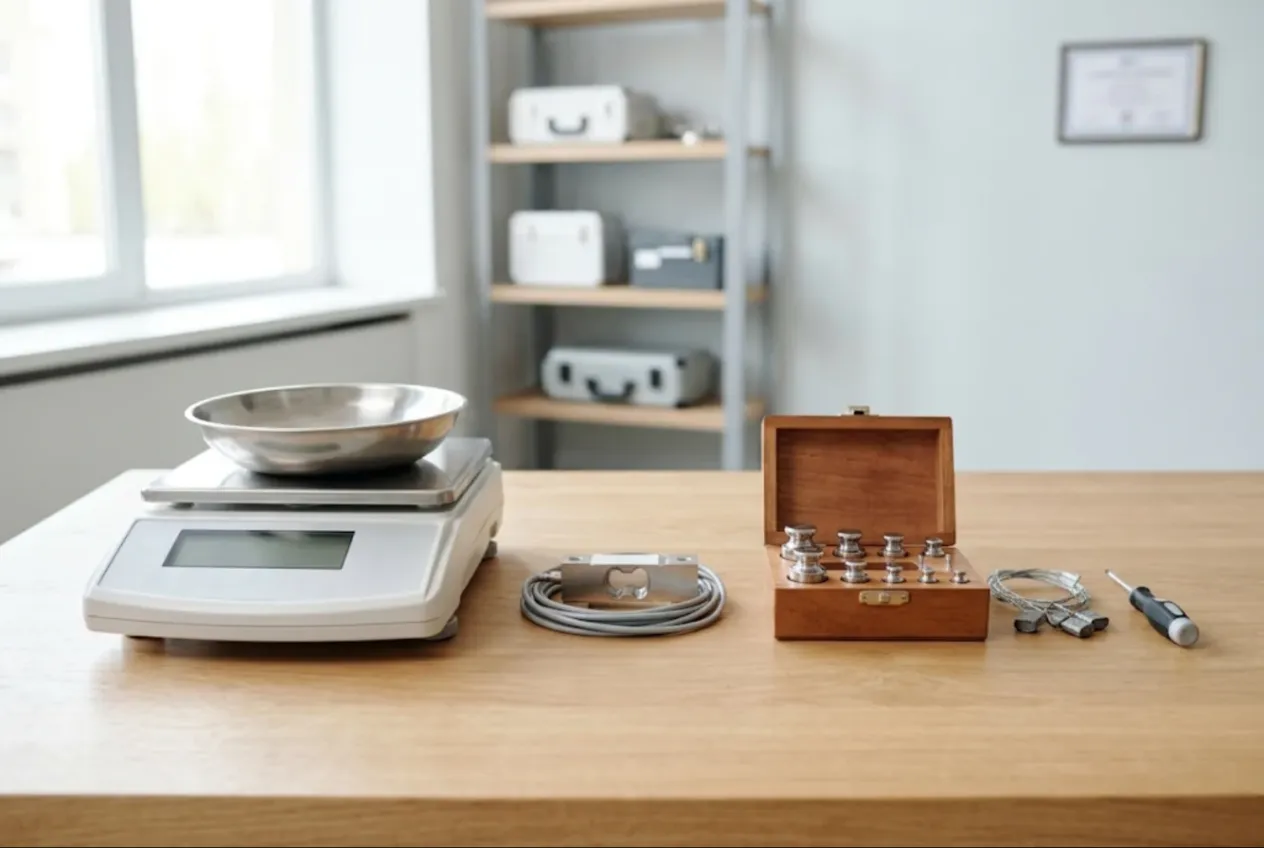
ServiceCenterSoft is job-tracking software for scale repair and calibration companies. Retail counter scales and label-printing scales, bench and floor scales, crane scales, laboratory and analytical balances — each one gets its own ticket, a history by serial number and an estimate the customer approves themselves. It runs in the browser — in the workshop, in the van or on a phone.
If you also service tills, card terminals and receipt printers, that has its own page: POS equipment repair software. Plenty of companies do both, and one system covers it with different device types.
Who calls a scale service, and why it is always urgent
A scale is a measuring instrument: a few grams out means complaints at the counter and questions from the inspector. Typical callers: a butcher whose counter scale reads differently on the same cut; a grocery chain with twenty stores and a service contract; a distribution warehouse where a forklift clipped a floor scale and tore the load cell cable; a lab whose analytical balance will no longer hold zero.
Much of the work is on site — a one-tonne platform does not go back to the bench. The rest is boards, keypads, displays, batteries and load cells. On top of it all: seals and verification.
Where it usually goes wrong:
- a seal was broken during the repair, and only the technician remembers which number was there and which one went on;
- the chain has ten identical scales and nobody knows which ones have been in before;
- the warehouse says it agreed to a calibration, not a new load cell;
- a scale went off for verification and got lost somewhere between you, the lab and the store;
- the chain wants a statement for the quarter and the total is pieced together from emails.
One scale, one ticket — in the shop or on site
Every scale gets its own ticket with a number, status and price. Device types — “Retail scale”, “Label-printing scale”, “Floor scale”, “Crane scale”, “Laboratory balance” — are set up once, each with its own diagnostics price. Model and serial number are separate fields, and both can be searched from the top of the job list. The fault goes in the customer’s words: “won’t return to zero”, “drifts”, “dead on mains”, “labels not printing”, “shows a negative after it was knocked”.
For call-outs, create a repair type such as “On-site” and add a “Call-out” line with a price to your works list: it goes on the estimate, and the job list can be filtered by repair type. The store or warehouse address lives on the customer card. The same set-up is described for commercial kitchen equipment repair. There is no dispatch calendar or route planning in the software.
No scale means no sales by weight. Tick “urgent” and set a promised date: urgent jobs stand out in the list, overdue ones turn red and gather under the “overdue” filter.
Seals: on record, signed for
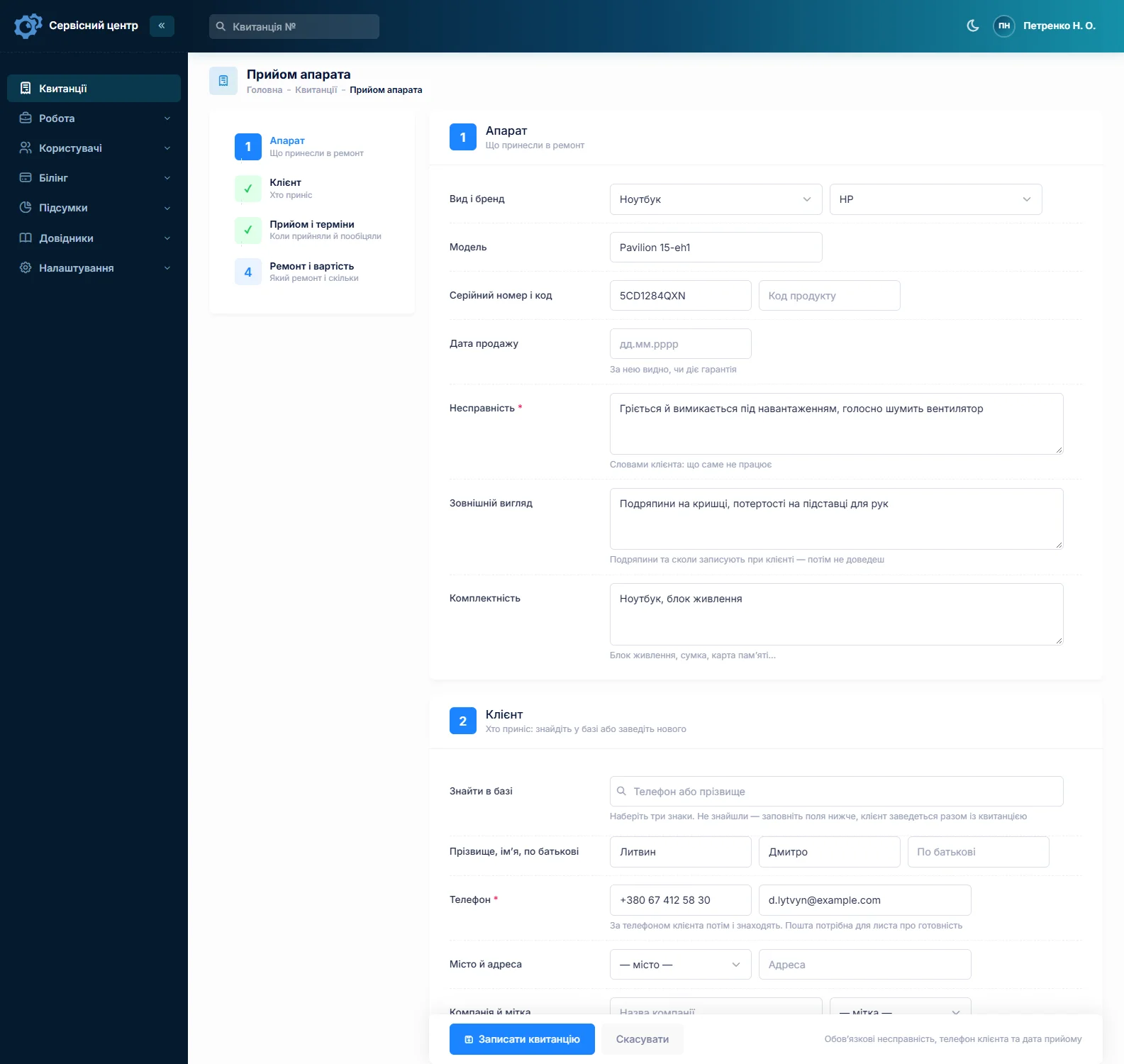
The “Condition” field is filled in with the customer present: “seal intact, no. …”, “seal broken”, “cracked housing”, “dent in the platform”. “Accessories” lists the power adapter, battery, pan, draft shield on a lab balance, cable, roll of labels. Both print on the ticket the customer signs. You cannot attach photos to a ticket — if you photograph the seal, keep the picture on your side and note on the ticket that it exists.
In the work log the technician records what was done and the numbers that matter: which seal came off, which went on, which test weight was used. The work log prints on the completion report together with the estimate lines and recommendations, so the customer has a paper record of who opened the scale and when. See the completion report page for how it looks.
Calibration and legal verification
In many countries, scales used to sell goods by weight must be verified. That is done by an authorised body or an accredited lab; the service company repairs, adjusts and prepares the scale so it passes. Who may break and apply seals, and how often scales must be re-verified, depends on the rules where you work — check them before you take on the work.
In the software, “Prepare for verification”, “Adjustment” and “Calibration” are works in your price list, each with its own price. Statuses are a list you control too: next to the starter ones, add your own in colour — “Sent for verification”, “Back from verification”, “Failed verification”. The job list then shows how many scales are at the lab right now and which ones are taking too long.
To be clear: the software does not track verification due dates and does not send reminders. You can note the next date on the customer card or in the technician notes on the ticket, but chasing the customer is up to you.
Retail chains and warehouses on contract
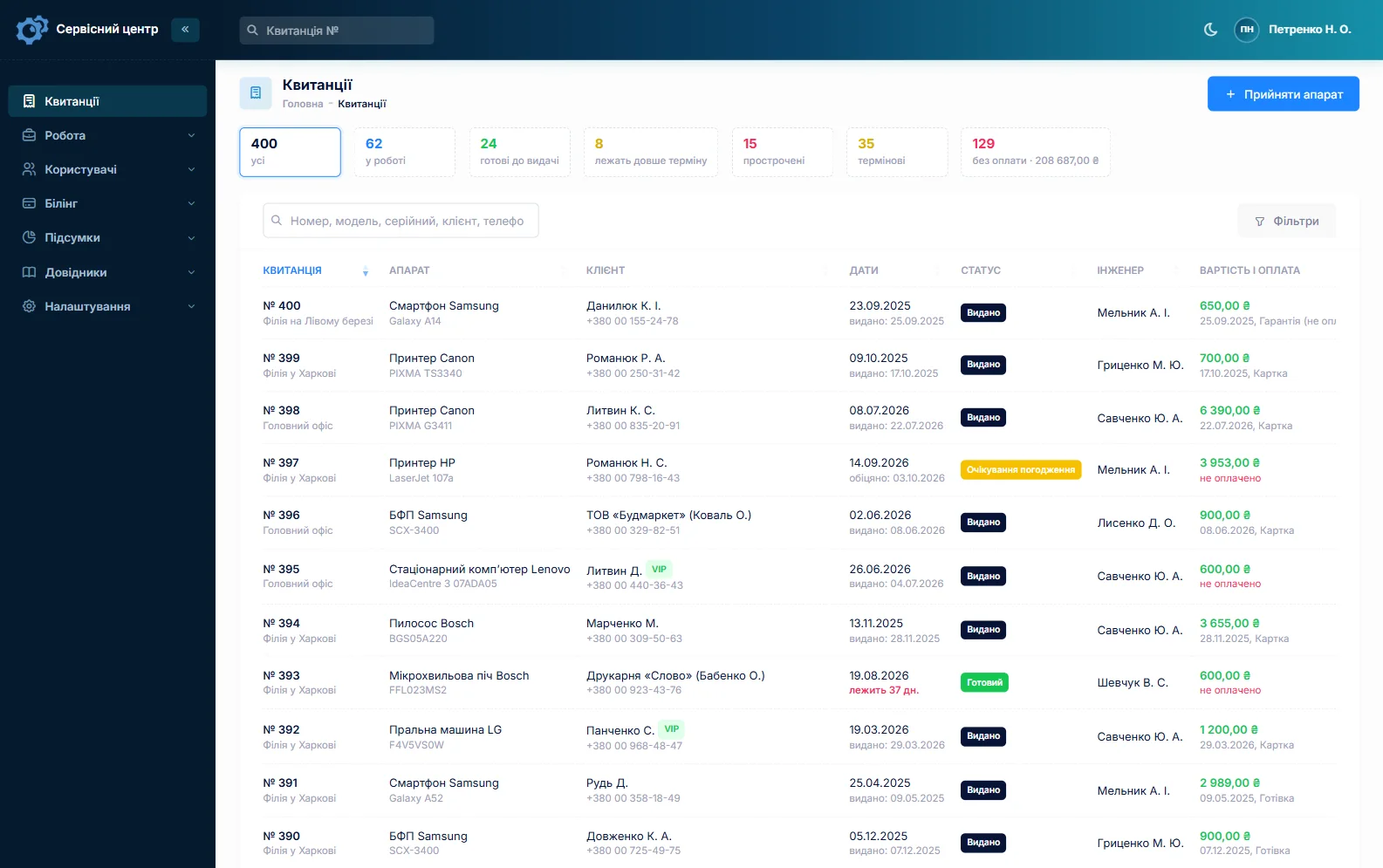
There is no separate service-contract module. The “Company” field makes the chain one customer whoever calls, a label such as “Contract” filters them in the customer list, and the notes on the customer card hold the terms: what is covered, who signs off the work, when you may come in.
Six identical scales from one chain? Fill in the first ticket fully and copy it for the rest: customer, type and model carry over, and each scale gets its own serial number. The customer card shows every job for the chain, the total and the balance owed. If a scale comes back with the same fault, the “Repeat repair” type keeps it separate in the reports. There is no combined monthly invoice or report — the completion report is printed per ticket.
A new load cell needs approval first
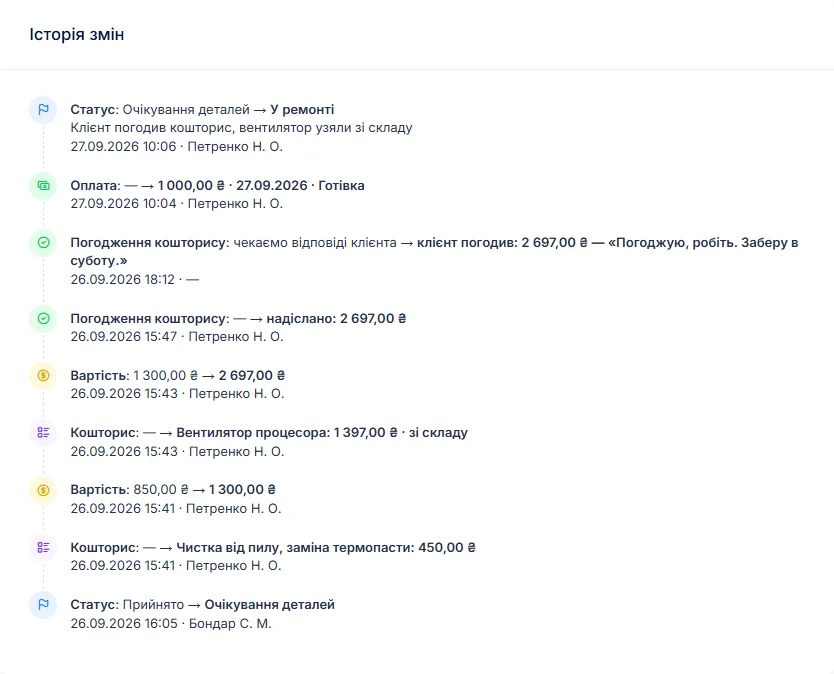
The expensive part of a scale is the load cell — and a four-cell floor scale adds a junction box and cable. So diagnosis comes first, written in the work log, then an itemised estimate from your works list and from stock. The ticket moves to “awaiting approval” and the estimate goes to the customer by email or Telegram. The link shows every line with “I agree” and “I decline” buttons, and the answer and date land in the ticket history. Approved over the phone instead? Add a comment to the status change.
If the repair costs more than a new scale, close it as “beyond repair” or “repair refused” — the diagnostics price is already on the ticket.
Stock: load cells, boards, batteries
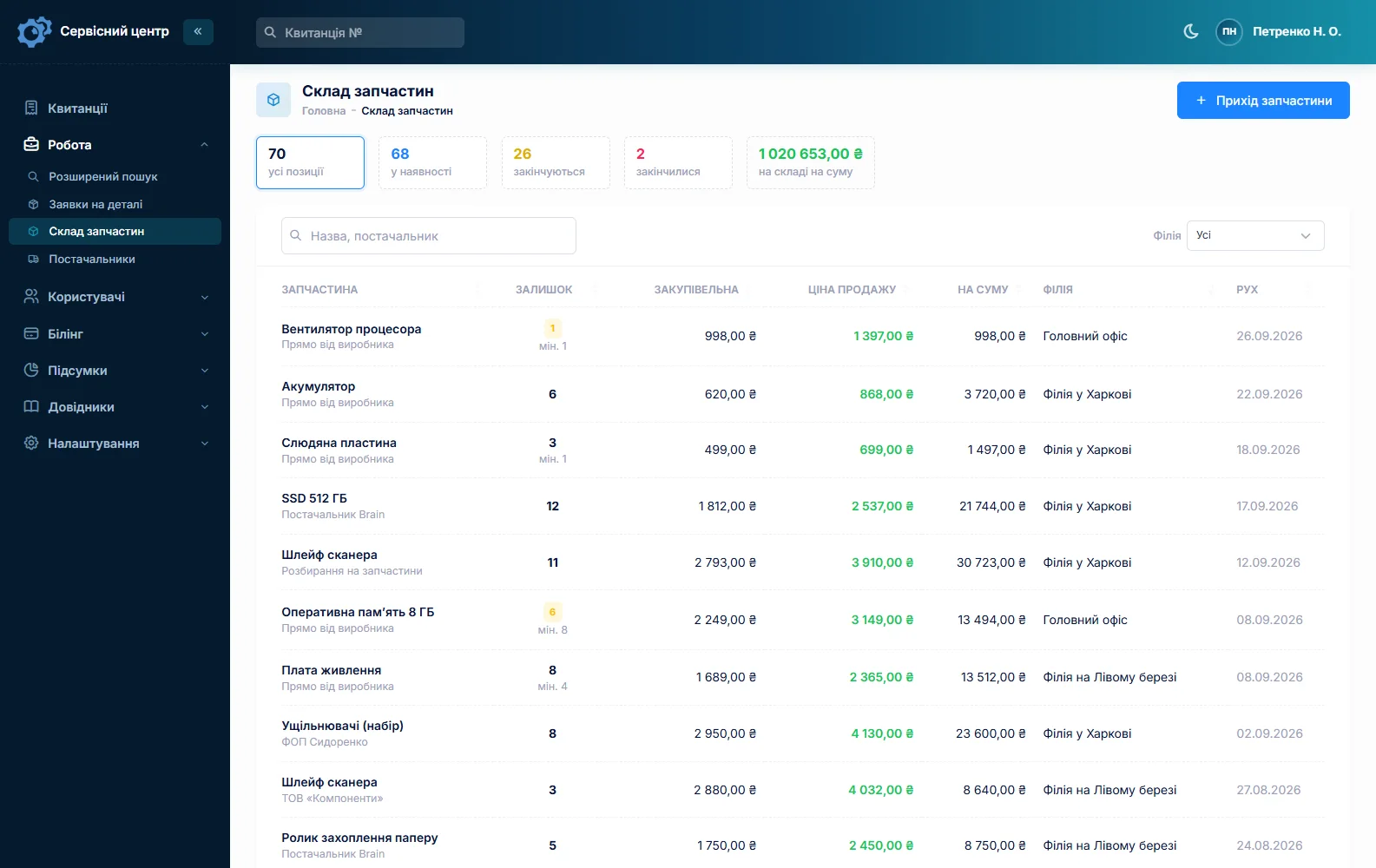
Stock is a movement journal: receipts with cost price and supplier, parts used on a job as estimate lines, returns and stocktakes. Typical items are load cells in different capacities, junction boxes, cables, A/D boards, displays, keypads and membranes, batteries, power adapters, print heads and platen rollers for label-printing scales. Add an item to an estimate and the quantity drops; a minimum level and the “running low” tile tell you when to reorder. A part for a specific model is ordered from the ticket and emailed to the supplier. More on spare parts tracking.
Payments, collection, reports
A ticket can take several payments — a deposit for the load cell, the balance later — and the “unpaid” filter lists finished but unpaid jobs. When a scale is ready, the customer gets an email or a Telegram message, and every finished scale shows how many days it has been waiting. Reports show takings overall and per technician.
The “Recommendations” field is for advice that actually saves scales: “don’t drop goods onto the platform”, “no hosing down”, “re-level after moving”. It prints on the completion report.
What scale repairs typically cost
A rough guide only — prices vary by country, type of scale and condition: diagnostics €30–60, call-out €40–100, calibration or adjustment of a retail scale €40–120, preparation for verification €50–150, load cell replacement on a retail scale €60–150 plus the part, on a floor scale €150–450 plus the part, battery replacement €25–60, board repair €70–200, keypad or membrane €40–100. You set your own prices in the “Works” list.
What it does not have
- verification due dates and reminders;
- dispatch calendar and routes, tracking of loan scales and test weights;
- photos or file attachments on a ticket;
- SMS, a mobile app, or online payment by the customer;
- integrations with suppliers.
What it costs
One price for the whole company — no extra charge for staff or branches.
Monthly
Paid every month, cancel whenever you like.
Yearly
Cheaper than paying monthly. Invoice or card payment.
Custom work
Changes tailored to the way you work — hourly, by agreement.
Off-the-shelf not enough — your own forms, roles, reports or workflow? We will build a program for you. How it works
Try it without signing up in the demo: book in a retail scale with its adapter, note the seal number, add a calibration to the estimate and send it for approval.

We are very happy working with servicecentersoft.com: they built everything we asked for, even though our request was unusual, since we deal with medical devices. Everything was done precisely and on the agreed schedule. Thank you for the cooperation — we keep working together.

I tried the ServiceCenterSoft demo and came away with a good impression. The program is simple and easy to understand, yet it has everything you need for the job: customers, repairs, devices, spare parts, statuses and statistics.
I especially liked the dark theme and the responsive design — working from a phone is perfectly comfortable. Another plus is the instant search that works as you type, so you don't have to press a separate "Search" button every time.
You can tell the program was built specifically for service centers rather than being a generic CRM adapted for the repair business. The interface has no unnecessary frills; everything is logical and to the point.
A good, practical tool for the day-to-day work of a service center.

I liked that you get a free 14-day trial and that they are willing to handle my special requests — setting things up exactly the way I need them.
I also liked how payment works. You can simply pay the monthly fee by card online — basically the same as a regular Spotify subscription or any other service. No separate contracts to sign and no invoices to pay manually.
And there's no feeling of strict limits on the number of employees. One service center is one account, and inside it you can organize the work of your technicians and run several branches.
For me this is far more convenient than plans where you have to pay for every single user or keep counting how many employees are working today.

My business is fairly specific, so the program's standard features weren't enough — I needed my own custom fields, my own sorting options and search by additional parameters. The work completion certificate and the printed repair receipt also needed some changes to fit the way we work.
I contacted technical support. To be honest, I expected changes like these to take a long time, but everything was done within a single day. The team quickly understood exactly what we needed, suggested the right solution and did everything properly.
I'd especially like to mention the support: they get straight to the point, with no unnecessary bureaucracy, and they genuinely help instead of just sending you off to read the documentation.
For me this is a big advantage of the program: it isn't just sold "as is" — it can be adapted to how you actually work. Thanks to the team for the quick response and for treating the customer right.
Highly recommended!
In short
- One ticket per scale, with serial number, seal condition and accessories signed for.
- Call-outs as their own repair type and an estimate line.
- Seal numbers removed and applied — in the work log and on the completion report.
- Your own verification statuses — see what is at the lab right now.
- Chains: company, label, copied tickets and balance on one customer card.
- Load cells — estimate approval by link.
- €20 a month for the whole company.
See also
Pump repair software for well and pump service shops
For well and pump service shops: submersible well pumps, jet and booster pumps, pressure tanks, pressure switches and control boxes — the well call-out and the bench on one ticket, the spring and summer rush, and warranty checks by serial number.
Read moreStarting your own repair shop: where to begin
For people who can fix phones and laptops and want to work for themselves: what a small repair business needs on day one, the paperwork that protects you from the first customer, and how to run a shop in a country whose language is not your own.
Read moreSoftware for home appliance service
Contents recorded at intake, warranty at the brand price list, callouts, slow parts and partner shops.
Read moreSee how it works
The demo is open — go in and try it. Ask us anything by email, Telegram or the form on this site.