Two-way radio repair software
For radio shops that repair handheld and mobile two-way radios, base stations and repeaters: fleets from business customers booked in batches, the customer’s own fleet number, batteries and antennas recorded at intake, programming as a billable line, trade accounts and completion reports.
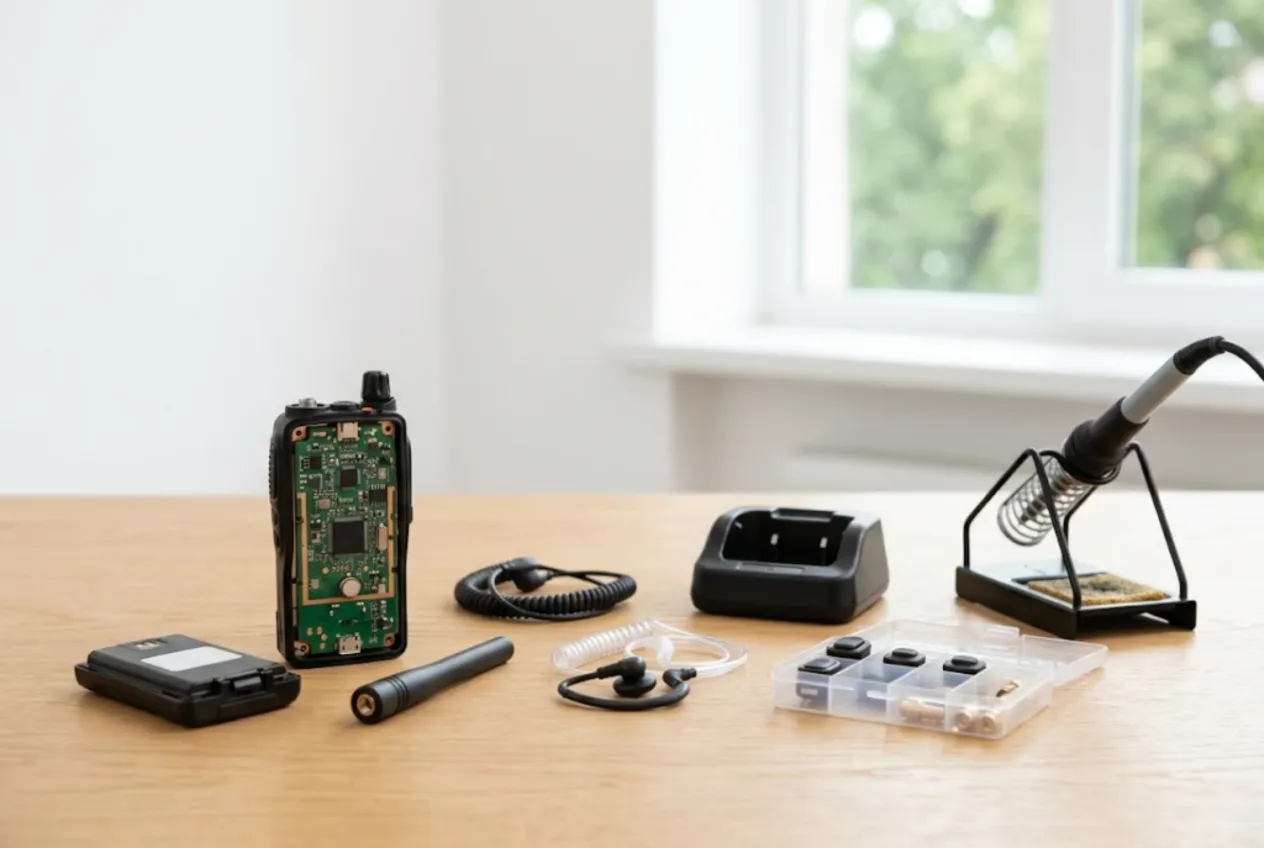
ServiceCenterSoft is repair-tracking software for radio shops: handheld and mobile two-way radios, base stations, repeaters, plus the batteries, chargers and headsets that go with them. Most of your work does not come from individuals. It comes from businesses running a radio fleet — security firms, construction sites, taxi and courier dispatch, utilities, farms, venues and event-rental companies. The software runs in the browser, on the workshop PC and on a phone when you are at a customer’s site.
Radios arrive by the boxful
A business radio has a hard life. It gets dropped from scaffolding, rained on, charged on whatever charger is nearest, and keyed hundreds of times a shift. So repairs rarely come one at a time. A security company collects its faulty units and drops off a dozen at month end. An event-rental firm returns twenty after a festival. A taxi dispatcher calls at 8 a.m. because a car without a working radio cannot take jobs.
Where it usually goes wrong:
- twelve identical radios in a box, and a week later nobody knows which one was “Gate 3” and which belonged to the site supervisor;
- a radio was handed in “with battery and antenna”, the battery is missing at collection, and nothing was written down;
- half the fleet also needed reprogramming, but how many units were done and at what price lives in one technician’s head;
- the customer has paid for some jobs and not others, and the running balance sits in a spreadsheet;
- you run out of PTT switches and SMA connectors on exactly the day the queue needs them.
One radio, one job — a fleet by copying
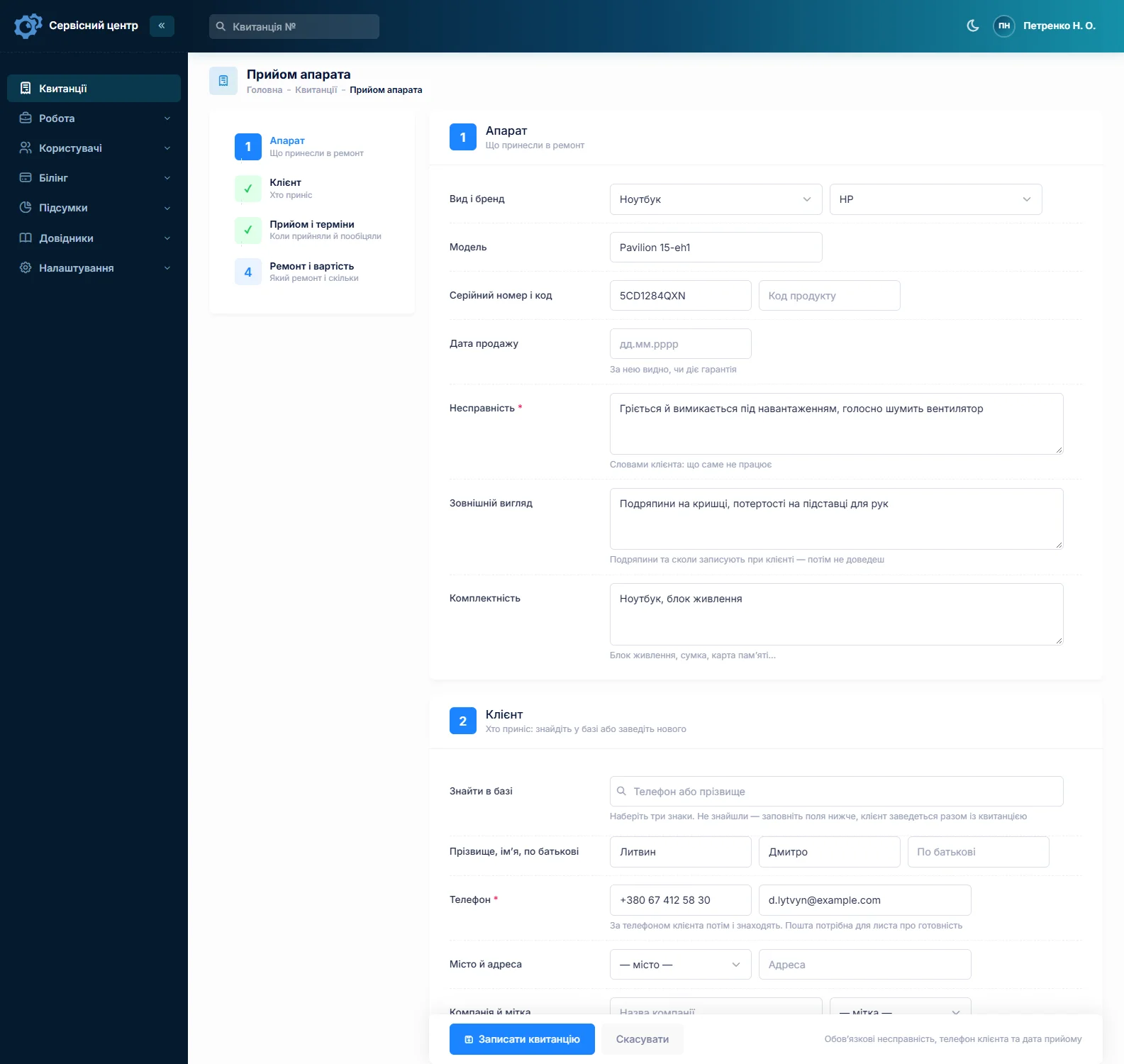
Each radio gets its own job: serial number, fault, status and price. Fill in the first one completely and copy it for the rest — customer, device type, model, fault, accessories and notes carry over, and you type in each serial number. A box of twelve is booked in within minutes.
Most fleets carry their own numbering: a label like “R-14”, a call sign, a post. Put it in the “Product code” field. The advanced search in “device” mode finds a radio by serial or by that fleet number, even by part of it, so “how is number fourteen doing?” is answered in seconds. There is no separate module for managing the customer’s radio fleet — each radio’s history comes up by its serial number.
The “Company” field on the customer card keeps every job from that security firm in one place, whoever drops the radios off. If a dealer or rental company brings radios in on behalf of an end customer who pays, set the dealer as a partner and filter the job list by partner.
Battery, antenna, headset — signed for
On a two-way radio the accessories are a real share of the value. Write them in the “Accessories” field in front of the customer: “battery, antenna, belt clip, no headset”. Under “Condition” go cracked housings, a broken channel knob, water marks, corroded battery contacts. All of it prints on the job sheet the customer signs.
A battery that no longer lasts a shift is a job of its own. Set up a separate device type for batteries with its own diagnostics and replacement price — batteries are not charged at radio rates, and the statistics show how many went through the shop.
Typical faults and the estimate
The usual suspects: a PTT switch that sticks or does nothing, a headset jack worn out by yanking, a stripped antenna connector, a crackling speaker or dead microphone after rain, a loose channel selector or volume knob, corroded battery and charger contacts. On mobile radios: a board damaged by reverse polarity or a voltage spike, the power lead, the hand mic.
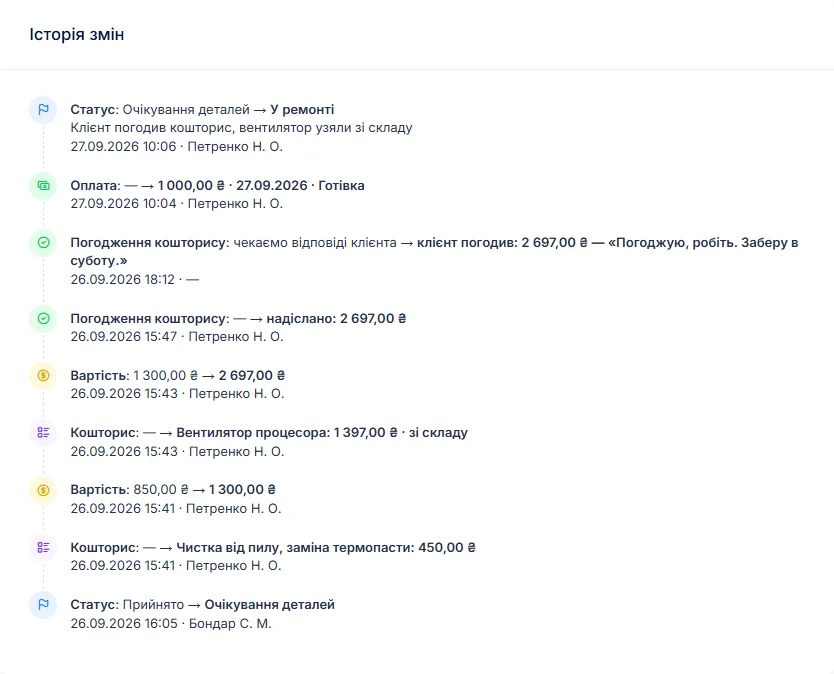
The technician writes the findings in the work log. If it is more than a quick fix, the job moves to “awaiting approval” and an itemised estimate — a PTT switch from stock, a connector, labour — goes to the customer by email or Telegram. The link shows every line with “I agree” and “I decline” buttons, and the answer and date land in the job history. Not worth repairing? “Repair refused” or “beyond repair” closes the job.
Programming is a billable line
To be clear: the software does not program radios. Your programming cable, CPS and manufacturer software stay yours. What the software does is track the work. Add “Radio programming” to the “Works” list with your price, and it goes onto each job’s estimate as a line — one per radio, so every unit you programmed gets billed.
The codeplug name and firmware version, as found and as left, go into the technician’s notes. The customer does not see that field, and next time you will not have to guess. The software does not store codeplug files — keep those on your side. A custom status such as “Awaiting programming”, with its own tile above the list, shows how many radios are waiting on that step.
Mobiles, base stations and repeaters
A mobile radio often has to come out of the vehicle and go back in. Add “Vehicle removal” and “Vehicle installation” as works and they appear on the estimate as lines. The vehicle’s own control units are a different trade — see auto electronics repair software.
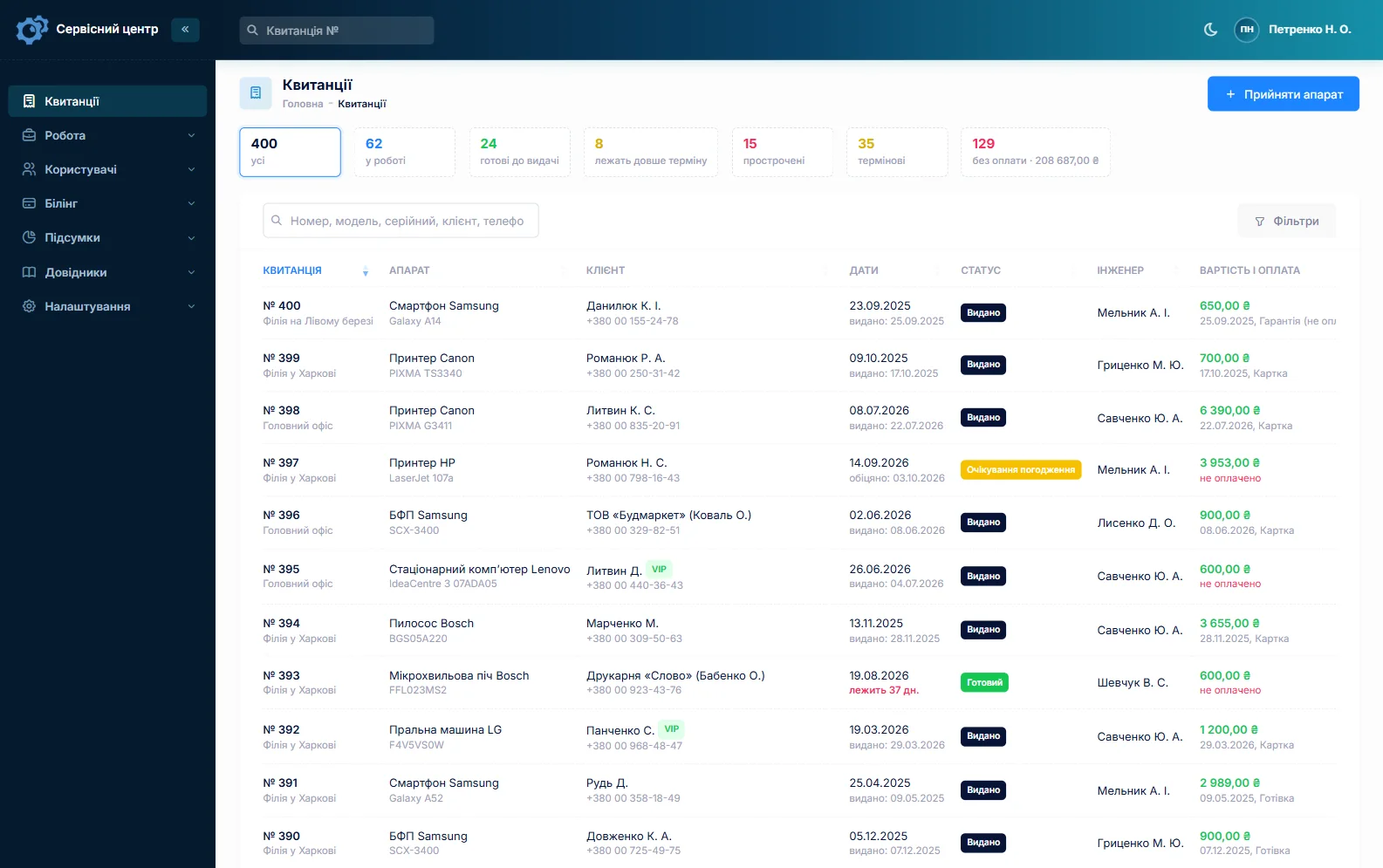
Base stations and repeaters live on rooftops and in equipment rooms, so some work happens on site. “Site visit” with a price becomes an estimate line; the address and site contact go in the technician’s notes. There is no dispatch calendar or route planner. Every job does have a promised date: overdue jobs turn red and gather under the “overdue” filter, and the “urgent” flag marks the dispatcher whose drivers cannot work without radios.
Stock: the small parts that matter
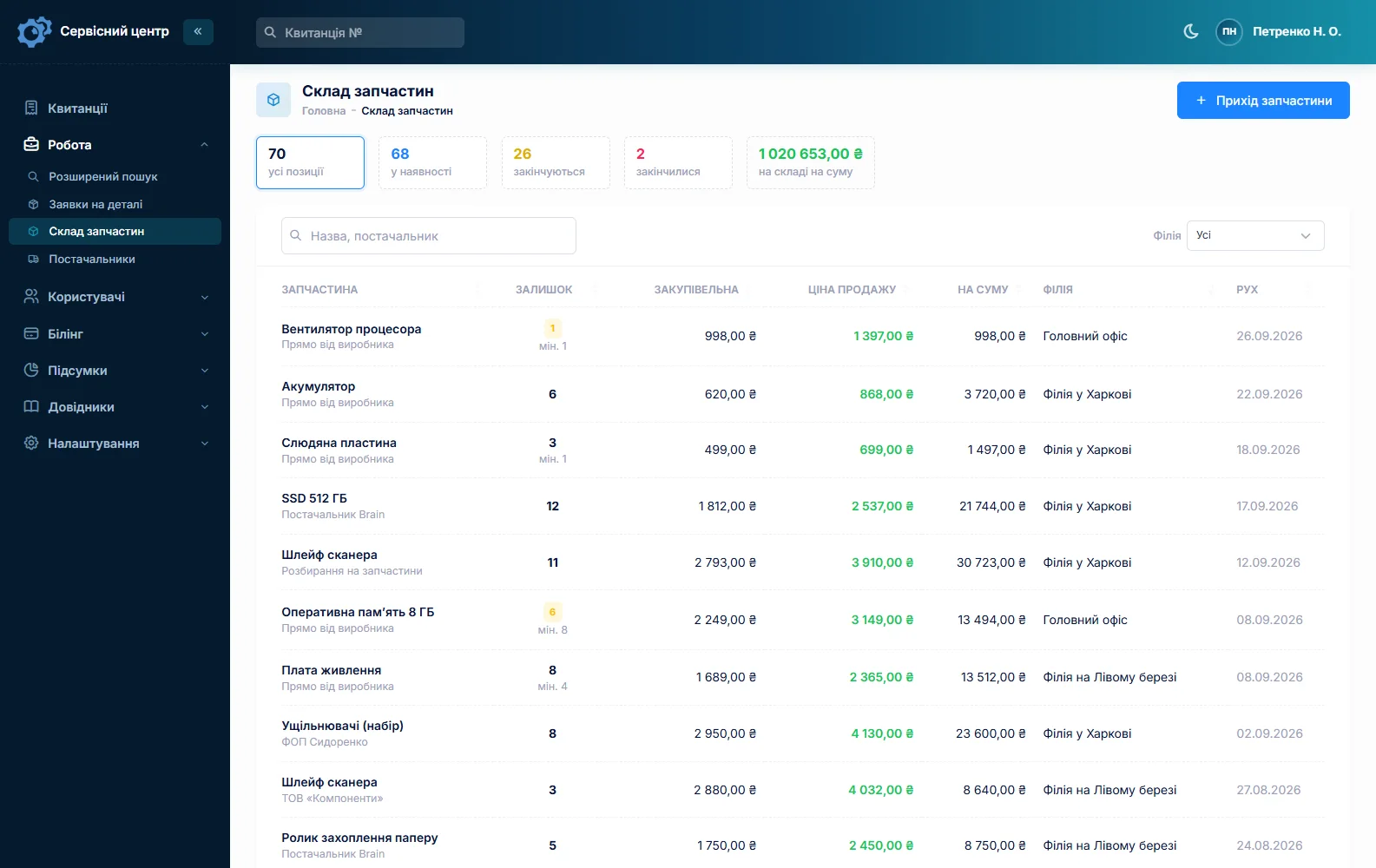
Stock is a movement journal: receipts with cost price and supplier, parts used on a job as estimate lines, returns and stocktakes. Typical lines are PTT switches, SMA and accessory connectors, antennas, batteries, speakers, microphones, belt clips, knobs and headsets for resale. A part added to an estimate reduces the quantity on hand; a minimum level and the “running low” tile tell you when to reorder. Quantities are whole numbers, and stock items do not carry serial numbers. A rare board is ordered from the job: the order is emailed to the supplier and the job waits in “awaiting parts”.
Trade accounts
A job can take several payments — a deposit and the balance on collection — and the software shows what is still due. The customer’s total balance across all jobs is on the customer card, and the “unpaid” filter lists everything collected but not paid. A completion report prints for each job: the estimate as a table, the work log, recommendations (“use the original charger”, “do not use pliers on the antenna”) and the total. There is no combined monthly report.
When a radio is ready, the customer gets an email or a Telegram message. Finished units show how many days they have been waiting; past your free storage period, the counter turns red.
Security firms often bring their camera systems too — see CCTV repair software. Staff smartphones are covered under phone repair software, and farm drones with their controllers under drone repair software.
About frequencies
Radio spectrum use is regulated, and what is permitted depends on your country. Only program radios onto frequencies their owner is entitled to use. The repair-tracking software does not check this and does not deal with licences.
What repairs typically cost
A rough guide only — prices depend on country, model and condition: diagnosis €25–60, PTT switch replacement €30–70, headset or antenna connector €30–80, water damage repair €50–150, programming €15–40 per radio, mobile radio repair €80–250, repeater repair from €150 by quote. You set your own prices in device types, the “Works” list and estimate lines.
What it does not have
- radio programming or firmware updates from the software, or storage of codeplug files;
- a module for managing the customer’s radio fleet;
- a dispatch calendar or a combined monthly report;
- photos or file attachments on a job;
- SMS, a mobile app, or online payment by the customer;
- integrations with suppliers.
What it costs
One price for the whole workshop — no extra charge for staff or branches.
Monthly
Paid every month, cancel whenever you like.
Yearly
Cheaper than paying monthly. Invoice or card payment.
Custom work
Changes tailored to the way you work — hourly, by agreement.
Off-the-shelf not enough — your own forms, roles, reports or workflow? We will build a program for you. How it works
Try it without signing up in the demo: book in a radio with its battery and antenna, copy the job for a second unit from the same box and add “Radio programming” to the estimate.

We are very happy working with servicecentersoft.com: they built everything we asked for, even though our request was unusual, since we deal with medical devices. Everything was done precisely and on the agreed schedule. Thank you for the cooperation — we keep working together.

I tried the ServiceCenterSoft demo and came away with a good impression. The program is simple and easy to understand, yet it has everything you need for the job: customers, repairs, devices, spare parts, statuses and statistics.
I especially liked the dark theme and the responsive design — working from a phone is perfectly comfortable. Another plus is the instant search that works as you type, so you don't have to press a separate "Search" button every time.
You can tell the program was built specifically for service centers rather than being a generic CRM adapted for the repair business. The interface has no unnecessary frills; everything is logical and to the point.
A good, practical tool for the day-to-day work of a service center.

I liked that you get a free 14-day trial and that they are willing to handle my special requests — setting things up exactly the way I need them.
I also liked how payment works. You can simply pay the monthly fee by card online — basically the same as a regular Spotify subscription or any other service. No separate contracts to sign and no invoices to pay manually.
And there's no feeling of strict limits on the number of employees. One service center is one account, and inside it you can organize the work of your technicians and run several branches.
For me this is far more convenient than plans where you have to pay for every single user or keep counting how many employees are working today.

My business is fairly specific, so the program's standard features weren't enough — I needed my own custom fields, my own sorting options and search by additional parameters. The work completion certificate and the printed repair receipt also needed some changes to fit the way we work.
I contacted technical support. To be honest, I expected changes like these to take a long time, but everything was done within a single day. The team quickly understood exactly what we needed, suggested the right solution and did everything properly.
I'd especially like to mention the support: they get straight to the point, with no unnecessary bureaucracy, and they genuinely help instead of just sending you off to read the documentation.
For me this is a big advantage of the program: it isn't just sold "as is" — it can be adapted to how you actually work. Thanks to the team for the quick response and for treating the customer right.
Highly recommended!
In short
- Fleets booked by copying the job, each radio with its own serial and fleet number.
- Battery, antenna and headset recorded at intake and signed for.
- Programming as a billable work line; codeplug and firmware in the technician’s notes.
- Mobiles, bases and repeaters: vehicle removal and site visits as estimate lines.
- Business customers with a company and balance; dealers and rental firms as partners.
- PTT switches, connectors and antennas in stock with minimum levels.
- €20 a month for the whole workshop.
See also
Jewelry repair software
For jewelry repair benches and workshops: chain soldering, ring sizing, stone setting, rhodium plating. Description, weight and hallmark recorded at intake and signed for, metal as an estimate line, deposits, the envelope number in the safe, ready notices by email and Telegram.
Read moreMotorcycle repair shop software
For shops that service and repair motorcycles, scooters, mopeds and ATVs: a spring rush with promised dates, mileage and services in the work log, parts ordered per bike with a deposit, winter storage as a custom status, and delivery fleets and rental firms as business customers.
Read moreShoe repair software
For cobbler shops and bag repair counters: a steady stream of small jobs, one ticket per pair, deposits on bigger work, a day counter for uncollected items, and stock of heel tips, glue and zips.
Read moreSee how it works
The demo is open — go in and try it. Ask us anything by email, Telegram or the form on this site.