Shoe repair software
For cobbler shops and bag repair counters: a steady stream of small jobs, one ticket per pair, deposits on bigger work, a day counter for uncollected items, and stock of heel tips, glue and zips.
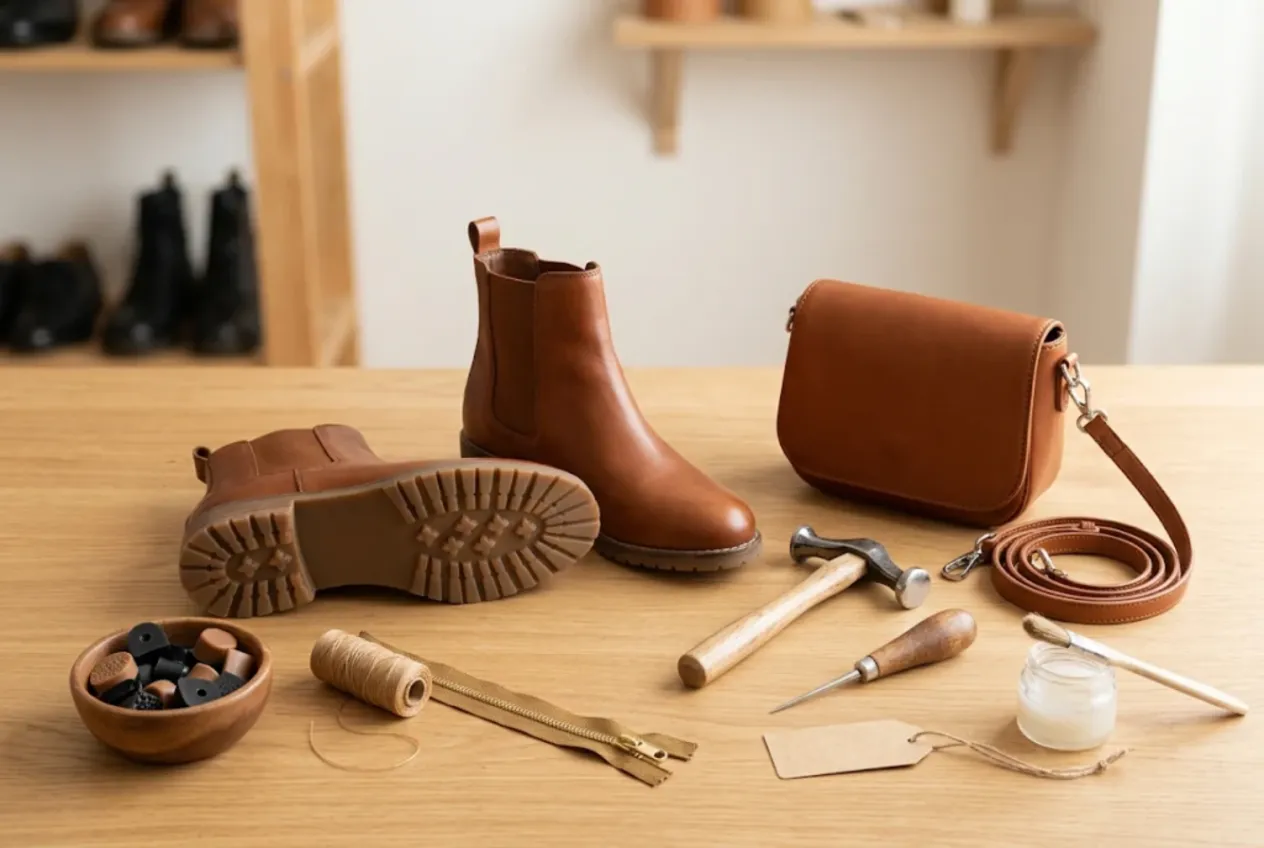
ServiceCenterSoft is repair-tracking software for shoe repair shops: heel tips and half soles, resoling, zip replacement, stitching, dyeing, stretching — and bag repairs too: handles, straps, hardware, linings. It runs in the browser, on the PC behind the counter, a laptop, or a phone if your shop is a kiosk in a mall or a station concourse.
Lots of jobs, each one small
A cobbler shop runs on volume. Heels “for this evening”, winter boots with a split zip, trainers to re-glue, a handbag with a torn handle — on a busy day dozens of pairs cross the counter. Each ticket is worth little, but customers walk in without calling, and every mix-up costs you time and goodwill.
Where it usually goes wrong:
- a paper stub goes missing, there are three pairs of black ladies’ boots on the shelf, and the customer cannot remember when she dropped hers off;
- at collection it is “that scuff wasn’t there”, though the toe was scuffed when it came in;
- you took a deposit on a bag restitch, and the amount is written only on the ticket the customer took home;
- uncollected pairs sit on the shelves for months and nobody knows since when;
- you run out of the right heel tips and zip sliders on a Friday afternoon.
One pair, one ticket
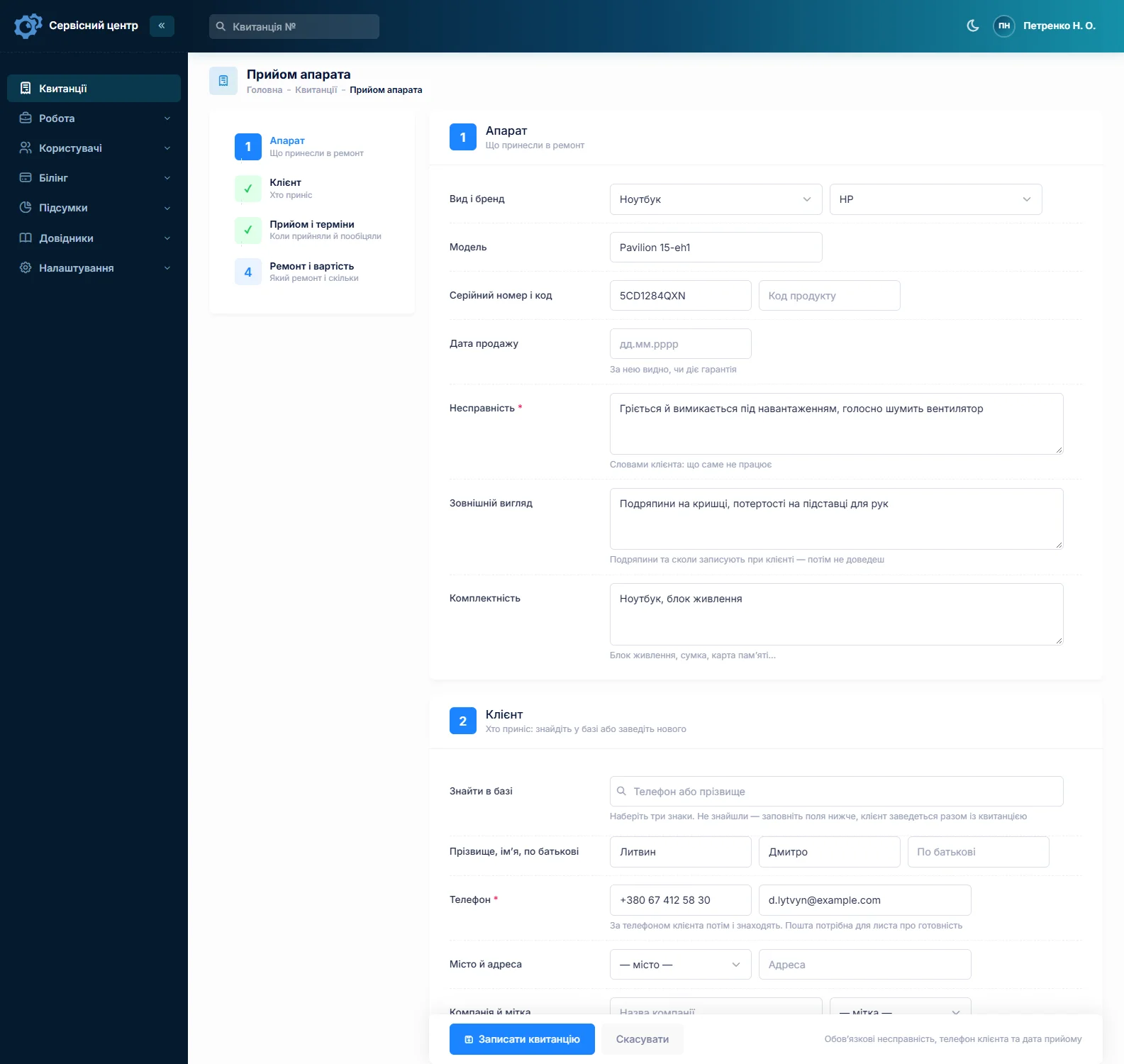
Every pair gets its own ticket with a number, status and price. Find the customer by phone or name, or add a new one on the spot. Device types — “Women’s shoes”, “Men’s shoes”, “Kids”, “Bag” — are set up once. In the model field you describe the item (“brown leather boots, size 9”), in the fault field what is to be done: “heel tips, sole guard, re-glue sole”.
Two pairs and a bag from the same customer? Fill in the first ticket fully and copy it for the rest — customer, type, fault, accessories and notes carry over, and you change only what differs. Write the ticket number on a paper tag and attach it to the pair; the software does not print tags or labels. What else belongs on the ticket is covered on the repair intake form page.
Needed tomorrow morning? Tick “urgent” and set a promised date. Urgent jobs stand out in the list, overdue ones turn red and gather under the “overdue” filter.
Condition noted in front of the customer
Shoes come in worn, and most disputes at collection are about what they looked like before. So the “Condition” field gets it all, written down while the customer is there: heel worn to the nail, scuffed toe, rubbed heel counters, stains, a sole coming away. “Accessories” lists laces, insoles, a bag’s strap and dust bag. It all prints on the ticket the customer signs. You cannot attach photos to a ticket — if you photograph the pair, keep the pictures on your side and note on the ticket that photos were taken.
Your price list and the estimate
The “Works” list is your price board: heel tips, sole guards, zip replacement, restitching, dyeing, stretching, handle replacement, new hardware. Each work has a default price and, where needed, its own price per type — heel tips on a stiletto and on a men’s boot are not the same job. At intake you pick the work from the list and it becomes an estimate line; materials from stock become further lines.
For bigger work — a full resole, a restitched bag — it pays to get approval first. The ticket moves to “awaiting approval” and the itemised estimate goes to the customer by email or Telegram. The link shows every line with “I agree” and “I decline” buttons, and the answer and date land in the ticket history.
Deposits and balances
A ticket can take several payments. Heel tips are usually paid on collection; for dyeing or a bag restitch you take a deposit up front. Record it at intake and the ticket shows “received” and “balance due”; at collection the balance is filled in for you. Want the deposit on the paper ticket too? Add the “received” and “balance” placeholders to your ticket template — you edit the print forms yourself. The “unpaid” filter lists everything collected but not paid.
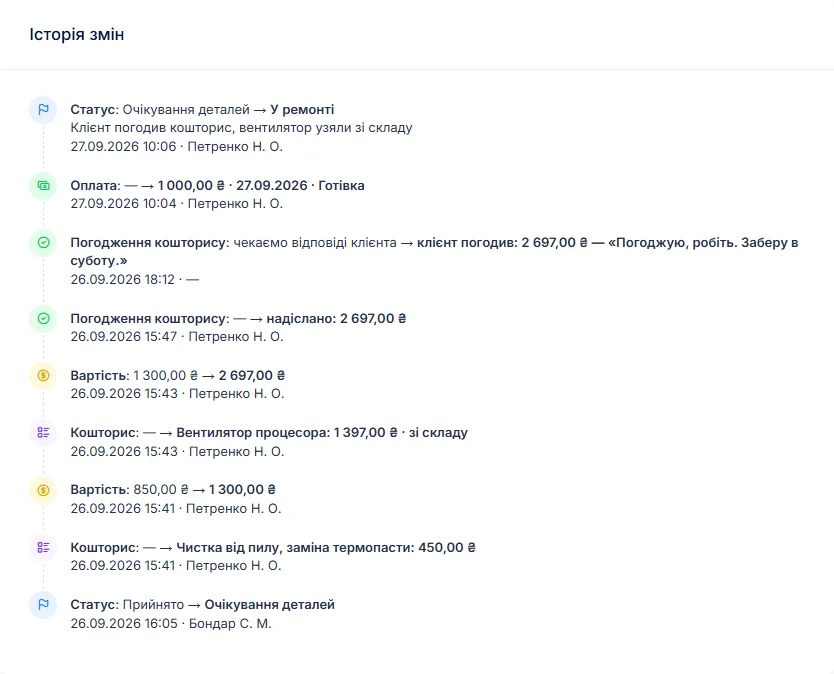
Uncollected shoes
When a pair is ready, the customer gets an email or a Telegram message; it can be sent again, at most once a day. Details are on the customer notifications page. Customers can also check their repair status themselves in the customer area, with the login printed on their ticket.
Every finished pair shows how many days it has been waiting. You set a free storage period in the settings; once it passes, the counter turns red and a “past free storage” tile gathers those pairs together, so you know exactly whom to call.
Put your storage terms — how long items are kept free and what happens after — in the ticket text the customer signs. What you may do with uncollected items, and when, depends on the law where you trade and on the terms the customer accepted. The software only counts the days; if in doubt, ask a lawyer.
Stock: the small stuff
Stock is a movement journal: receipts with cost price and supplier, items used on a job as estimate lines, returns and stocktakes. Typical lines are heel tips in several sizes, sole guards, adhesive, thread, zips and sliders, bag hardware, dye and insoles. Add an item to an estimate and the quantity on hand drops; a minimum level and the “running low” tile tell you when to reorder. Quantities are whole numbers, so count adhesive by the tin or tube.
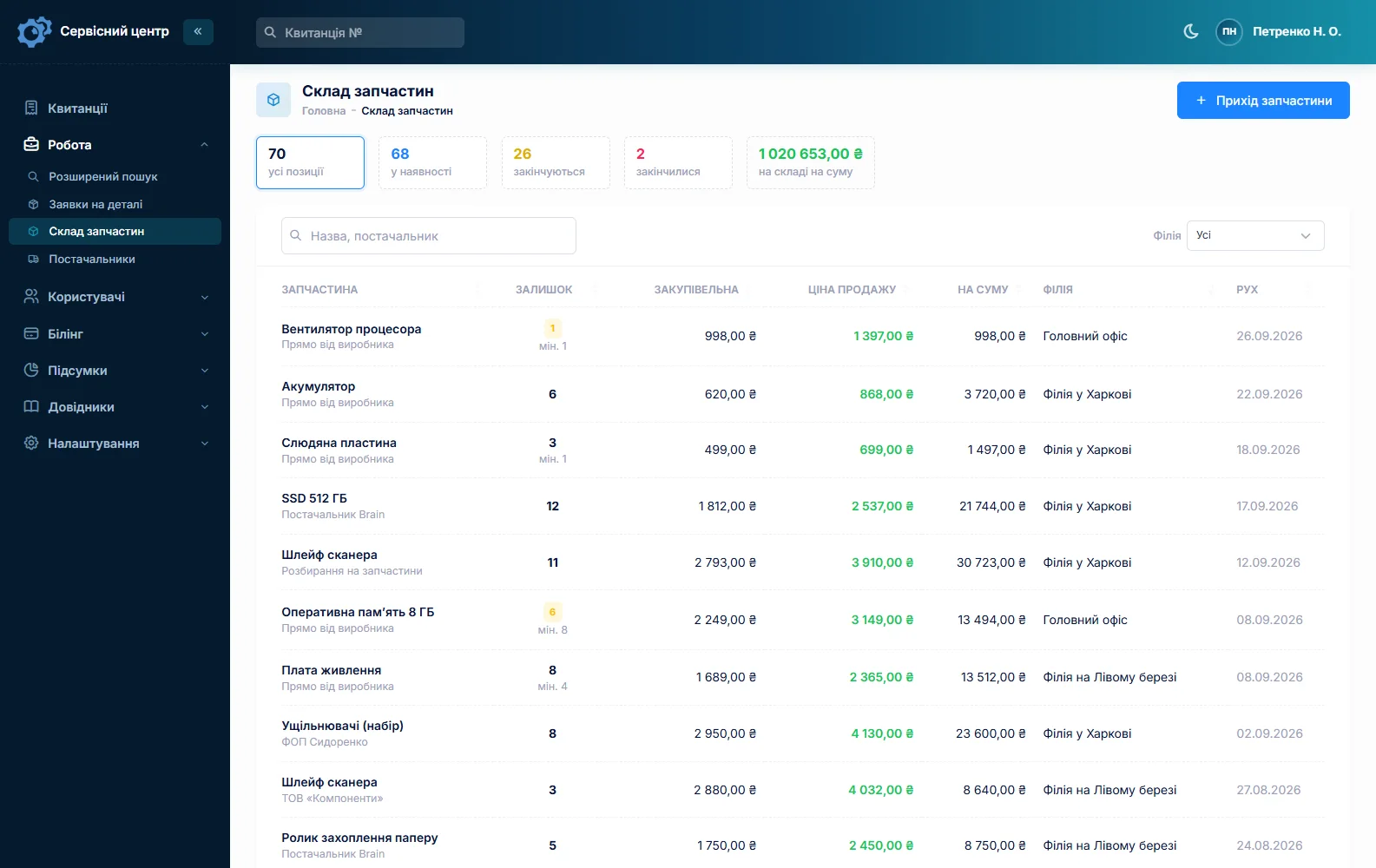
More than one pair of hands
If several people work the bench, each ticket shows who did the repair, and reports for a period show jobs collected and takings — overall and per person. Many cobbler shops also do watch batteries and key cutting; for watches see watch repair software, and it can all run in one system.
What repairs typically cost
A rough guide only — prices vary by country, material and condition: heel tips €10–25, half soles €30–60, full resole €60–140, zip replacement on a boot €30–60, restitching a seam €8–25, dyeing €30–80, stretching €10–20, bag handle replacement €25–70. You set your own prices in the “Works” list and estimate lines.
What it does not have
- printing tags or labels for a pair;
- photos or file attachments on a ticket;
- SMS, a mobile app, or online payment by the customer;
- integrations with suppliers.
What it costs
One price for the whole shop — no extra charge for staff or branches. Working alone or with one helper? See also software for a small repair shop.
Monthly
Paid every month, cancel whenever you like.
Yearly
Cheaper than paying monthly. Invoice or card payment.
Custom work
Changes tailored to the way you work — hourly, by agreement.
Off-the-shelf not enough — your own forms, roles, reports or workflow? We will build a program for you. How it works
Try it without signing up in the demo: book in a pair for heel tips, copy the ticket for the same customer’s bag and record a deposit.

We are very happy working with servicecentersoft.com: they built everything we asked for, even though our request was unusual, since we deal with medical devices. Everything was done precisely and on the agreed schedule. Thank you for the cooperation — we keep working together.

I tried the ServiceCenterSoft demo and came away with a good impression. The program is simple and easy to understand, yet it has everything you need for the job: customers, repairs, devices, spare parts, statuses and statistics.
I especially liked the dark theme and the responsive design — working from a phone is perfectly comfortable. Another plus is the instant search that works as you type, so you don't have to press a separate "Search" button every time.
You can tell the program was built specifically for service centers rather than being a generic CRM adapted for the repair business. The interface has no unnecessary frills; everything is logical and to the point.
A good, practical tool for the day-to-day work of a service center.

I liked that you get a free 14-day trial and that they are willing to handle my special requests — setting things up exactly the way I need them.
I also liked how payment works. You can simply pay the monthly fee by card online — basically the same as a regular Spotify subscription or any other service. No separate contracts to sign and no invoices to pay manually.
And there's no feeling of strict limits on the number of employees. One service center is one account, and inside it you can organize the work of your technicians and run several branches.
For me this is far more convenient than plans where you have to pay for every single user or keep counting how many employees are working today.

My business is fairly specific, so the program's standard features weren't enough — I needed my own custom fields, my own sorting options and search by additional parameters. The work completion certificate and the printed repair receipt also needed some changes to fit the way we work.
I contacted technical support. To be honest, I expected changes like these to take a long time, but everything was done within a single day. The team quickly understood exactly what we needed, suggested the right solution and did everything properly.
I'd especially like to mention the support: they get straight to the point, with no unnecessary bureaucracy, and they genuinely help instead of just sending you off to read the documentation.
For me this is a big advantage of the program: it isn't just sold "as is" — it can be adapted to how you actually work. Thanks to the team for the quick response and for treating the customer right.
Highly recommended!
In short
- One ticket per pair; extra pairs and bags by copying.
- Condition and accessories on the ticket the customer signs.
- A works price list with separate prices for women’s, men’s shoes and bags.
- Deposits and balances as separate payments.
- “Ready” by email and Telegram, a day counter for uncollected pairs.
- Heel tips, adhesive and zips in stock with minimum levels.
- €20 a month for the whole shop.
See also
Starting your own repair shop: where to begin
For people who can fix phones and laptops and want to work for themselves: what a small repair business needs on day one, the paperwork that protects you from the first customer, and how to run a shop in a country whose language is not your own.
Read moreSoftware for home appliance service
Contents recorded at intake, warranty at the brand price list, callouts, slow parts and partner shops.
Read morePhone repair shop software
Intake in a minute, screens and batteries tracked, a ready-for-pickup email, output per technician.
Read moreSee how it works
The demo is open — go in and try it. Ask us anything by email, Telegram or the form on this site.