Repair intake form
What a job sheet must contain, how it prints from the software and how to adapt the form to your own rules.
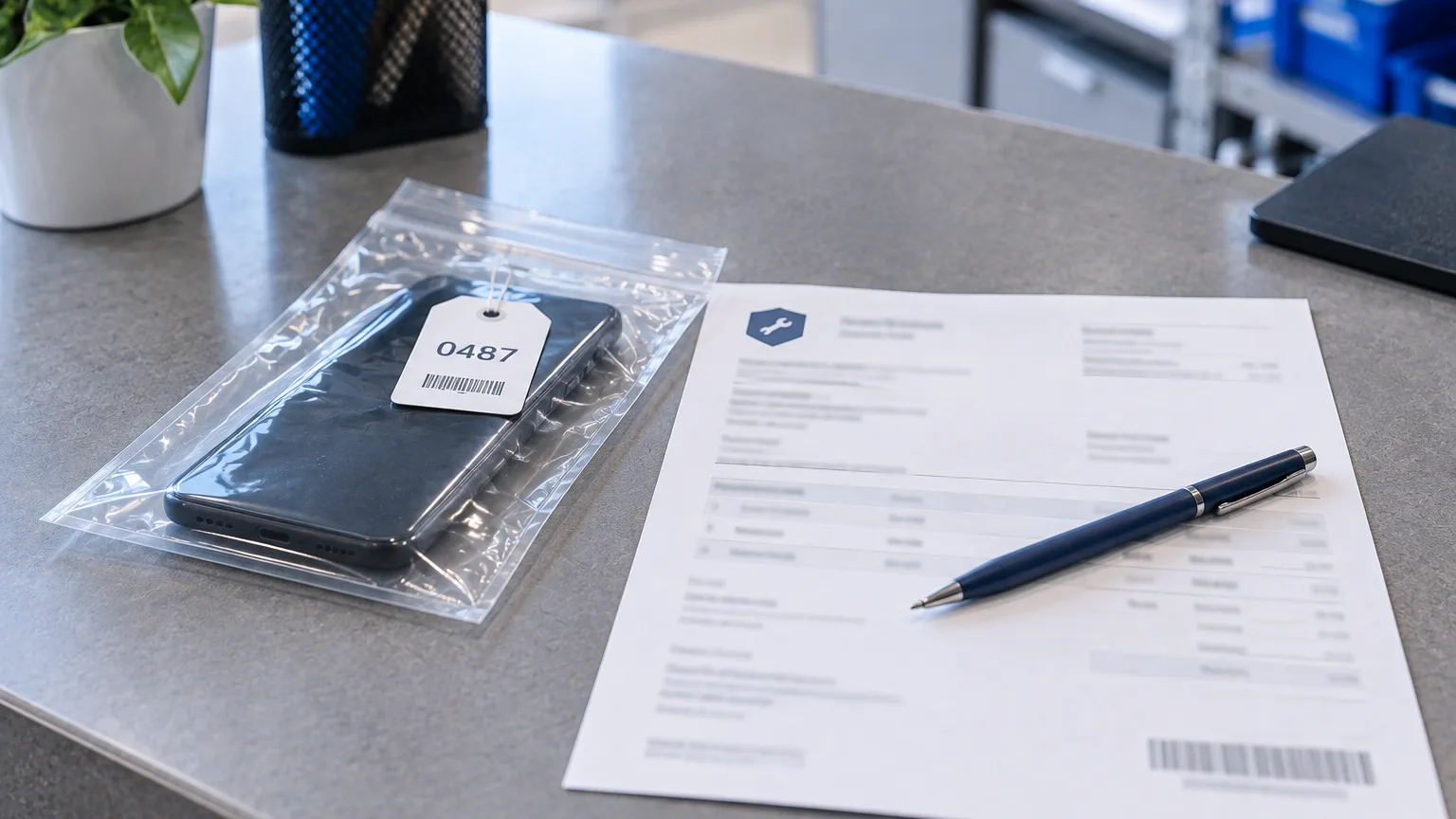
The intake form is the only document a customer takes away after handing over their device. What it says decides how a dispute at pickup ends. Below is what a job sheet must contain, and how ServiceCenterSoft prints it.
What the form is actually for
Formally it confirms that you have the device. In practice it does three jobs, and all three are only remembered when something has gone wrong.
- Record the condition before the repair. Was the scratch on the lid there before, or did it happen here? Two weeks later nobody will answer that from memory.
- Record what actually came in. Remote, cable, shelf, SIM card, case. Customers usually remember bringing more.
- Record what was agreed. The due date, the estimate, and what happens if the repair turns out to cost more than expected.
Everything else — number, date, signature — exists so those three things can be produced when needed.
What a job sheet must contain
Check your own form against this list. Every item on it is the result of somebody's real dispute.
- Number and intake date. The number must run continuously, with no "#5" twice in a year.
- Who took it in. The name of the person at the desk: in a month the questions go to them.
- Customer details: name, phone, address if relevant. The phone is essential: without it, a device nobody collects becomes your problem.
- What the device is: type, brand, model and serial number or IMEI. The serial number is the key field: only it proves the device handed back is the same one.
- The reported fault — in the customer's words, not your diagnosis. "Won't turn on" and "power controller burnt out" are different things, and at the counter you only know the first.
- Condition. Scratches, chips, dents, cracks, signs of liquid, signs of a previous repair.
- Contents. What arrived with the device and what you are giving back.
- Due date — either a real date, or an honest "diagnosis by the such-and-such".
- The estimate and the rule: up to what amount you proceed without asking, and from what amount you call.
- Storage terms — how long the device sits after it is ready, and what happens then.
- Warranty on the work — how long, and what exactly it covers.
- The customer's signature confirming they have read the condition description and agree with it.
The last point matters most. A job sheet without the customer's signature is a note to yourself, not a document.
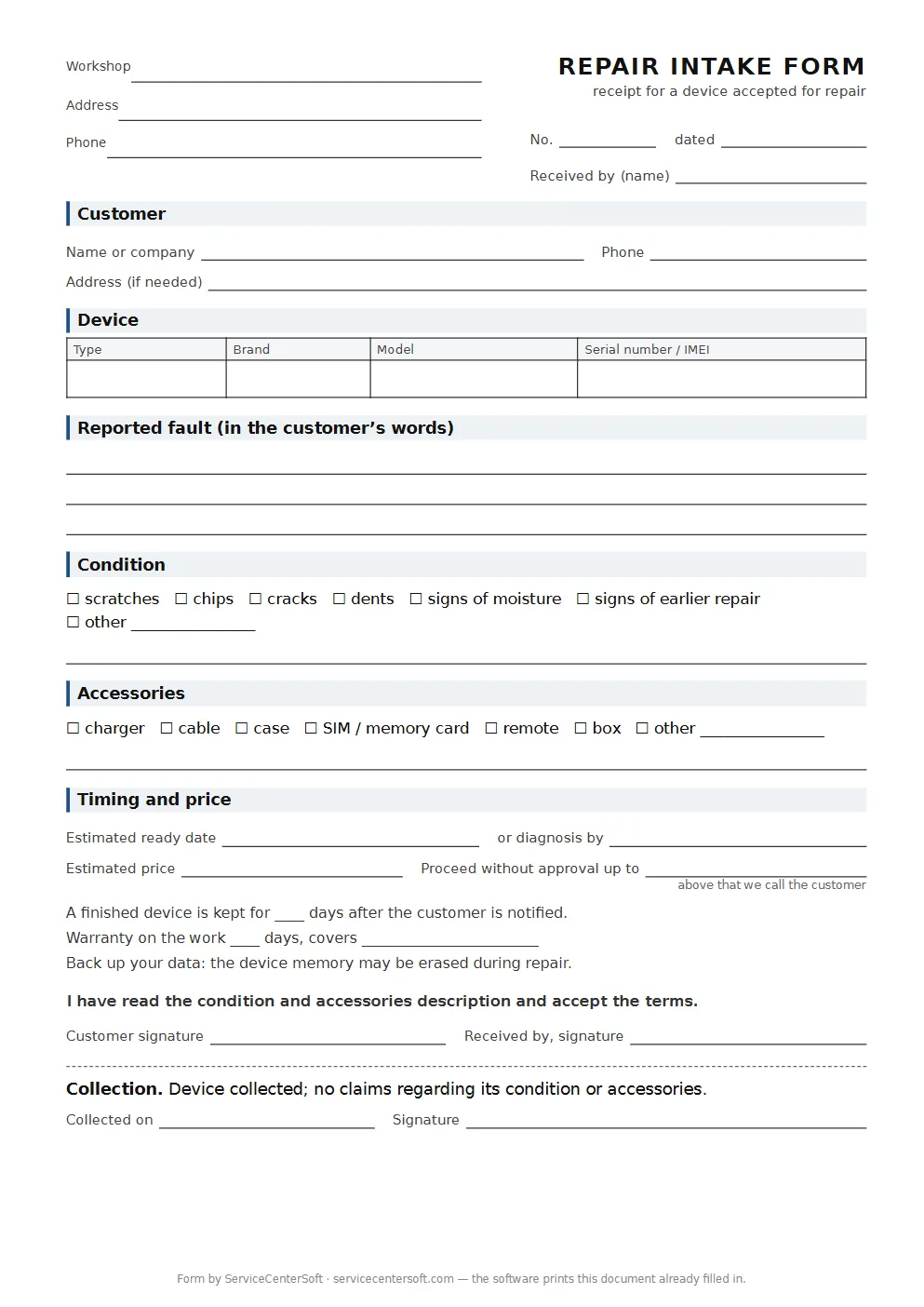
Until you print job sheets from software, here is a blank form with exactly these twelve points: fields for condition and accessories, timing, the price limit without approval, the customer’s signature and a collection slip at the bottom. Print as many as you like; write in or stamp the workshop’s name and address.
How it prints from the software
The front desk fills in one form, presses print, and the job sheet comes out on a plain A4 sheet with everything listed above. Nothing is typed twice: all the fields were entered at intake.
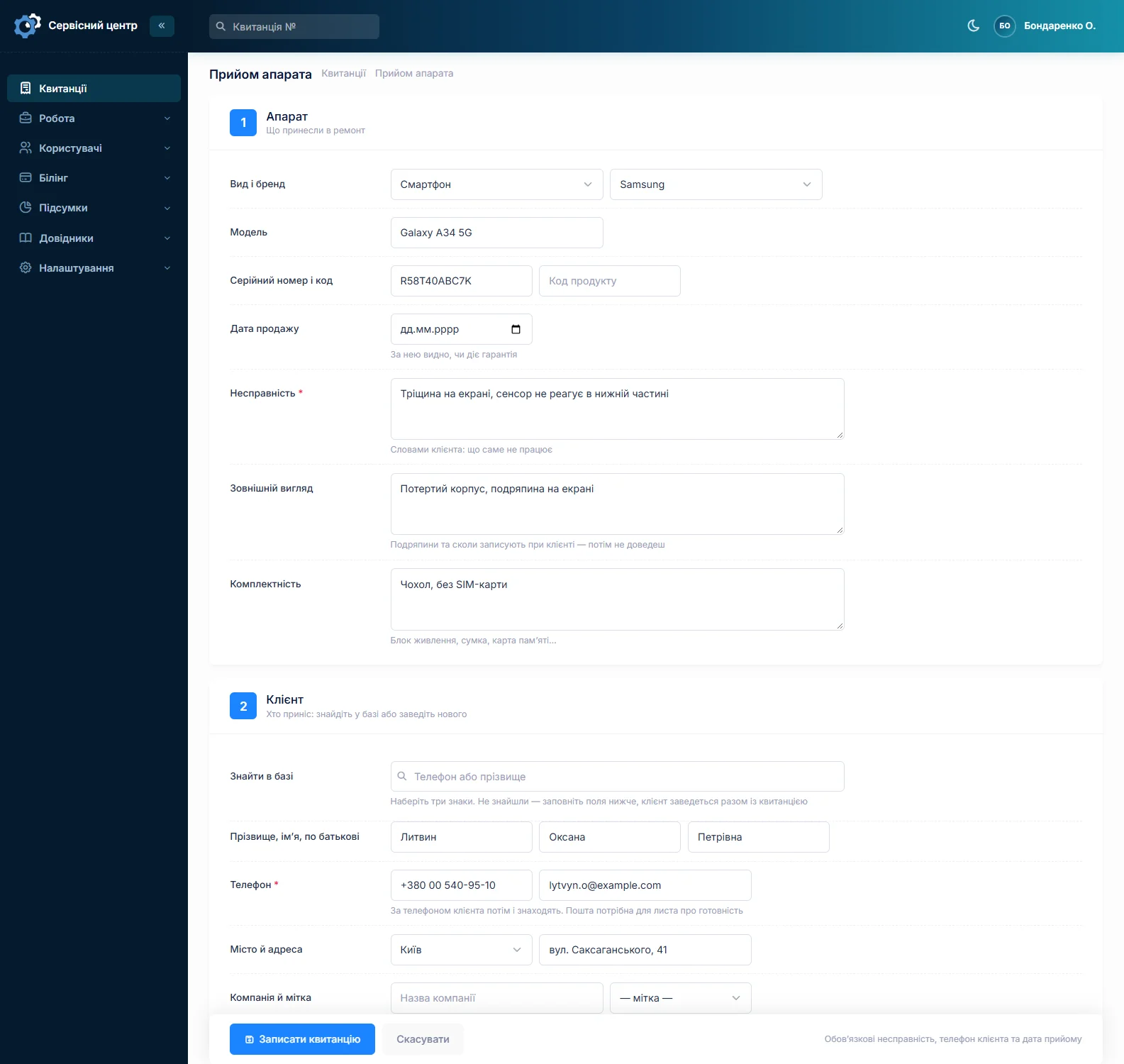
Over thirty values are substituted into the form: number and dates, customer with phone, device with serial number, reported fault, condition, contents, repair type, due date, price, the names of the front desk person and the technician, branch details. A placeholder you did not use simply disappears — the customer will not be handed an empty "{model}".
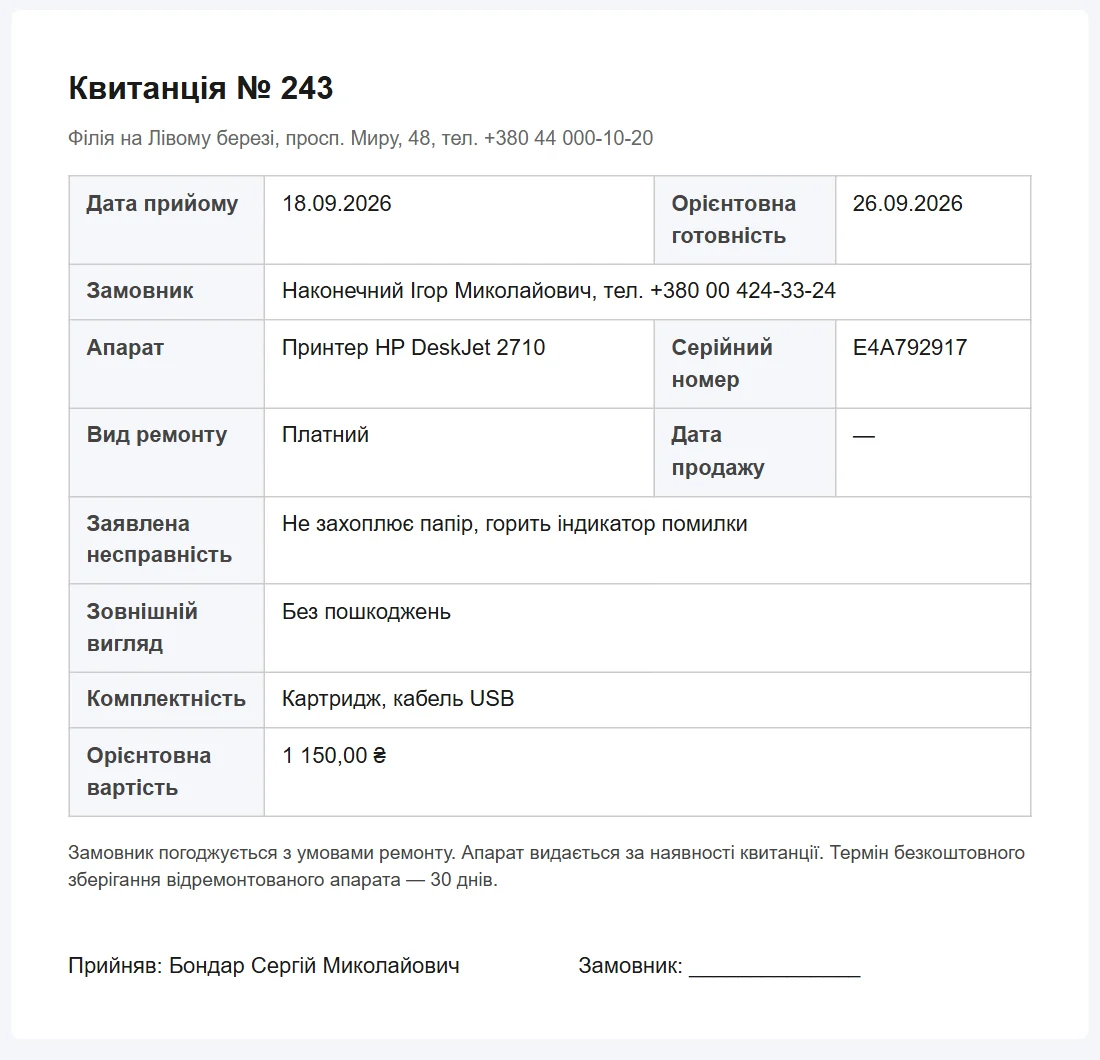
The sheet's dimensions are set in millimetres, so it lands the same way on Windows and on macOS. On a phone the same document simply reads on screen.
You edit the form yourself
The form is not a file baked into the software but a template in the "Print forms" section. You change anything in it: your logo, your field order, your wording on warranty and storage, the small print at the bottom. The list of available placeholders sits next to the field so you do not have to guess names.
That matters more than it sounds: everyone's rules differ — some take a deposit for a part, some refuse devices without a charger, some give 30 days of warranty and others 90. There is no universal form, only your own.
Two locations, one template
Address, phone, email and opening hours come from the branch that took the device in. So two workshops in different districts print their own correct details from a single template — no need to keep two Word files and mix them up.
Document language, separate from the interface
The language of the job sheet is its own setting, unrelated to the language your staff work in. A service opened by Ukrainians abroad keeps its records in Ukrainian or Russian while printing for the customer in German or English. The same applies to ready-for-pickup emails.
The completion certificate
The second document prints through the same mechanism and from the same job sheet: what was done, which parts were fitted, what it cost, recommendations for the customer. The work log is pulled in automatically — the technician keeps it as the repair goes along rather than recalling it at the end.
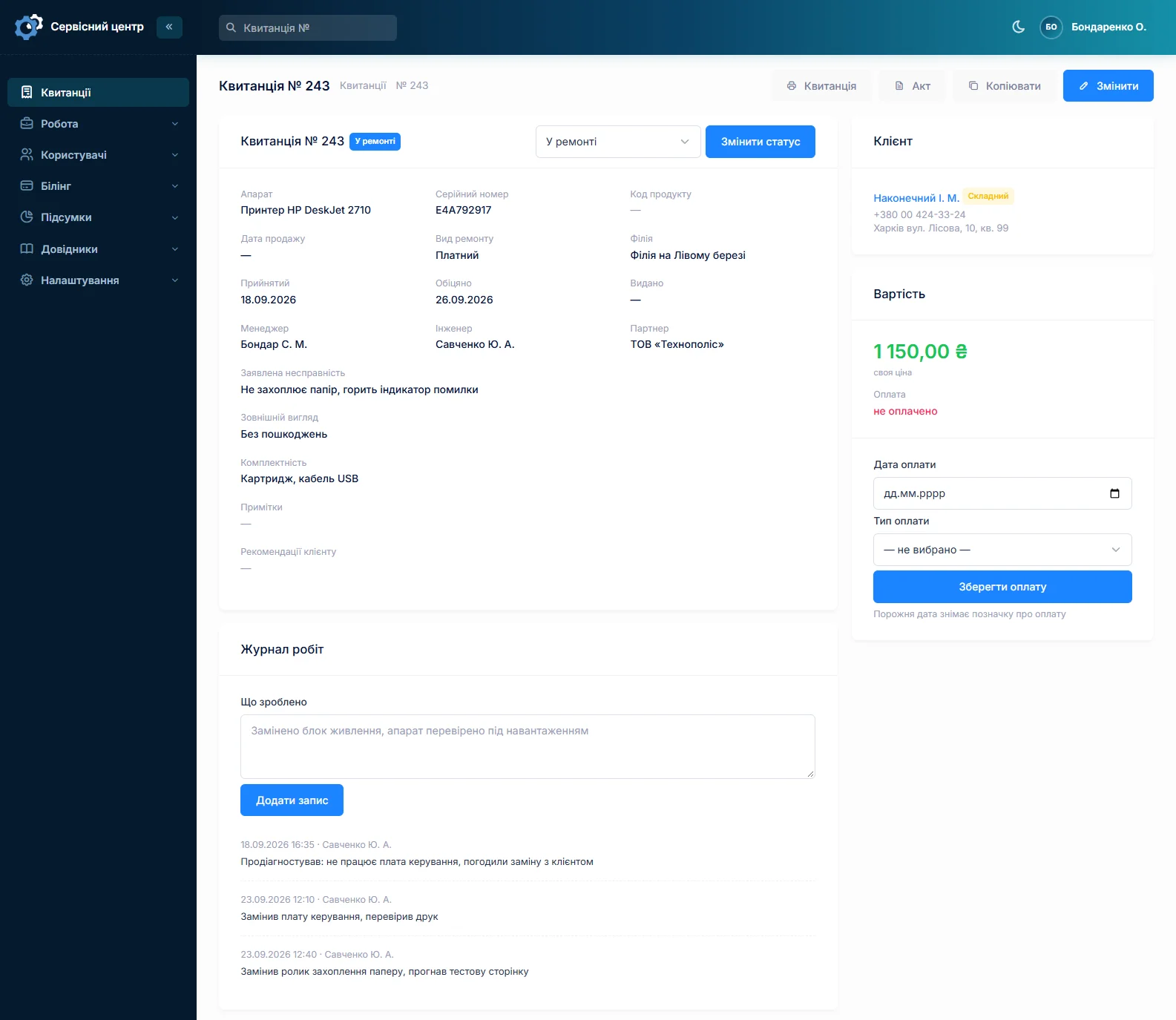
For warranty repairs the certificate is the document the manufacturer pays against, so its form is usually adapted to a specific brand's requirements.
What the software does not do
- No on-screen signature. The customer signs a paper form; signing with a finger on a tablet is not possible.
- No sending the job sheet to a messenger. There is a ready-for-pickup email; the job sheet is print only.
- No ready receipt-printer template. The standard form is designed for A4, but you edit the template yourself and a narrow roll version can be built.
What not to put on the form
Two common mistakes that make a form worse.
Copying the law into it. Half a page of legal text in small print goes unread, and in a dispute what works is not the volume of text but the specific description of the device's condition.
Writing a diagnosis instead of a complaint. "Replace the screen" in the fault field is already a decision. If it turns out after opening the device that the screen was not the problem, you will have to explain why the form says otherwise.
What you get
- A job sheet printed in a minute from data already entered at intake.
- A description of condition and contents with the customer's signature under it.
- Your own form with your logo, your terms and your warranty.
- The correct details for each branch from one template.
- A document in the customer's language rather than your staff's.
- A completion certificate with the work log, from the same job sheet.
What it costs
Printing and editing forms are part of the subscription — there is nothing extra to pay.
Monthly
Paid every month, cancel whenever you like.
Yearly
Cheaper than paying monthly. Invoice or card payment.
Custom work
Changes tailored to the way you work — hourly, by agreement.
You can see the form in action in the demo. Related pages: repair workflow and phone repair shop software.
Frequently asked questions
Can I design my own job sheet?
Yes, and that is the normal way. The form is a template in the "Print forms" section: you change the logo, the field order, the wording on warranty and storage, the small print. The list of placeholders sits next to the field so you do not have to guess names. There is no universal form — every service has its own rules.
Are branch details filled in automatically?
Yes. Address, phone, email and opening hours come from the branch that took the device in. Two locations print their own correct details from one template — no need to keep two Word files.
What language is the job sheet printed in?
The document language is a separate setting, unrelated to the language your staff work in. You can keep records in Ukrainian and print for the customer in German or English. The same applies to ready-for-pickup emails.
Can the customer sign on screen?
No. There is no finger signature on a tablet — the customer signs a paper form. Sending the job sheet to a messenger is not possible either; only the ready-for-pickup email goes out.
Is a completion certificate printed too?
Yes, through the same mechanism and from the same job sheet: what was done, which parts were fitted, the amount, recommendations for the customer. The work log is pulled in automatically as the technician keeps it. The certificate form can also be adapted to a specific manufacturer's requirements.
What if some fields are left empty?
An unused placeholder simply disappears from the form — the customer will not get an empty "{model}" or "{serial_number}". But the condition and contents fields are worth filling in every time: those are the ones that save you at pickup.
See also
Repair workflow: statuses, work log, certificate
A job from intake to handover: who is responsible, due dates and overdue work, change history, payment.
Read moreSpare parts accounting
A log of parts in and out, the money sitting in stock, requests tied to a job and an email to the supplier.
Read moreCustomer notifications when a repair is ready
A ready email and a Telegram message with branch details in the customer's language, plus a portal where they check the status themselves.
Read moreSee how it works
The demo is open — go in and try it. Ask us anything by email, Telegram or the form on this site.