Hearing aid repair software
For hearing care practices with an in-house repair desk and for hearing aid repair labs: one ticket per device, manufacturer warranty by serial number, a status for units sent to the manufacturer, and stock of receivers, domes and tubes.
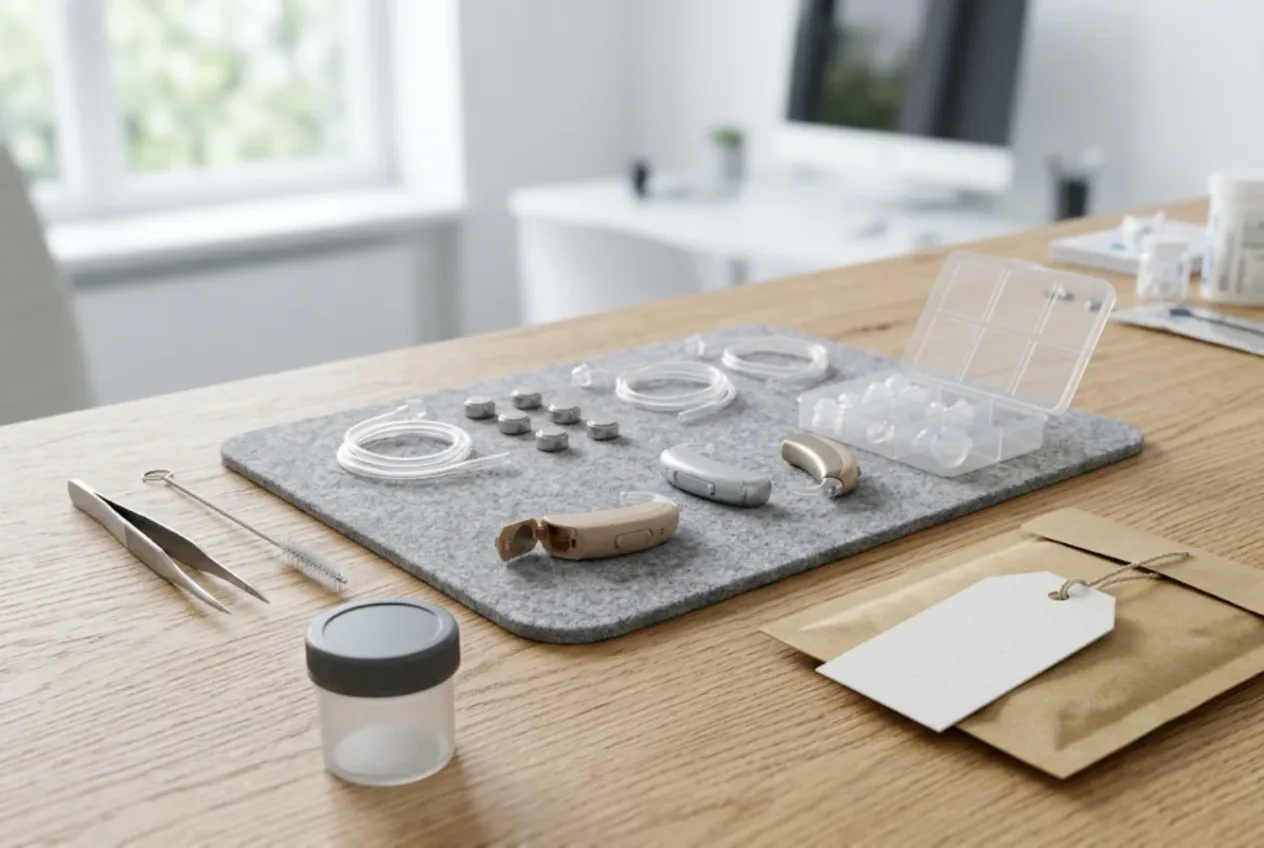
ServiceCenterSoft is repair-tracking software for hearing aid repairs — whether you run the repair desk of a hearing care practice, a chain of practices, or an independent lab that practices send their devices to. Intake with serial numbers, warranty cases, devices out at the manufacturer, small parts in stock, estimates and “ready” messages. It runs in the browser on a PC, laptop or phone.
Small devices, costly repairs
A hearing aid fits on a fingertip, yet repairing one is rarely cheap. A new receiver or microphone, a broken battery door, moisture and wax damage, a cracked shell, a charger that no longer charges — some of it is done in the clinic, while complex faults and warranty cases go back to the manufacturer and return weeks later. And the owner wears the device every day, so they want it back quickly and want to know where it is.
This page is not about clinical equipment. If you service devices for hospitals, dental practices and labs, where the customer is an institution and downtime is the big issue, see medical equipment repair software. Here we mean devices that a person brings in themselves, or that their hearing care provider sends on.
Where hearing aid repairs usually go wrong
- a client has two identical aids, left and right, and at pick-up nobody is sure which one was repaired;
- a device went to the manufacturer, and a month later nobody can say when, in which parcel, or whether it is back;
- whether a repair is under warranty is only checked when the client is already at the front desk;
- receivers in the right length and slim tubes run out just as three devices arrive in a row;
- a finished aid sits in a drawer and the client has no idea it is ready.
One device, one ticket
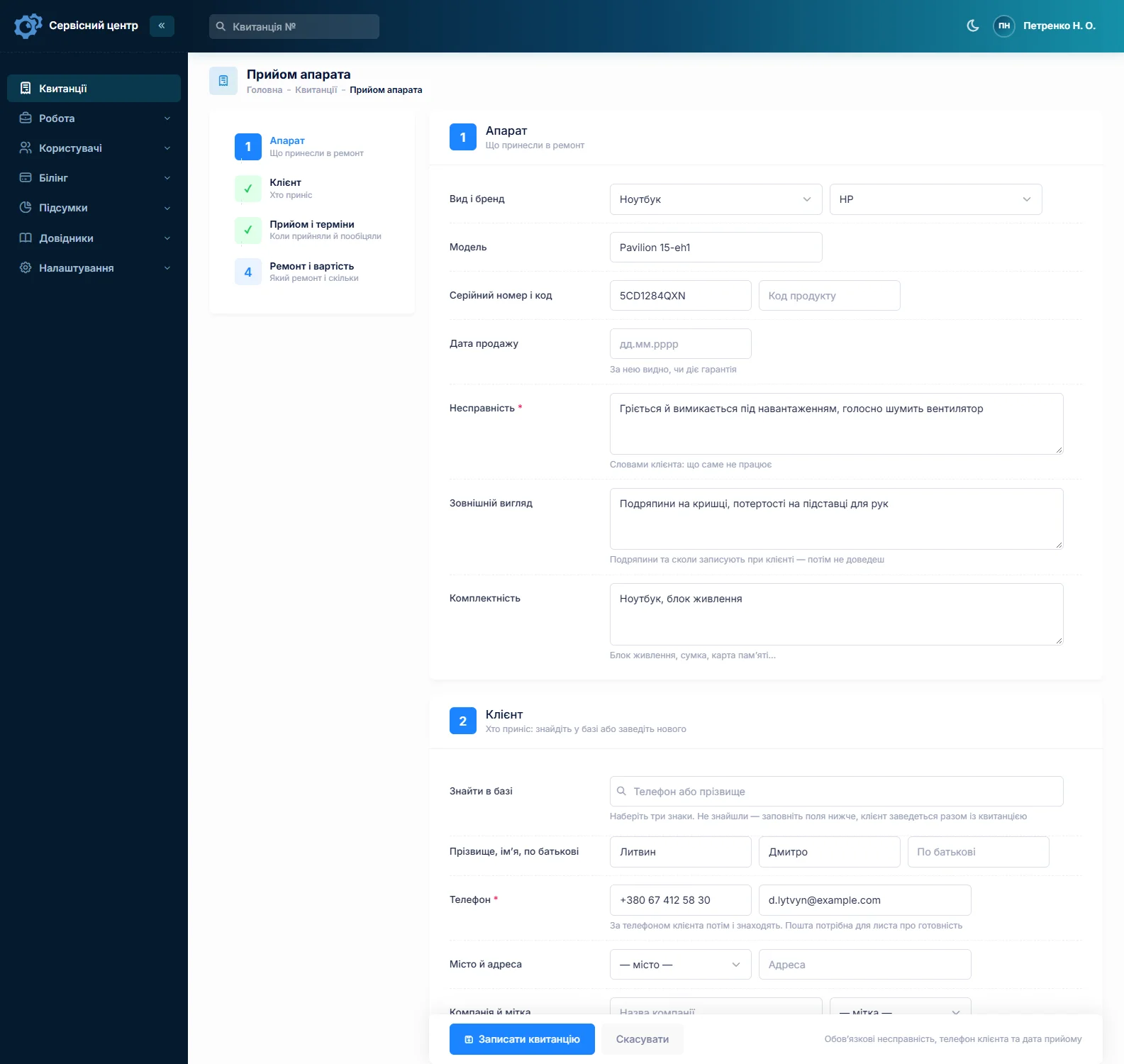
Each hearing aid gets its own ticket with a number, status and price, even when a pair comes in. Fill in the first ticket in full and copy it for the second: client, device type, fault, accessories and notes carry over, while the serial number does not, because every device has its own. Adding the side to the model field — “left”, “right” — saves confusion later.
Device types are set up once: BTE, RIC, ITE, charger. The “Accessories” field records what was left with you — case, charger, domes, tubes, wax filters — and “Condition” notes cracks, scratches and signs of moisture. Both print on the ticket the client signs. You cannot attach photos to a ticket; if you photograph a device, keep the pictures on your side and note on the ticket that they exist.
Manufacturer warranty or paid repair
The serial number and date of sale are recorded at intake. The date shows whether the warranty still applies, and a search by part of the serial number tells you whether the device has been in before and what was done. The repair type — warranty, paid, out of warranty, repeat — is set on the ticket and splits repairs in the reports.
If you are an authorised service partner and the manufacturer pays for warranty work at its own rates, you can enter a warranty price list by brand, category and device, and the price of a warranty repair fills in by itself. More on the authorised service centre page.
Sent to the manufacturer: a status of its own
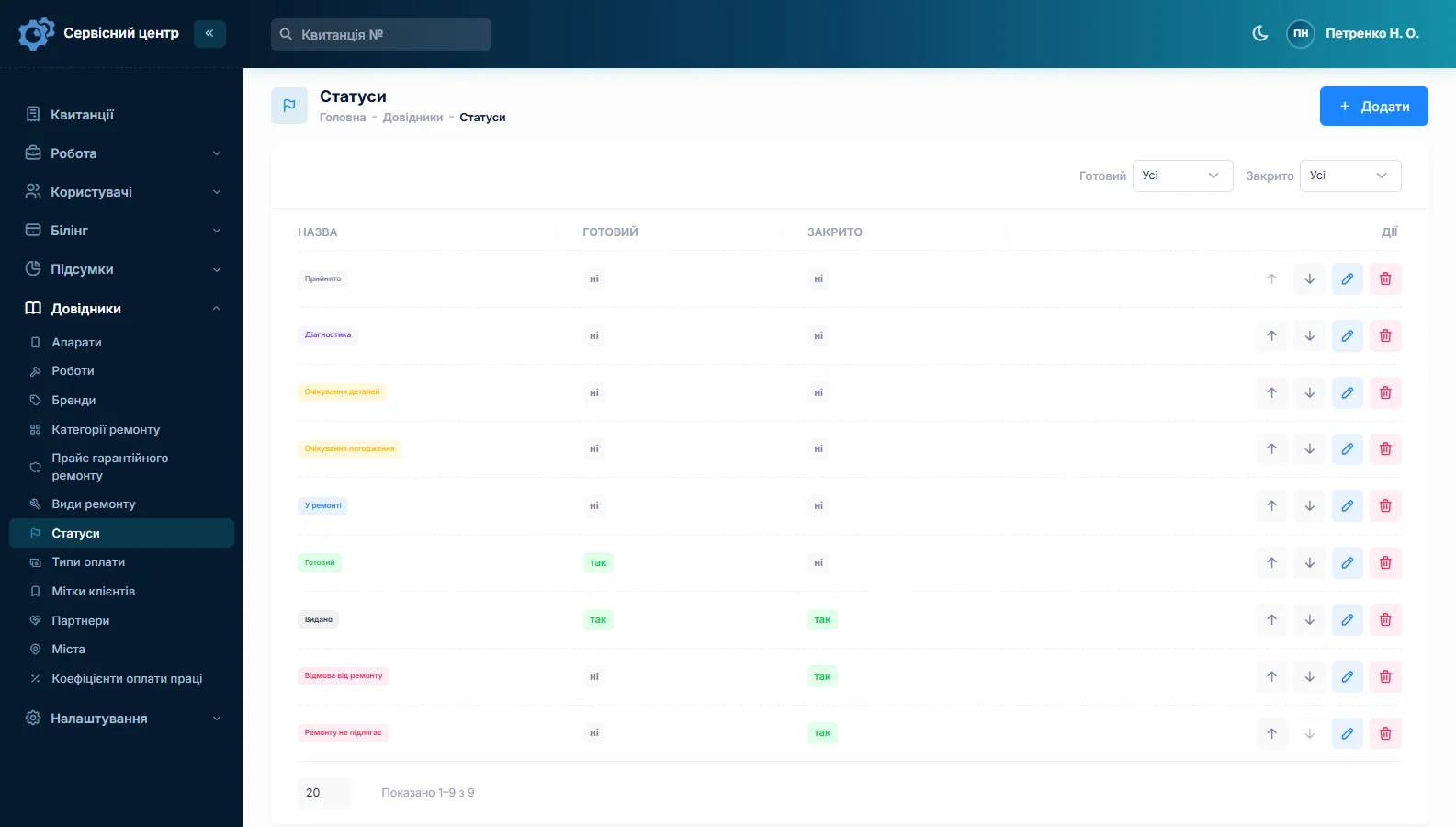
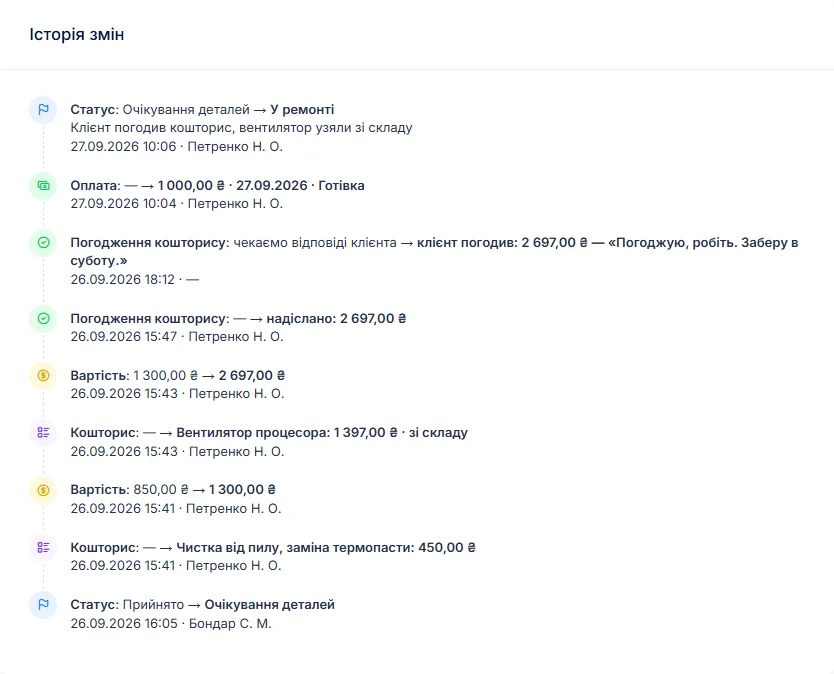
You edit the list of statuses yourself. Add “Sent to manufacturer” and tick “Tile above the receipts list”: a tile with the number of devices currently away appears above the job list, and one click shows them all. The parcel or tracking number goes in as a comment on the status change and stays in the ticket history next to that status, with the date and name.
Ship in batches once a week? Keep a “Ready to ship” status and filter by it before the courier comes — that is your batch list. To be clear: there is no separate batch document and no parcel tracking in the software; every device travels on its own ticket. When it comes back you change the status, and the history shows how many days it spent in transit and at the factory.
In-clinic repairs: stock of small parts
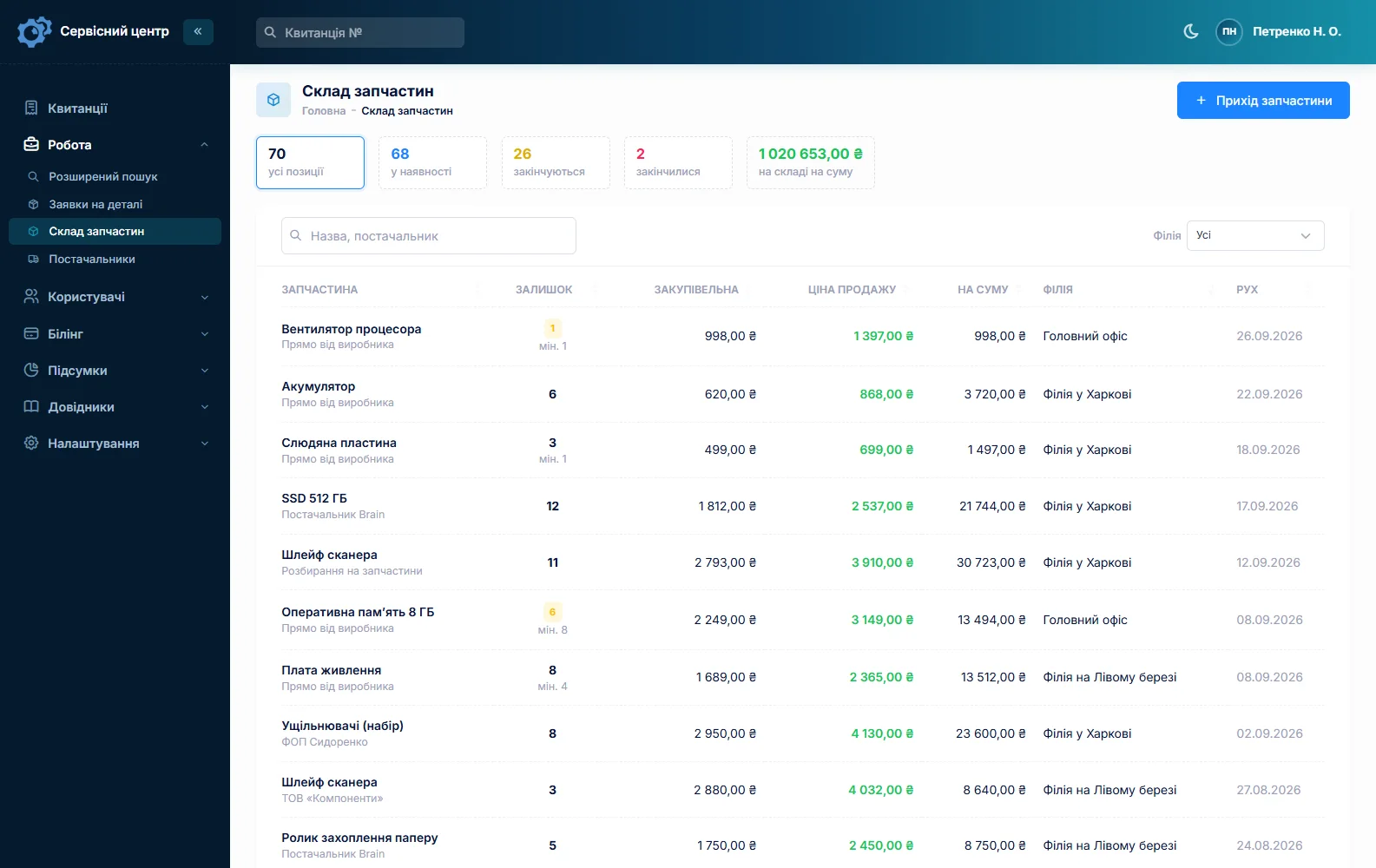
Stock is a movement journal: receipts with cost price and supplier, parts used on a job as estimate lines, returns and stocktakes. Typical lines are receivers in several lengths and power levels, wax filters, domes, slim tubes, battery doors and drying products. Add a part to an estimate and the quantity on hand drops; a minimum level and the “running low” tile tell you when to reorder. A part you do not have becomes an order on the ticket, which can be emailed to the supplier. More on spare parts tracking.
You can also give each device type its own diagnostics price and switch a ticket to “diagnostics only” if the client decides against the repair.
Estimate first, no surprises at pick-up
A repair can cost a noticeable share of a new device, so clients want the price before the work starts. After the check the ticket moves to “awaiting approval” and an itemised estimate — receiver replacement, clean and dry, one receiver — goes to the client by email or Telegram. The link shows every line with “I agree” and “I decline” buttons; the answer and date land in the ticket history.
A ticket can take several payments: a deposit at intake and the balance at pick-up. The ticket shows “received” and “balance due”, and the “unpaid” filter lists everything handed back but not yet paid.
A lab serving several practices
If several hearing care practices send you devices, set each one up as a partner. The owner of the aid stays the client, the practice goes on the ticket as the partner, and the job list can be filtered by partner: how many of that practice’s devices are in progress, ready, or away at the manufacturer.
Ready: email, Telegram and a day counter
When a device is ready, the client gets an email or a Telegram message; it can be sent again, at most once a day. Setup is described on the customer notifications page. Aids are often collected by a family member, so it is worth confirming the contact for messages at intake.
Every finished device shows how many days it has been waiting. You set a free storage period in the settings; once it passes the counter turns red, and a “past free storage” tile gathers those devices together.
Personal data and medical devices
A ticket holds the client’s name and phone number, and sometimes notes that touch on their health. Record only what the repair needs, and give access only to the people who work with it — permissions are set per staff group. In many countries hearing aids are regulated as medical devices, and what is required when servicing them depends on the country, the device and the manufacturer’s terms. The software tracks repairs; it does not replace those requirements, so check with a specialist if in doubt.
What repairs typically cost
A rough guide only — prices vary by country, brand and model: clean and dry €10–40, tube or dome replacement €5–20, receiver replacement €60–180, microphone replacement €60–160, shell or battery door repair €30–90, out-of-warranty manufacturer repair €150–400 or more. You set your own prices in the lists and estimate lines.
What it does not have
- a batch document or parcel tracking for shipments to the manufacturer;
- photos or file attachments on a ticket;
- SMS, a mobile app, or online payment by the client;
- integrations with manufacturers or suppliers;
- reminders for routine check-ups of a device.
What it costs
One price for the whole service — no extra charge for staff or branches, so several practices in a chain can work in one system.
Monthly
Paid every month, cancel whenever you like.
Yearly
Cheaper than paying monthly. Invoice or card payment.
Custom work
Changes tailored to the way you work — hourly, by agreement.
Off-the-shelf not enough — your own forms, roles, reports or workflow? We will build a program for you. How it works
Try it without signing up in the demo: book in a pair of aids with one ticket and a copy, move one to “at the manufacturer” and send an estimate for approval.

We are very happy working with servicecentersoft.com: they built everything we asked for, even though our request was unusual, since we deal with medical devices. Everything was done precisely and on the agreed schedule. Thank you for the cooperation — we keep working together.

I tried the ServiceCenterSoft demo and came away with a good impression. The program is simple and easy to understand, yet it has everything you need for the job: customers, repairs, devices, spare parts, statuses and statistics.
I especially liked the dark theme and the responsive design — working from a phone is perfectly comfortable. Another plus is the instant search that works as you type, so you don't have to press a separate "Search" button every time.
You can tell the program was built specifically for service centers rather than being a generic CRM adapted for the repair business. The interface has no unnecessary frills; everything is logical and to the point.
A good, practical tool for the day-to-day work of a service center.

I liked that you get a free 14-day trial and that they are willing to handle my special requests — setting things up exactly the way I need them.
I also liked how payment works. You can simply pay the monthly fee by card online — basically the same as a regular Spotify subscription or any other service. No separate contracts to sign and no invoices to pay manually.
And there's no feeling of strict limits on the number of employees. One service center is one account, and inside it you can organize the work of your technicians and run several branches.
For me this is far more convenient than plans where you have to pay for every single user or keep counting how many employees are working today.

My business is fairly specific, so the program's standard features weren't enough — I needed my own custom fields, my own sorting options and search by additional parameters. The work completion certificate and the printed repair receipt also needed some changes to fit the way we work.
I contacted technical support. To be honest, I expected changes like these to take a long time, but everything was done within a single day. The team quickly understood exactly what we needed, suggested the right solution and did everything properly.
I'd especially like to mention the support: they get straight to the point, with no unnecessary bureaucracy, and they genuinely help instead of just sending you off to read the documentation.
For me this is a big advantage of the program: it isn't just sold "as is" — it can be adapted to how you actually work. Thanks to the team for the quick response and for treating the customer right.
Highly recommended!
In short
- One ticket per device; the second aid of a pair by copying, without the serial number.
- Serial number, date of sale and repair type — warranty status at a glance.
- Your own “Sent to manufacturer” status with a tile and the parcel number in the history.
- Receivers, filters and tubes in stock with minimum levels.
- Estimates approved by link, deposits and balances.
- “Ready” by email and Telegram, a day counter for uncollected devices.
- €20 a month for the whole service.
See also
Guitar repair shop software
For guitar repair shops and luthiers: quick setups alongside slow fret and crack work, humidity season, pickups and wiring — one ticket per instrument, estimates the customer approves by link, history by serial number, and stock of strings and fret wire.
Read moreStarting your own repair shop: where to begin
For people who can fix phones and laptops and want to work for themselves: what a small repair business needs on day one, the paperwork that protects you from the first customer, and how to run a shop in a country whose language is not your own.
Read moreSoftware for home appliance service
Contents recorded at intake, warranty at the brand price list, callouts, slow parts and partner shops.
Read moreSee how it works
The demo is open — go in and try it. Ask us anything by email, Telegram or the form on this site.