Repair intake form — fill it in online and download the PDF
A free generator: type in your details and get a ready repair intake form on one A4 page. No sign-up, and nothing you type is stored.
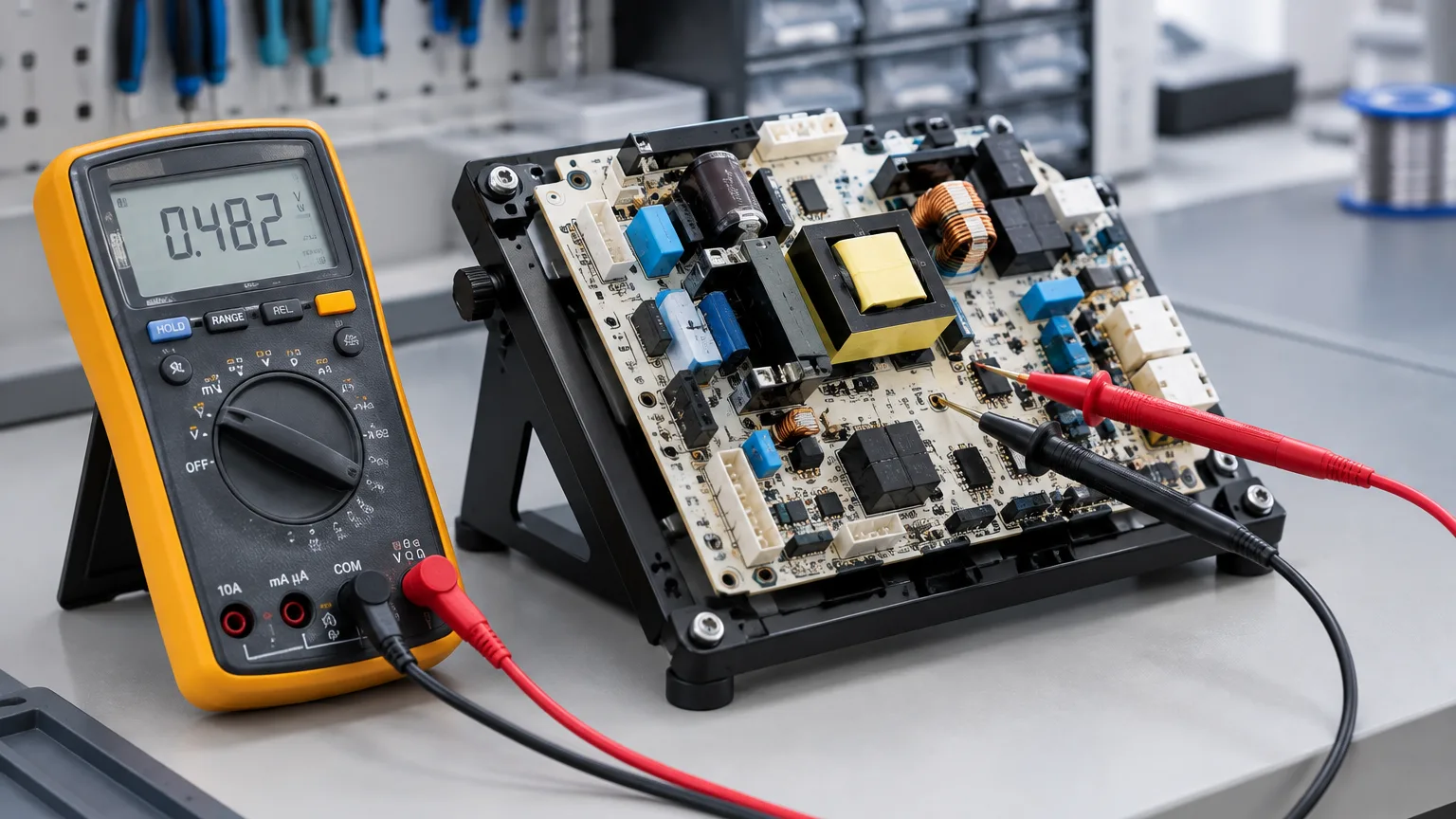
Type in your details and get a ready repair intake form: one A4 page as a PDF, with your workshop name, your phone number and your terms in the header. Free, and with no sign-up.
The only thing you must fill in is the workshop name. After that it is up to you: fill in your own details and terms, print a stack and write the rest by hand at the counter — or fill in everything at once and print the form for a particular device.
Nothing you type is stored
Your customer’s name and phone number are not our data, and we have no reason to keep them. So there is no database here, no log and no e-mail to ourselves: the PDF is built in memory, handed to you and gone. Close the page and nothing is left of your form — not with us either.
The code from the picture is the one thing we ask for. Without it bots work through the form overnight and it stops working for people. One code per visit: you can correct and rebuild the form as often as you like.
What comes out on the page
The same form we give away blank — one A4 page, built from the twelve-point list on the repair intake form page:
- a header with the workshop name, address and phone;
- number, date of intake and the name of the person taking the device in;
- the customer: name, phone, address if needed;
- the device: type, brand, model and serial number — four boxes, so there is no argument at handover about whether this is the same device;
- the reported fault, in the customer’s words rather than your diagnosis;
- condition and accessories: tick boxes (scratches, chips, cracks, dents, signs of moisture, signs of earlier repair; charger, cable, case, SIM, remote, box) and a line of your own;
- the date, the estimated price and the amount above which you call the customer;
- how many days a finished device is kept free of charge, and how long the warranty runs;
- a warning that the device memory may be erased during the repair;
- the customer’s signature under the description of condition and accessories;
- a tear-off collection note at the bottom of the page.
Fields you leave empty stay ordinary lines to write on — the form does not break because of it.
How workshops use it
A stack of forms for the counter. Fill in only “Your workshop” and “Your terms”, print fifty sheets and leave them by the till. The rest is written by hand — but the storage period, the warranty and the no-approval limit are already printed, so nobody forgets to write them in.
A form for one particular repair. Fill in everything and print two copies, one for the customer and one for you. Convenient while you take in a handful of devices a day.
The language of the form is not tied to the language of this site: pick any of the four — Ukrainian, Russian, English or German. The customer gets the document in the language they read.
If you have nothing to fill in
The same intake form is also available blank, as a file you can simply print:
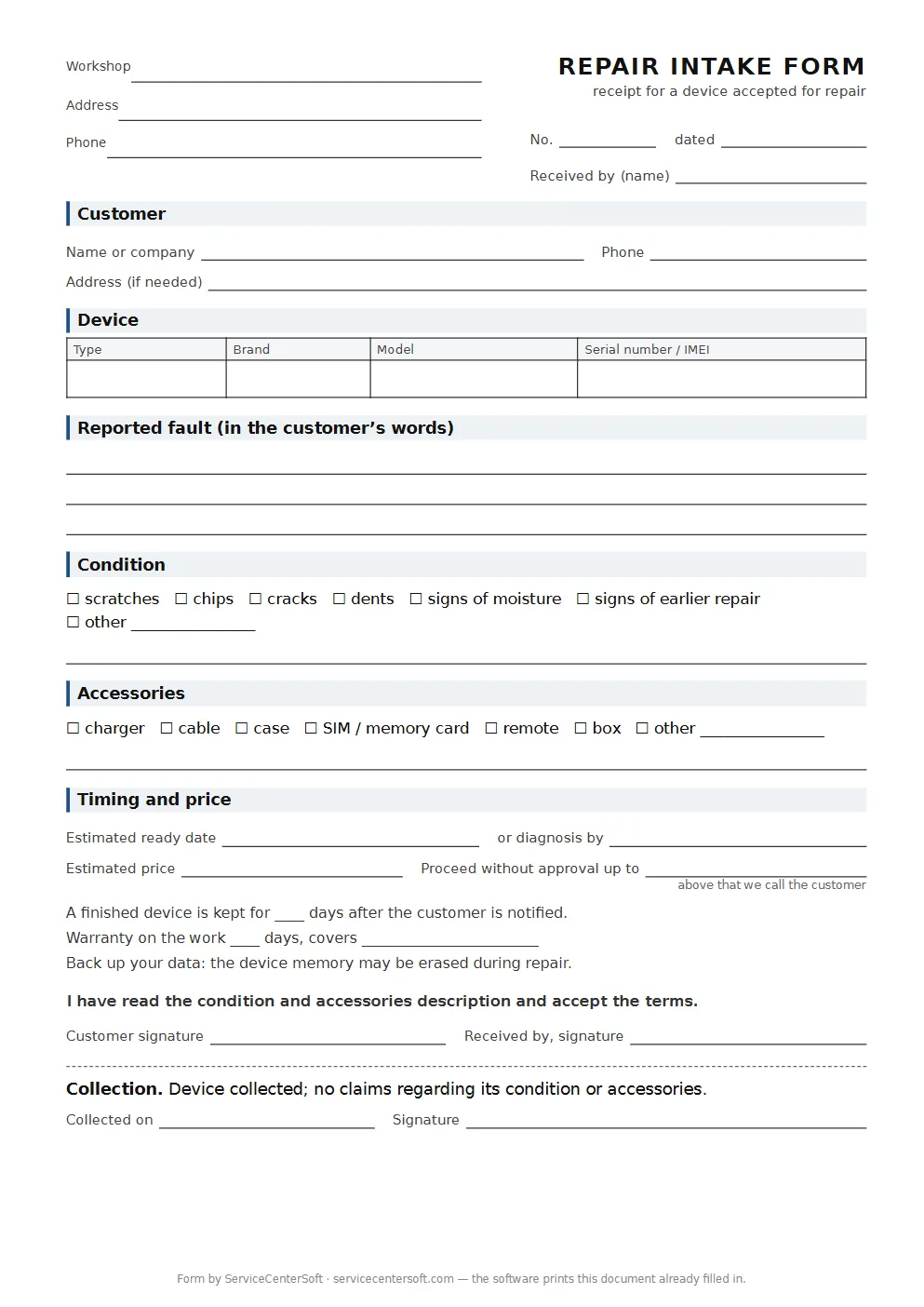
Next to it there is the certificate of completed work — the second document, the one handed over when the customer collects the device.
When there are too many forms
Paper stops coping not when there is a lot of it, but when you have to find something in it. “Where is the laptop that came in two weeks ago, and what happened to it?” — and the stack gets leafed through. ServiceCenterSoft prints this same form already filled in, from what was typed at the counter, and the device then lives in the software: status, work log, an estimate sent for approval as a link, and the certificate at handover.
- The form stays yours. Logo, company details, terms and warranty are edited by the workshop itself under “Print forms”, not by a programmer.
- The language of the document is separate from the language of the software. Your staff work in their own language while the form prints in the one chosen for documents.
- Several branches — each with its own details in the same template.
You can see what that looks like from the inside in the demo — no sign-up there either.
Questions we get about this form
Is it really free? Yes. It is not a trial and not a cut-down version: make as many forms as you need.
Can I put my own logo on it? Not on this one — it is the same for everybody. Your own logo and your own layout come with the software.
Can I edit the finished PDF? It is made for printing, not for editing. If something needs changing, go back to the form, fix the field and download it again.
Does a form like this count as a document? An intake form is your agreement with the customer, and what carries weight in it is not the layout but what is written in: the description of condition, the accessories and the customer’s signature. The form leaves room for each of those. If you have your own rules of business or industry requirements, check with a lawyer — this template has not been agreed with anyone.
Where is the data I typed stored? Nowhere. See above.
See also
Repair workflow: statuses, estimate, work log
A job from intake to handover: who is responsible, due dates and overdue work, the estimate and its approval, payments, change history.
Read moreSpare parts accounting
Stock by quantity, parts written off as estimate lines, cost and profit, minimum stock, suppliers and requests tied to a job.
Read moreCustomer notifications when a repair is ready
A ready email and Telegram message, an estimate for approval as a link, in the customer's language — plus a portal where they check the status themselves.
Read moreSee how it works
The demo is open — go in and try it. Ask us anything by email, Telegram or the form on this site.