Repair workflow: statuses, work log, certificate
A job from intake to handover: who is responsible, due dates and overdue work, change history, payment.
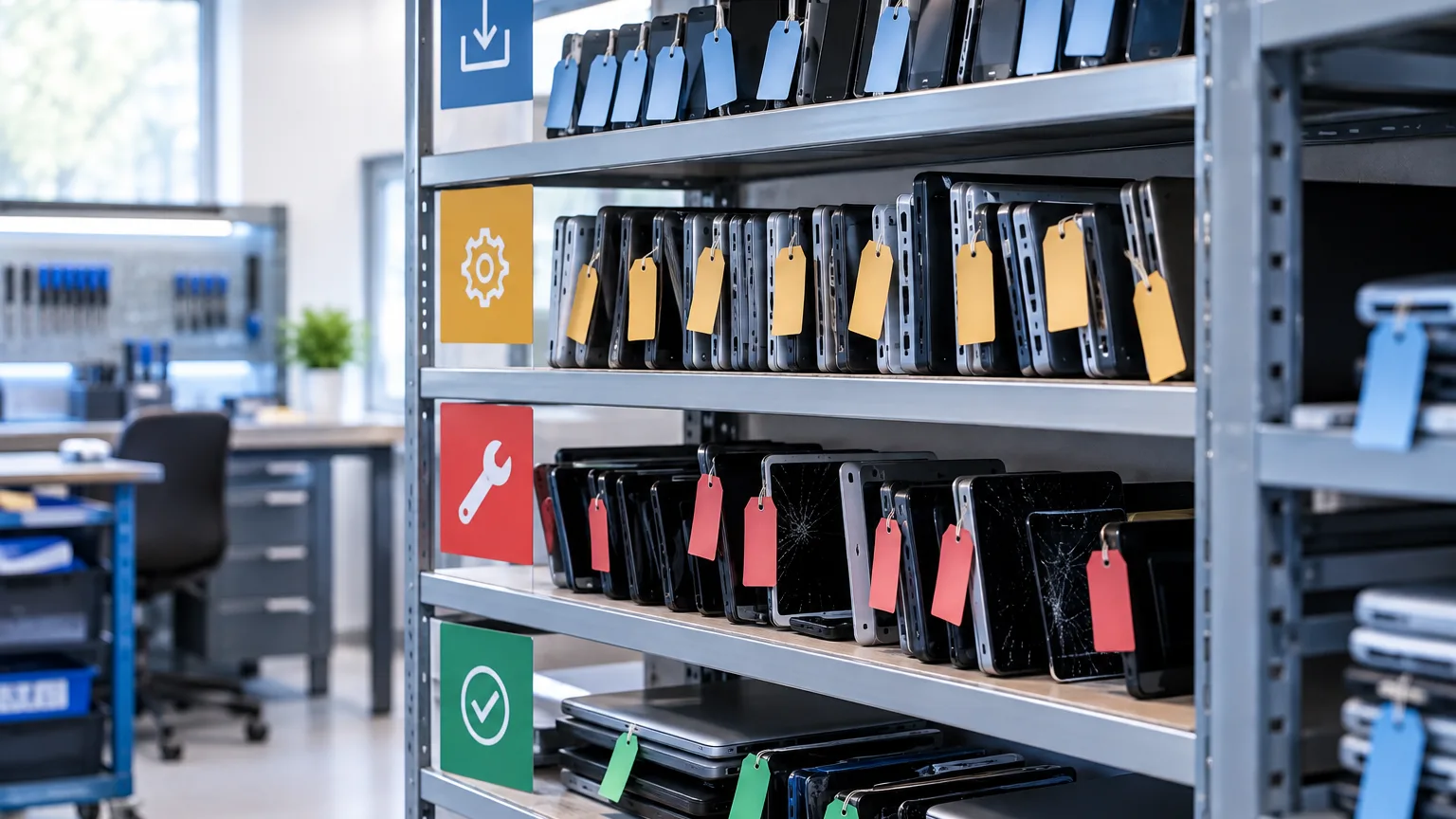
Intake is the beginning, handover is the end, and everything that makes a service money or loses it happens in between. ServiceCenterSoft carries the job across that whole path: who is responsible, by when, what has been done, what the customer paid and who changed what.
Where repairs get stuck
A device rarely sits because it is hard to fix. It sits because it belongs to nobody.
- One person took it in, another is working on it, a third will hand it over — and "whose is this?" has no answer.
- The due date was said out loud to the customer, is not in the software, and passed yesterday.
- An "urgent" repair lies among the ordinary ones because the urgency only ever existed in a conversation.
- At month end the money does not add up: some devices went out and nobody marked them paid.
None of this is cured by discipline. It is cured by every job having an owner, a date and a trail.
Technician and manager are different people
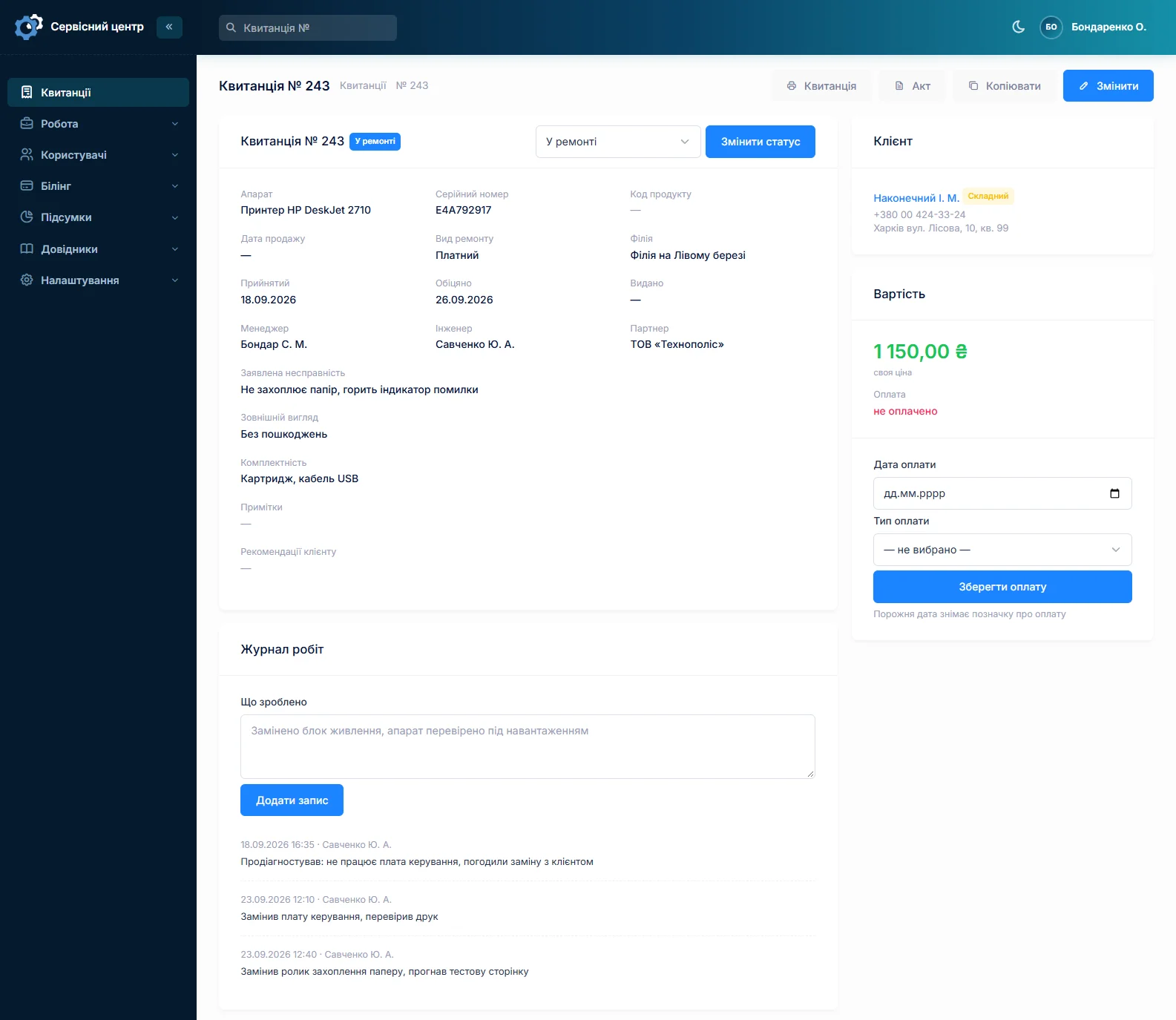
A job has two responsibility fields, deliberately. The technician is the one who repairs. The manager is the one who handles the customer: took it in, called, agreed the price, handed it back. In a one-person workshop they are the same; in a service with five staff they are not, and they must not be confused.
The split is not tidiness for its own sake — it is money: in the report for a period each appears separately, each with their own rate. The technician earns on what was fixed, the front desk on what was handled (reports).
Due dates and overdue work
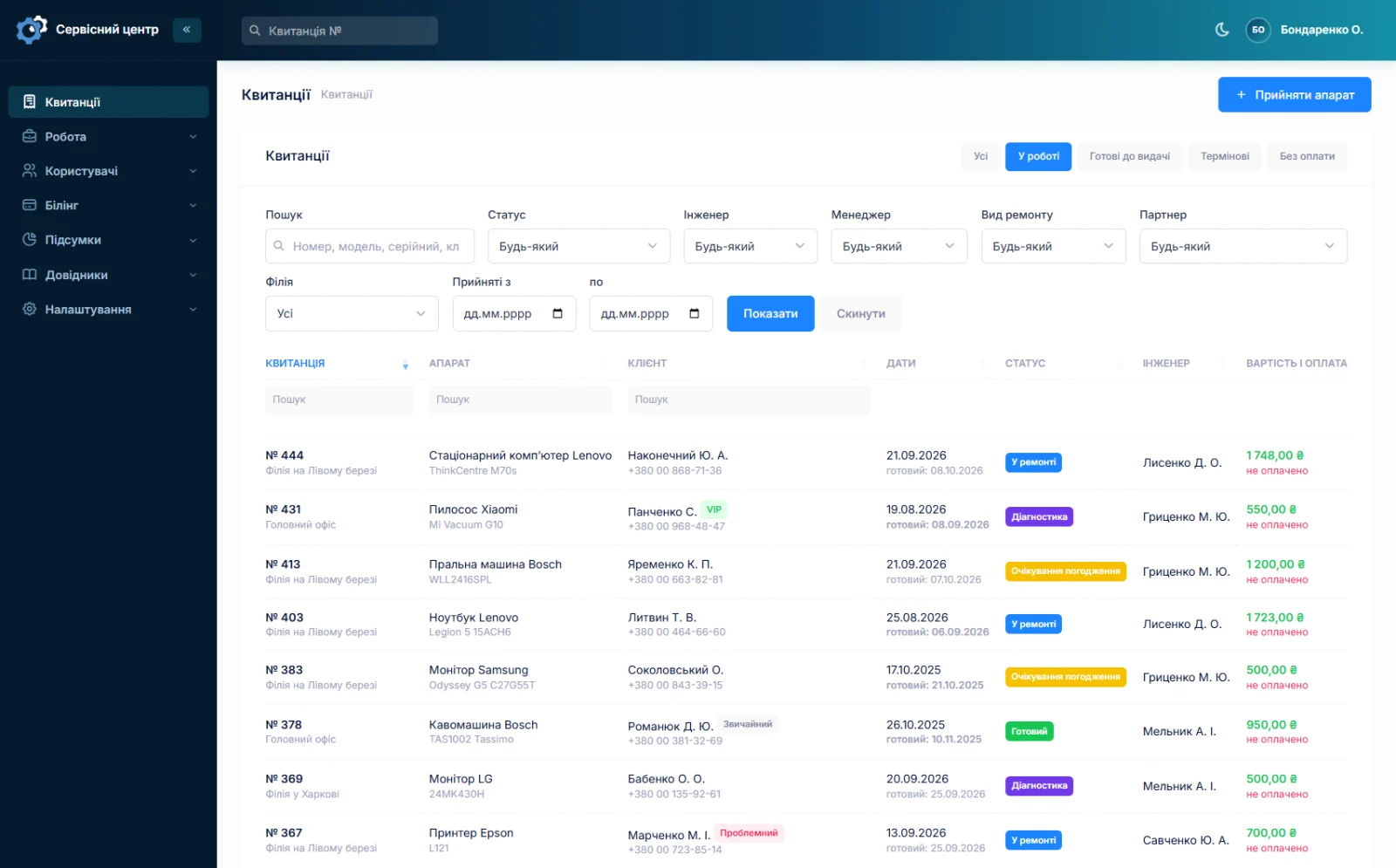
The due date is set at intake and lives on the job, not in the front desk person's memory. In the list an overdue date glows red — not beside it, not as an icon, but the row itself, so it cannot be missed.
Urgent repairs get their own flag and their own quick filter: one button shows only those.
Honestly: the software does not work out the due date by repair type and does not remind an employee that something is due tomorrow. It shows you the state when you look at it. A morning glance at the list filtered to "in progress" is all the discipline required.
Quick filters and a link to the list
Five buttons sit above the list: all, in progress, ready for pickup, urgent, unpaid. Below them are detailed filters: status, technician, manager, repair type, partner, branch and intake dates.
The filter lives in the page address. Which means a filtered list can simply be sent in a chat — "here is everything on you this week" — and the other person opens exactly what you are seeing.
The work log: what was actually done
Inside the job the technician keeps a log: a line per action, with author and time. It is both the service's memory and the raw material for the certificate — nothing has to be recalled at the end, the certificate is built from what is already written.
Next to it are comments only staff can see. The log answers "what was done", the comments answer "what you need to know about it".
History: who changed what, and when
Eleven fields are watched: status, technician, manager, repair type, price, due date, handover date, payment date, payment type, urgency and branch. Every time one of them changes, a line goes into the history: which field, what it was, what it became, who changed it and when.
The human form of the value is recorded, not the number: the history says "Ready", not "6". That is why an owner can read it, not only a programmer.
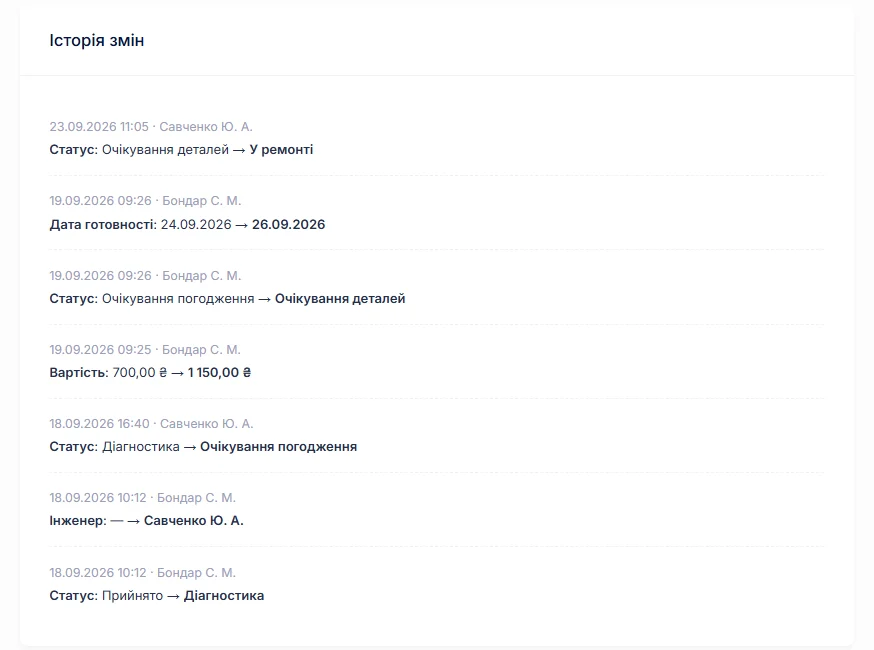
It is the sort of thing nobody notices until it is needed. And it is needed on exactly the day somebody says "I didn't do that".
Payment: when, how much, and how
Payment is marked on the job: date and type — cash, card, bank transfer, your own options in a reference list. The "unpaid" quick filter shows everything handed over or ready but not paid for.
It is the simplest way not to lose money on small things: the device was collected, the technician was busy, the front desk got distracted, and the amount simply never reached the till.
When the customer declines the repair
Half of all diagnoses end with "no, a new one is cheaper". That is a normal outcome of the work, and it deserves to be recorded rather than just forgotten.
You create your own status — "repair declined" — and mark it as closing. The device leaves the working filters, the handover date is filled in, and the job keeps everything: what was taken apart, what was found and what the diagnosis cost. If you charge for diagnosis, the amount is typed in and marked paid.
This matters six months later, when the same customer brings the same device: a search by serial number shows it has been looked at before, and with what conclusion.
Handover closes the job by itself
One of your statuses is marked "closed" — handed over, declined, returned. When you set such a status, the handover date fills itself in: it is set on the same day anyway, and asking a person to type it is an extra step that gets forgotten.
Closed jobs disappear from the working filters but do not go anywhere: the device history by serial number shows them all.
What you get
- Every repair has an owner — separately the person fixing it and the person handling the customer.
- A due date you can see, and overdue work you cannot miss.
- A link to a filtered list you can send to an employee.
- A work log the certificate builds itself from.
- Change history across eleven fields — with author, time and human-readable values.
- An "unpaid" filter so money is not lost at handover.
What it costs
Everything listed is part of the subscription: no charge per employee and no charge for a second location.
Monthly
Paid every month, cancel whenever you like.
Yearly
Cheaper than paying monthly. Invoice or card payment.
Custom work
Changes tailored to the way you work — hourly, by agreement.
You can see how it looks in the demo. Related pages: the repair intake form and reports and statistics.
Frequently asked questions
Will the software remind me a repair is overdue?
There is no separate reminder for staff, and the software does not work out the due date from the repair type. An overdue date glows red in the job list, and the "in progress" quick filter shows everything currently on the bench. A morning look at that list is enough.
Why does a job have both a technician and a manager?
They are different roles: the technician repairs, the manager handles the customer — takes the device in, calls, agrees the price, hands it back. In a one-person workshop that is the same person; in a five-person service it is not. The split matters for the reports: each has their own rate and share.
Can I see who changed the status or the price?
Yes. Eleven fields are watched: status, technician, manager, repair type, price, the ready, handover and payment dates, payment type, urgency and branch. Every change adds a history line: what it was, what it became, who and when. The value is recorded in readable form — "Ready", not "6".
Can I share a filtered list with an employee?
Yes, the filter lives in the page address. Filter, say, one technician's jobs for the week and just send the link — they will open exactly what you are seeing.
How do I avoid losing a payment at handover?
The job records the payment date and type, and the "unpaid" quick filter shows everything handed over or ready but not paid for. It is the simplest way to spot amounts that never reached the till, while they are still remembered.
Do I have to enter the handover date by hand?
No. One of your statuses is marked "closed" — handed over, declined, returned. When you set such a status the handover date fills itself in: it is set on the same day anyway.
See also
Spare parts accounting
A log of parts in and out, the money sitting in stock, requests tied to a job and an email to the supplier.
Read moreCustomer notifications when a repair is ready
A ready email and a Telegram message with branch details in the customer's language, plus a portal where they check the status themselves.
Read moreReports and statistics
Output per technician for any period, share calculated on money actually received, and branch statistics.
Read moreSee how it works
The demo is open — go in and try it. Ask us anything by email, Telegram or the form on this site.