Farm equipment repair shop software
For shops that repair tractors, combines and implements: one job per machine with serial number and hour meter reading, field service calls, rush jobs at planting and harvest, winter overhauls approved by link, parts on order, farm accounts settled after harvest, and large operations as one customer.
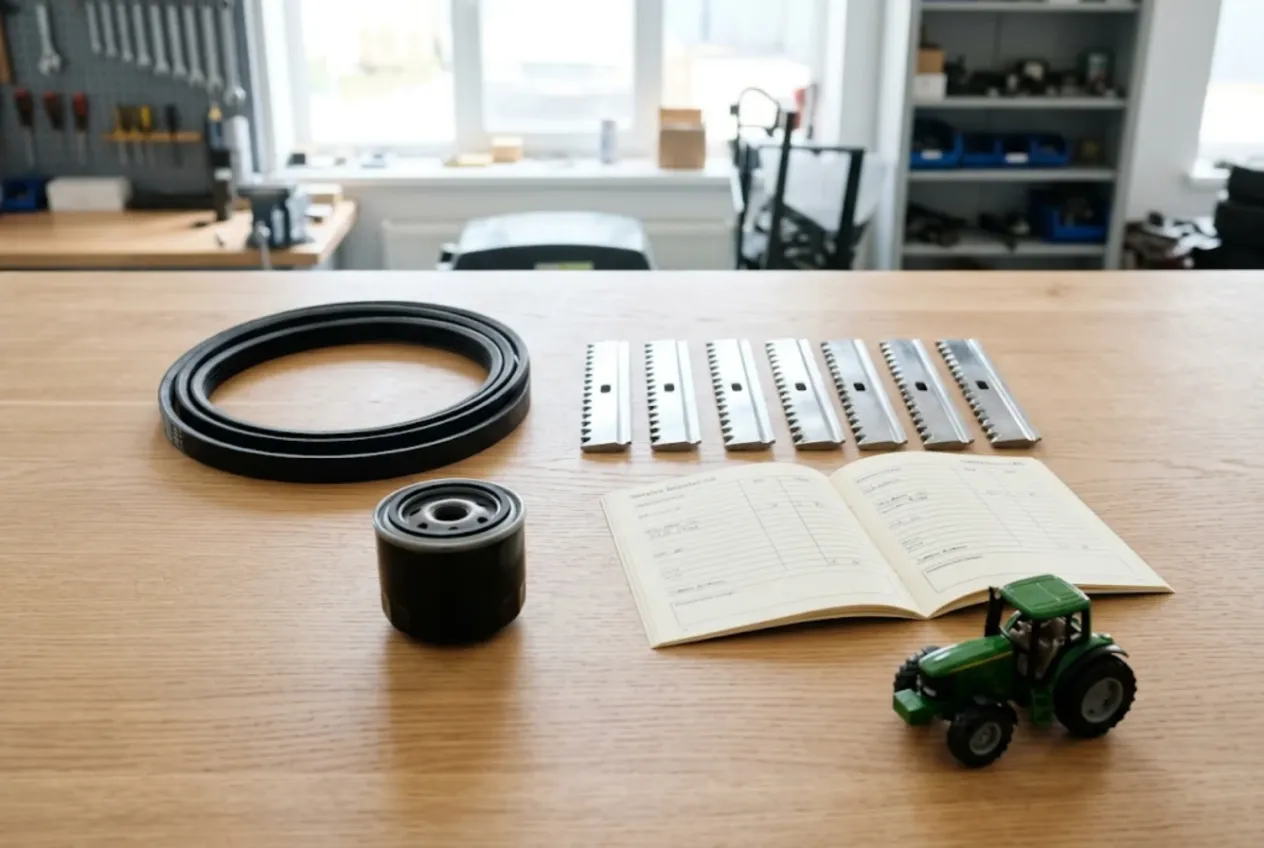
ServiceCenterSoft is job-tracking software for agricultural machinery repair shops: tractors and combines, and the implements behind them — ploughs, discs, planters and drills, sprayers, balers, headers. Each machine gets a job with its serial number and hour meter reading, an itemised estimate and a recorded approval; filters and belts sit in stock, special-order parts go out as supplier orders; and a farm that pays after harvest has one running balance. It runs in the browser — on the shop PC and on the phone in your service truck.
Who it is for
Independent ag repair shops, mechanics with a service truck and a shed, small dealers’ service departments, and the workshops of large farming operations. Your customers are family farms with a few tractors, large operations with their own fleet and operators, custom harvesters and contractors working other people’s ground, and dealers who send you out-of-warranty work.
The work follows the crop calendar. Winter is shop season: engines, transmissions, final drives, threshing units, getting headers and planters ready. Planting and harvest are a different world — a planter that will not plant or a combine down in the middle of a wheat field is not a repair, it is a deadline. The customer is not counting the cost of a belt; they are counting acres.
Where it usually goes wrong:
- the field mechanic fixed it on site, but what was replaced and the hours on the machine live only in his head;
- a part for an imported tractor is three weeks out, and nobody is sure who ordered it or from whom;
- a winter engine overhaul was agreed on the phone, and in spring the total is a surprise;
- a farm settles up after harvest, and the season’s balance is rebuilt from notebooks;
- a tractor comes back with the same problem and nobody knows what was done last time.
One job per machine
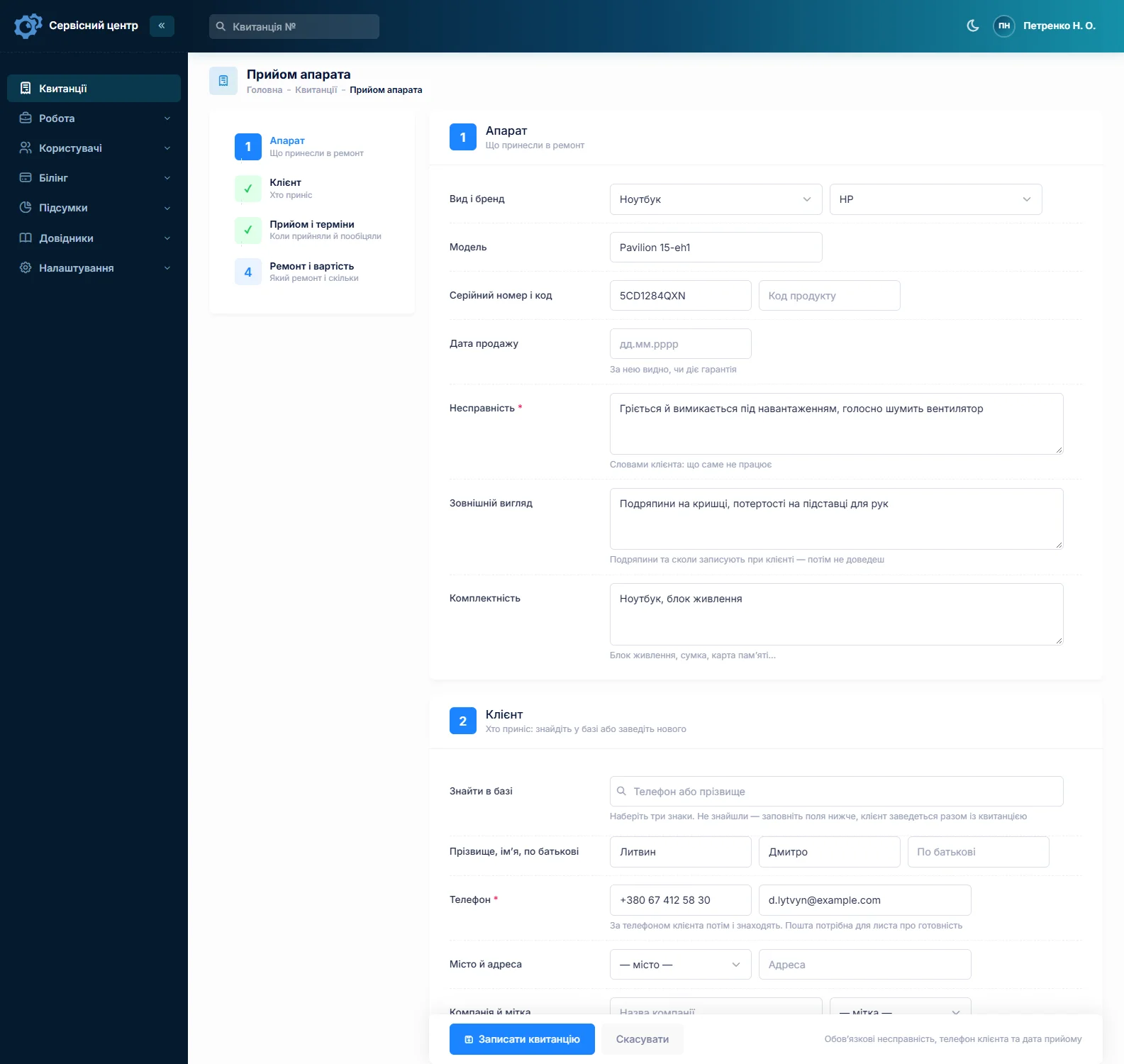
Set up device types for what you work on — “Tractor”, “Combine”, “Header”, “Planter”, “Sprayer” — each with its own repair price, diagnostics price and list of works. The serial or frame number goes into “Serial number”, the farm’s unit or registration number into “Product code”; the advanced search finds a machine by model, serial or product code, even by part of the number.
There is no dedicated hour meter field. Write the reading at intake into the technician’s notes — the customer does not see them, and the text search finds them later. “Accessories” records keys, weights, monitor and hitch parts; “Condition” records damage, leaks and tyre wear. A header or planter that comes in with the tractor gets its own job: different work, different price, often a different mechanic.
If only a cylinder or a pump came off the machine and arrived on its own, that is component work — see hydraulic repair shop software.
Field service calls
A combine does not come to the shop. The job is opened when the call comes in — customer, machine, what happened, where it is — and the mechanic sees it on his phone. To be straight about it: there is no dispatch board, route planner, GPS or telematics. What you do have is the “Works” list with your own prices: “Field call, up to 20 miles”, “Field call, up to 50 miles”, “Labour on site, per hour”. They go onto the estimate as lines like any other work.
Custom statuses with a colour and a tile above the job list — “Awaiting field call”, “Repair in field”, “Awaiting haul-in” — show in one click where someone needs to drive today. The mechanic writes what he found and replaced in the work log from the field, while it is fresh.
Planting and harvest: rush jobs in plain sight
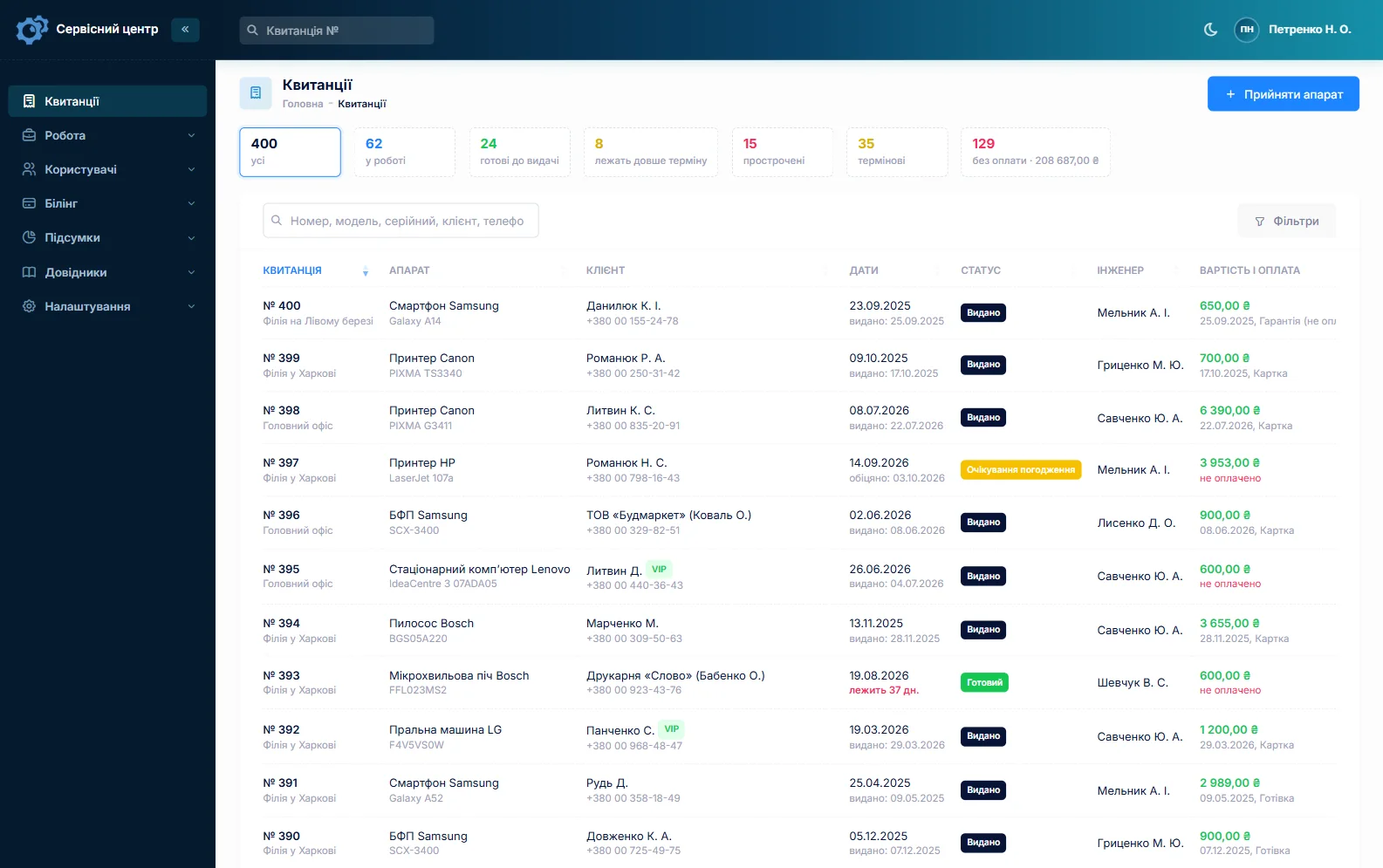
The “urgent” flag puts a planter that has to roll tomorrow or a combine stuck mid-field at the top of everyone’s attention. Every job has a promised date; once it passes, the row turns red and the “overdue” filter gathers those jobs together. When a machine is ready, the customer gets an email or a Telegram message.
Winter overhauls, approved line by line
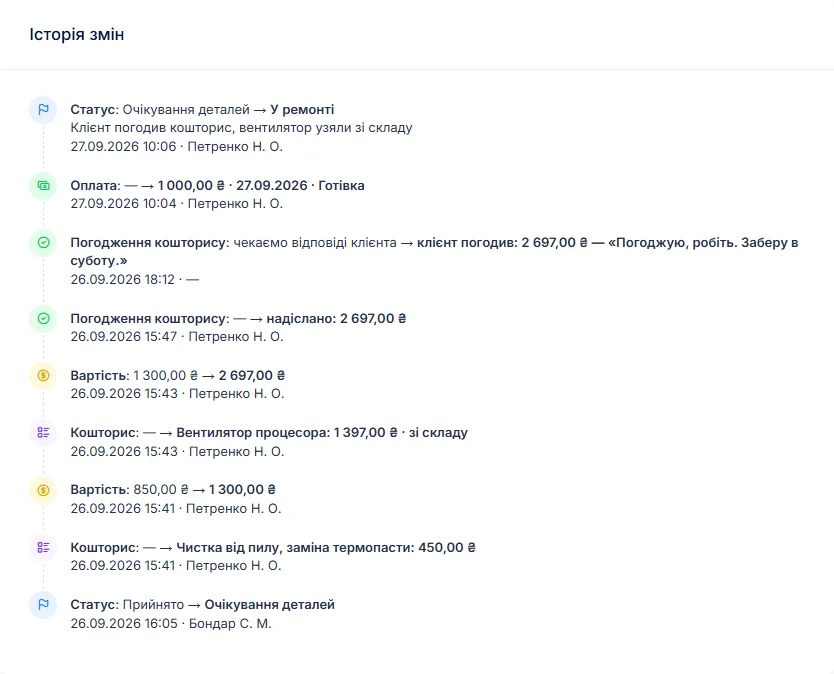
An engine or transmission overhaul is the most expensive job of the year, and the one most likely to end in an argument. After teardown, the mechanic writes the findings in the work log, the job moves to “awaiting approval”, and an itemised estimate — parts from stock, parts on order, labour — goes to the customer by email or Telegram. The link shows every line and the total, with “I agree” and “I decline” buttons; the answer and its date land in the job history.
A farm manager can forward the link to whoever signs off on spending. The promised date — “before spring work” — sits on the job. If the machine is not worth fixing, “repair refused” or “beyond repair” closes the job and the diagnostics charge remains payable.
Parts: stock for wear items, orders for the rest
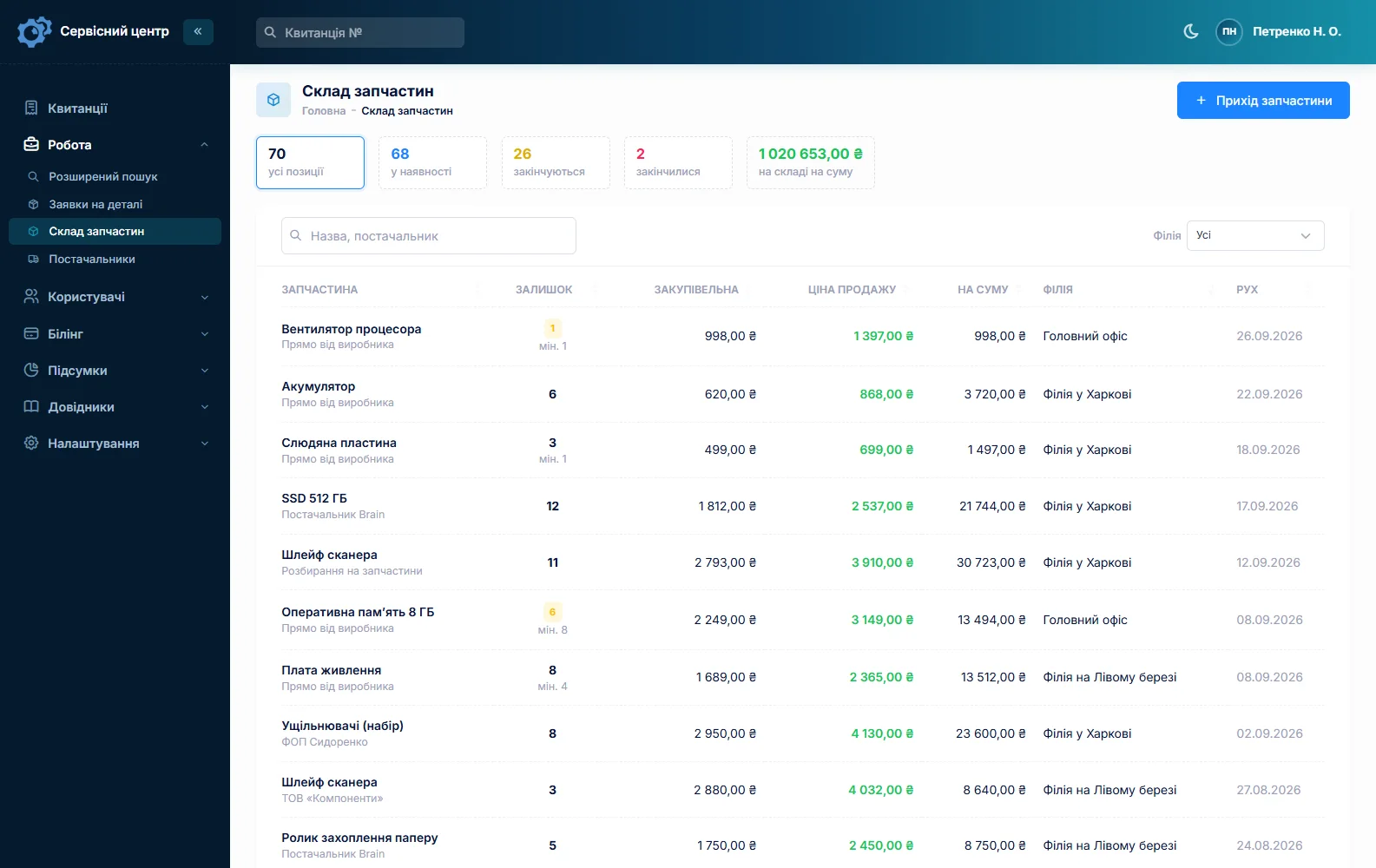
Stock is a movement journal: receipts with cost and supplier, parts used on a job as estimate lines, returns and stocktakes. Typical lines are filters, belts, bearings, knife sections and guards, chains, seals, and oil by the jug. A part added to an estimate from stock reduces the quantity on hand by itself. Minimum levels and the “running low” tile turn into a buying list in February before planting and in June before harvest. Quantities are whole numbers.
A part for a specific machine is ordered from the job: the order is emailed to the supplier, the job waits in “awaiting parts”, and you can see which machine is waiting for what. Take a deposit on an expensive part — a job can have several payments.
Farm accounts, large operations and dealers
A large operation is one customer, whoever drives the machine in: fill in the “Company” field and every job sits on one card with the total and the balance. A farm that pays after harvest sees its balance across all jobs, and the “unpaid” filter lists everything collected but not yet paid — nothing gets lost before fall. If a dealer sends you the work and the owner pays, set the dealer as a partner and filter the job list by partner.
The completion report lists the estimate lines, the work log and recommendations such as “replace thresher drive belt before harvest” or “check wheel hub bearings”. A machine back after your repair is booked as a “Repeat” job, and the serial number brings up the previous one.
Several mechanics, each with their own work
Each estimate line has a technician — engine man, electrician, field mechanic — and the report shows who did what and what they earned at their rate. See technician pay. The farm’s standby diesel generator is covered on its own page: generator repair software.
About the rules
The software tracks repairs. Road use of farm machinery, safety requirements after repair, dealer and manufacturer warranties, and disposal of used oil and filters depend on the rules of your country and on your contracts — the software does not handle any of that.
What repairs typically cost
A rough guide only — prices depend on region, make and condition: shop diagnosis €100–250, field call €100–300 depending on distance, tractor service labour €300–1,200, clutch €1,500–5,000, transmission or final drive €3,000–15,000, engine overhaul €8,000–30,000, getting a header or planter ready for the season €600–3,000. You set your own prices in device types, the “Works” list and estimate lines.
What it does not have
- GPS, telematics or links to machine onboard systems;
- a dedicated hour meter field or scheduled service reminders;
- a dispatch board or route planner;
- a separate module for the customer’s fleet;
- photos or file attachments on a job;
- SMS, a mobile app, or online payment by the customer;
- integrations with suppliers or manufacturers’ parts catalogues.
What it costs
One price for the whole shop — no extra charge for staff or branches.
Monthly
Paid every month, cancel whenever you like.
Yearly
Cheaper than paying monthly. Invoice or card payment.
Custom work
Changes tailored to the way you work — hourly, by agreement.
Off-the-shelf not enough — your own forms, roles, reports or workflow? We will build a program for you. How it works
Try it without signing up in the demo: book in a tractor with its serial number and hours, flag it urgent and send an estimate for approval.

We are very happy working with servicecentersoft.com: they built everything we asked for, even though our request was unusual, since we deal with medical devices. Everything was done precisely and on the agreed schedule. Thank you for the cooperation — we keep working together.

I tried the ServiceCenterSoft demo and came away with a good impression. The program is simple and easy to understand, yet it has everything you need for the job: customers, repairs, devices, spare parts, statuses and statistics.
I especially liked the dark theme and the responsive design — working from a phone is perfectly comfortable. Another plus is the instant search that works as you type, so you don't have to press a separate "Search" button every time.
You can tell the program was built specifically for service centers rather than being a generic CRM adapted for the repair business. The interface has no unnecessary frills; everything is logical and to the point.
A good, practical tool for the day-to-day work of a service center.

I liked that you get a free 14-day trial and that they are willing to handle my special requests — setting things up exactly the way I need them.
I also liked how payment works. You can simply pay the monthly fee by card online — basically the same as a regular Spotify subscription or any other service. No separate contracts to sign and no invoices to pay manually.
And there's no feeling of strict limits on the number of employees. One service center is one account, and inside it you can organize the work of your technicians and run several branches.
For me this is far more convenient than plans where you have to pay for every single user or keep counting how many employees are working today.

My business is fairly specific, so the program's standard features weren't enough — I needed my own custom fields, my own sorting options and search by additional parameters. The work completion certificate and the printed repair receipt also needed some changes to fit the way we work.
I contacted technical support. To be honest, I expected changes like these to take a long time, but everything was done within a single day. The team quickly understood exactly what we needed, suggested the right solution and did everything properly.
I'd especially like to mention the support: they get straight to the point, with no unnecessary bureaucracy, and they genuinely help instead of just sending you off to read the documentation.
For me this is a big advantage of the program: it isn't just sold "as is" — it can be adapted to how you actually work. Thanks to the team for the quick response and for treating the customer right.
Highly recommended!
In short
- One job per machine: serial, unit number, hours in the notes.
- Field calls as work lines and custom statuses.
- Rush jobs at planting and harvest flagged, overdue in red.
- Winter overhauls only after “I agree” by link.
- Wear items in stock, special-order parts emailed to suppliers.
- Farm balances carried to harvest, large operations as one customer.
- €20 a month for the whole shop.
See also
UPS repair software
For shops that service UPS units and voltage regulators for offices, retailers and server rooms: batches booked with asset tags, battery replacement and the customer who comes back years later, a loan UPS during the repair, estimates approved by link, trade accounts and completion reports.
Read moreTwo-way radio repair software
For radio shops that repair handheld and mobile two-way radios, base stations and repeaters: fleets from business customers booked in batches, the customer’s own fleet number, batteries and antennas recorded at intake, programming as a billable line, trade accounts and completion reports.
Read moreJewelry repair software
For jewelry repair benches and workshops: chain soldering, ring sizing, stone setting, rhodium plating. Description, weight and hallmark recorded at intake and signed for, metal as an estimate line, deposits, the envelope number in the safe, ready notices by email and Telegram.
Read moreSee how it works
The demo is open — go in and try it. Ask us anything by email, Telegram or the form on this site.