Water treatment service software
For water treatment dealers and service companies: reverse osmosis, softeners, water coolers and bottleless dispensers. Filter changes on site, cartridges in stock with minimum levels, offices as company customers.
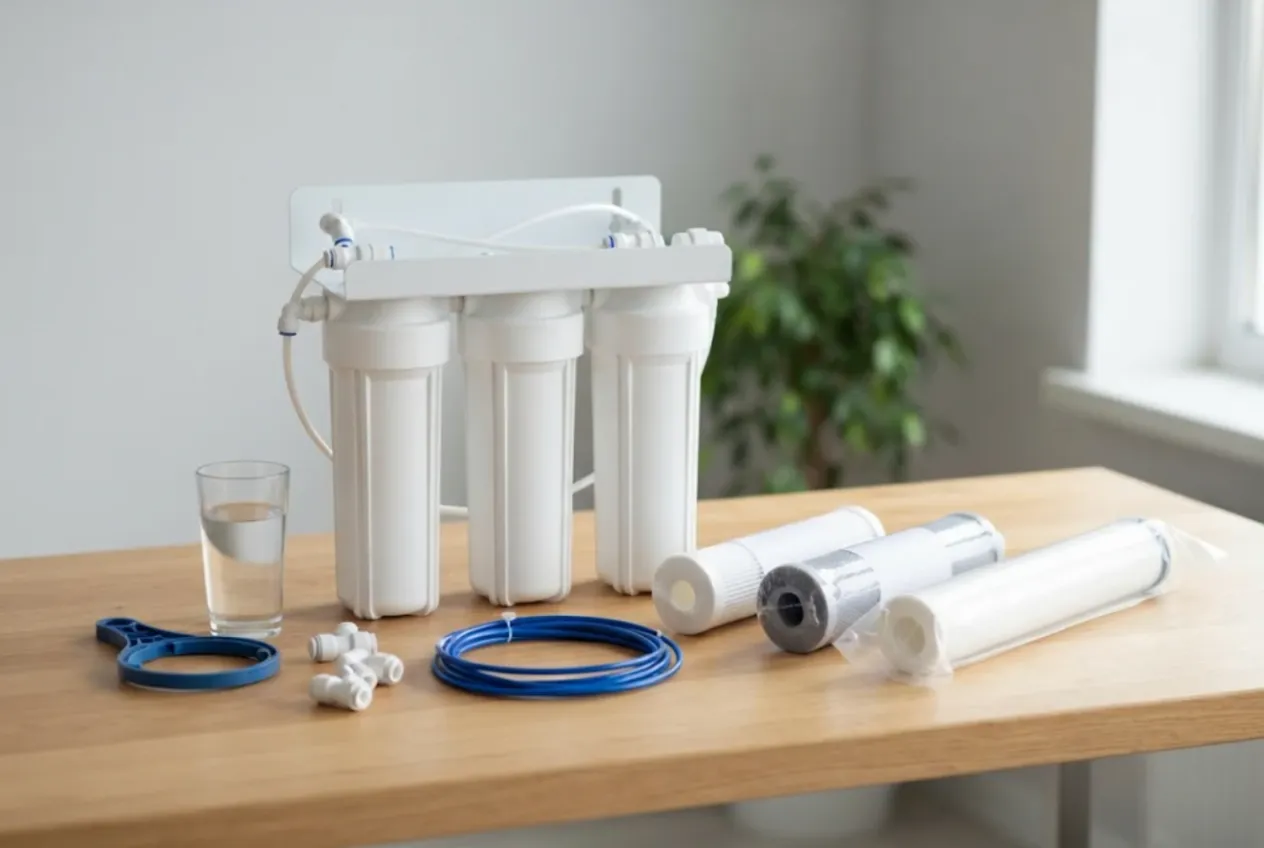
ServiceCenterSoft is job-tracking software for businesses that install and service water treatment: under-sink reverse osmosis, whole-house filters, water softeners and iron filters, bottled and bottleless water coolers in offices. Every visit is a numbered job with the address, the unit, an itemised estimate and a work log; cartridges, membranes and salt sit in stock with live quantities. It runs in the browser — at the office desk and on the technician’s phone under a customer’s sink.
Who you serve, and where the money leaks
A water treatment business does not live on breakdowns. It lives on the filter change that comes round every six or twelve months, the membrane every few years, the softener check before the resin gives up. The customer forgets all of it: water still comes out of the tap. Remembering is your job, and that is exactly where revenue slips away.
The usual leaks:
- who had a system installed in March and is due now lives in one technician’s notebook;
- an office with six coolers calls about “the one by accounts”, and nobody knows which unit that is or when it was last sanitised;
- the tech arrives for a membrane change and the van has the wrong membrane — a second trip at your cost;
- the customer is sure the post-filter was changed last time, and there is no record either way;
- a company asks for a six-month statement and you rebuild it from text messages.
A visit is a job with an address
Nearly all of this work happens at the customer’s premises. Create your own repair type — “Call-out” or “Scheduled filter change” — and add a “Technician call-out” line with a price to your works list: it goes into the estimate, and the job list can be filtered by repair type. Equipment types are yours to define too: “Reverse osmosis”, “Inline filter”, “Softener”, “Water cooler”, “Bottleless dispenser”, “Whole-house filter”.
The job holds the model and serial number, and the fault in the customer’s words: “annual filter change”, “slow flow at the tap”, “runs to drain constantly”, “housing dripping”, “cooler not chilling”. Address, phone numbers and notes such as “system in the left cabinet, shut-off behind the bin” are on the customer record, which the technician opens on a phone on the way there.
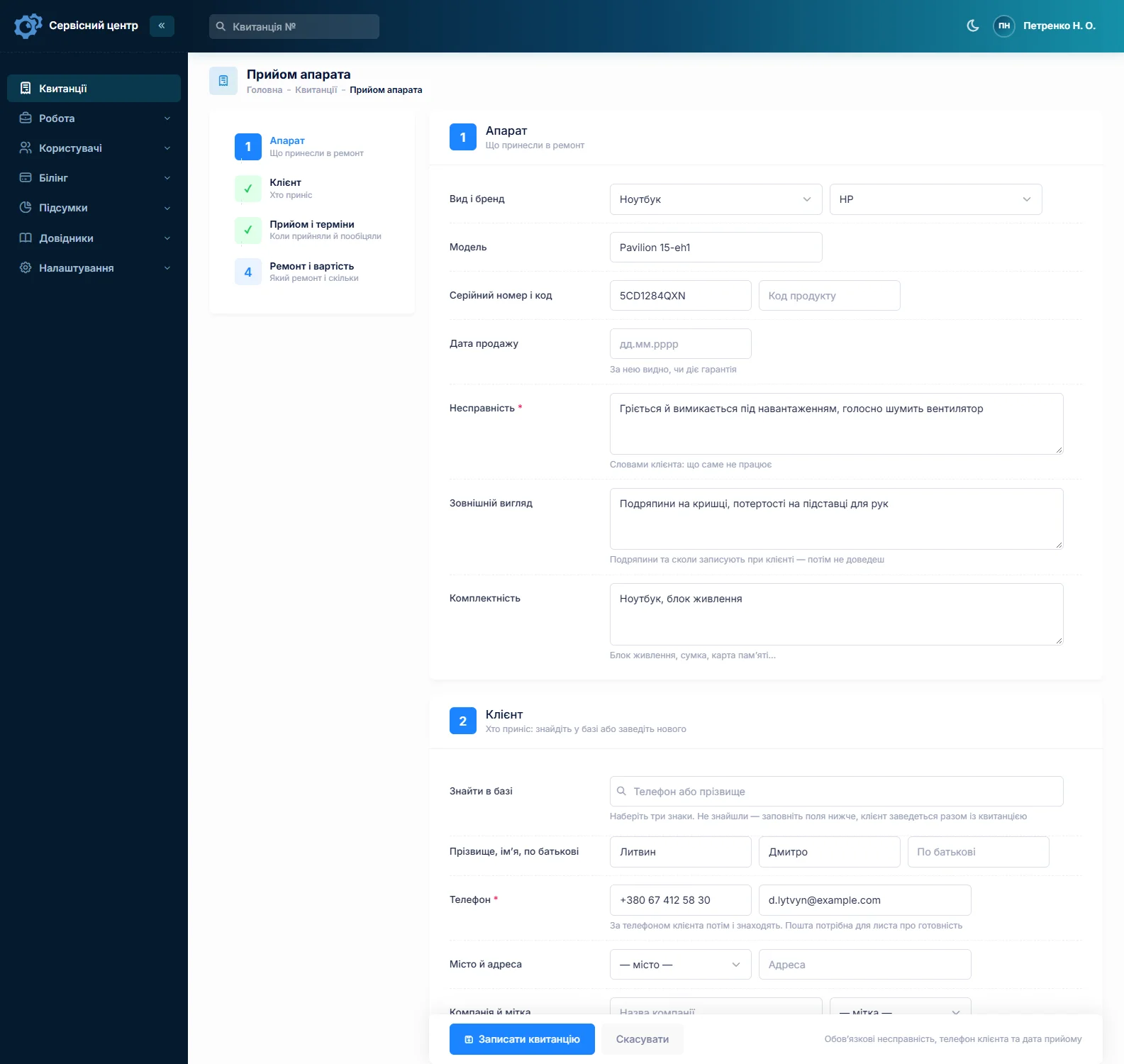
“Notes for the technician” are never shown to the customer — the place for “inlet pressure 30 psi, booster pump fitted”, “75 GPD membrane”, “TDS after RO: 14”. Whoever goes next knows what to load.
Who is due a filter change — the honest answer
Straight out: there are no service reminders, no maintenance schedule and no calendar. The software will not tell you that a customer hits six months tomorrow. You can still build the “who is due” list from what is there, and three habits work well together.
- Customer label. Labels are your own list, and a customer carries one label. Name them after the month or season of the next change: “Due: March”, “Due: September”. At the start of the month, filter the customer list by label and you have your call list. After the visit, move the customer to the next label.
- A fixed line in the notes. Always write it the same way in the technician notes: “next change 2027-05”. Advanced text search then pulls up every job with that line.
- Recommendations. “Cartridges in May 2027, membrane in autumn 2027” prints on the work report the customer keeps.
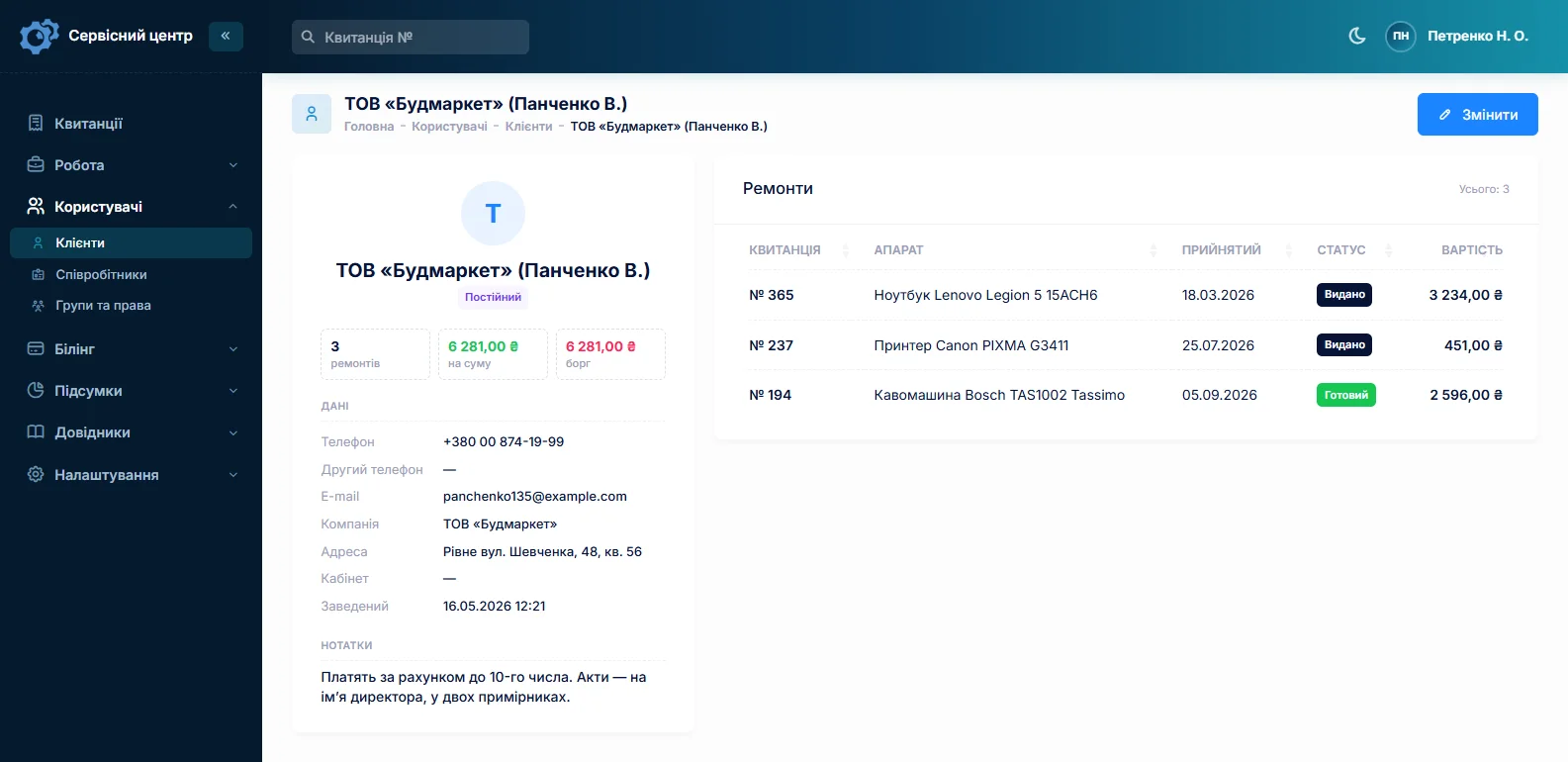
When the time comes you do not type a new job from scratch: copy the last one, and the customer, the unit, the fault and the notes carry over. The customer record shows every earlier visit — date, estimate, what was replaced — so “did you change the post-filter last time?” is answered in a minute.
Offices: six coolers, one payer
An office, a clinic or a gym is a customer with the “Company” field filled in; it prints on the job sheet and the work report. To tell units apart, each job has a serial number and a “Product code” field — use it for the location: “cooler, 3rd floor, reception”, “dispenser, kitchen”. Searching by equipment brings up that unit’s whole history.
How you book it is up to you: one job per visit with an estimate line “cooler sanitisation × 6”, or one job per unit when the history by serial number matters. The company’s record shows all visits, the total and the outstanding balance; the “unpaid” filter in the job list gathers finished work not yet paid. There is no invoicing and no contracts — you print the job sheet and the work report. Cooler rental and bottled water delivery are not tracked either.
Cartridges, membranes and salt in stock
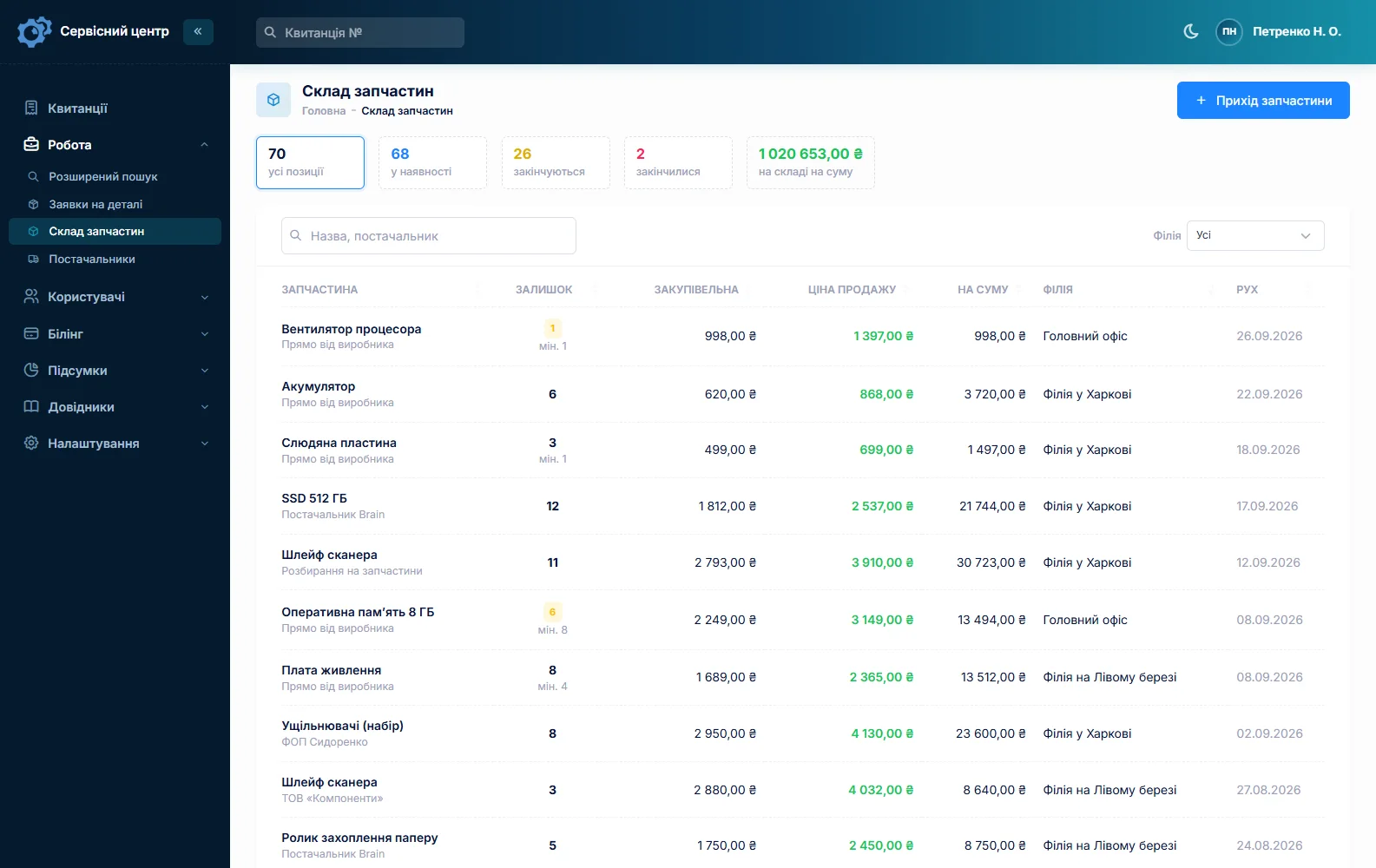
Stock is a movement log: goods in with cost and supplier, items issued to a job as an estimate line, returns, write-offs with a reason, stocktakes; the quantity updates itself. Quantities are whole numbers, so everything is counted by the piece: pre-filter cartridge sets, 50 and 75 GPD membranes, post-filters, remineralisers, booster pumps, transformers, storage tanks, faucets, fittings, salt and resin by the bag.
Give each item a minimum level. When the quantity reaches it, the item shows up under the “running low” filter — a ready-made order list. If forty customers carry next month’s label, you can see in advance whether you have enough sets. A rare part, such as a softener control head, is ordered from the job: the request is emailed to your supplier. More on spare parts tracking.
When it is a repair, not a filter change
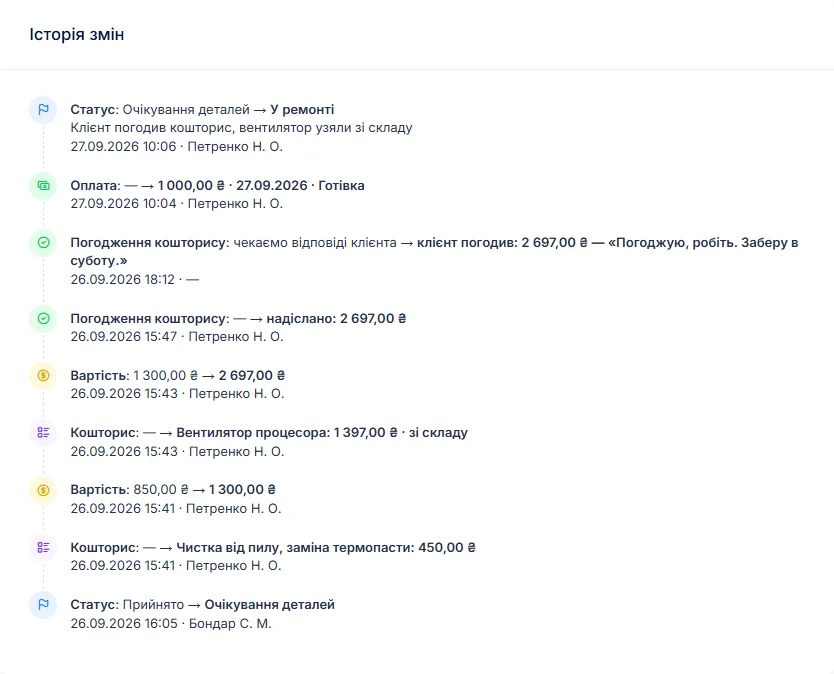
A softener control valve, an RO booster pump, a cooler compressor — these start with a diagnosis written into the work log, then an estimate built from your works list and stock. One click sends it by email or Telegram; the customer opens the link, sees each line and the total, and clicks “I agree” or “I decline”. The answer is kept in the job history with the date.
For a new installation or an expensive valve take a deposit: a job can have several payments, and the balance due is shown. Statuses are your own colour-coded list — next to the built-in “Awaiting parts” and “Awaiting approval”, add “Visit booked” or “Flushing”.
Technicians and units on the bench
Each estimate line has a technician, and the period report shows what each one did and earned from their lines — see technician commission. Filter the job list by technician to see who has which addresses today. There is no route planning; the technician uses the usual maps app.
A cooler or dispenser is sometimes brought to your workshop. Then condition and contents are recorded at intake, the customer gets a “ready” email or Telegram message, and the list shows how many days the unit has been waiting for collection.
If you also look after the coffee machines in those offices, see coffee machine repair software; well pumps and pressure systems are covered on pump repair software.
Drinking water rules
Connections to the water supply and anything touching drinking water quality are governed by local rules, and some regions require licensed installers. The software does not check any of that and keeps no water-test register: a reading or a lab report number can be typed into the work log, and it prints on the work report.
Typical service prices
A rough guide only — it varies by region, system and consumables: call-out €30–70, RO filter set change €40–90 labour, membrane change €40–80 labour, under-sink installation €100–250, water cooler sanitisation €40–90, softener service with valve check €120–250, resin replacement from €300. You set your own rates in the works list.
What it does not do
- service reminders and maintenance schedules — only labels, notes and search;
- service agreements, cooler rental or water delivery tracking;
- dispatch calendar and route planning;
- photos and file attachments, supplier integrations;
- invoices, SMS, a mobile app, online payment by the customer.
What it costs
One price for the whole business — no extra charge for technicians or branches.
Monthly
Paid every month, cancel whenever you like.
Yearly
Cheaper than paying monthly. Invoice or card payment.
Custom work
Changes tailored to the way you work — hourly, by agreement.
Off-the-shelf not enough — your own forms, roles, reports or workflow? We will build a program for you. How it works
Try it without signing up in the demo: add a customer with a label, book a filter change using cartridges from stock, then copy the job for the next visit.

We are very happy working with servicecentersoft.com: they built everything we asked for, even though our request was unusual, since we deal with medical devices. Everything was done precisely and on the agreed schedule. Thank you for the cooperation — we keep working together.

I tried the ServiceCenterSoft demo and came away with a good impression. The program is simple and easy to understand, yet it has everything you need for the job: customers, repairs, devices, spare parts, statuses and statistics.
I especially liked the dark theme and the responsive design — working from a phone is perfectly comfortable. Another plus is the instant search that works as you type, so you don't have to press a separate "Search" button every time.
You can tell the program was built specifically for service centers rather than being a generic CRM adapted for the repair business. The interface has no unnecessary frills; everything is logical and to the point.
A good, practical tool for the day-to-day work of a service center.

I liked that you get a free 14-day trial and that they are willing to handle my special requests — setting things up exactly the way I need them.
I also liked how payment works. You can simply pay the monthly fee by card online — basically the same as a regular Spotify subscription or any other service. No separate contracts to sign and no invoices to pay manually.
And there's no feeling of strict limits on the number of employees. One service center is one account, and inside it you can organize the work of your technicians and run several branches.
For me this is far more convenient than plans where you have to pay for every single user or keep counting how many employees are working today.

My business is fairly specific, so the program's standard features weren't enough — I needed my own custom fields, my own sorting options and search by additional parameters. The work completion certificate and the printed repair receipt also needed some changes to fit the way we work.
I contacted technical support. To be honest, I expected changes like these to take a long time, but everything was done within a single day. The team quickly understood exactly what we needed, suggested the right solution and did everything properly.
I'd especially like to mention the support: they get straight to the point, with no unnecessary bureaucracy, and they genuinely help instead of just sending you off to read the documentation.
For me this is a big advantage of the program: it isn't just sold "as is" — it can be adapted to how you actually work. Thanks to the team for the quick response and for treating the customer right.
Highly recommended!
In short
- Every visit is a job; the full filter-change history sits on the customer record.
- No reminders: a customer label and text search show who is due.
- An office is a company customer; coolers are told apart by serial number and location.
- Cartridges, membranes and salt in stock with minimum levels.
- Bigger repairs only after the customer approves the estimate online, with a deposit.
- €20 a month for the whole business.
See also
Optics repair software for binoculars, scopes and telescopes
For a workshop repairing binoculars, spotting scopes, monoculars, telescopes, riflescopes and rangefinders: lens condition on the signed job sheet, collimation and nitrogen purging as estimate lines, warranty work, special-order parts, mail-in repairs.
Read moreStarting your own repair shop: where to begin
For people who can fix phones and laptops and want to work for themselves: what a small repair business needs on day one, the paperwork that protects you from the first customer, and how to run a shop in a country whose language is not your own.
Read moreSoftware for home appliance service
Contents recorded at intake, warranty at the brand price list, callouts, slow parts and partner shops.
Read moreSee how it works
The demo is open — go in and try it. Ask us anything by email, Telegram or the form on this site.