Optics repair software for binoculars, scopes and telescopes
For a workshop repairing binoculars, spotting scopes, monoculars, telescopes, riflescopes and rangefinders: lens condition on the signed job sheet, collimation and nitrogen purging as estimate lines, warranty work, special-order parts, mail-in repairs.
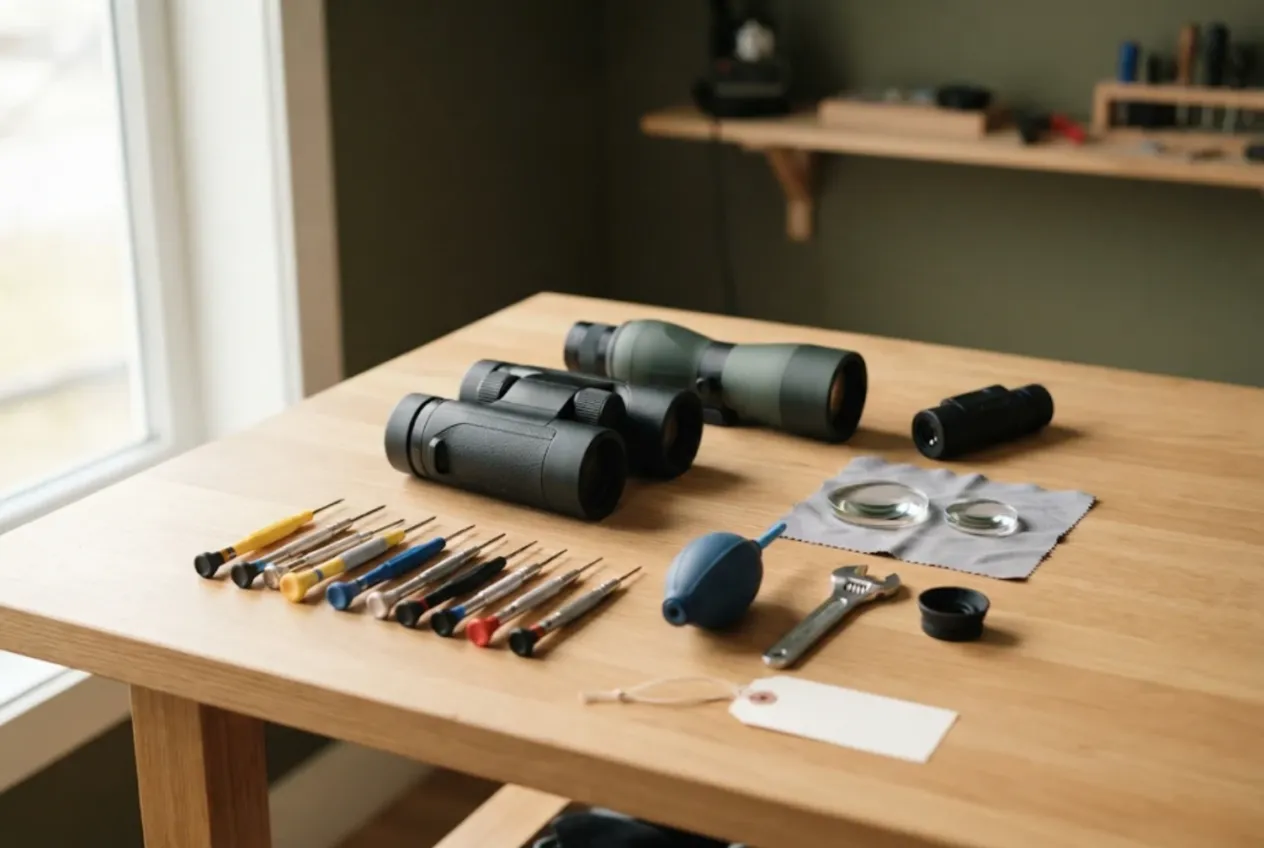
ServiceCenterSoft is repair-tracking software for a workshop that services sport and observation optics: binoculars, spotting scopes, monoculars, astronomical telescopes, riflescopes, laser rangefinders and night vision devices. Each instrument becomes a numbered job with its serial number, lens condition, contents, an itemised estimate, a work log and a full history. It runs in the browser — on the front-desk computer and on a phone next to the collimator.
Who sends you optics, and what goes wrong
Your customers are birders, hikers, amateur astronomers, hunters, sailors, schools and clubs. The binocular may be a forty-year-old heirloom or a premium roof-prism model that cost a month’s salary; the telescope may have taken its owner years to put together. There is little or no electronics inside — just prisms knocked out of alignment by a drop, grease that has turned to glue, perished seals and fungus creeping across the coatings.
Where time and money usually leak:
- nobody described the lenses at intake, and at collection the customer finds a scratch that “wasn’t there”;
- the same binocular was in two years ago, but nobody can say what was done to it;
- the purchase date was never asked for, so warranty or not is decided by guesswork;
- a deposit was taken for a rare prism, and only one person remembers which job it belongs to;
- a parcel arrived from another city and its tracking number lives in someone’s private chat;
- a finished telescope has been taking up half a shelf for three months.
Intake: serial number and lens condition on the signed sheet
A job has model, serial number and date of sale. The job list searches by part of a serial number, so a returning instrument shows its earlier repairs straight away. Write the model the way an optician would: “10×42 roof-prism binocular”, “20–60×80 angled spotting scope”, “6-inch Newtonian on an equatorial mount”. When tube and mount carry separate numbers, put the second one under contents.
For optics the “Condition” field matters most. In front of the customer, note scratches and worn coatings on objectives and eyepieces, fungus, internal fogging, dents, the state of the rubber armour and eyecups, and whether the seals are intact. Under contents list the case, strap, lens caps, tripod adapter, eyepieces and finder. It all prints on the job sheet the customer signs. Record the fault in their words: “double image”, “right eyepiece won’t focus”, “fogs inside after rain”, “reticle canted”.
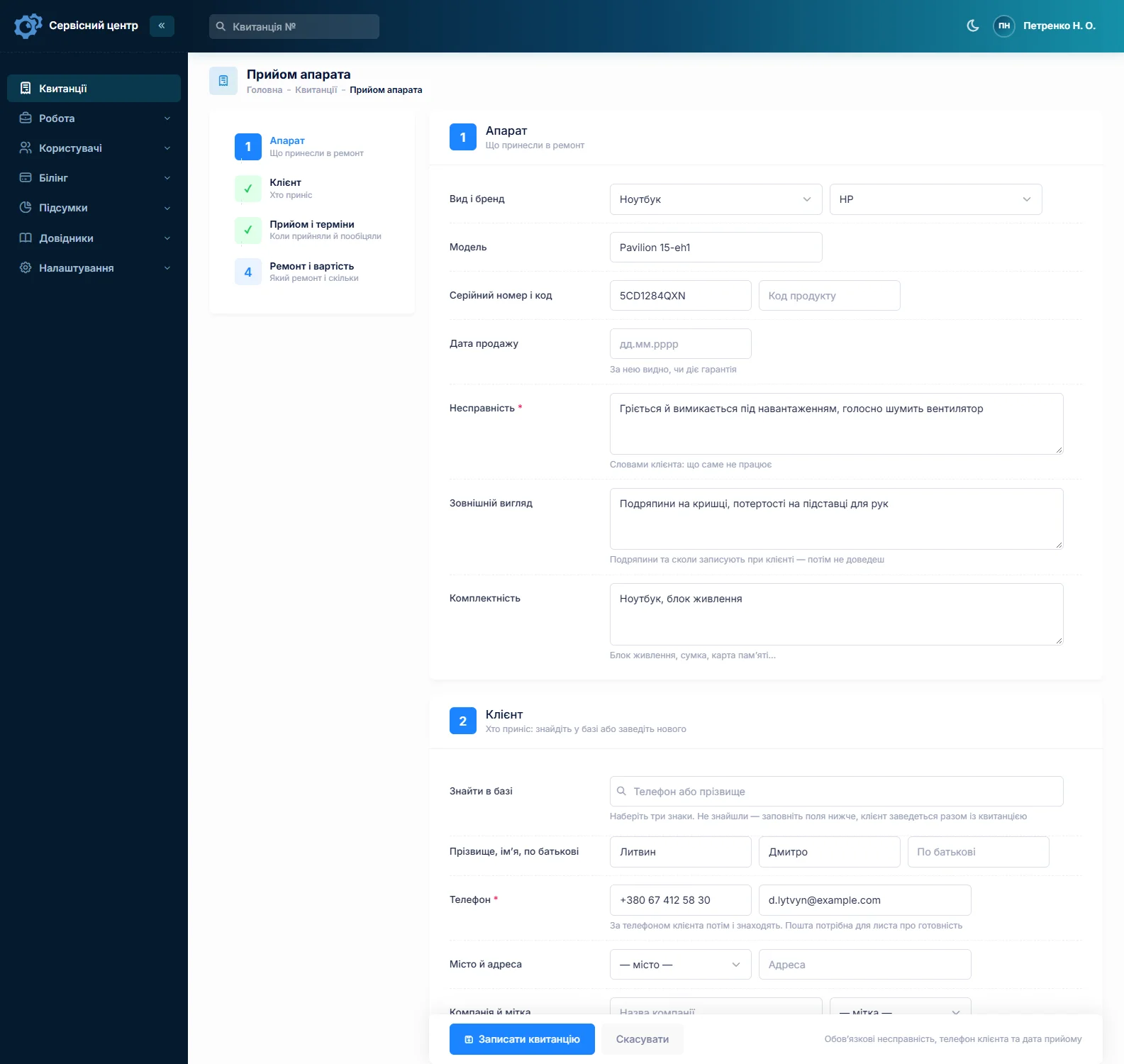
To be honest about photos: you cannot attach one to a job. If you photograph the lenses on your phone, say so in the description — the written text above the signature is still what counts. “Notes for the technician” are never shown to the customer: “left prism re-cemented before”, “non-standard eyepiece thread”.
Collimation, cleaning and nitrogen as estimate lines
Put your standard operations into the works list with your prices: binocular collimation, strip-down and fungus cleaning, re-greasing the focus mechanism, resealing with new O-rings, nitrogen purging, telescope collimation, eyecup replacement. The estimate on a job is built line by line from that list and from stock, so the customer sees what the total is made of.
What you checked afterwards goes into the work log: “double image corrected, checked on collimator”, “nitrogen filled, no fogging after 24 hours”. The log prints on the work report together with the estimate, and “Recommendations” is the place for care advice — store dry, never case it wet, don’t wipe lenses with a shirt. There is no separate alignment certificate with measurement tables: the software prints two documents, the job sheet and the work report.
If you charge a bench fee, set a diagnostics price for the device type. When the customer is unsure, switch the job’s base to “diagnostics only” and the amount is visible from the start.
Approval before expensive work
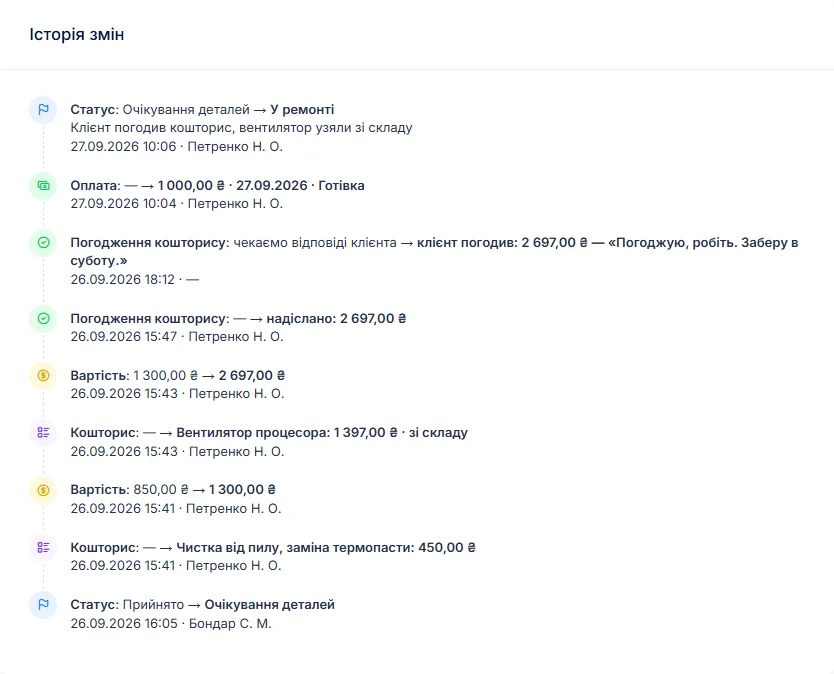
Re-cementing a prism or restoring a vintage binocular can cost half the price of a new one. After diagnosis the estimate goes to the customer by email or Telegram; the link shows every line and the total, with “I agree” and “I decline” buttons and room for a comment. The dated answer is stored in the job history. Declined jobs get the “Repair declined” status, instruments not worth restoring “Beyond repair”, with the reason kept in the log.
Manufacturer warranty
The repair type is chosen at intake: warranty, paid, post-warranty or repeat. The date of sale shows whether cover still applies. If you are a brand’s authorised repairer, warranty jobs are priced from the manufacturer’s list — see software for authorised service centres. What a warranty covers, and whether opening the body affects it, is set by the manufacturer’s and seller’s terms; the software simply keeps the date, the repair type and the state of the seals on record.
Special-order parts and a small stock
Nobody keeps a prism, an eyepiece assembly or a reticle for a twenty-year-old model on the shelf. A parts request is raised from the job and emailed to your supplier; the job waits in “Awaiting parts”, and the list shows every instrument held up by a delivery. For an expensive part take a deposit — a job can have several payments, with paid and balance due shown.
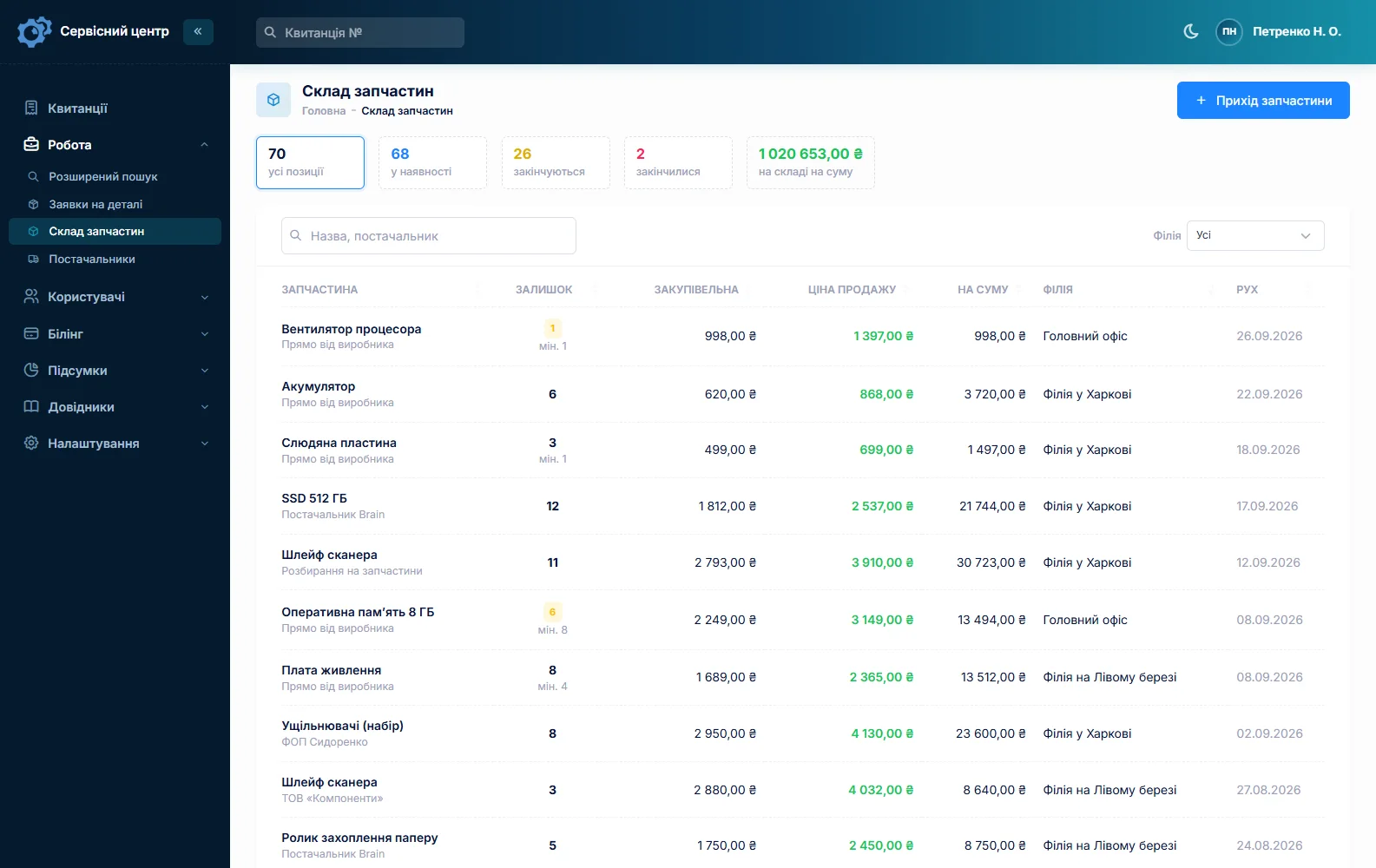
The small things live in stock: eyecups, lens caps, O-rings, screws, straps, rangefinder batteries. Stock is a movement log — goods in with cost, parts issued to a job as an estimate line, stocktakes. Quantities are whole numbers, so count grease by the tube. Each item can have a minimum level, and the “running low” tile tells you when to reorder. More on spare parts tracking.
Mail-in repairs
Optics workshops are few, so much of the work arrives by post. It is booked as an ordinary job: the address sits in the customer record, and the tracking number goes into the comment on a status change or into the notes, where text search will find it. Add your own statuses — “On its way to us”, “On the collimator”, “Shipped back” — each with its own colour. Describe the instrument as soon as you unpack it: that text is what appears on the job sheet.
There is no link to carriers; you create the shipping label in the carrier’s own account. The customer hears that the job is ready by email or Telegram message.
Busy seasons, the ready shelf and clubs
Before holidays, migration season or the August meteor showers everyone wants it “by Friday”. The “Urgent repair” flag and a promised date keep those jobs in view, and overdue rows turn red. Each finished instrument shows how many days it has been waiting; once the free storage period from your settings has passed, a tile gathers the forgotten ones.
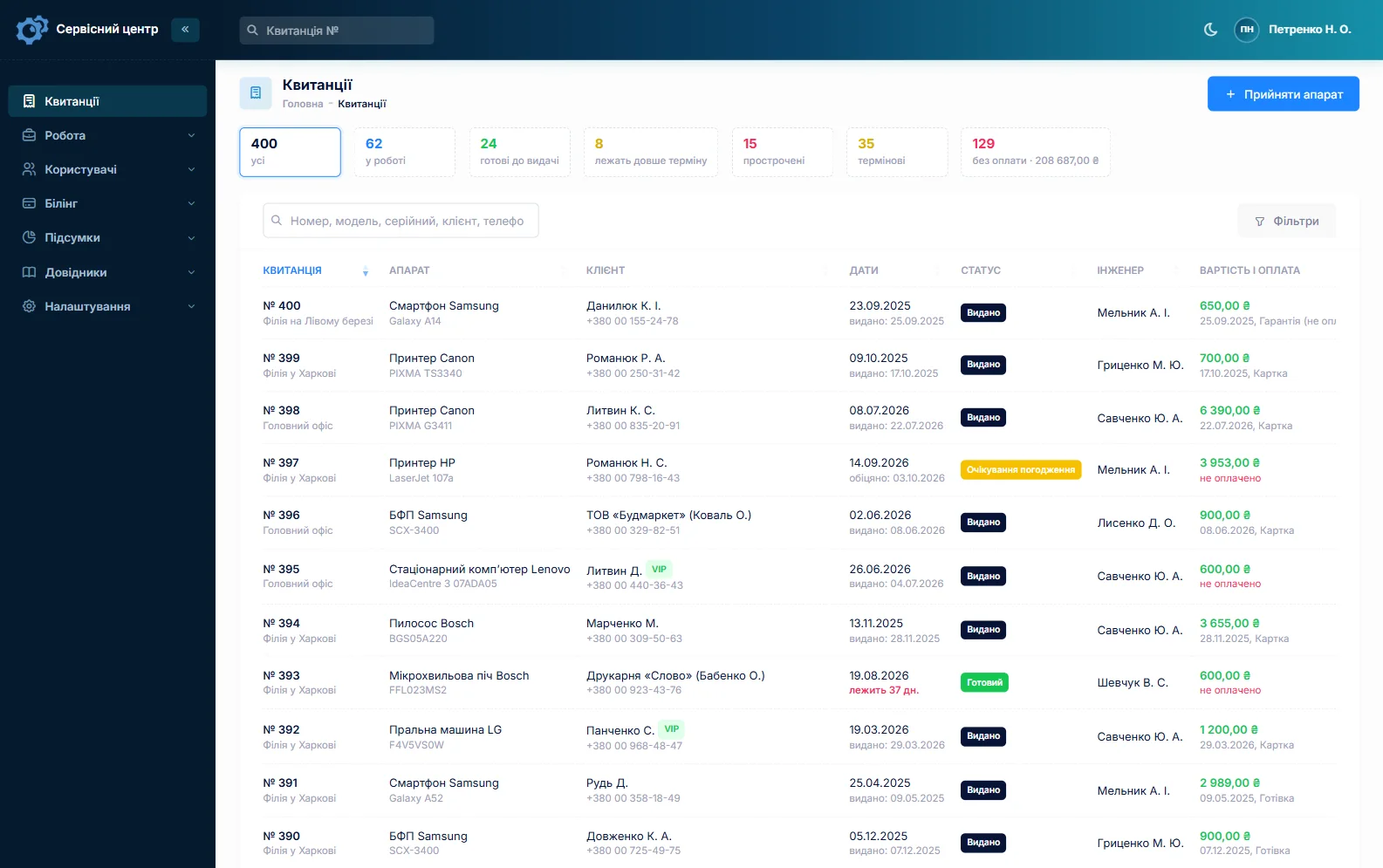
A club or school hands in several binoculars at once: the customer record has a “Company” field, and a job can be copied — customer, device and fault carry over, the serial number does not. Every estimate line has a technician, and the period report shows what each one completed.
Related pages
Thermal imagers, digital scopes and electronic night vision are about sensors, displays and boards — see thermal imager repair software. Cameras and autofocus lenses are covered by camera repair software. Prescription eyewear is a different workshop with a different rhythm. This page is only about keeping track of an instrument’s repair; sighting-in and anything to do with firearms is outside its scope.
Typical repair prices
A rough guide only — it depends on the model, its age and your region: assessment €20–50, binocular collimation €40–120, strip-down and fungus cleaning €70–200, re-greasing and focus repair €60–180, resealing and nitrogen purging €60–150, eyecup replacement €20–60, prism re-cementing or replacement €120–400, telescope cleaning and collimation €40–150. You set your own prices in the works list.
What it does not do
- a separate collimation or measurement certificate — only the entry in the work log and on the work report;
- photos and file attachments on a job;
- carrier or supplier integrations — a tracking number is plain text;
- SMS, a mobile app, online payment by the customer.
What it costs
One price for the whole workshop — no extra charge for technicians or branches.
Monthly
Paid every month, cancel whenever you like.
Yearly
Cheaper than paying monthly. Invoice or card payment.
Custom work
Changes tailored to the way you work — hourly, by agreement.
Off-the-shelf not enough — your own forms, roles, reports or workflow? We will build a program for you. How it works
Try it without signing up in the demo: book in a binocular with its serial number, describe the lenses, build an estimate with collimation and send it for approval.

We are very happy working with servicecentersoft.com: they built everything we asked for, even though our request was unusual, since we deal with medical devices. Everything was done precisely and on the agreed schedule. Thank you for the cooperation — we keep working together.

I tried the ServiceCenterSoft demo and came away with a good impression. The program is simple and easy to understand, yet it has everything you need for the job: customers, repairs, devices, spare parts, statuses and statistics.
I especially liked the dark theme and the responsive design — working from a phone is perfectly comfortable. Another plus is the instant search that works as you type, so you don't have to press a separate "Search" button every time.
You can tell the program was built specifically for service centers rather than being a generic CRM adapted for the repair business. The interface has no unnecessary frills; everything is logical and to the point.
A good, practical tool for the day-to-day work of a service center.

I liked that you get a free 14-day trial and that they are willing to handle my special requests — setting things up exactly the way I need them.
I also liked how payment works. You can simply pay the monthly fee by card online — basically the same as a regular Spotify subscription or any other service. No separate contracts to sign and no invoices to pay manually.
And there's no feeling of strict limits on the number of employees. One service center is one account, and inside it you can organize the work of your technicians and run several branches.
For me this is far more convenient than plans where you have to pay for every single user or keep counting how many employees are working today.

My business is fairly specific, so the program's standard features weren't enough — I needed my own custom fields, my own sorting options and search by additional parameters. The work completion certificate and the printed repair receipt also needed some changes to fit the way we work.
I contacted technical support. To be honest, I expected changes like these to take a long time, but everything was done within a single day. The team quickly understood exactly what we needed, suggested the right solution and did everything properly.
I'd especially like to mention the support: they get straight to the point, with no unnecessary bureaucracy, and they genuinely help instead of just sending you off to read the documentation.
For me this is a big advantage of the program: it isn't just sold "as is" — it can be adapted to how you actually work. Thanks to the team for the quick response and for treating the customer right.
Highly recommended!
In short
- Serial number search brings up an instrument’s past repairs in seconds.
- Lens condition, seals and contents on the job sheet the customer signs.
- Collimation, cleaning and nitrogen as estimate lines, test results on the work report.
- Rare parts requested from the supplier by email, with a deposit.
- Mail-in jobs with your own statuses and the tracking number as text.
- €20 a month for the whole workshop.
See also
Starting your own repair shop: where to begin
For people who can fix phones and laptops and want to work for themselves: what a small repair business needs on day one, the paperwork that protects you from the first customer, and how to run a shop in a country whose language is not your own.
Read moreSoftware for home appliance service
Contents recorded at intake, warranty at the brand price list, callouts, slow parts and partner shops.
Read morePhone repair shop software
Intake in a minute, screens and batteries tracked, a ready-for-pickup email, output per technician.
Read moreSee how it works
The demo is open — go in and try it. Ask us anything by email, Telegram or the form on this site.