Sharpening service software for knives, scissors, saws and tools
For a sharpening business that handles kitchen knives, shears and grooming tools, saw blades, router bits and chains: a batch from a salon or restaurant as one job with “service × quantity” lines, walk-in orders at speed, mail-in orders, regular accounts.
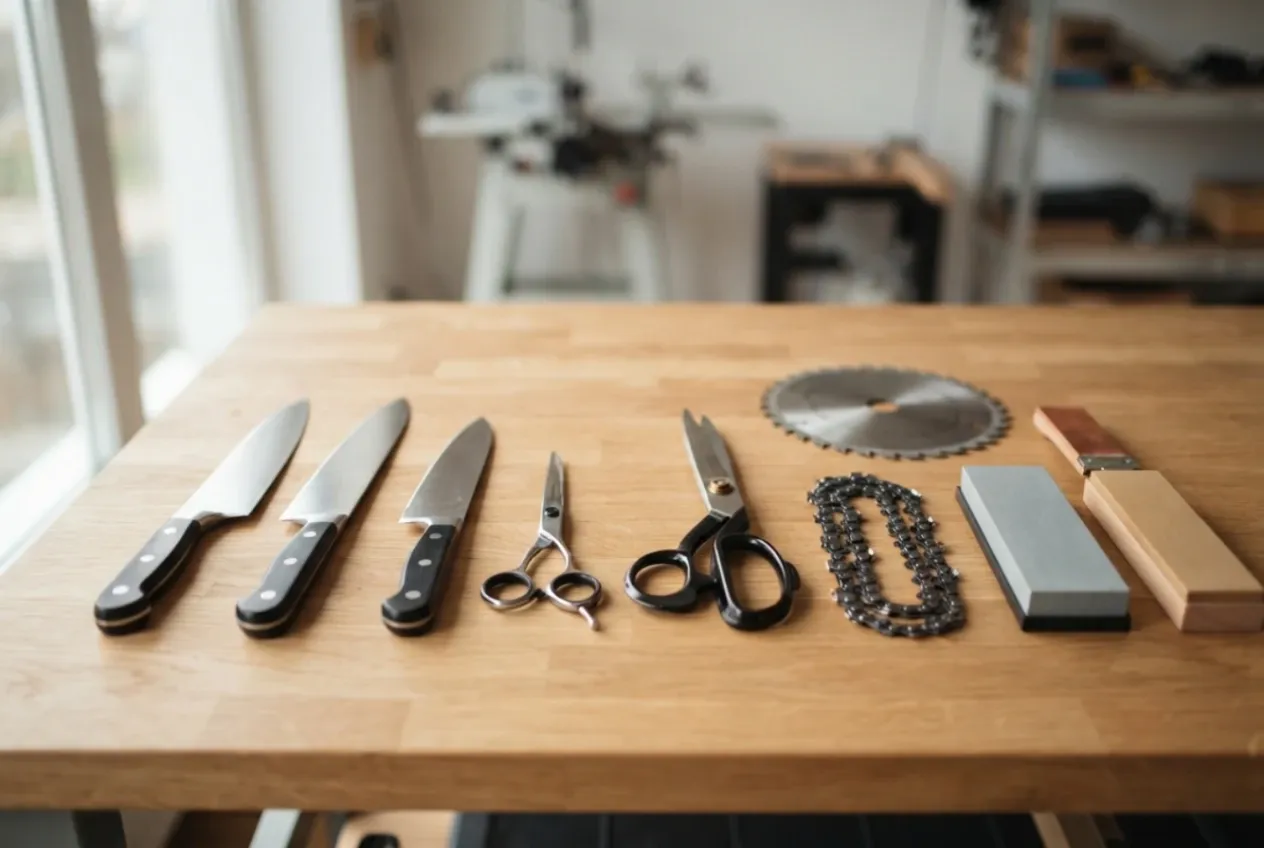
ServiceCenterSoft is job-tracking software that fits a sharpening business: kitchen and hunting knives, household shears, hair shears and thinning shears, nail nippers, clipper blades, circular saw blades, router bits, planer and jointer knives, chainsaw chains. Every order is a job with a record of what came in and in what condition, an itemised estimate, a work log and a history. It runs in the browser — on the counter computer and on your phone at the grinder.
Who it is for
Maybe you run a storefront sharpening shop, a mobile service that visits farmers’ markets, or a saw shop serving cabinet makers. Either way the work comes in two shapes. Walk-ins with two knives and a pair of garden shears. And accounts: a hair salon dropping off fourteen pairs of shears, a restaurant sending a roll of twenty-five knives every other week, a joinery bringing six carbide blades and a dozen bits.
Each item is cheap, so the losses come from small things:
- the salon says they dropped off sixteen pairs, your notebook says fourteen, and nobody signed the notebook;
- a batch invoice gets added up on a calculator and something always slips;
- a stylist’s expensive shears come back with a chip in the edge, and nobody knows if it was there before;
- the restaurant pays monthly and the balance lives in the owner’s head;
- a box of knives arrives by mail and the tracking number is buried in a chat;
- an unlabelled bag of tools has been on the shelf for three weeks.
One job per batch
Book everything that arrives together as a single job. The customer can be a business: the record has a “Company” field plus contact person, phone and address. In the equipment list create a type such as “Sharpening batch”, or separate ones — “Knives”, “Grooming tools”, “Saw blades and bits” — whatever suits the way you price.
The contents field holds what you took in: “straight shears 5.5″ × 8, thinning shears × 4, clipper blades × 2”, along with how the customer marks their tools — engraving, coloured tape, a stylist’s name on the case. The condition field holds what you see at the counter: “chip on two shears, rust near the bolster on one knife, three teeth missing on blade #5”. Both print on the job sheet the customer signs, so a week later there is no argument about how many items arrived or what state they were in.
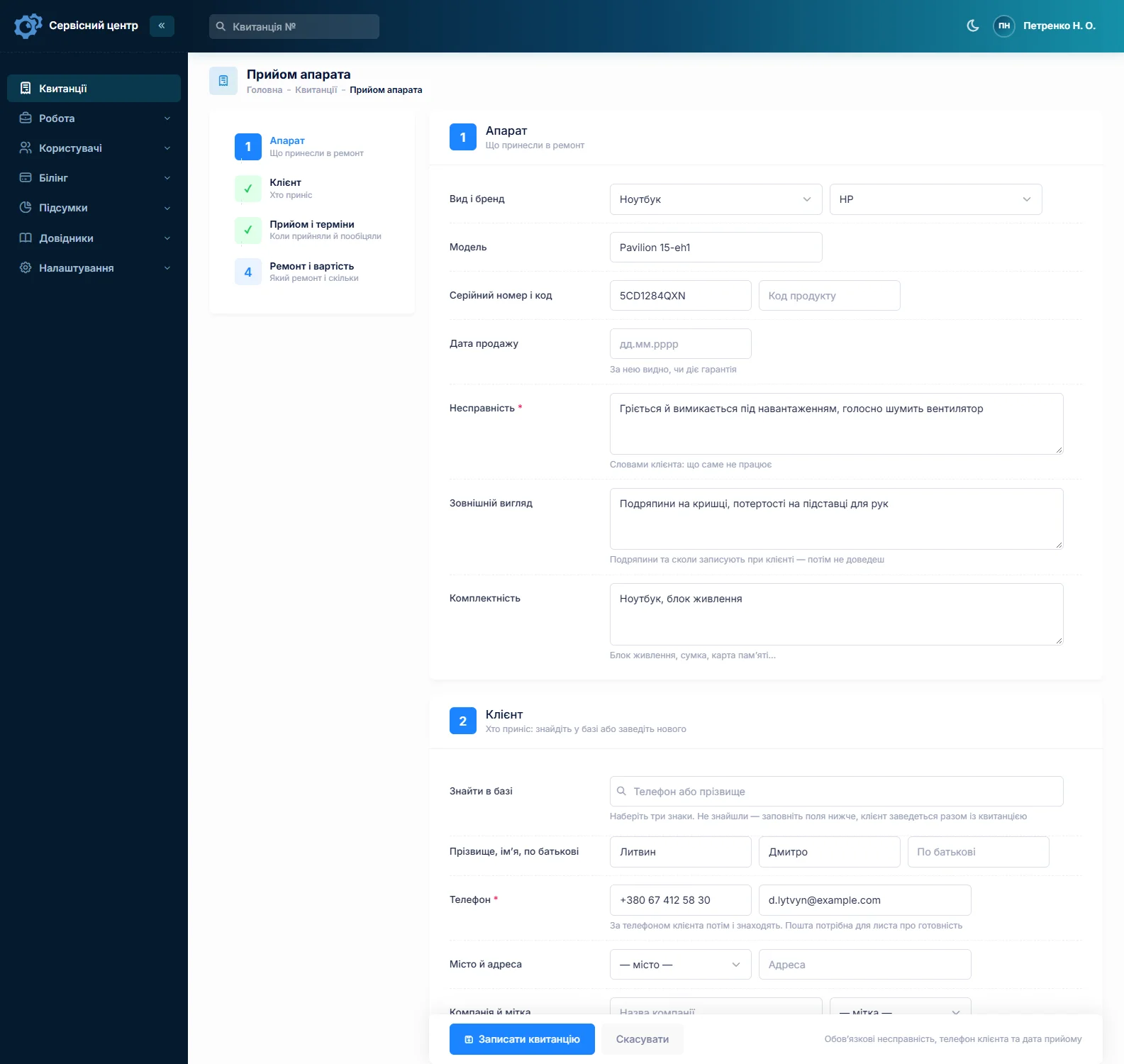
A tool that deserves its own record — a stylist’s premium shears, a large carbide blade — can go on its own job with a serial or your own number. Copying a job carries over customer, equipment type and description; you enter a fresh serial, and the list search finds it by any part of the number.
Line items: service × quantity
An estimate line is a description, a quantity, a unit price and a total, which is exactly how a sharpening invoice reads: “Sharpen straight shears — 8 × …”, “Sharpen thinning shears — 4 × …”, “Kitchen knife, sharpen and hone — 25 × …”, “Carbide blade, 60T — 6 × …”. Any line can carry a quantity, and the total updates as you type.
Put your standard services into the “Works” list with your prices. A service can be tied to an equipment type, so a new line offers that type’s services plus the general ones. For a batch, set the job’s base price to a custom price of 0 so the whole bill comes from the lines. Parts — a pivot screw, a rivet, a chain link — are added as a line from stock.
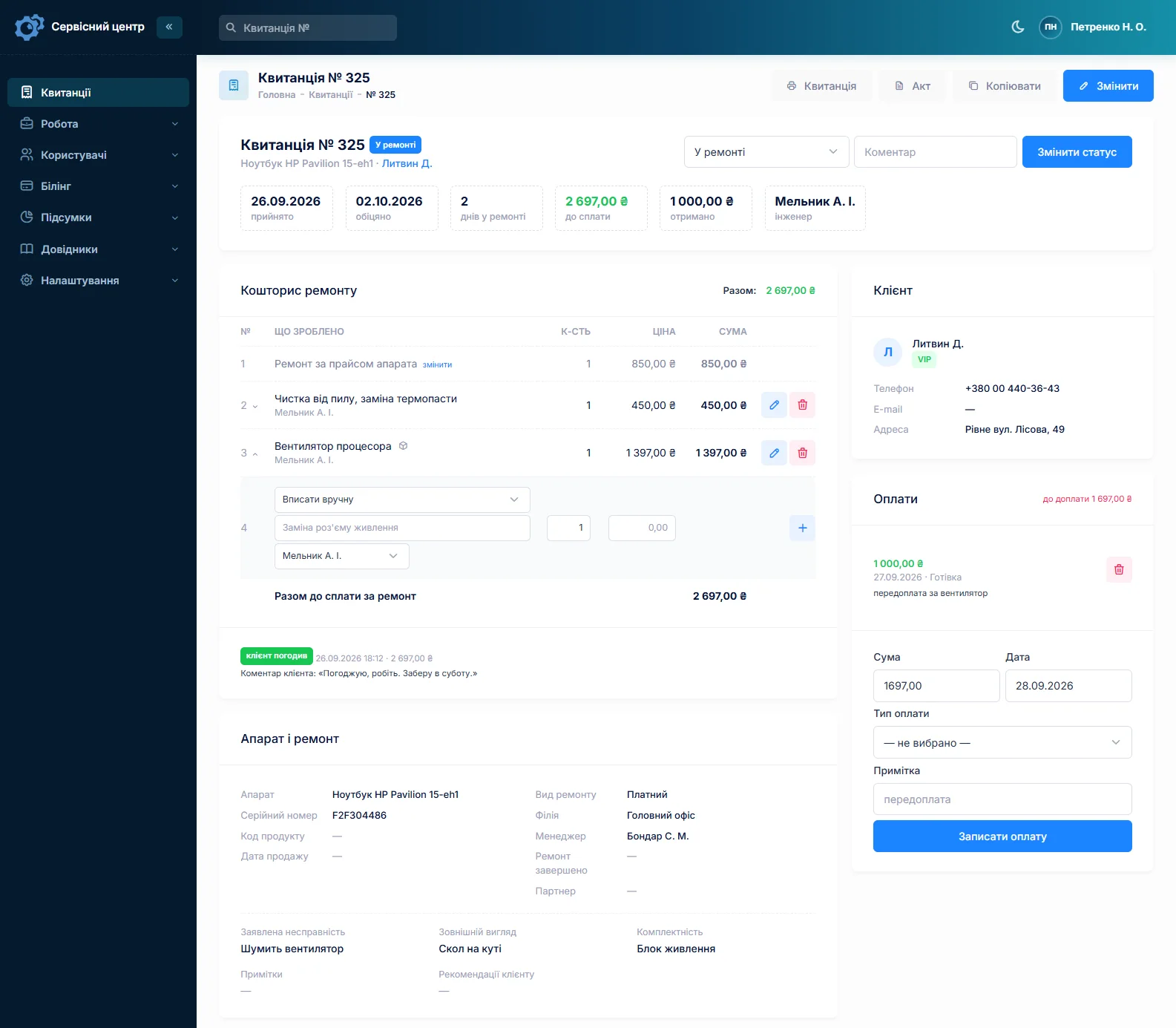
The work report prints once per job, which means once for the whole batch: the estimate as a table, the work log, your recommendations and the balance due. The work log is the place for item notes: “shears with red tape — chip reduced, not fully removed to keep blade length”, “bit #4 — cutter cracked, not sharpenable”. See the document on the work completion report page.
Walk-ins without a queue
Very little on a job is mandatory: customer, equipment, fault. A returning customer comes up by phone number or name. Mark a job urgent and give it a promised date, and “back by tonight” orders stand out; overdue ones turn red in the list.
No tag printing: the software does not print labels or barcodes. Write the job number on the bag with a marker — the search box finds the job by number.
Wheels, stones and small parts in stock
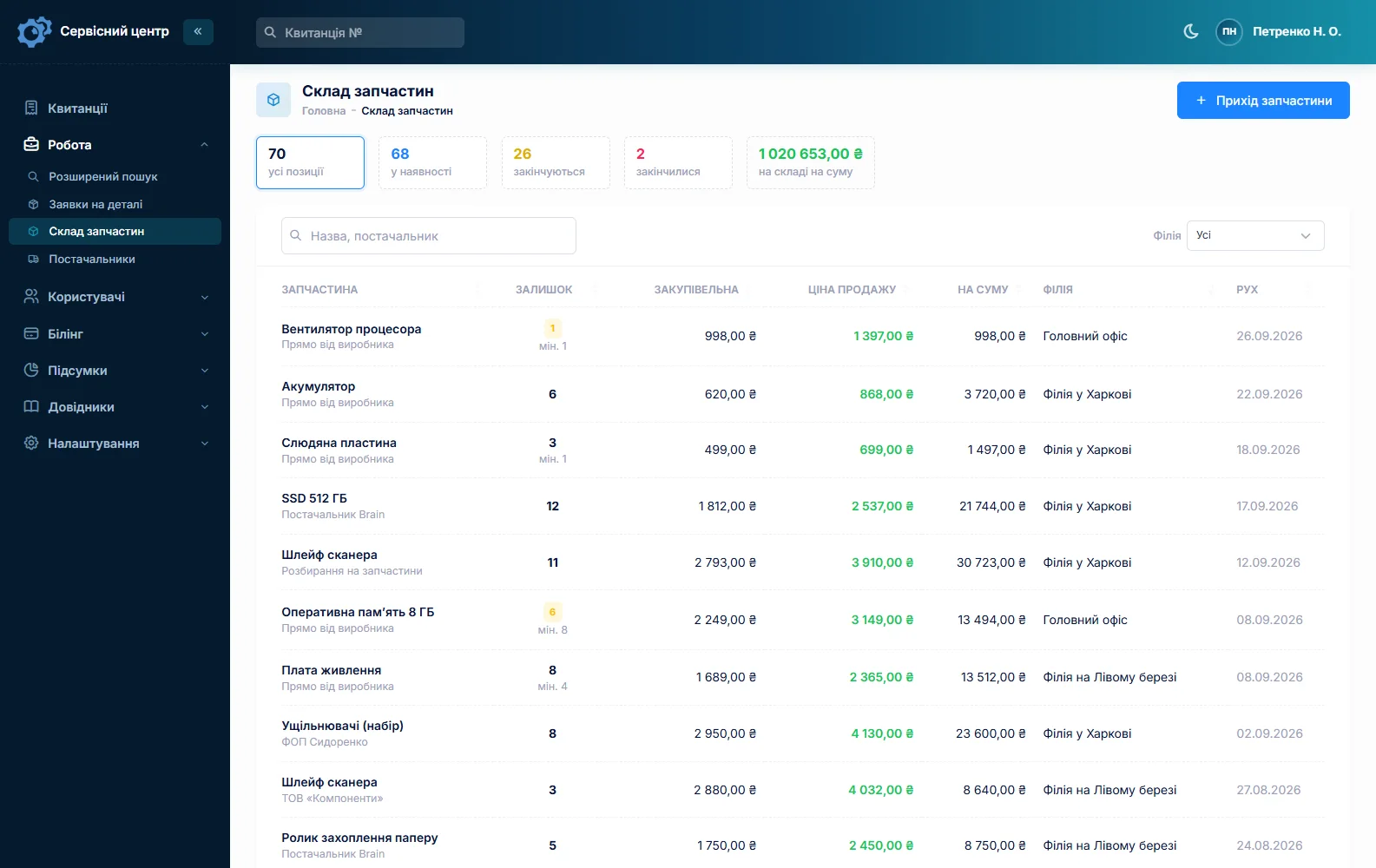
Grinding and diamond wheels, whetstones, belts, honing compound, shear screws and rivets, carbide tips — all of it can live in stock: receipts with purchase price, use on a job as an estimate line, stocktakes. Quantities are whole numbers, so count compound by the bar. Each item gets a minimum level, and a “running low” tile tells you to reorder before a wheel runs out mid-batch. More on spare parts tracking.
Mail-in sharpening
Many sharpening businesses take orders by post. That is the same job: the address sits in the customer record, the tracking number goes in a comment on the status change, and the advanced text search finds it later. Create your own colour-coded statuses — “In transit to us”, “On the bench”, “Shipped back”. Describe the condition as soon as you unpack the box.
The software is not connected to any carrier; you create the shipping label in your carrier account. Whether knives can be shipped and how they must be packed depends on the carrier and on local rules, which the software does not check.
Accounts, balances and finished orders
Salons, restaurants and workshops are your steady revenue. A customer label (“Salons”, “Restaurants”, “Monthly account”) and a filter on it put them in one list — there are no automatic reminders for scheduled sharpening, so you make those calls yourself. A job can take several payments: a deposit on a big saw blade, the rest at pick-up; the customer record shows the outstanding balance.
When the order is done, the customer gets an email or a Telegram message, at most once a day. Every finished job shows how many days it has been waiting, and once the free storage period from your settings runs out, a “past free storage” tile collects those jobs.
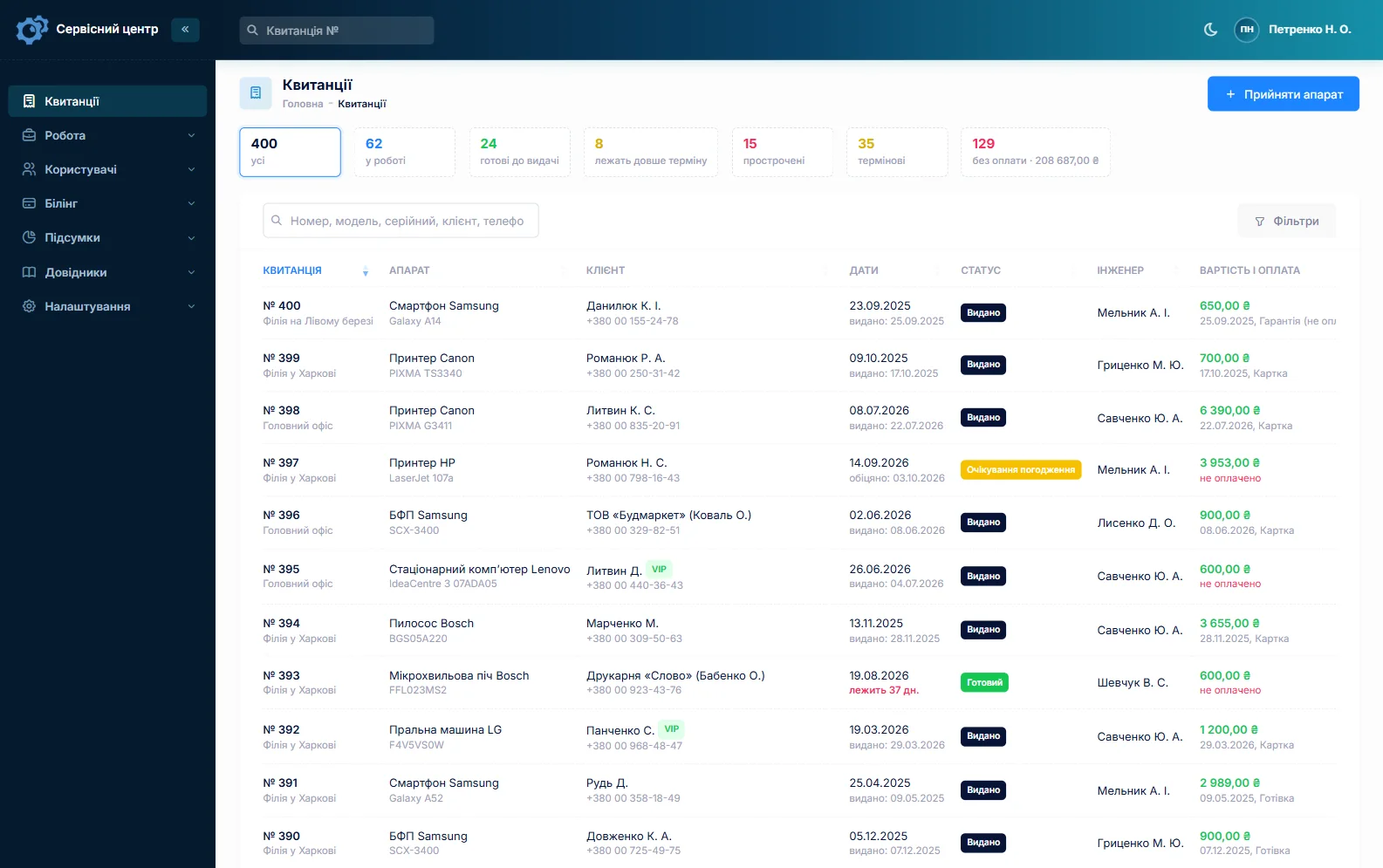
If several people sharpen, each estimate line has its own technician, and earnings are calculated from each person’s lines with their rate.
When it needs a repair, not an edge
A clipper that hums but will not cut because of the motor, a dryer with a dead element — that is salon equipment repair, covered on the beauty equipment repair page. A circular saw or router with a burnt armature belongs to power tool repair. If you do both, it all runs in the same software.
Typical sharpening prices
A rough guide, not a price list — it depends on the steel, the edge condition and your area: kitchen knife €5–12, household scissors €6–15, hair shears €15–40, nail nippers €6–15, chainsaw chain €8–18, circular saw blade €10–35 depending on tooth count, router bit €8–20. You set your own prices in the Works list. What happens if a chip cannot be removed without shortening the blade is worth putting into your job sheet terms.
What it does not do
- reminders to customers about scheduled sharpening;
- a separate history for each knife inside a batch — only text in the work log;
- printing tags, labels or barcodes;
- photos and file attachments on a job;
- carrier or supplier integrations, SMS, a mobile app, online payment by the customer.
What it costs
One price for the whole business — no extra charge per sharpener or location.
Monthly
Paid every month, cancel whenever you like.
Yearly
Cheaper than paying monthly. Invoice or card payment.
Custom work
Changes tailored to the way you work — hourly, by agreement.
Off-the-shelf not enough — your own forms, roles, reports or workflow? We will build a program for you. How it works
Try it without signing up in the demo: book in a batch of shears, add lines with quantities and print the work report.

We are very happy working with servicecentersoft.com: they built everything we asked for, even though our request was unusual, since we deal with medical devices. Everything was done precisely and on the agreed schedule. Thank you for the cooperation — we keep working together.

I tried the ServiceCenterSoft demo and came away with a good impression. The program is simple and easy to understand, yet it has everything you need for the job: customers, repairs, devices, spare parts, statuses and statistics.
I especially liked the dark theme and the responsive design — working from a phone is perfectly comfortable. Another plus is the instant search that works as you type, so you don't have to press a separate "Search" button every time.
You can tell the program was built specifically for service centers rather than being a generic CRM adapted for the repair business. The interface has no unnecessary frills; everything is logical and to the point.
A good, practical tool for the day-to-day work of a service center.

I liked that you get a free 14-day trial and that they are willing to handle my special requests — setting things up exactly the way I need them.
I also liked how payment works. You can simply pay the monthly fee by card online — basically the same as a regular Spotify subscription or any other service. No separate contracts to sign and no invoices to pay manually.
And there's no feeling of strict limits on the number of employees. One service center is one account, and inside it you can organize the work of your technicians and run several branches.
For me this is far more convenient than plans where you have to pay for every single user or keep counting how many employees are working today.

My business is fairly specific, so the program's standard features weren't enough — I needed my own custom fields, my own sorting options and search by additional parameters. The work completion certificate and the printed repair receipt also needed some changes to fit the way we work.
I contacted technical support. To be honest, I expected changes like these to take a long time, but everything was done within a single day. The team quickly understood exactly what we needed, suggested the right solution and did everything properly.
I'd especially like to mention the support: they get straight to the point, with no unnecessary bureaucracy, and they genuinely help instead of just sending you off to read the documentation.
For me this is a big advantage of the program: it isn't just sold "as is" — it can be adapted to how you actually work. Thanks to the team for the quick response and for treating the customer right.
Highly recommended!
In short
- A batch from a salon, restaurant or shop is one job, with count and condition signed for.
- Line items as service × quantity, prices from your list, one work report per batch.
- Walk-ins booked fast, with urgency and a promised date.
- Wheels, stones and belts in stock with minimum levels.
- Mail-in orders with your own statuses and the tracking number as text.
- €20 a month for the whole business.
See also
Furniture repair and upholstery business software
For upholstery, furniture repair and restoration workshops: written condition on the signed job sheet, estimates approved by the customer, deposits for fabric, pickup and delivery as estimate lines, fabric and foam in stock.
Read moreStarting your own repair shop: where to begin
For people who can fix phones and laptops and want to work for themselves: what a small repair business needs on day one, the paperwork that protects you from the first customer, and how to run a shop in a country whose language is not your own.
Read moreSoftware for home appliance service
Contents recorded at intake, warranty at the brand price list, callouts, slow parts and partner shops.
Read moreSee how it works
The demo is open — go in and try it. Ask us anything by email, Telegram or the form on this site.