Refrigeration service software
For commercial refrigeration contractors: walk-in coolers and freezers, display cases, ice machines and condensing units; stores and warehouses on contract, emergency call-outs, refrigerant and compressors in stock.
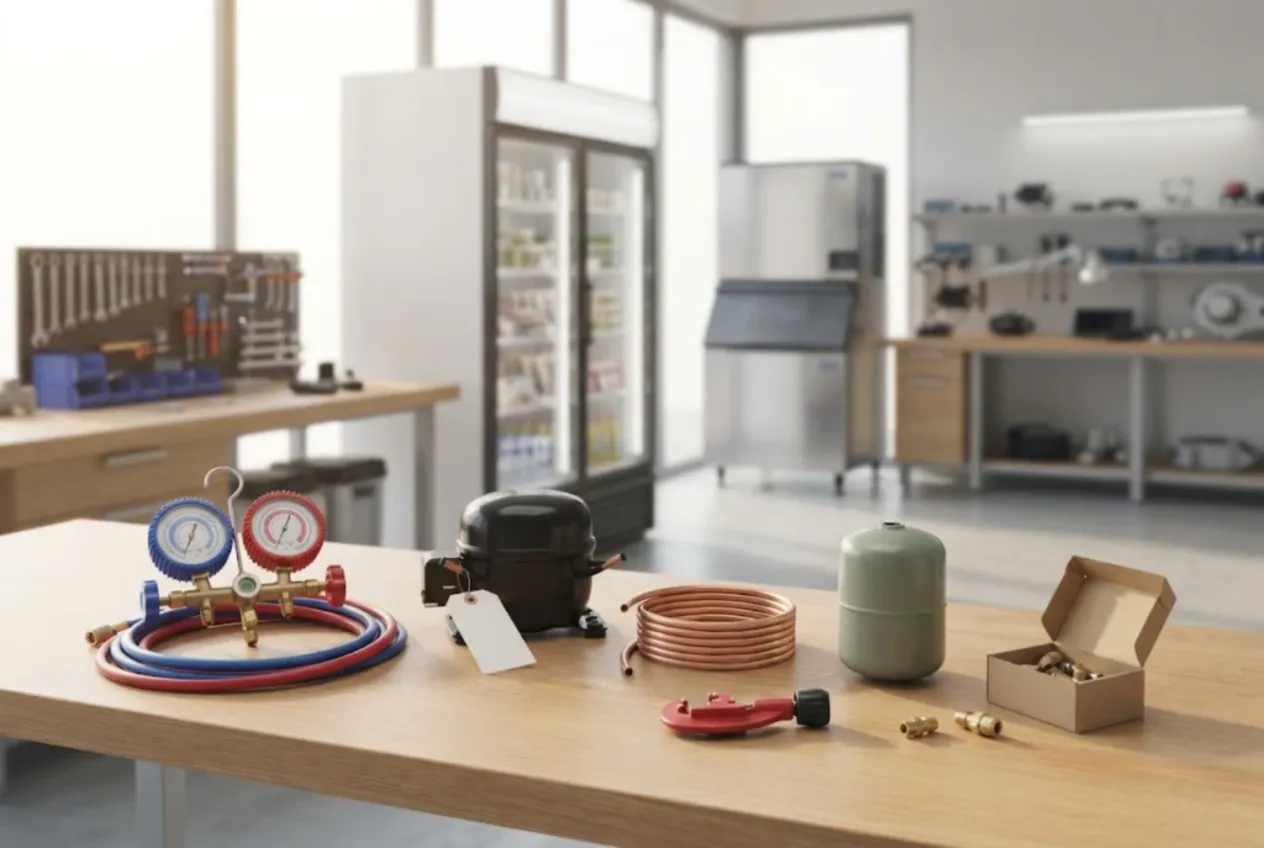
ServiceCenterSoft is repair-tracking software for commercial refrigeration service: walk-in coolers and freezers, reach-ins, multideck and island display cases, ice machines, remote condensing units and rack systems. Every call becomes a numbered job with the site address, the equipment, an itemised estimate, a work log and a full history; refrigerant, compressors and valves sit in stock with live quantities. It runs in the browser — in the office and on the technician’s phone on the roof next to the condenser.
Who calls you, and what goes wrong
Your customers sell or store things that must stay cold: convenience stores, grocery chains, cold storage and distribution warehouses, butchers, dairies, bakeries, pharmacies. When a walk-in freezer stops at 10 pm on a Friday, they are not asking for an appointment next week — they are counting how much stock they will throw away by morning.
Typical leaks of time and money:
- the after-hours call was taken on a personal phone, the tech went out, and the visit was never billed;
- a store has eight identical multidecks, and nobody can tell which one has been recharged twice this month;
- the right compressor ran out, and you found out at the exact moment you needed it;
- a chain asks what it owes across all its stores, and the answer takes half a day of email searching;
- the owner says he approved a top-up, not a new compressor.
A service call is a job with a site address
Almost all commercial refrigeration repair happens on site. Create your own repair type, say “Call-out”, and add a “Technician call-out” line with a price to your list of works: it goes into the estimate, and the job list can be filtered by repair type. Each store in a chain is its own customer with its own address, the manager’s phone and notes like “plant room on the roof, key with security”; the “Company” field carries the chain’s name onto the job sheet and the work report.
To tell identical cases apart, a job has model, serial number and a “Product code” field — handy for the position on the floor: “case 3 by the checkouts”, “freezer room, left”. Write the fault the way the store described it: “holding 50°F instead of 36°F”, “unit short-cycling”, “ice machine won’t harvest”, “evaporator iced up”. Advanced search finds the job later by serial number, code or text.
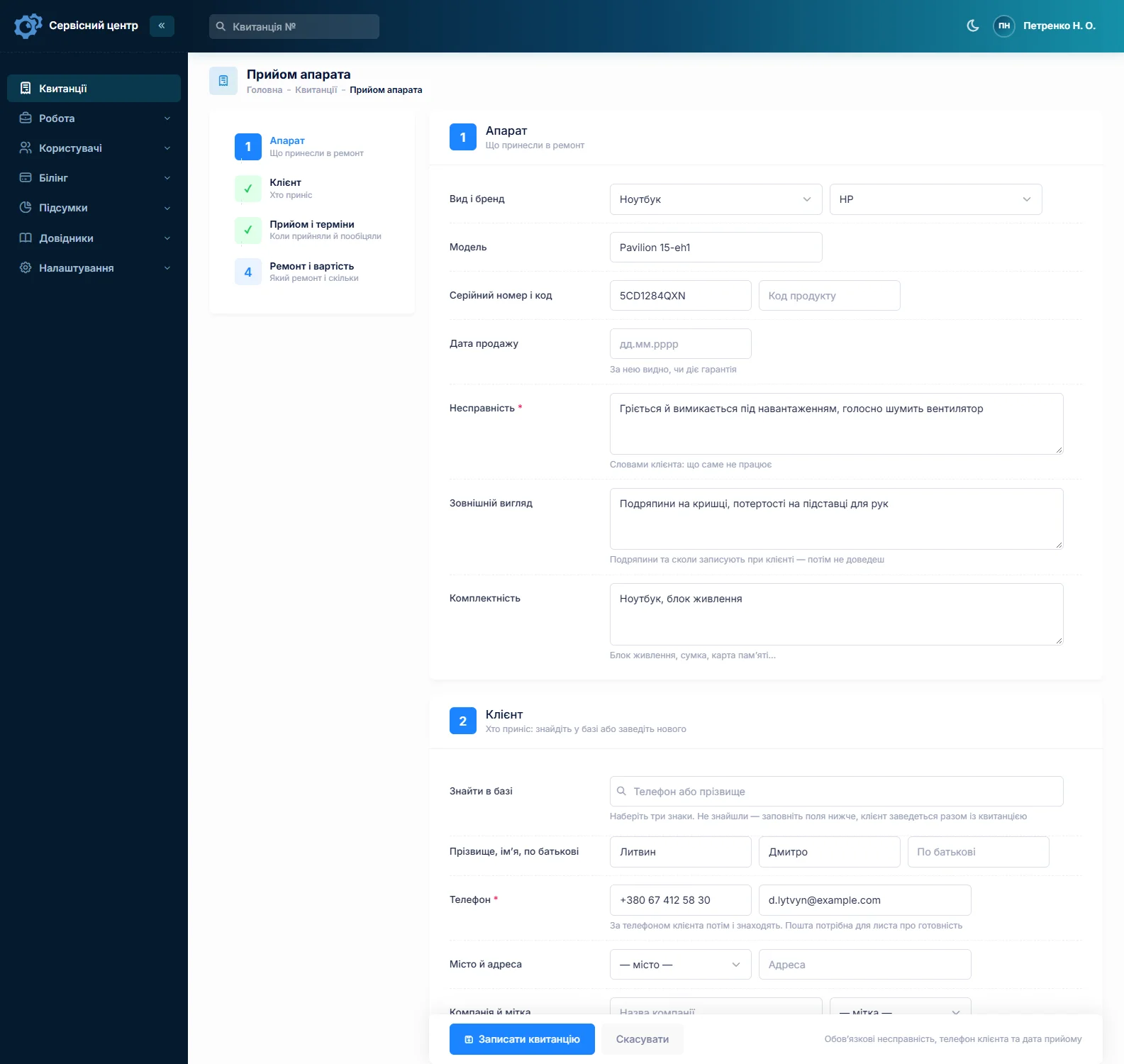
“Notes for the technician” are never shown to the customer: “R404A, about 13 lb charge”, “filter drier replaced last year”, “disconnect for the condensing unit on the second floor”. Whoever goes out next reads it on the way.
Emergency calls stay visible
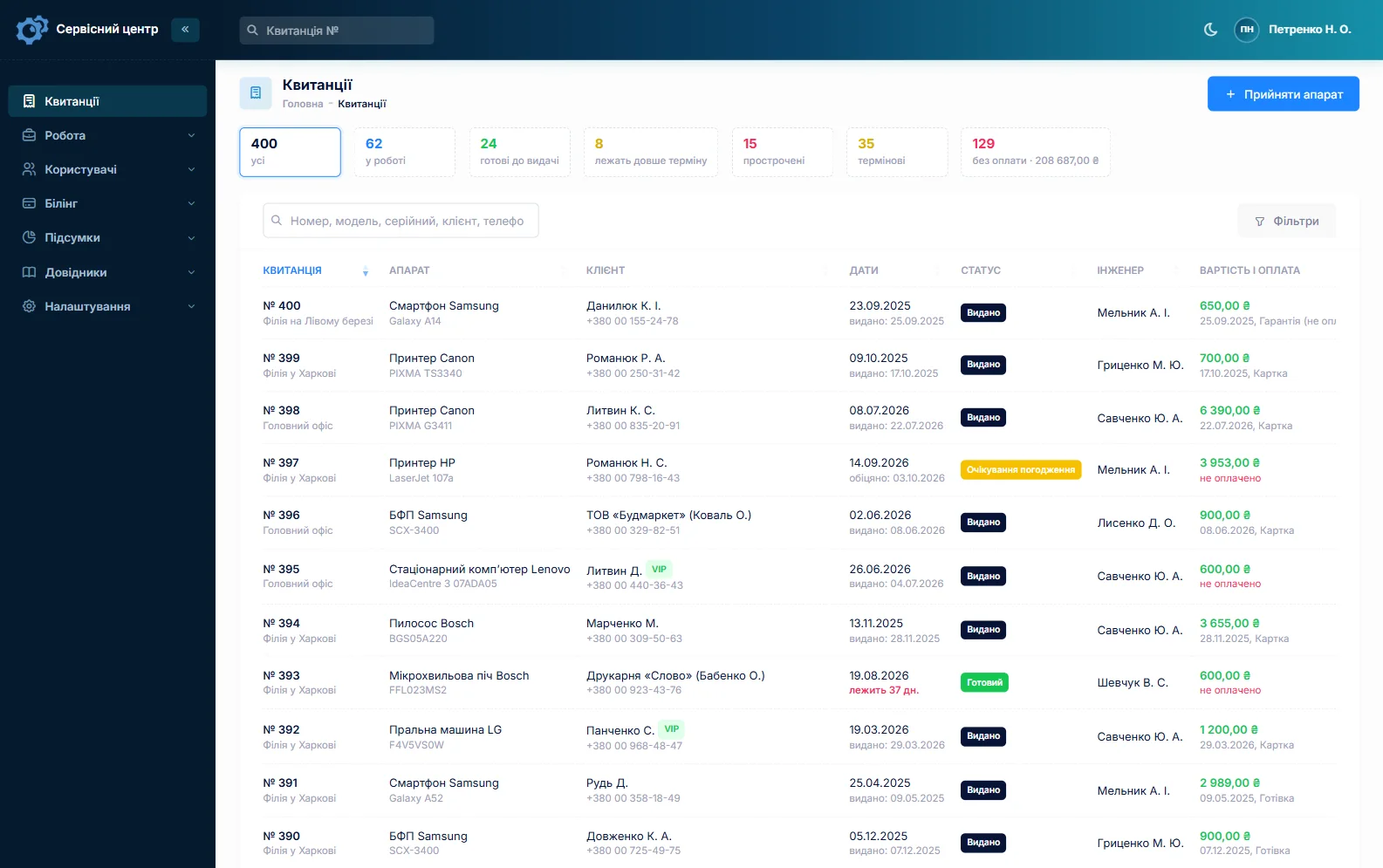
Each job has an “Urgent repair” flag and a promised date. Urgent jobs are marked in the list and counted in a tile above it; once the promised date passes, the row turns red and the “overdue” filter gathers them. When a store manager calls asking where the tech is, the answer is on screen.
Statuses are your own list, each with a colour and an optional tile. Next to the built-in ones (“Awaiting parts”, “Awaiting approval”, “Ready” and others) add what refrigeration work needs: “Tech on site”, “Waiting for compressor”, “Pull-down check” — for a box that has to run a day and hold temperature before the job is closed. Filter by technician to see who is going where.
Contract customers
To be straight about it: there is no service-agreement module, no preventive-maintenance schedule and no reminders — planned visits live in your own calendar. Contract work is handled with what is there. Give the customer a label such as “Contract” and filter the customer list by it; keep the terms in the customer notes — what is covered, who signs off, when you can work on the sales floor.
The customer record shows every job at that store, the totals and the outstanding balance; the “unpaid” filter lists completed work not yet paid. There is no invoicing — you print the job sheet and the work report. A repeat call to the same unit? Copy last month’s job: customer, equipment and fault carry over, and the “Repeat” repair type shows you have been here before.
Refrigerant by the cylinder, compressors by the unit
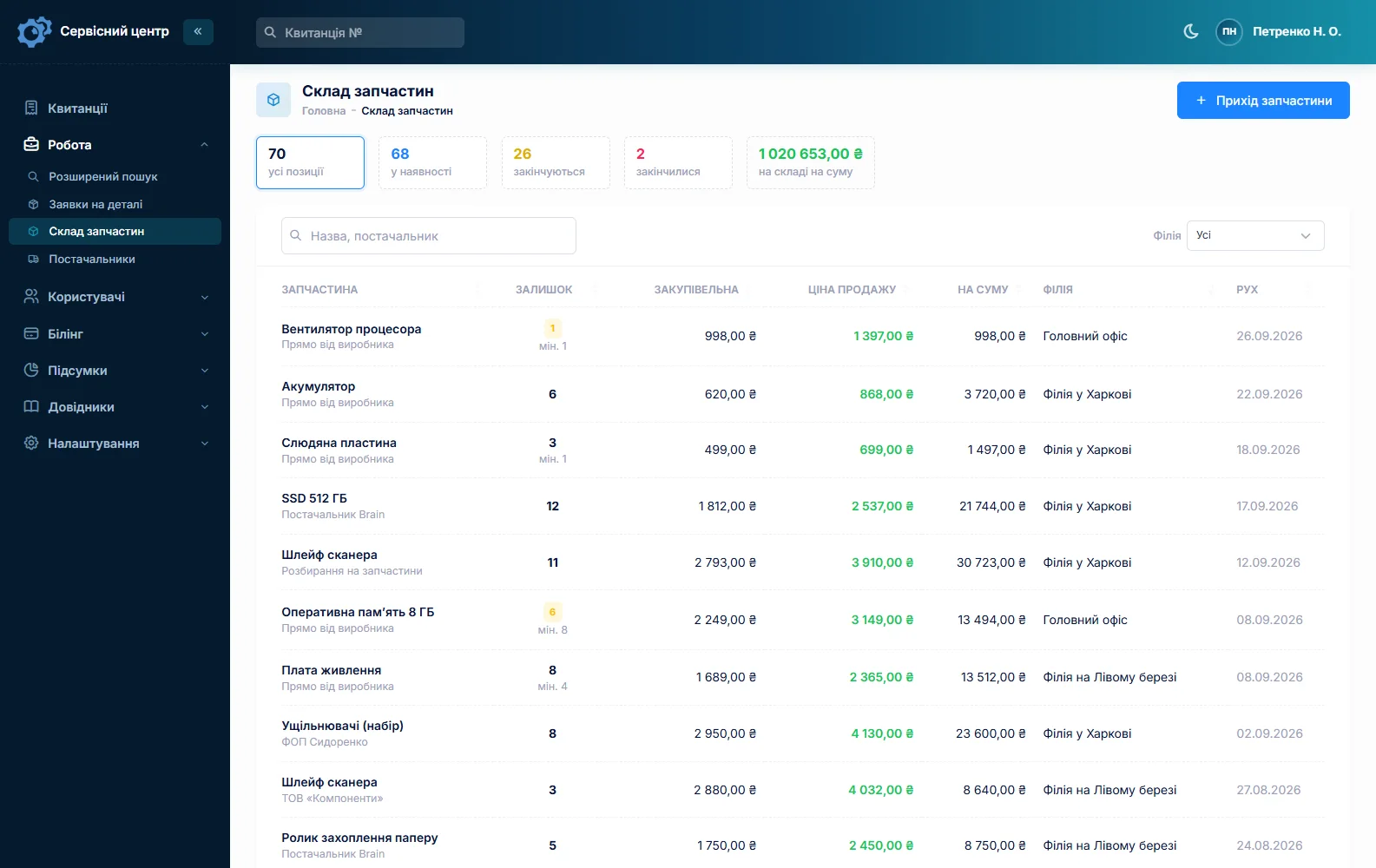
Stock is a movement log: goods in with cost and supplier, parts issued to a job as an estimate line, returns, write-offs with a reason, stocktakes; the quantity updates itself. Quantities are whole numbers, so refrigerant works best by the cylinder or in fixed portions (say, 1 lb), one item per gas — R404A, R134a, R290, R448A. Compressors by model and capacity; expansion valves, solenoid valves, filter driers, fan motors, pressure controls, controllers, defrost heaters and door gaskets by the piece.
Set a minimum level for each item and the “running low” tile tells you to reorder before the night call that needs that exact compressor. A rare part is ordered from the job: the request is emailed to your supplier and the job waits in “Awaiting parts”. More on spare parts tracking.
Compressor replacement after approval
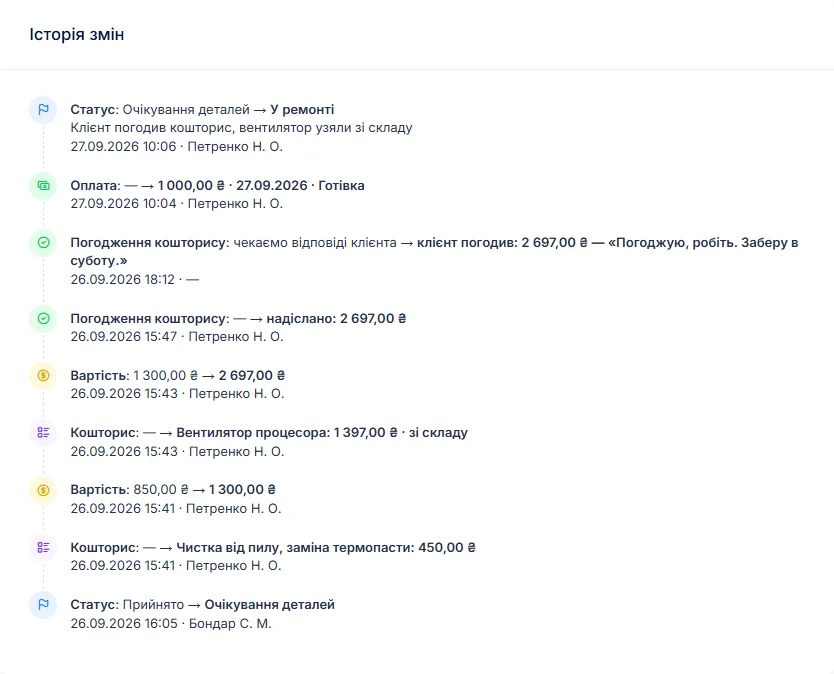
A recharge and a compressor change are very different bills, and the conversation should be on record. Diagnose first and log what you found: “leak at evaporator joint, low suction, compressor running hot”. Then build the estimate from your works list and stock. One click sends it by email or Telegram; the customer opens the link, sees every line and the total, and clicks “I agree” or “I decline”. The answer is stored in the job history with the date.
For an expensive compressor or condensing unit take a deposit — a job can have several payments, and the balance due is shown. Declined jobs go to “Repair declined”; units not worth fixing to “Beyond repair”, with the reason kept in the log. If the call-out and diagnosis are charged either way, set a diagnostics price for the equipment type.
Technicians, reports and bench work
Each estimate line has a technician, and the period report shows what each one did and earned from their lines, after-hours calls included — see technician commission. In “Recommendations” write what the store can actually do: “keep boxes away from the condenser”, “don’t load warm product into the walk-in all at once”, “clean the condenser coil monthly”. They print on the work report with the estimate and the work log.
Smaller equipment — an ice machine, a reach-in, a bar cooler — is sometimes brought to your shop. Then contents and condition are recorded at intake, the customer gets a “ready” email or Telegram message, and the ready list shows how many days the unit has been waiting.
Refrigerant rules
Charging, leak checking, recovery and compressor replacement usually require trained and certified technicians, and larger systems often need records of charges and leak checks. The rules depend on your country and the system — check what applies to you. The software keeps no separate refrigerant log, but every charge stays on the job as an estimate line with the gas and quantity, and test results go into the work log.
Restaurant kitchens are covered on commercial kitchen equipment repair software; split systems and installs on air conditioner service software.
Typical repair prices
A rough guide only — it varies by region, equipment and parts: call-out and diagnosis €80–180, after-hours calls at your own higher rate, leak search and recharge €200–700, condenser fan motor €120–300 labour, expansion or solenoid valve €200–500, ice machine repair €150–500, compressor replacement on a display case or self-contained unit €600–2,500 with the part, condensing unit for a walk-in from €1,500. You set your own rates in the works list.
What it does not do
- service agreements, preventive-maintenance schedules and reminders — only a label and customer notes;
- dispatch calendar and route planning — repair type, site address and promised date;
- a refrigerant or leak-check log as a module, links to controllers or temperature sensors;
- photos and file attachments, loaner equipment tracking, supplier integrations;
- invoices, SMS, a mobile app, online payment by the customer.
What it costs
One price for the whole business — no extra charge for technicians or branches.
Monthly
Paid every month, cancel whenever you like.
Yearly
Cheaper than paying monthly. Invoice or card payment.
Custom work
Changes tailored to the way you work — hourly, by agreement.
Off-the-shelf not enough — your own forms, roles, reports or workflow? We will build a program for you. How it works
Try it without signing up in the demo: book an emergency call for a walk-in, flag it urgent, send a compressor estimate for approval and record a deposit.

We are very happy working with servicecentersoft.com: they built everything we asked for, even though our request was unusual, since we deal with medical devices. Everything was done precisely and on the agreed schedule. Thank you for the cooperation — we keep working together.

I tried the ServiceCenterSoft demo and came away with a good impression. The program is simple and easy to understand, yet it has everything you need for the job: customers, repairs, devices, spare parts, statuses and statistics.
I especially liked the dark theme and the responsive design — working from a phone is perfectly comfortable. Another plus is the instant search that works as you type, so you don't have to press a separate "Search" button every time.
You can tell the program was built specifically for service centers rather than being a generic CRM adapted for the repair business. The interface has no unnecessary frills; everything is logical and to the point.
A good, practical tool for the day-to-day work of a service center.

I liked that you get a free 14-day trial and that they are willing to handle my special requests — setting things up exactly the way I need them.
I also liked how payment works. You can simply pay the monthly fee by card online — basically the same as a regular Spotify subscription or any other service. No separate contracts to sign and no invoices to pay manually.
And there's no feeling of strict limits on the number of employees. One service center is one account, and inside it you can organize the work of your technicians and run several branches.
For me this is far more convenient than plans where you have to pay for every single user or keep counting how many employees are working today.

My business is fairly specific, so the program's standard features weren't enough — I needed my own custom fields, my own sorting options and search by additional parameters. The work completion certificate and the printed repair receipt also needed some changes to fit the way we work.
I contacted technical support. To be honest, I expected changes like these to take a long time, but everything was done within a single day. The team quickly understood exactly what we needed, suggested the right solution and did everything properly.
I'd especially like to mention the support: they get straight to the point, with no unnecessary bureaucracy, and they genuinely help instead of just sending you off to read the documentation.
For me this is a big advantage of the program: it isn't just sold "as is" — it can be adapted to how you actually work. Thanks to the team for the quick response and for treating the customer right.
Highly recommended!
In short
- Each store is a customer with its address, company, “Contract” label and balance.
- Urgent flags and overdue dates keep emergency calls in sight.
- Identical cases told apart by serial number and floor position.
- Refrigerant by cylinder or portion, compressors and valves in stock with minimum levels.
- Compressor jobs only after the customer approves the estimate online, with a deposit.
- €20 a month for the whole business.
See also
Starting your own repair shop: where to begin
For people who can fix phones and laptops and want to work for themselves: what a small repair business needs on day one, the paperwork that protects you from the first customer, and how to run a shop in a country whose language is not your own.
Read moreSoftware for home appliance service
Contents recorded at intake, warranty at the brand price list, callouts, slow parts and partner shops.
Read morePhone repair shop software
Intake in a minute, screens and batteries tracked, a ready-for-pickup email, output per technician.
Read moreSee how it works
The demo is open — go in and try it. Ask us anything by email, Telegram or the form on this site.