Marine electronics repair software
For shops repairing fishfinders, chartplotters, radar and autopilots: anglers, yacht clubs and marinas as customers, the spring rush before launch, callouts to the boat, manufacturer warranty jobs.
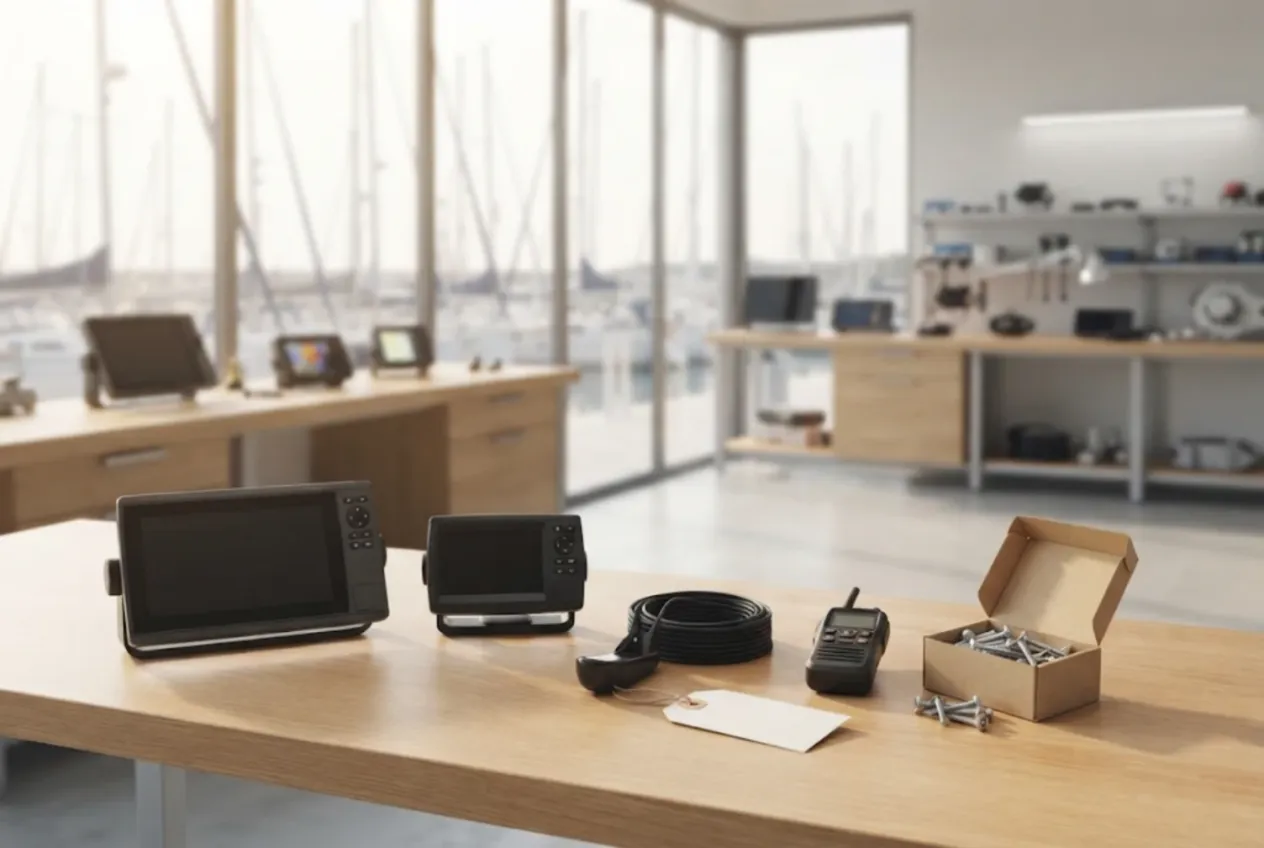
ServiceCenterSoft is repair-tracking software for a marine electronics service business: fishfinders and their transducers, chartplotters and multifunction displays, radar, autopilots and the instruments on a boat’s network. Each unit gets a numbered job with its contents, estimate, work log and history, and a callout to the boat is a job too, not a phone call nobody wrote down. It runs in the browser, on the workshop PC and on your phone on the dock.
Who your customers are
An angler whose fishfinder has stopped showing the bottom. A powerboat owner with a dead chartplotter. A sailor whose autopilot keeps wandering off course. And organisations: yacht clubs, marinas, boat rental and sailing schools, with several boats each, gear arriving in batches and payment by bank transfer. Marine electronics repair lives in two places at once — the bench, and the berth where half the equipment is bolted to the hull.
Where it usually goes wrong:
- the fishfinder came in without its transducer, and at collection the customer asks about the mounting bracket;
- the technician drives to the marina for a radar job and nobody noted which pontoon or who has the key;
- in March there are twenty units “needed before launch” and no way to see whose deadline is closest;
- a chartplotter is still under warranty, but nobody recorded the purchase date and the receipt is gone;
- the club collected five units and paid for three, and a month later nobody knows which.
Intake: what came in and what stayed aboard
Marine gear rarely arrives complete. The display is unbolted, the transducer stays in the hull, the radar scanner stays up the mast. So the contents field says exactly what you have: “display, power cable, bracket, sun cover, chart card; transducer left on boat”. The condition field records corroded connectors, a fogged screen, water marks under the bezel, cracks. Both are printed on the job sheet the customer signs.
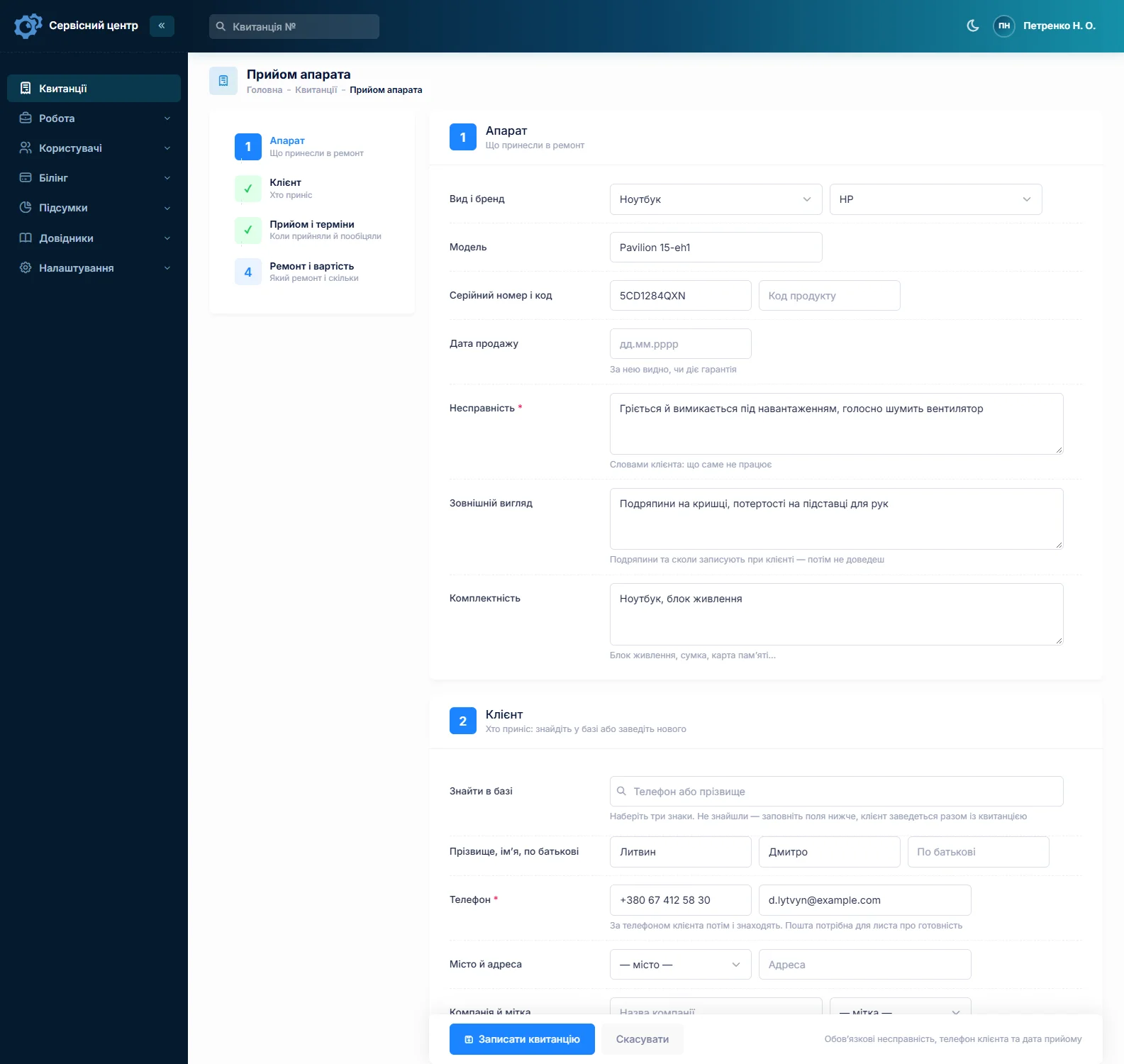
Model, serial number and purchase date have their own fields. “Notes for the technician” are hidden from the customer and hold the working details: “12 V system”, “on the same network as the plotter and speed sensor”, “fails after trips in salt water”, “boat on pontoon C, ask the dockmaster”. Advanced search finds a unit by model or serial number, even from part of it, so when the same chartplotter returns next spring its history is right there.
Salt, water and vibration
Chartplotter repair and fishfinder repair tend to come down to the same faults: corroded pins and tracks, moisture behind the glass, a chafed or cut transducer cable, a blown power input after a voltage spike, failed backlights, buttons that stopped working after a season in the sun. Radar adds the scanner motor, the drive belt and the magnetron; autopilots add the drive unit, the rudder feedback sensor and the compass. The technician writes what was found and done in the work log, and the work log is printed on the work report.
The VHF radio is often on the same boat. If you also repair radios for shore-side organisations — security, utilities, event rental — that has its own page: two-way radio repair software.
Callouts to the boat
A scanner on the mast, a through-hull transducer, an autopilot drive under the cockpit floor — these get fixed where they are. Create your own repair type such as “Callout” in the settings, and add a “Callout to boat” line with a price to the works list: it goes on the estimate, and the job list can be filtered by repair type.
There is no callout calendar or dispatch schedule in the software. You agree the day as you always have, set the promised date on the job, and keep the berth, pontoon number and dockmaster’s phone in the notes on the customer record. Custom statuses such as “Awaiting callout” and “Sea trial” get a colour and a tile above the list, so one click shows who is waiting for you at the marina.
Quiet winter, spring rush
In autumn boats are hauled out and many owners take the electronics home. December is the easy month to repair them; they arrive in March, a few weeks before launch. Set a promised date at intake: overdue rows turn red and an “overdue” tile gathers them. Mark the unit the customer needs for this weekend as an urgent repair.
It also works the other way round: the unit is ready in November, the email has gone, and the owner turns up in April. Every ready unit shows how many days it has been waiting, and once the free storage period from your settings runs out the counter turns red. You can send the ready notice again. Engines, winterising and storage are a separate topic — see outboard motor repair software.
Manufacturer warranty
Fishfinders and plotters are bought at the start of the season, and the first fault often comes while they are still under warranty. Record the serial number and purchase date at intake and set the repair type to warranty, so warranty jobs are listed apart from paid ones. If you are an authorised service centre for a brand, the warranty price comes from a brand × category × device price list, and parts requests are emailed to the brand’s address. More on authorized service center software.
To be clear: the software cannot check warranty status with the manufacturer, and whether a claim is accepted is up to the manufacturer or the seller under their own terms. The software records what you accepted, when and on what conditions.
Stock before the season
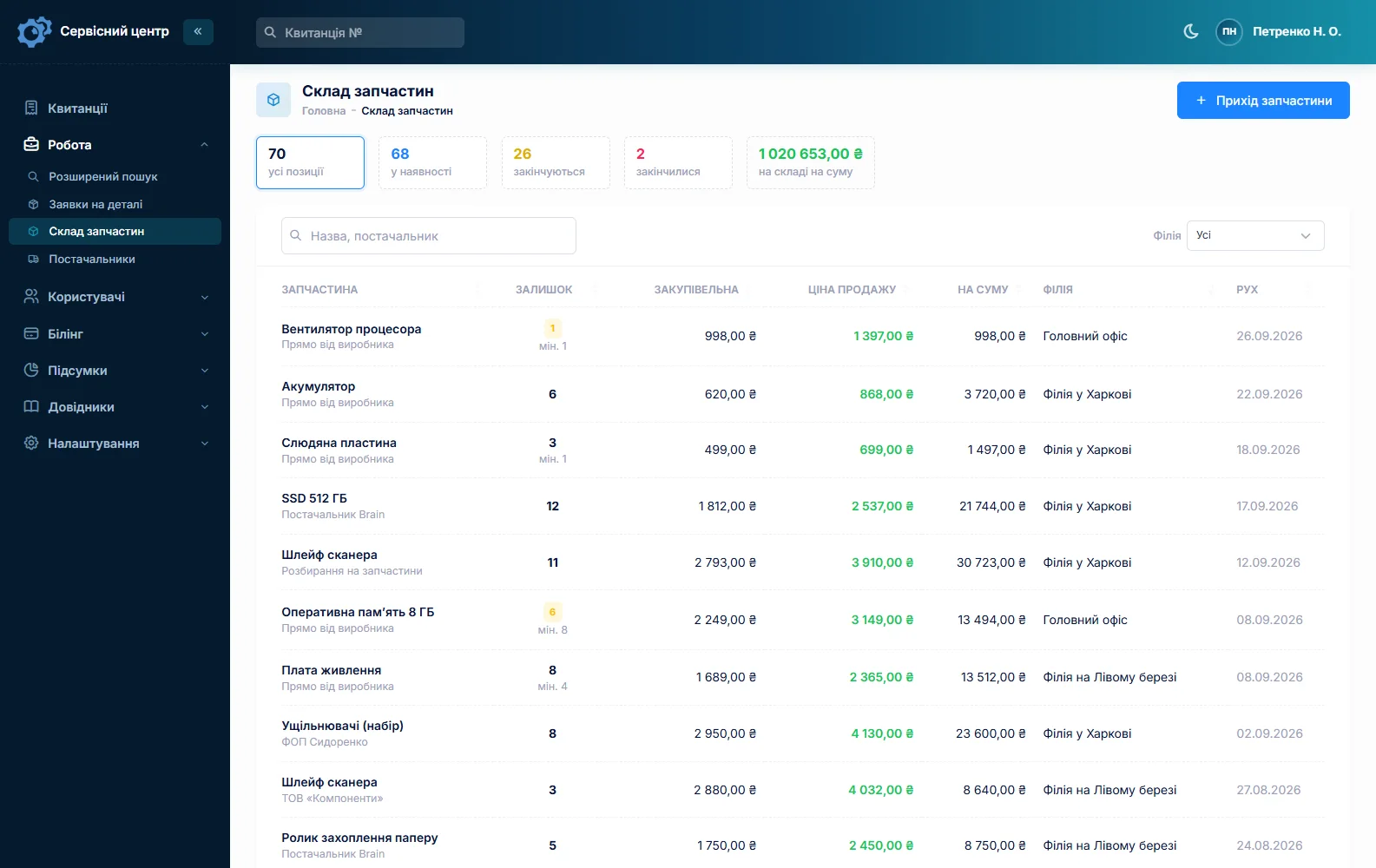
Stock is a movement log: goods in with cost and supplier, parts issued to a job as an estimate line, returns, write-offs with a reason, stocktakes. Power and network connectors, fuses and fuse holders, cables, brackets, seals and radar drive belts each get a minimum level, and a “running low” tile tells you what to order in February rather than in the middle of the rush. Anything not in stock is ordered with a parts request from the job, which sits in “awaiting parts” meanwhile. More on spare parts tracking.
Money: estimates, deposits, club accounts
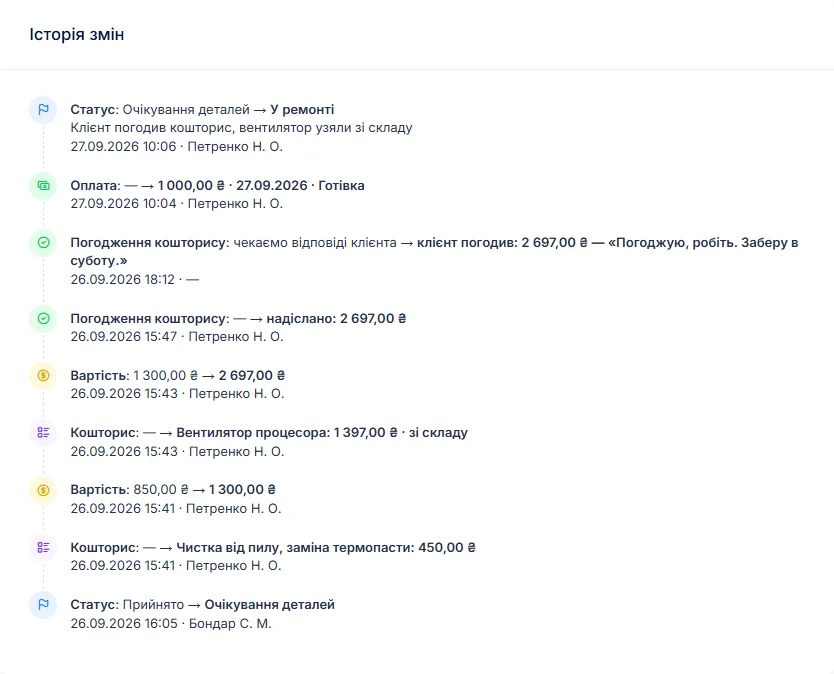
A budget fishfinder is often not worth repairing: set a diagnostics price for the device type, switch the job to “diagnostics only” when the customer hesitates, and close it as “beyond repair” when it makes no sense. Radar is another conversation — a magnetron or a display is expensive. After diagnosis the job goes to “awaiting approval” and the itemised estimate is sent by email or Telegram; the customer opens the link, sees each line and the total, and clicks “I agree” or “I decline”, and the answer lands in the history with the date. For an expensive part, take a deposit: a job can have several payments, and the software shows what is still due.
A club or rental fleet that pays the bill is a customer with a “Company” field, printed on the job sheet and the report; the record shows all jobs, payments and the balance. Identical units from several boats? Fill in the first job and copy it — each copy gets its own serial number. The “unpaid” filter shows what has gone out but has not been paid. A marina that only brings in its berth-holders’ gear can be set up as a partner, and the job list filters by partner. When the work is done, the customer gets an email or a Telegram message.
Typical repair prices
A rough guide only — prices depend on your area, the model and the parts: bench diagnosis €40–90, fishfinder repair €60–250, chartplotter repair €100–400, autopilot €120–500, radar €200–900, callout to the boat €60–150, parts extra. You set your own rates in the works list.
A word on regulations
Which equipment a vessel must carry, how boats and radios are registered, and call signs and MMSI numbers all depend on the country, the waters and the type of vessel. The software does not check any of this — it tracks repairs, not ship’s papers.
What it does not do
- a callout calendar or dispatch schedule, a separate register of boats and berths;
- connecting to instruments or the boat network, updating charts or firmware;
- checking warranty with the manufacturer, photos and file attachments, supplier integrations;
- SMS, a mobile app, online payment by the customer.
What it costs
One price for the whole business — no extra charge for staff or branches.
Monthly
Paid every month, cancel whenever you like.
Yearly
Cheaper than paying monthly. Invoice or card payment.
Custom work
Changes tailored to the way you work — hourly, by agreement.
Off-the-shelf not enough — your own forms, roles, reports or workflow? We will build a program for you. How it works
Try it without signing up in the demo: book in a fishfinder without its transducer, note under contents what stayed on the boat, and add a job with a callout line.

We are very happy working with servicecentersoft.com: they built everything we asked for, even though our request was unusual, since we deal with medical devices. Everything was done precisely and on the agreed schedule. Thank you for the cooperation — we keep working together.

I tried the ServiceCenterSoft demo and came away with a good impression. The program is simple and easy to understand, yet it has everything you need for the job: customers, repairs, devices, spare parts, statuses and statistics.
I especially liked the dark theme and the responsive design — working from a phone is perfectly comfortable. Another plus is the instant search that works as you type, so you don't have to press a separate "Search" button every time.
You can tell the program was built specifically for service centers rather than being a generic CRM adapted for the repair business. The interface has no unnecessary frills; everything is logical and to the point.
A good, practical tool for the day-to-day work of a service center.

I liked that you get a free 14-day trial and that they are willing to handle my special requests — setting things up exactly the way I need them.
I also liked how payment works. You can simply pay the monthly fee by card online — basically the same as a regular Spotify subscription or any other service. No separate contracts to sign and no invoices to pay manually.
And there's no feeling of strict limits on the number of employees. One service center is one account, and inside it you can organize the work of your technicians and run several branches.
For me this is far more convenient than plans where you have to pay for every single user or keep counting how many employees are working today.

My business is fairly specific, so the program's standard features weren't enough — I needed my own custom fields, my own sorting options and search by additional parameters. The work completion certificate and the printed repair receipt also needed some changes to fit the way we work.
I contacted technical support. To be honest, I expected changes like these to take a long time, but everything was done within a single day. The team quickly understood exactly what we needed, suggested the right solution and did everything properly.
I'd especially like to mention the support: they get straight to the point, with no unnecessary bureaucracy, and they genuinely help instead of just sending you off to read the documentation.
For me this is a big advantage of the program: it isn't just sold "as is" — it can be adapted to how you actually work. Thanks to the team for the quick response and for treating the customer right.
Highly recommended!
In short
- What came in and what stayed aboard — under contents, signed by the customer.
- Callouts as a repair type and an estimate line; berth and contact in the customer notes.
- Spring rush: promised dates, the “overdue” tile, urgent repairs.
- Warranty: purchase date, serial number, warranty repair type.
- Clubs on account with several payments; marinas as partners.
- €20 a month for the whole business.
See also
Refrigeration service software
For commercial refrigeration contractors: walk-in coolers and freezers, display cases, ice machines and condensing units; stores and warehouses on contract, emergency call-outs, refrigerant and compressors in stock.
Read moreStarting your own repair shop: where to begin
For people who can fix phones and laptops and want to work for themselves: what a small repair business needs on day one, the paperwork that protects you from the first customer, and how to run a shop in a country whose language is not your own.
Read moreSoftware for home appliance service
Contents recorded at intake, warranty at the brand price list, callouts, slow parts and partner shops.
Read moreSee how it works
The demo is open — go in and try it. Ask us anything by email, Telegram or the form on this site.