Fire extinguisher service software
For fire extinguisher service shops: batches from schools and businesses, every unit’s serial number on record, one work report per batch, dry chemical and CO₂ in stock, the pre-inspection rush.
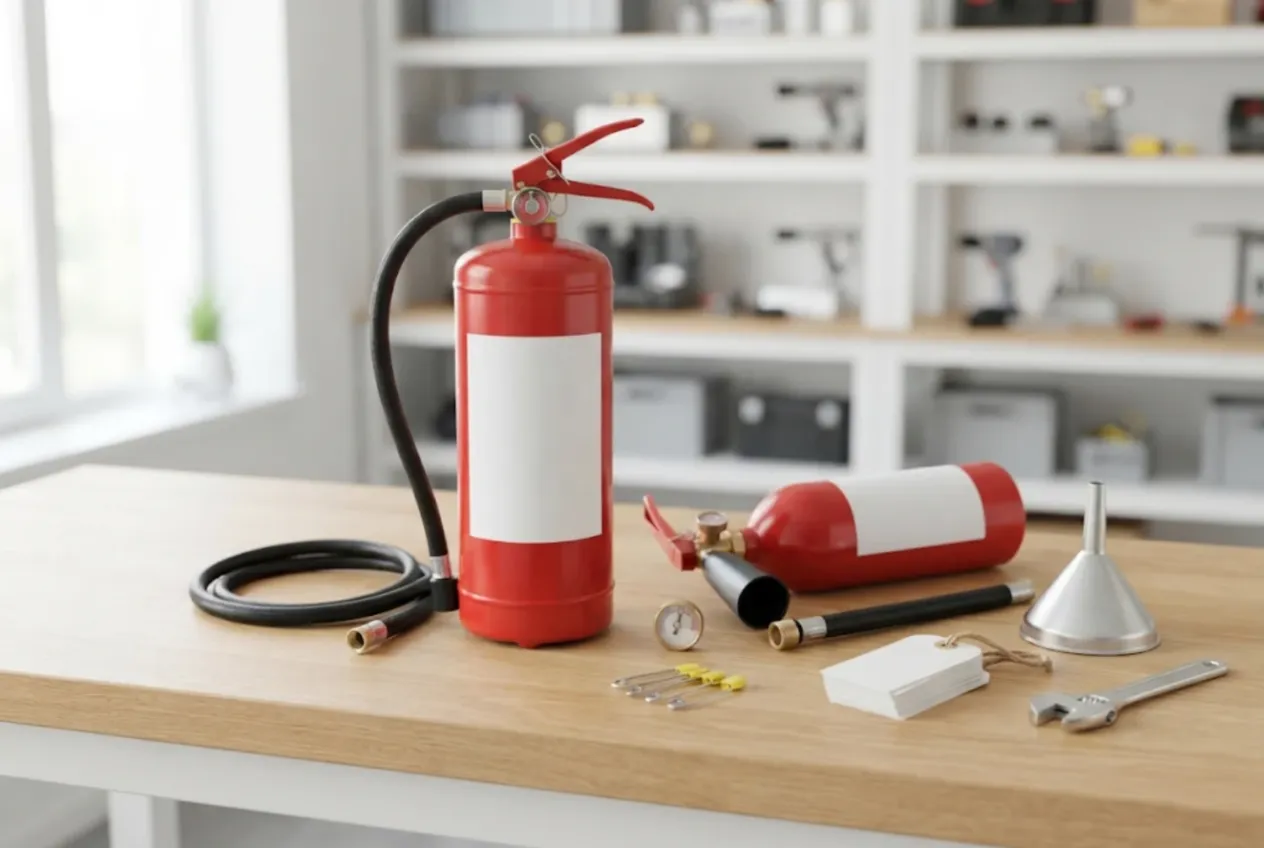
ServiceCenterSoft is repair-tracking software that also fits a fire extinguisher service shop. Your work rarely comes one unit at a time: a school drops off forty extinguishers, a factory sends a hundred and twenty. Each batch becomes a numbered job with the list of units, an itemised estimate, a work log and a work report; dry chemical, CO₂, gauges and tamper seals sit in stock with live quantities. It runs in the browser — at the front desk and on a phone next to the recharge station.
Who brings them in, and what goes wrong
Your customers are organisations: schools and nurseries, clinics, factories, warehouses, shops, fuel stations, fleet operators, property managers. They want everything back before the inspector arrives, paperwork that shows every extinguisher, and no surprises on the bill.
Where time and money leak:
- in peak season ten batches share the floor, and only one person knows whose cylinders are stacked by the wall;
- forty units came in, thirty-eight go out, and nobody remembers that two were condemned;
- the dry chemical runs out a week before schools reopen;
- a plant asks what it owes for three batches this year, and the answer is in a notebook;
- the customer refuses to pay for six new gauges because “nobody asked us”.
One batch, one job
Book the whole drop-off as a single job. The customer is the organisation: the “Company” field holds its name, with a contact person, phone and address. Create your own equipment type — “Extinguishers, batch”, or separate ones for dry chemical and CO₂. In the contents field write what was received: “ABC 10 lb × 32, CO₂ 5 lb × 8”, followed by the serial or asset numbers the customer uses. In the condition field note what you see at the counter: “three without seals, one missing hose, two with rust on the base”. Both print on the job sheet the customer’s representative signs, so three weeks later nobody argues about how many units arrived.
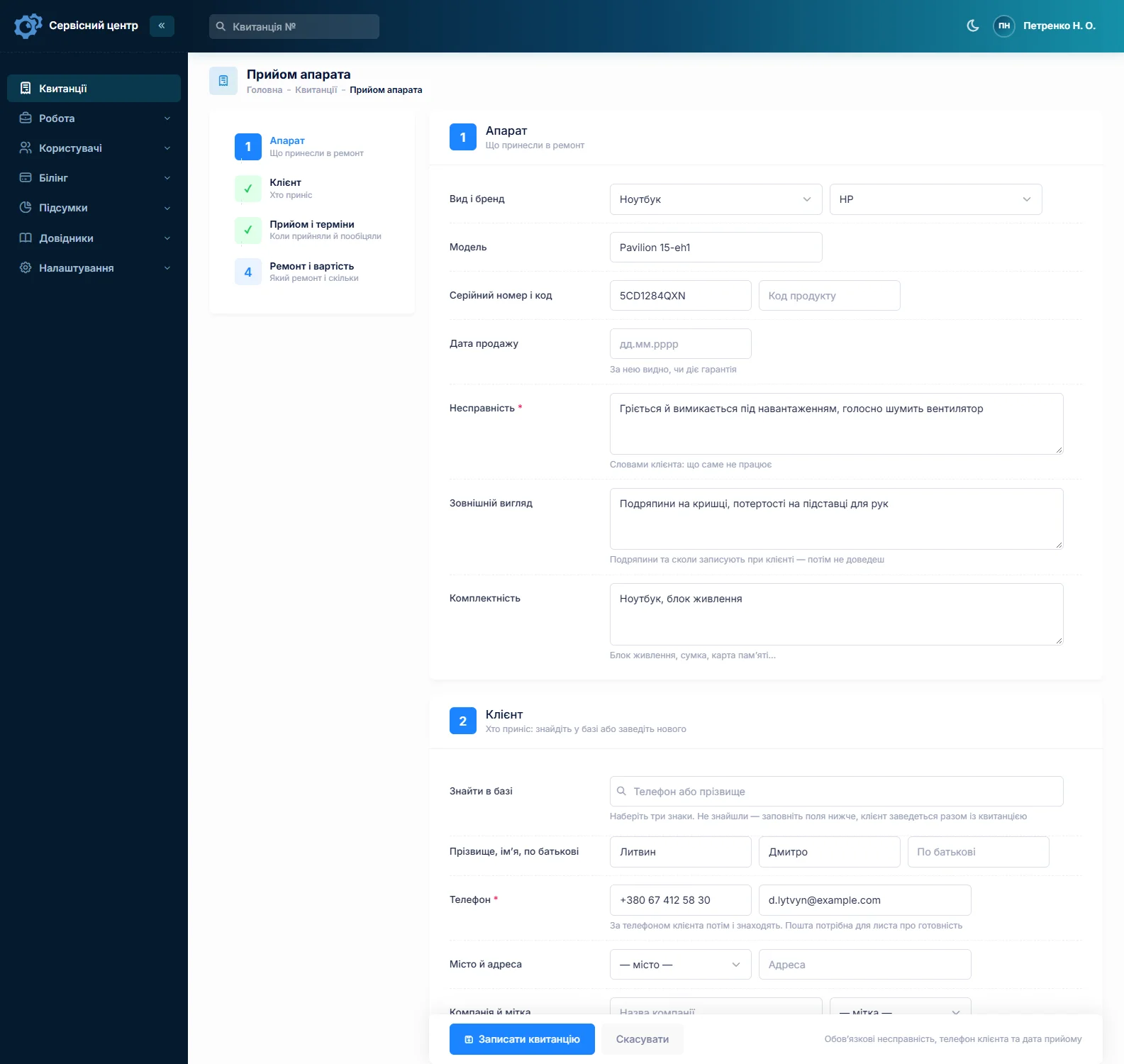
A plain limit: there is no per-unit table inside a job — serial numbers are kept as text. The software does not print service tags, labels or barcodes; you attach your own.
Recharge and inspection tracking by serial number
What happened to each unit goes into the work log: “#0412 — recharged, pressure OK”, “#0418 — gauge replaced”, “#0431 — shell corrosion, condemned”. The work log prints on the work report, and advanced text search finds the job by an extinguisher’s number a year later, when the customer calls to ask when that cylinder was last serviced.
Some units deserve their own record — a wheeled extinguisher, a disputed one, a hydrostatic test with its own result. Give those a separate job: copying a job carries over the customer, equipment and description, and you type in that unit’s serial number, which the normal list search then finds.
“Notes for the technician” are never shown to the customer: “last batch had twenty units with caked powder”, “old cylinders, check the bases”. Whoever takes in next year’s batch will read it.
Itemised estimate, one work report per batch
An estimate line is a description, a quantity, a unit price and a total — exactly what batch work needs: “Annual maintenance, ABC 10 lb — 32 × …”, “Recharge, CO₂ 5 lb — 8 × …”, “Gauge — 6”, “Hydrostatic test — 4”. Labour comes from your own price list, materials from stock. The work report prints once per job, so once for the whole batch: the estimate as a table, the work log with unit numbers, your recommendations and the amount due. You can edit the wording of the form yourself. See what it looks like on the work completion report page.
If the inspection shows that some units need new valve assemblies or hoses, get approval before you fit them. One click sends the estimate by email or Telegram; the customer opens the link, sees every line and the total, and clicks “I agree” or “I decline”. The answer is kept in the job history with the date.
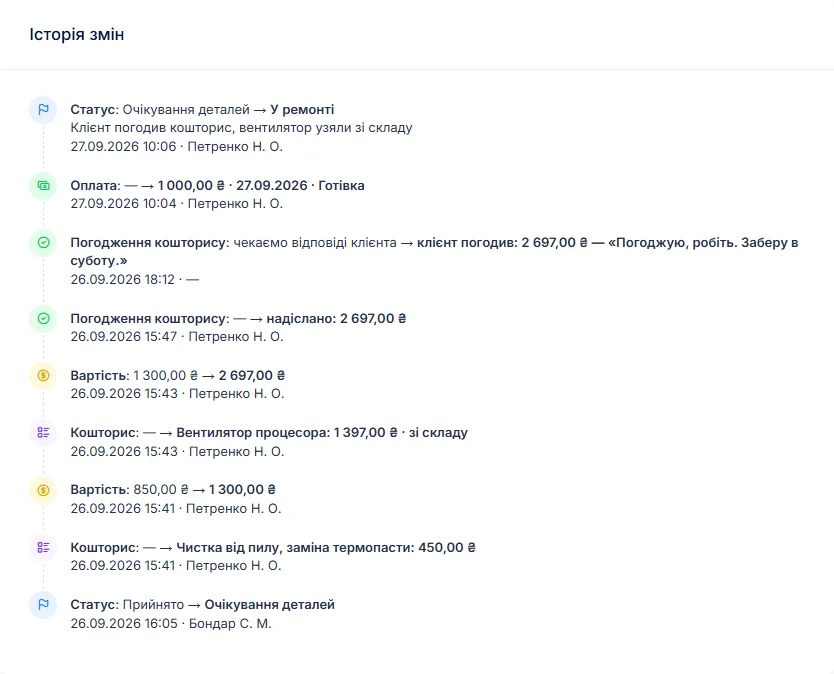
There is no invoicing. A job can take several payments — a deposit and the balance on collection — and shows what is still due; the “unpaid” filter lists finished batches that have not been paid. The customer record shows all of that organisation’s batches, totals and outstanding balance.
The rush before inspections
Late summer before schools reopen, the weeks before scheduled site audits — everything arrives at once and everything is urgent. Each job has a promised date and an “Urgent repair” flag: urgent jobs are marked in the list, the row turns red once the date has passed, and the “overdue” filter shows what should already have gone out.
Statuses are your own list, each with a colour and an optional tile above the job list. Next to the built-in ones (“Awaiting parts”, “Awaiting approval”, “Ready” and others) add your shop-floor stages: “Discharge and inspection”, “Hydro test”, “Recharge”, “Waiting for powder”. One look tells you what is where and what can be handed back today.
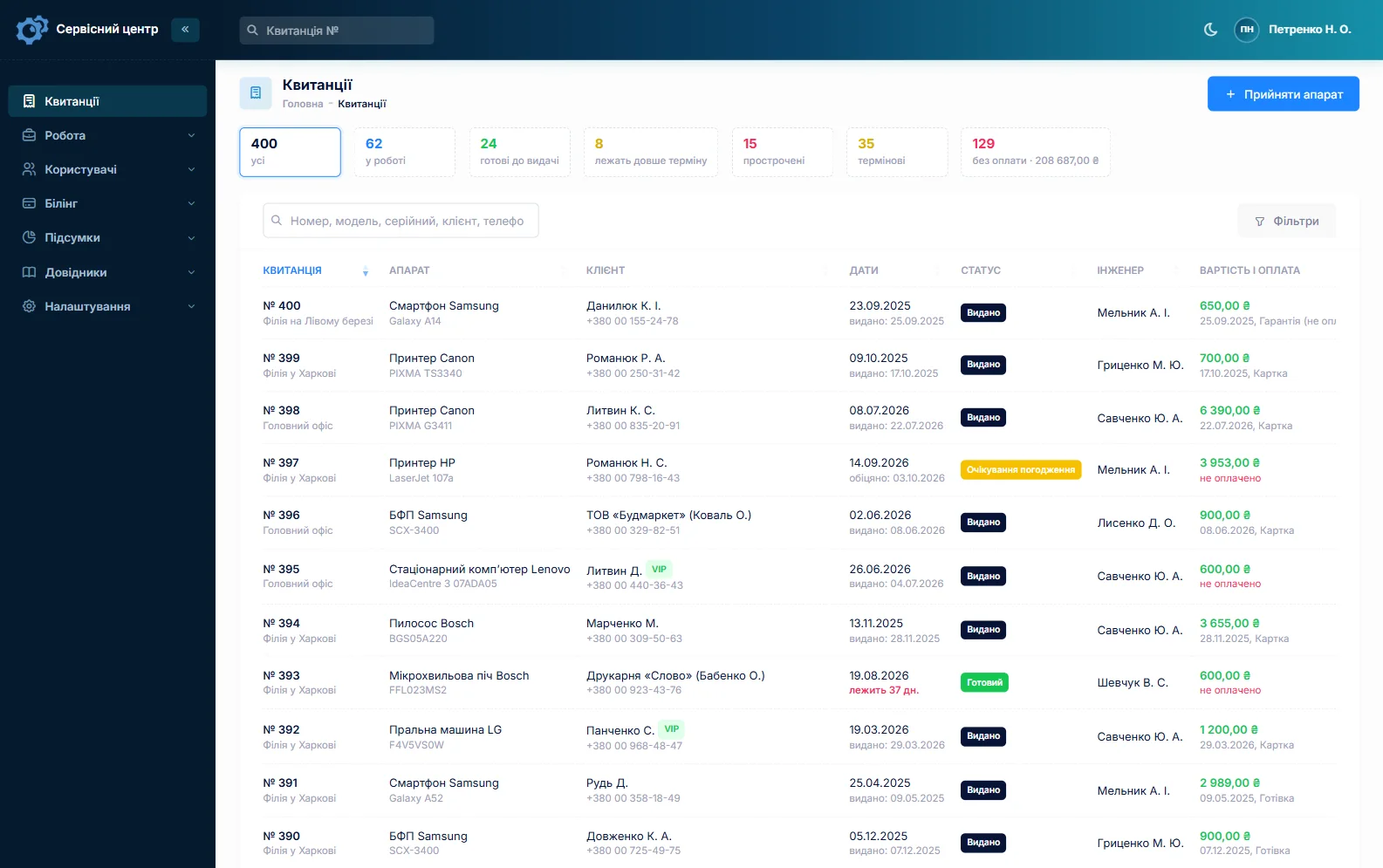
When a batch is ready the customer gets an email or a Telegram message. Organisations are slow to collect, so the ready list shows how many days each batch has been waiting.
Dry chemical, CO₂ and small parts in stock
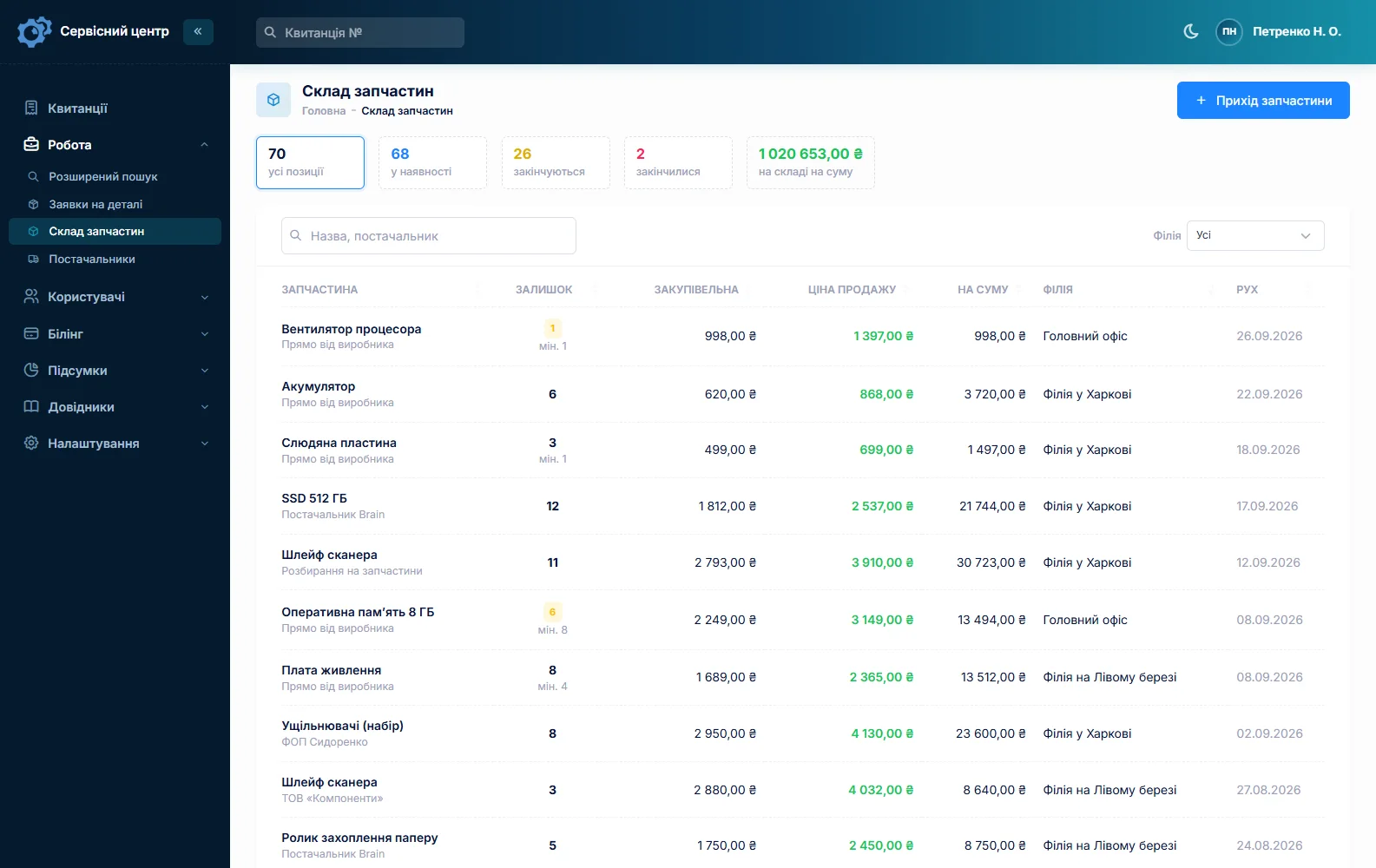
Stock is a movement log: goods in with cost and supplier, items issued as estimate lines, returns, write-offs with a reason, stocktakes; quantities update themselves. Quantities are whole numbers, so keep dry chemical by the pound, kilogram or bag and CO₂ by weight or by supply cylinder. Gauges, valve assemblies, hoses and horns, siphon tubes, O-rings, pull pins and tamper seals go by the piece.
Set a minimum level per item and the “running low” tile tells you to reorder powder before the recharge station stands idle. A request to your supplier can be emailed from the software. More on spare parts tracking.
No reminders for the next service date
To be straight: the software does not track when a unit is next due and reminds no one — not you, not the customer. There is no maintenance schedule and no service-contract module. What you can do with what is there: write “next maintenance due August next year” in the recommendations (they print on the work report) and in the customer notes; give customers a label such as “Schools” or “Contract” and, before the season, filter the customer list by it and make the calls yourself.
If you inspect extinguishers at the customer’s premises, add a “Call-out” repair type and a call-out line with a price; the job list can be filtered by repair type. There is no dispatch calendar or route planning.
Licences, intervals and condemned units
In most places extinguisher maintenance has to be done by trained, and often licensed, technicians: typically a yearly maintenance check, with internal examinations and hydrostatic tests at longer intervals that depend on the extinguisher type. The exact rules come from your local fire code and the manufacturer’s manual — check what applies to you; the software does not enforce any of it. A unit that fails goes into the work log with the reason; a job of its own can be closed as “Beyond repair”.
Technician pay is calculated from estimate lines, each with its own technician — see technician commission. The period report shows completed jobs and totals overall and per technician; it is not broken down by repair type. If you also service other equipment that gets periodic checks, have a look at scale repair software.
Typical service prices
A rough guide only — it varies by region, extinguisher type, condition and batch size: annual maintenance without recharge €6–15 per unit, dry chemical recharge €20–45, CO₂ recharge €30–60, hydrostatic test €20–50, gauge replacement €5–15, valve assembly €15–40, hose or horn €8–25. You set your own rates in the works list.
What it does not do
- reminders for the next recharge or inspection, maintenance schedules;
- a per-unit results table inside a job, printing of service tags, labels or barcodes;
- the customer’s extinguisher register, loaner extinguisher tracking;
- service contracts as a module, invoices, a dispatch calendar;
- photos and file attachments, SMS, a mobile app, online payment by the customer, supplier integrations.
What it costs
One price for the whole shop — no extra charge for technicians or branches.
Monthly
Paid every month, cancel whenever you like.
Yearly
Cheaper than paying monthly. Invoice or card payment.
Custom work
Changes tailored to the way you work — hourly, by agreement.
Off-the-shelf not enough — your own forms, roles, reports or workflow? We will build a program for you. How it works
Try it without signing up in the demo: book a batch from a school, list the serial numbers, build a recharge estimate and record a deposit.

We are very happy working with servicecentersoft.com: they built everything we asked for, even though our request was unusual, since we deal with medical devices. Everything was done precisely and on the agreed schedule. Thank you for the cooperation — we keep working together.

I tried the ServiceCenterSoft demo and came away with a good impression. The program is simple and easy to understand, yet it has everything you need for the job: customers, repairs, devices, spare parts, statuses and statistics.
I especially liked the dark theme and the responsive design — working from a phone is perfectly comfortable. Another plus is the instant search that works as you type, so you don't have to press a separate "Search" button every time.
You can tell the program was built specifically for service centers rather than being a generic CRM adapted for the repair business. The interface has no unnecessary frills; everything is logical and to the point.
A good, practical tool for the day-to-day work of a service center.

I liked that you get a free 14-day trial and that they are willing to handle my special requests — setting things up exactly the way I need them.
I also liked how payment works. You can simply pay the monthly fee by card online — basically the same as a regular Spotify subscription or any other service. No separate contracts to sign and no invoices to pay manually.
And there's no feeling of strict limits on the number of employees. One service center is one account, and inside it you can organize the work of your technicians and run several branches.
For me this is far more convenient than plans where you have to pay for every single user or keep counting how many employees are working today.

My business is fairly specific, so the program's standard features weren't enough — I needed my own custom fields, my own sorting options and search by additional parameters. The work completion certificate and the printed repair receipt also needed some changes to fit the way we work.
I contacted technical support. To be honest, I expected changes like these to take a long time, but everything was done within a single day. The team quickly understood exactly what we needed, suggested the right solution and did everything properly.
I'd especially like to mention the support: they get straight to the point, with no unnecessary bureaucracy, and they genuinely help instead of just sending you off to read the documentation.
For me this is a big advantage of the program: it isn't just sold "as is" — it can be adapted to how you actually work. Thanks to the team for the quick response and for treating the customer right.
Highly recommended!
In short
- A batch from an organisation is one job, with the unit list and numbers signed for at intake.
- Each unit’s result goes into the work log — printed on the report and searchable.
- Estimate lines as “work × quantity”, one work report per batch.
- Dry chemical, CO₂ and gauges in stock with minimum levels.
- No next-service reminders — use a customer label and a note on the report.
- €20 a month for the whole shop.
See also
Water treatment service software
For water treatment dealers and service companies: reverse osmosis, softeners, water coolers and bottleless dispensers. Filter changes on site, cartridges in stock with minimum levels, offices as company customers.
Read moreOptics repair software for binoculars, scopes and telescopes
For a workshop repairing binoculars, spotting scopes, monoculars, telescopes, riflescopes and rangefinders: lens condition on the signed job sheet, collimation and nitrogen purging as estimate lines, warranty work, special-order parts, mail-in repairs.
Read moreStarting your own repair shop: where to begin
For people who can fix phones and laptops and want to work for themselves: what a small repair business needs on day one, the paperwork that protects you from the first customer, and how to run a shop in a country whose language is not your own.
Read moreSee how it works
The demo is open — go in and try it. Ask us anything by email, Telegram or the form on this site.