Piano technician software
For piano technicians and piano shops: tunings on site, action regulation, hammers and strings, schools, churches and concert venues as regular accounts, and the full service history of every piano by serial number.
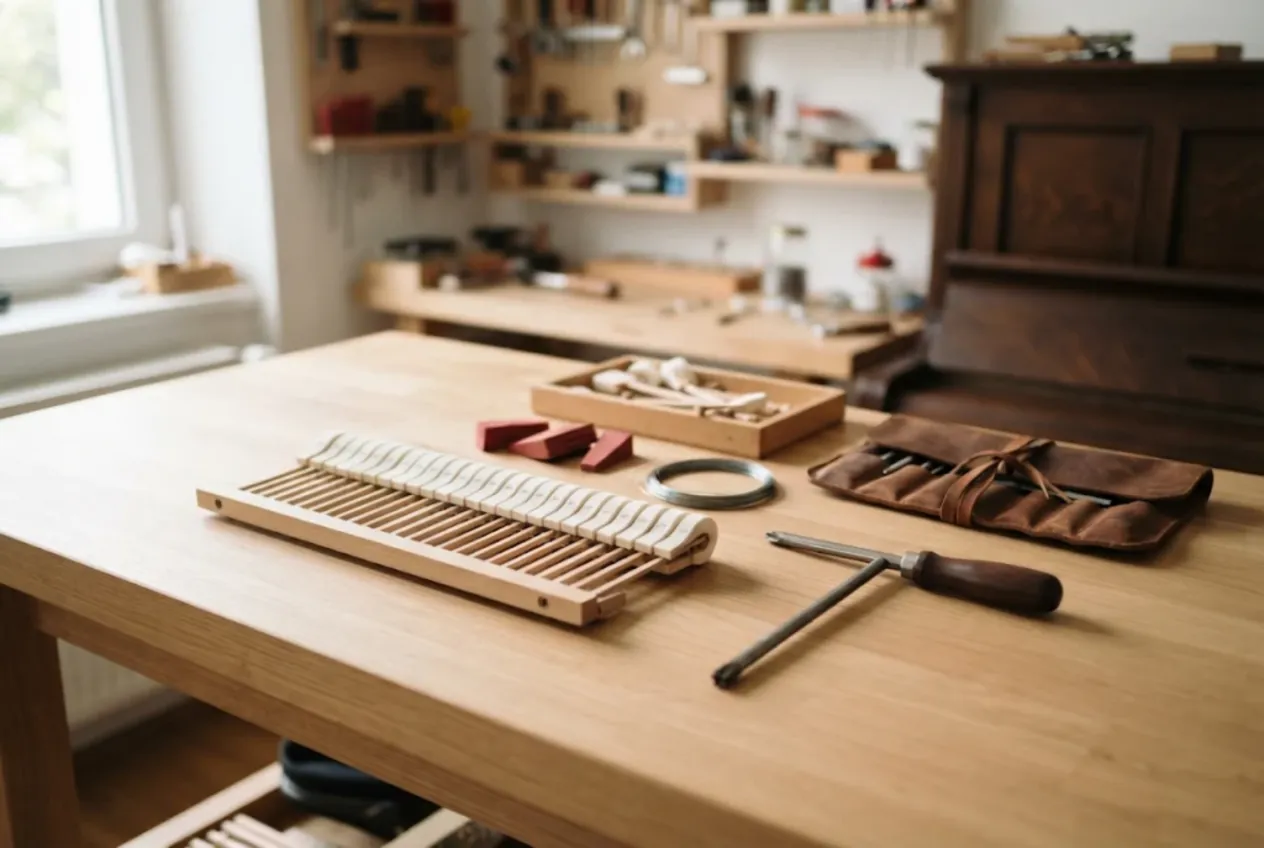
ServiceCenterSoft is job-tracking software that piano technicians use to run a tuning and repair business: tunings, pitch raises, action regulation, voicing, hammer and string replacement, key rebushing, and full rebuilds. Every piano gets its own job with a number, an estimate and a history. It runs in the browser — on the shop computer and on your phone while you stand next to the instrument.
This page is about acoustic uprights and grands. Digital pianos and stage keyboards are electronics work, covered on a separate page: music equipment repair software.
Who this is for, and where it hurts
Most of a piano technician’s work happens at the customer’s place. Nobody brings an upright in for an hour of tuning, so tunings, small repairs and appraisals happen in living rooms, practice rooms and on stage. Only a removed action, or a whole piano heading for a rebuild, comes back to the shop.
Your customers come in two kinds. Homeowners with one piano who call once a year — or when it has drifted badly. And institutional accounts: music schools, colleges, churches, concert venues, recording studios, nursery schools. A school may have twenty uprights and two grands, tuned twice a year and again before recitals and exams.
What tends to go wrong:
- a school owns twenty pianos and nobody can say which was tuned last or what was replaced;
- the venue asks for a record of the autumn tunings, and your notes are in a pocket diary;
- the school pays by bank transfer a month later, and several visits sit unpaid;
- a custom bass string is on order and nobody remembers which piano it is for;
- an action has been on the bench for three weeks and the owner keeps calling.
One job per piano — and a service history by serial number
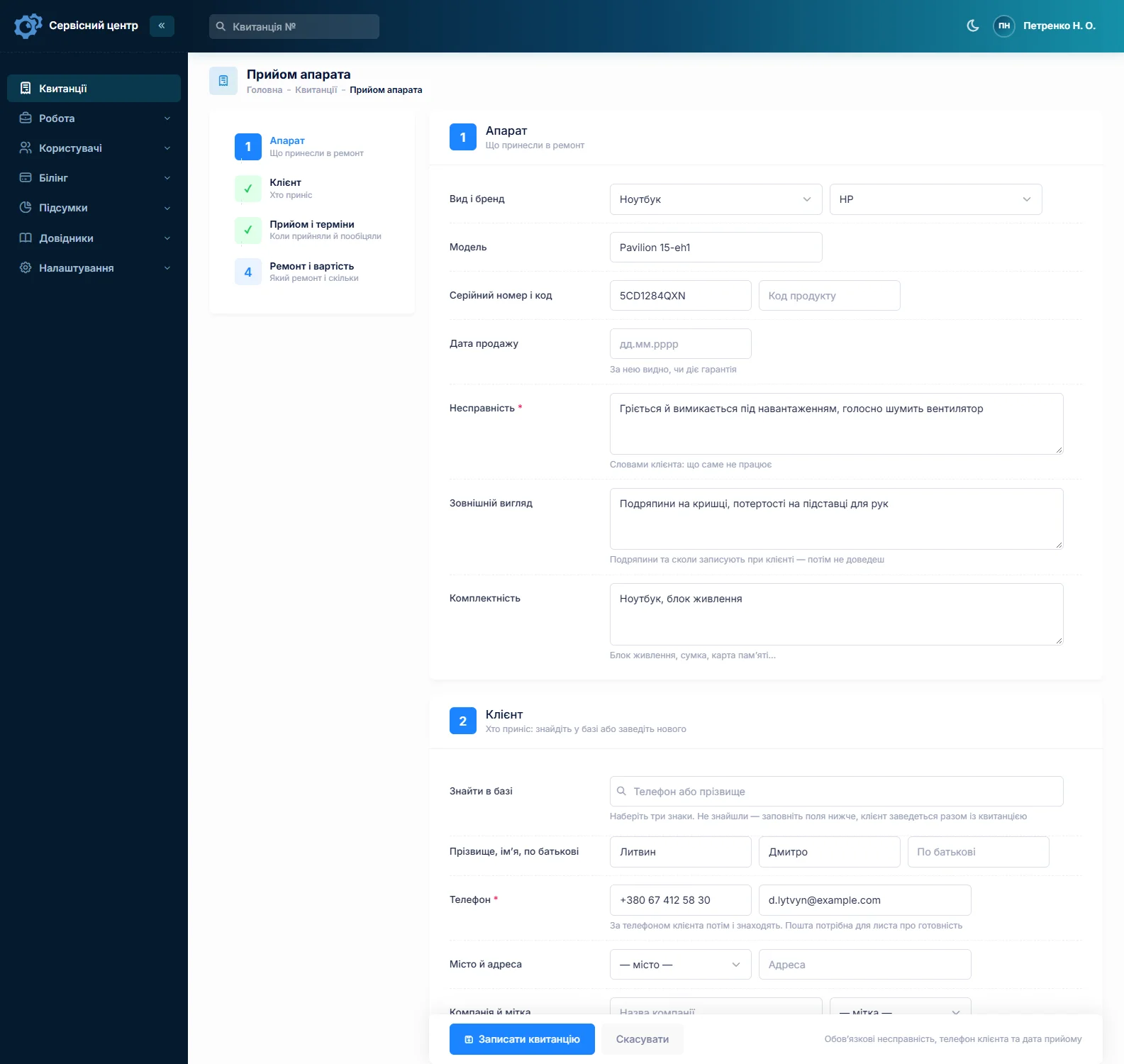
In the software a job is one instrument: type (upright or grand), make, model and the serial number from the plate. Search finds a piano even by part of the number, and its history shows every tuning and repair: when strings were replaced, when the action was regulated, who did the work.
The “condition” field is where you note what you found before you touched anything: finish scratches, a cracked lid, a missing fallboard key, a broken pedal. For a rebuild this matters — the piano will be with you for months, and the condition at intake is printed on the job sheet the customer signs. Notes for the technician stay internal; the customer does not see them.
On-site tunings
For house calls, add your own repair type to the list — “Service call” or “Tuning” — and lines such as “Service call”, “Tuning, upright”, “Tuning, grand” and “Pitch raise” to the work price list. Estimates are built from those lines, and the job list filters by repair type, so you can see how many calls you made this month. The customer’s address and notes like “third floor, no lift, practice-room key at reception” live on the customer record.
A tuning usually opens and closes the same day: create the job, log the work, take payment, close it. On a phone that is a couple of minutes.
What you did goes into the work log: “A440, raised from 436; 70 °F, 30 % RH; replaced one string in the tenor; reglued key bushings on three notes”. The software does not connect to an electronic tuning device and does not store its files — the numbers that matter go in as text. The work log is printed on the service report, so the customer sees what was done to their instrument.
Honestly about scheduling. There is no appointment calendar and no automatic “your piano is due for tuning” reminders. You agree the visit the way you always have and put the promised date on the job; the “overdue” filter shows what slipped. Reminders for the next tuning go in your own calendar.
Schools, churches and concert venues
The customer record has a “Company” field: a school or a venue is one customer, whoever happens to call. The name prints on the job sheet and the report, and the record shows every job, every payment and the balance owed. The notes field works well as an inventory: “Room 12 — upright, no. …; main hall — grand, no. …; tuned September and February”.
Ten pianos on the autumn round means ten jobs. Fill in the first one completely and copy it for the rest — customer, type and description carry over, and you type in each serial number. A year later, searching by number finds that exact grand, not “something from the school”.
Institutions rarely pay on the spot. A job can take several payments, the software shows what is still due, and the “unpaid” filter collects finished work that has not been paid. It does not issue invoices — it prints the job sheet and the service report; invoices come from whatever you use for bookkeeping. More on the service completion report.
Regular tunings without a schedule module. A repair type such as “Scheduled tuning” lets you pull those jobs out separately. The next visit goes into “Recommendations”: “next tuning February; keep humidity at 40–60 %, move away from the radiator”. Recommendations print on the report and stay in the piano’s history.
Actions on the bench and rebuilds
Action regulation, new hammers or dampers, key rebushing, oversize tuning pins — that is shop work. The action comes out and travels to you, and the piano sits at home without it. So the promised date matters: it shows in the list, and the “overdue” filter reminds you who is waiting.
Rebuilding an old grand can cost as much as a used instrument. After the appraisal the job moves to “Awaiting approval”, and the estimate — hammers, strings, cloth, labour, line by line — goes to the customer by email or Telegram. The link shows every line and the total, with “I agree” and “I decline” buttons; the answer and date land in the job history. Add a line and it needs approving again. Agreed by phone? Add a comment to the status change. If you charge for the appraisal, give the instrument type a diagnostics price and switch the job’s base to “diagnostics only”.
When the work is done, the customer gets an email or a Telegram message (customer notifications). Finished jobs show how many days they have been waiting, and the counter turns red after your free storage period. What happens to a rebuilt piano nobody collects, and who is responsible for moving it, belongs in the terms on the job sheet; what is allowed depends on local law, so have a lawyer look over the wording.
Strings, hammers and cloth in stock
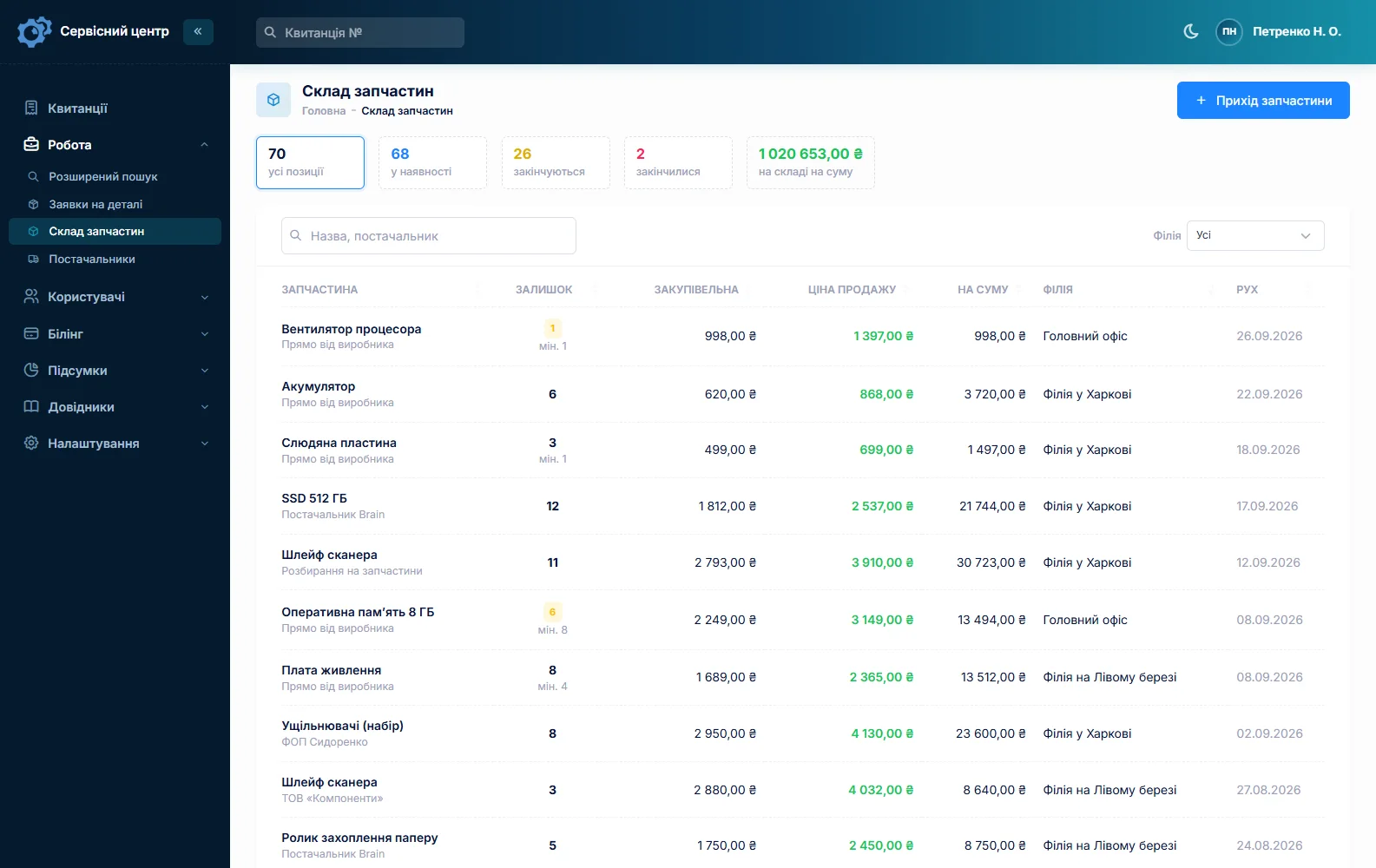
Stock is a movement log: goods in with price and supplier, used in a repair as an estimate line, stocktakes. Music wire by gauge (in coils), hammer sets, cloth and felt, dampers, oversize tuning pins, key pins and punchings — each item has a minimum level and a “running low” tile. Quantities are whole numbers, so count coils, sets and sheets, not feet of wire.
Bass strings are wound for a particular piano. You can email the order to your string maker straight from the job, so it is clear which grand the string is for, and the job sits in “Awaiting parts”. More on spare parts tracking.
If more than one technician works for you, reports show each person’s jobs for a period and their earnings.
What the work usually costs
A rough guide only — prices vary with region, instrument and condition: tuning an upright €90–150, a grand €120–200, a pitch raise €40–100 on top, replacing a string €30–80 including labour (custom bass strings more), action regulation €300–900 on an upright and €600–1,500 on a grand, a new set of hammers €1,200–3,500 with parts. You set your own prices in the work price list.
What it does not do
- no appointment calendar or automatic tuning reminders;
- no link to an electronic tuning device, no photos or files on a job;
- no invoices — the job sheet and the service report only;
- no SMS, no mobile app (the phone’s browser works), no online payment by customers, no supplier integrations.
What it costs
One price for the whole business — no extra charge for staff or branches.
Monthly
Paid every month, cancel whenever you like.
Yearly
Cheaper than paying monthly. Invoice or card payment.
Custom work
Changes tailored to the way you work — hourly, by agreement.
Off-the-shelf not enough — your own forms, roles, reports or workflow? We will build a program for you. How it works
Try it without signing up in the demo: add a grand with its serial number, log a tuning in the work log and print the report.

We are very happy working with servicecentersoft.com: they built everything we asked for, even though our request was unusual, since we deal with medical devices. Everything was done precisely and on the agreed schedule. Thank you for the cooperation — we keep working together.

I tried the ServiceCenterSoft demo and came away with a good impression. The program is simple and easy to understand, yet it has everything you need for the job: customers, repairs, devices, spare parts, statuses and statistics.
I especially liked the dark theme and the responsive design — working from a phone is perfectly comfortable. Another plus is the instant search that works as you type, so you don't have to press a separate "Search" button every time.
You can tell the program was built specifically for service centers rather than being a generic CRM adapted for the repair business. The interface has no unnecessary frills; everything is logical and to the point.
A good, practical tool for the day-to-day work of a service center.

I liked that you get a free 14-day trial and that they are willing to handle my special requests — setting things up exactly the way I need them.
I also liked how payment works. You can simply pay the monthly fee by card online — basically the same as a regular Spotify subscription or any other service. No separate contracts to sign and no invoices to pay manually.
And there's no feeling of strict limits on the number of employees. One service center is one account, and inside it you can organize the work of your technicians and run several branches.
For me this is far more convenient than plans where you have to pay for every single user or keep counting how many employees are working today.

My business is fairly specific, so the program's standard features weren't enough — I needed my own custom fields, my own sorting options and search by additional parameters. The work completion certificate and the printed repair receipt also needed some changes to fit the way we work.
I contacted technical support. To be honest, I expected changes like these to take a long time, but everything was done within a single day. The team quickly understood exactly what we needed, suggested the right solution and did everything properly.
I'd especially like to mention the support: they get straight to the point, with no unnecessary bureaucracy, and they genuinely help instead of just sending you off to read the documentation.
For me this is a big advantage of the program: it isn't just sold "as is" — it can be adapted to how you actually work. Thanks to the team for the quick response and for treating the customer right.
Highly recommended!
In short
- One job per piano, with its full history by serial number.
- House calls — your own repair type and a “Service call” line in the estimate.
- A school or venue — one customer with a company name, a balance and reports.
- Pitch, humidity and recommendations — in the work log, printed on the report.
- Rebuilds — estimates approved by link.
- Strings, hammers and cloth — stock with minimum levels.
- No calendar or reminders; €20 a month for the whole business.
See also
Server repair software
For businesses repairing servers, storage arrays, switches and routers: companies, hosting firms and ISPs as customers, due dates agreed in contracts, serial numbers of drives and power supplies, spares in stock, RMA returns to the manufacturer.
Read moreStarting your own repair shop: where to begin
For people who can fix phones and laptops and want to work for themselves: what a small repair business needs on day one, the paperwork that protects you from the first customer, and how to run a shop in a country whose language is not your own.
Read moreSoftware for home appliance service
Contents recorded at intake, warranty at the brand price list, callouts, slow parts and partner shops.
Read moreSee how it works
The demo is open — go in and try it. Ask us anything by email, Telegram or the form on this site.