Intake is the most frequent thing you do, and you do it with the customer standing at the counter. So it is a single form filled in from top to bottom, and a new customer can be created right there without leaving for another section.
Where to start
On the job list there is an Intake button. It opens the device intake form.
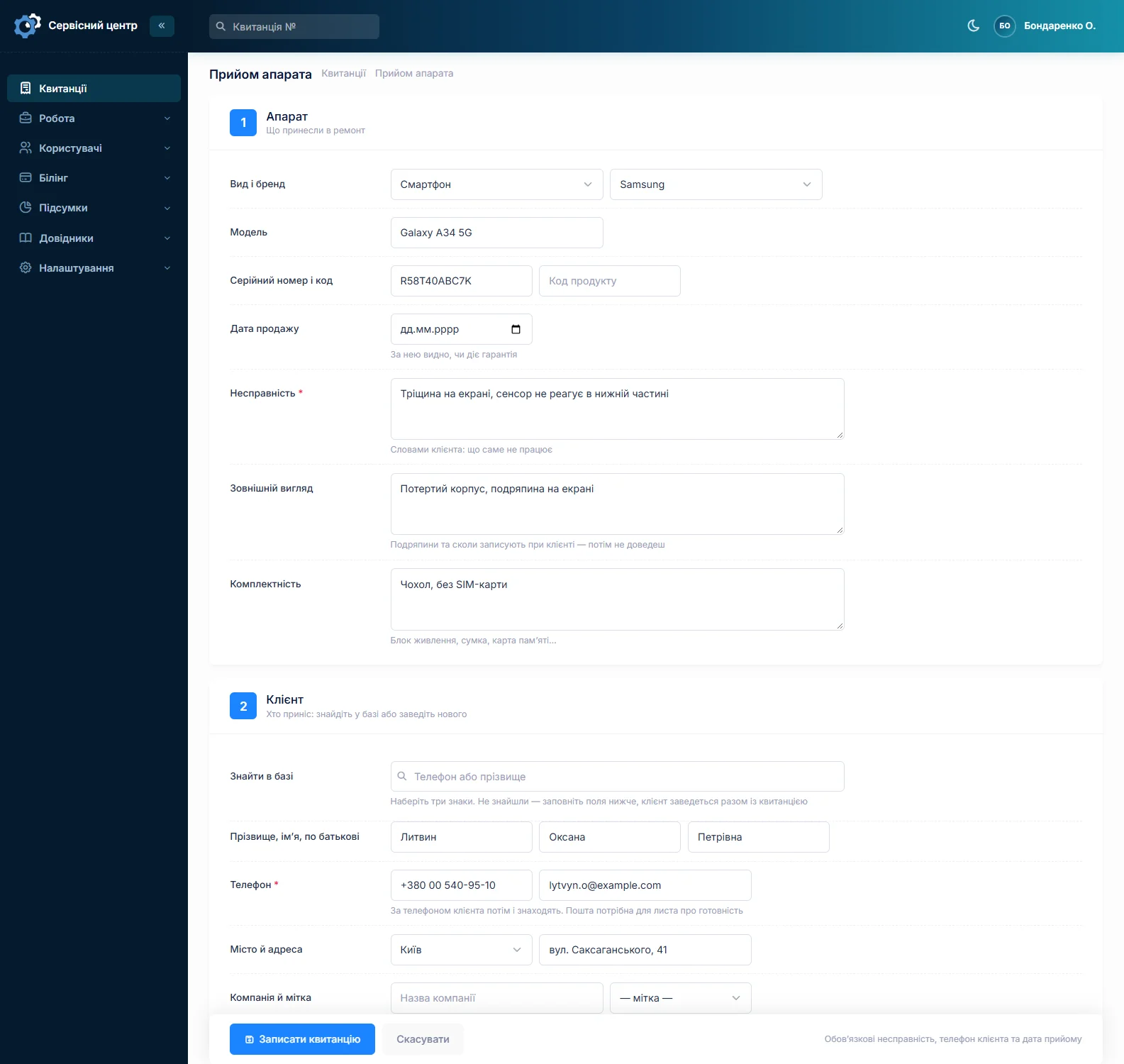
The customer
Start with the phone number: the search matches the number and the surname, and bare digits work too — everyone writes numbers differently, with pluses, brackets and spaces. If the customer has been in before, they will be found, and their whole repair history stays within reach.
A new customer is created in this same form: name and phone are required, the rest as needed. A tag such as "regular" or "partner" can be added later, on the customer card.
Device and fault
Pick the device type and brand from the reference data, then type the model and serial number. Write the fault as the customer described it — word for word: that is what you will check against when the job is done.
Next come the accessories (what the customer actually left: charger, bag, memory card) and the condition (scratches, cracks, liquid marks). Those two fields are not for the software, they are for you: they are printed on the intake form and that is what the customer signs.
Due date and urgency
You can set a due date. On the job list an overdue date shows in red, so nothing slips through. The urgent flag puts the job into its own quick filter.
Price
The price is worked out for you, depending on the repair type:
- warranty repair — the price from the brand's price list (brand × repair category × device);
- ordinary repair — the price from the device reference data;
- or your own price, if you typed one in.
The final amount can still be changed on the job card once you know what is actually broken.
The same repair before
If the same customer brings in the same device, press Copy on the old job: customer, device and branch carry over, everything else on the new job is its own.
Once it is saved
The job gets a number — tell it to the customer. Then print the intake form on your own letterhead and hand it over, and run the repair itself on the job card.
Haven’t found the answer?
Check the questions and answers or write to us — we will reply and fill the gap in the documentation.