Air compressor repair software for compressor and air tool service shops
For compressor service companies and pneumatic tool repair shops: air tools across the bench, rotary screw machines serviced on site, hours-based maintenance with filters and oil from stock, estimate approval before an airend is opened, and a history for every machine by serial number.
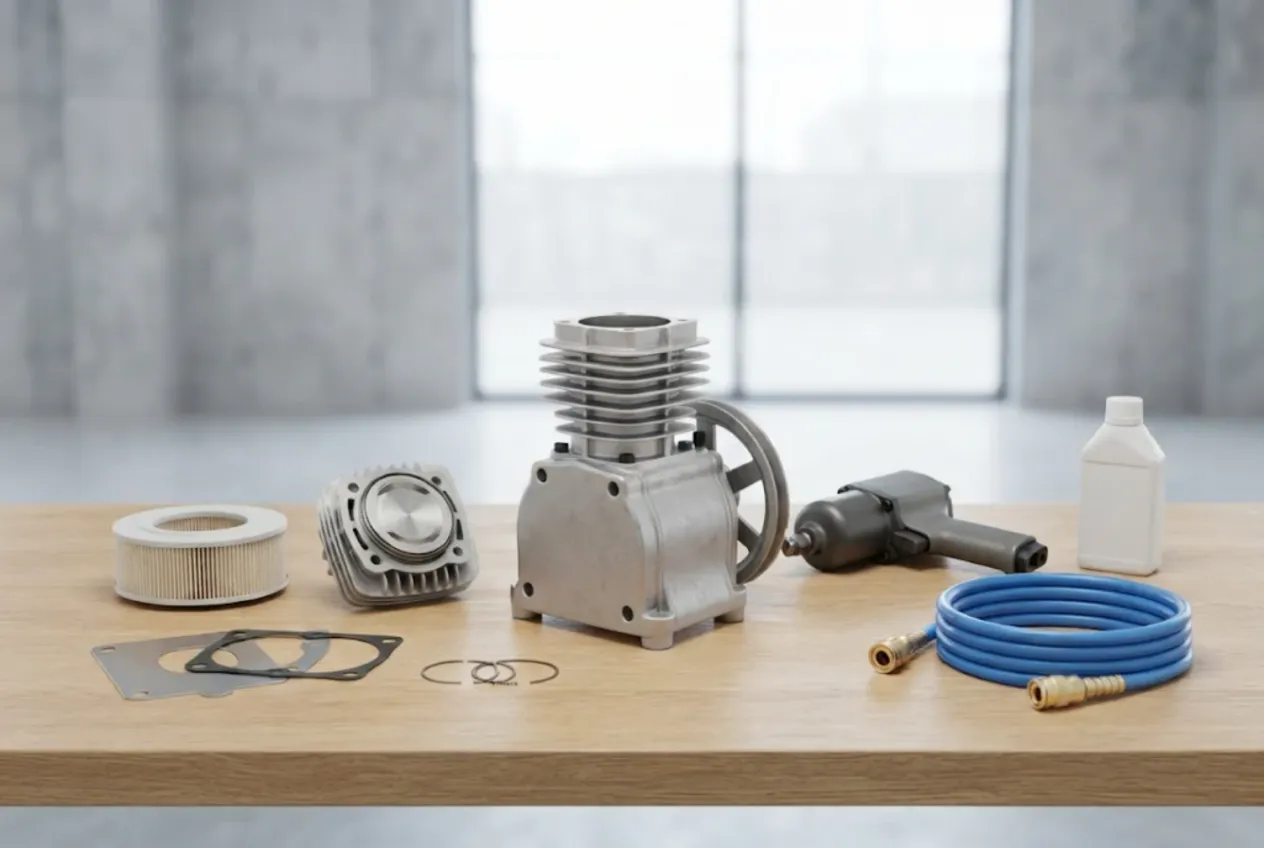
ServiceCenterSoft is job-tracking software for shops that repair and maintain air compressors and pneumatic tools: piston and rotary screw compressors, refrigerated dryers, tank controls, impact wrenches, die grinders, spray guns, nailers. Every job is a ticket with a number, a promised date, an itemised estimate and a history. It runs in the browser — on the workshop PC and on a phone next to the customer’s machine.
If you also repair drills and grinders, there is a separate page on power tool repair software. This one is about compressed air.
Who it is for, and what goes wrong
A compressor service shop runs two very different streams. One is small work on the bench: a tyre shop drops off three impact wrenches, a body shop a spray gun. The other is a big machine — a rotary screw compressor in a factory that you have to drive to, or a piston unit that arrives on a pickup. And the customer is nearly always a business that cannot work without air: no wheels coming off, no paint going on, a line standing still.
The usual trouble spots:
- air tools are taken in on a handshake, and a week later nobody knows whose they are or what was promised;
- the hours at the last service, and what was changed, live in the notebook of a technician who is out on a call;
- the airend is already in pieces when the customer says they never approved that amount;
- a plant has four compressors and nobody can tell which one has been back three times this year;
- the right separator runs out on the day a customer’s machine is down;
- the work is done, but the sign-off and the payment are still outstanding a month later.
Pneumatic tool repair: a ticket in a minute
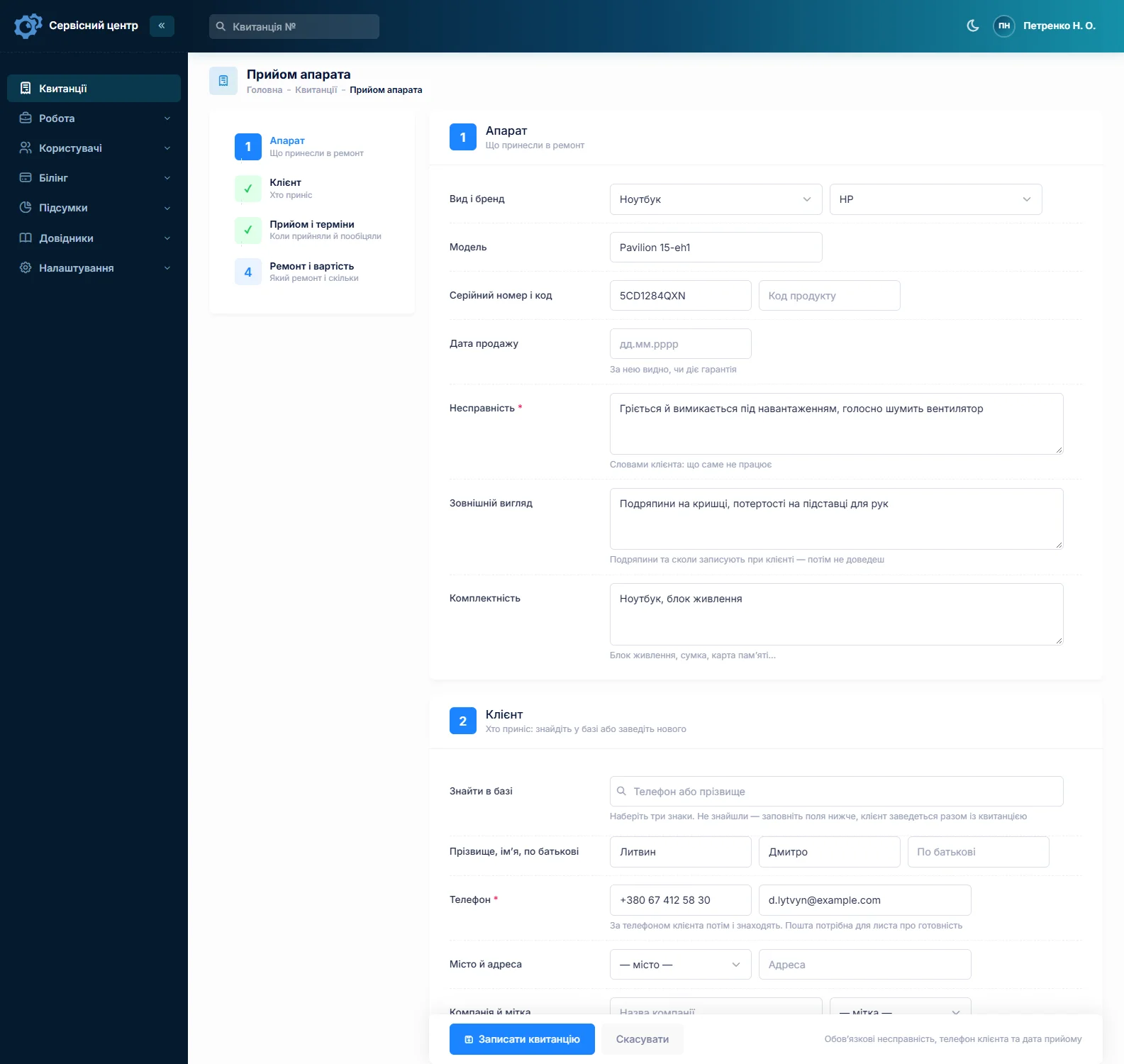
Small jobs only get recorded if recording them is quick. You find the customer by phone number or company name. Equipment types are your own list — “Impact wrench”, “Die grinder”, “Spray gun”, “Piston compressor”, “Rotary screw compressor”, “Dryer” — and each type has its own diagnostic fee. Your price list of standard jobs holds the usual lines: “rotor vane replacement”, “hammer mechanism kit”, “clean and lubricate”.
Three wrenches from the same garage? The second and third tickets are copies of the first: customer and type carry over, and you enter each tool’s own serial number. One ticket per tool shows which is ready and which still waits for a kit.
The big machine: site visit and workshop on one ticket
For machines you travel to, add your own repair type — say “On site” — and your own statuses: “Visit booked”, “Diagnosis on site”, “Taken to workshop”, “Waiting for part”. Any status can sit as a tile above the list, so one click shows every machine you still have to get to. The technician opens the ticket on a phone in the customer’s plant room, writes what was found into the work log and changes the status with a comment.
To be clear about call-outs: there is no visit calendar, no map and no route planning. You agree the time yourself and note it in the status comment; the site address is kept on the customer record.
At intake, record the model and the serial number from the nameplate, and use the product code field for the customer’s asset number or location (“Bay 2, next to the line”). Under accessories, list hoses, cable and the filter-regulator unit if they left the site with the machine.
Hours-based maintenance — and what the software does not do
Scheduled servicing is the steady income of a compressor shop. Here it is an ordinary ticket: labour from your price list (“Rotary screw service, 2,000 hours”) plus consumables as lines from stock — oil filter, air filter, separator, oil, belt. That set of lines is your service kit.
About running hours: there is no dedicated hour-meter field. Type the reading as plain text into the fault field — “scheduled service, 7,940 running hours” — and it prints on the ticket. What was done goes into the work log. When the next service is due goes into the recommendations field, which prints on the completion report the customer receives.
There is no maintenance scheduler and there are no service reminders. The software will not tell you that someone’s service falls due next month, and it sends nothing to the customer on its own. You keep the “who is due” list yourself. One habit helps: word the recommendation the same way every time — “next service: March 2027” — and the advanced text search will find the tickets containing it. Service contracts are not a separate module either; there is a customer, their tickets and their payments.
If you look after standby power as well, the same approach is described on the generator repair software page.
An approved estimate before the airend is opened
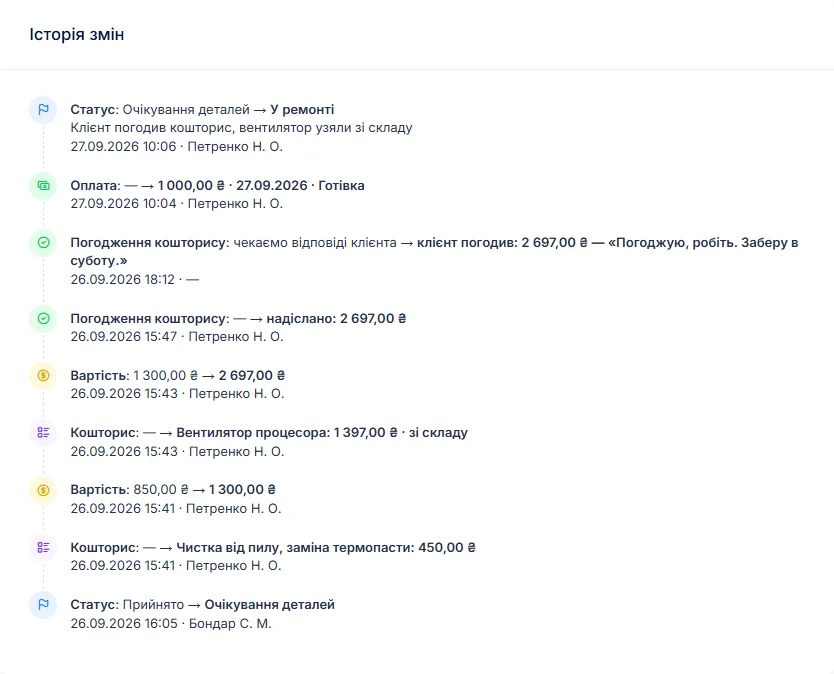
An airend rebuild or a replacement motor costs enough that the customer should decide, in writing, before you start. After diagnosis the technician builds the estimate line by line, the ticket moves to “Awaiting approval”, and the estimate goes out by email or Telegram. The link shows every line with “I agree” and “I decline” buttons; the answer and its date land in the ticket history. Approved by phone instead? Note it as a comment on the status change. If the customer declines, switch the ticket’s base to “diagnostics only” and the diagnostic fee is what appears on the paperwork.
Downtime: urgency and promised dates
Every ticket has a promised date. Overdue jobs turn red and gather under the “overdue” filter. A machine the customer cannot work without gets the urgent flag and stands out in the list. When they ring, a search by company name or serial number brings up the status and the latest comment, even if the technician is on the road.
Loan and rental compressors are not tracked. If you leave a temporary unit with a customer, write it in the technician notes.
One customer, several compressors
The customer record shows all their tickets, payments and any balance owed, with the business name in the company field. Each machine gets its own ticket, so a search by serial number returns the history of that particular compressor: when it was serviced, what was replaced, what was recommended. If a machine comes back with the same fault, choose the “Repeat repair” type; those tickets can be filtered in the job list. Reports do not break them out separately.
A ticket can take several payments — a deposit for an expensive part, the balance after the work. The “unpaid” filter lists finished jobs that have not been paid. Work done, the log and the recommendations print on the completion report; see the page on the certificate of completed repair work. You edit the wording of the ticket and the report yourself under “Print forms”.
Stock: kits and consumables
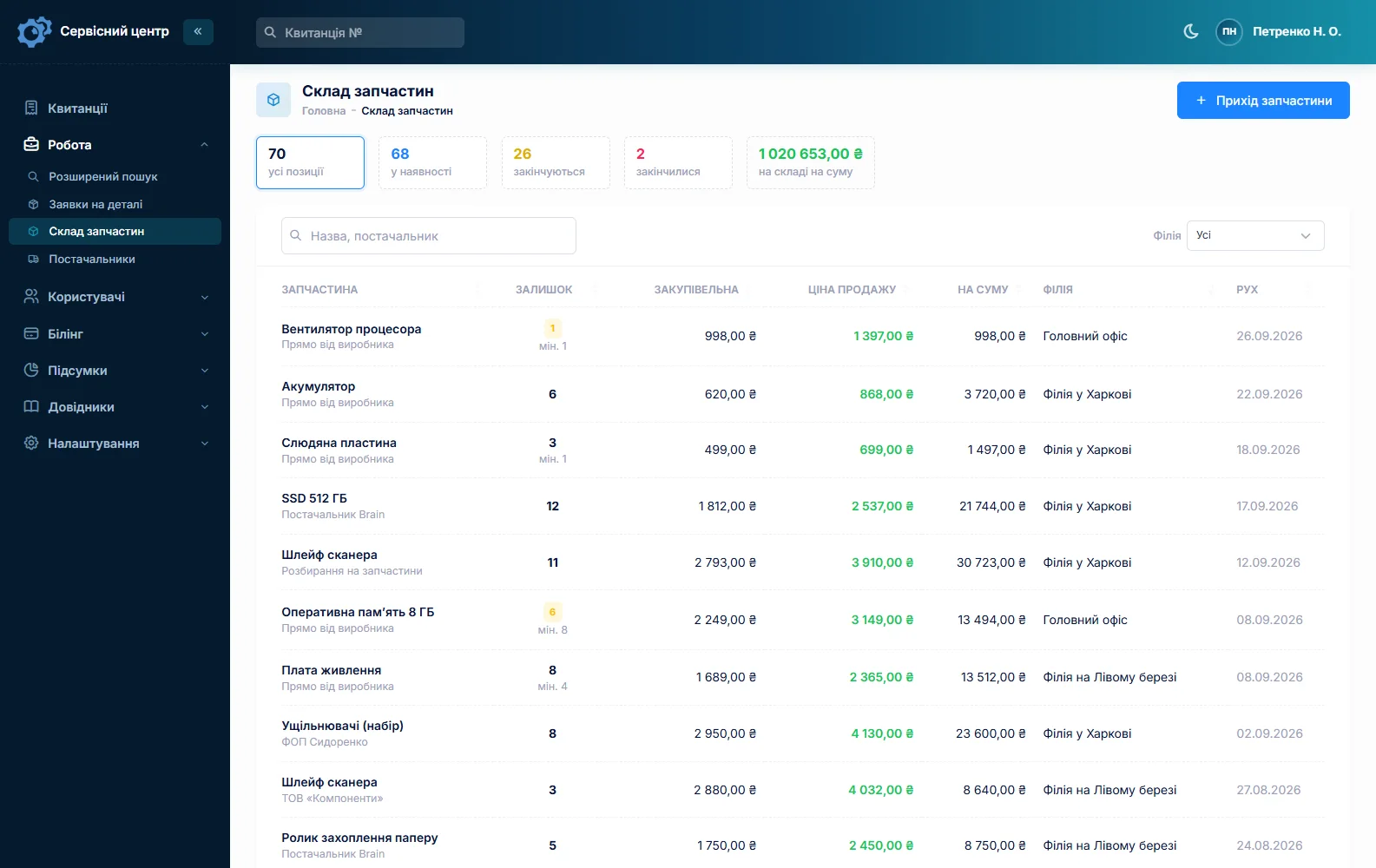
Stock is a movement journal: receipts with cost price and supplier, items used on a job as estimate lines, returns, stocktakes. For a compressor shop that means filters, separators, belts, valve plates, piston rings, pressure switches, check valves, impact wrench kits and vanes. Each item has a minimum level, and the “running low” tile tells you when to reorder. Quantities are whole numbers, so count oil by the can, not by the litre. A parts request can be emailed to your supplier straight from the ticket. More on spare parts tracking.
What compressor repairs typically cost
A rough guide only — prices vary by country, machine size and condition: diagnosis €30–90, impact wrench repair €40–150, piston compressor service €60–180, valve plate or piston set replacement €120–450, rotary screw service €250–900 plus consumables, call-out €50–150, airend rebuild from about €2,000. You set your own prices.
Air receivers and other pressure vessels are inspected under the rules of your country, and keeping to those intervals is the equipment owner’s responsibility. The software does not track them.
What it does not have
- a maintenance scheduler or service reminders;
- a dedicated running-hours field — readings are plain text;
- service contracts, a visit calendar or route planning;
- tracking of loan and rental units;
- fractional stock quantities;
- photos or file attachments on a ticket;
- SMS, a mobile app, online payment by the customer, supplier integrations.
What it costs
One price for the whole shop — no extra charge for staff or branches.
Monthly
Paid every month, cancel whenever you like.
Yearly
Cheaper than paying monthly. Invoice or card payment.
Custom work
Changes tailored to the way you work — hourly, by agreement.
Off-the-shelf not enough — your own forms, roles, reports or workflow? We will build a program for you. How it works
Try it without signing up in the demo: add a “Rotary screw compressor” type, book a machine in for a service with the hours in the description, add consumables from stock and send the estimate for approval.

We are very happy working with servicecentersoft.com: they built everything we asked for, even though our request was unusual, since we deal with medical devices. Everything was done precisely and on the agreed schedule. Thank you for the cooperation — we keep working together.

I tried the ServiceCenterSoft demo and came away with a good impression. The program is simple and easy to understand, yet it has everything you need for the job: customers, repairs, devices, spare parts, statuses and statistics.
I especially liked the dark theme and the responsive design — working from a phone is perfectly comfortable. Another plus is the instant search that works as you type, so you don't have to press a separate "Search" button every time.
You can tell the program was built specifically for service centers rather than being a generic CRM adapted for the repair business. The interface has no unnecessary frills; everything is logical and to the point.
A good, practical tool for the day-to-day work of a service center.

I liked that you get a free 14-day trial and that they are willing to handle my special requests — setting things up exactly the way I need them.
I also liked how payment works. You can simply pay the monthly fee by card online — basically the same as a regular Spotify subscription or any other service. No separate contracts to sign and no invoices to pay manually.
And there's no feeling of strict limits on the number of employees. One service center is one account, and inside it you can organize the work of your technicians and run several branches.
For me this is far more convenient than plans where you have to pay for every single user or keep counting how many employees are working today.

My business is fairly specific, so the program's standard features weren't enough — I needed my own custom fields, my own sorting options and search by additional parameters. The work completion certificate and the printed repair receipt also needed some changes to fit the way we work.
I contacted technical support. To be honest, I expected changes like these to take a long time, but everything was done within a single day. The team quickly understood exactly what we needed, suggested the right solution and did everything properly.
I'd especially like to mention the support: they get straight to the point, with no unnecessary bureaucracy, and they genuinely help instead of just sending you off to read the documentation.
For me this is a big advantage of the program: it isn't just sold "as is" — it can be adapted to how you actually work. Thanks to the team for the quick response and for treating the customer right.
Highly recommended!
In short
- Air tools — a ticket in a minute, batches by copying.
- Big machines — your own “On site” repair type and statuses, the ticket on a phone.
- Running hours as text; the next service in the recommendations on the report.
- No maintenance scheduler and no reminders — you keep that list yourself.
- Service consumables as estimate lines from stock, oil by the can.
- Airend work — estimate approval before anything is opened.
- Machine history by serial number and on the customer record.
- €20 a month for the whole shop.
See also
Starting your own repair shop: where to begin
For people who can fix phones and laptops and want to work for themselves: what a small repair business needs on day one, the paperwork that protects you from the first customer, and how to run a shop in a country whose language is not your own.
Read moreSoftware for home appliance service
Contents recorded at intake, warranty at the brand price list, callouts, slow parts and partner shops.
Read morePhone repair shop software
Intake in a minute, screens and batteries tracked, a ready-for-pickup email, output per technician.
Read moreSee how it works
The demo is open — go in and try it. Ask us anything by email, Telegram or the form on this site.